Assign Responsible Parties for Management Roles
Assign a responsible party to a Management Role to designate the person with business accountability for the role's governance, including access recertification, compliance oversight, and lifecycle management. The responsible party differs from the role owner, who has administrative permissions to manage role membership and configuration.
Prerequisites
Before assigning responsible parties, ensure you have:
- Access to the EmpowerID web application with permissions to manage Management Roles
Procedure
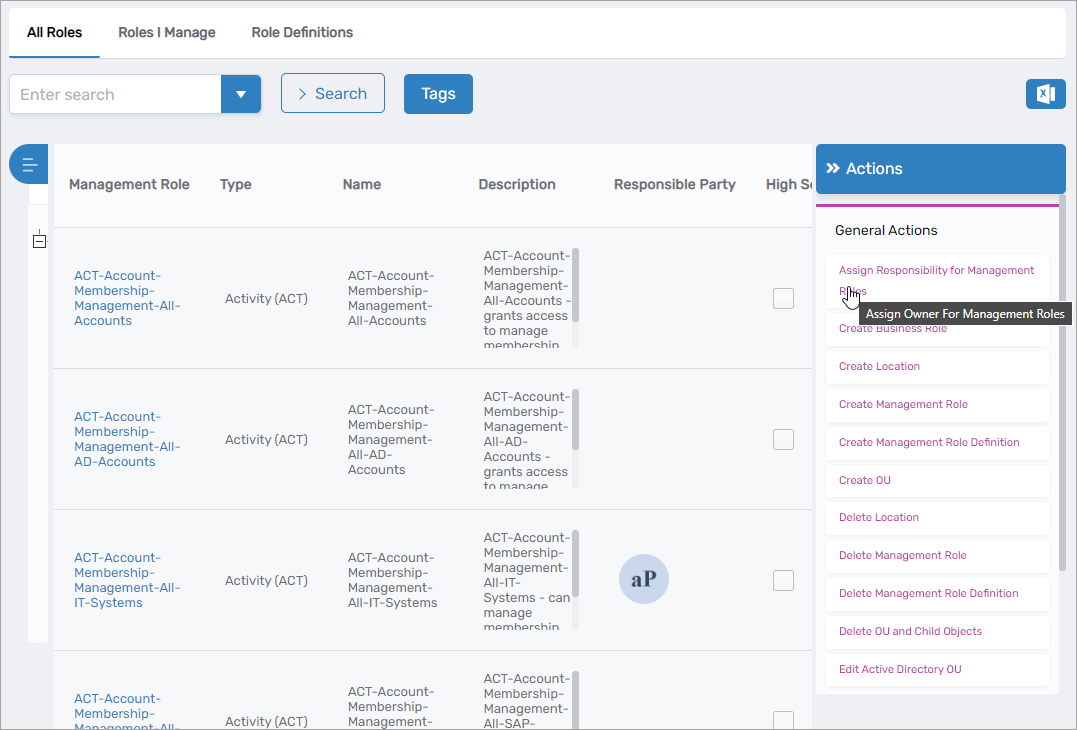
- Navigate to Role Management > Management Roles.
- From the Actions pane, select Assign Responsibility for Management Roles.
- Search for and select the Management Role(s) to assign a responsible party:
- Enter search criteria in the search field to locate roles
- Select the checkbox next to each role
- Select multiple roles to assign the same responsible party to all of them
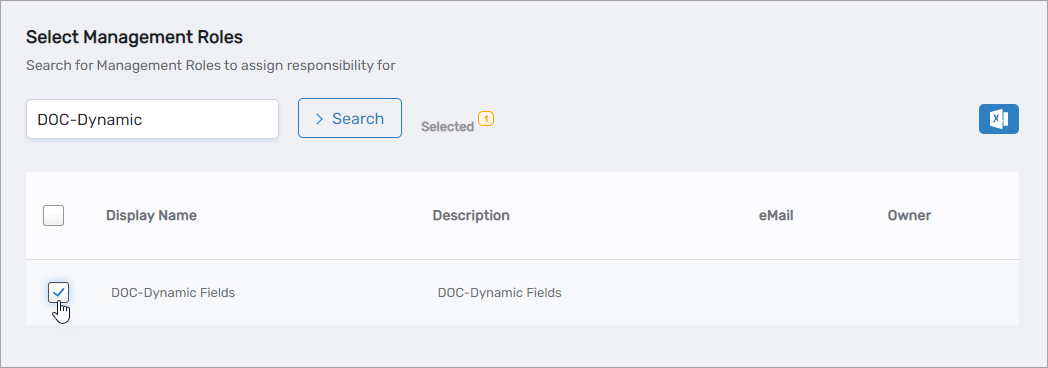
- Click Submit to proceed to responsible party selection.
- Search for and select the person who will serve as the responsible party:
- Enter the person's name in the search field
- Click the person's record to select them
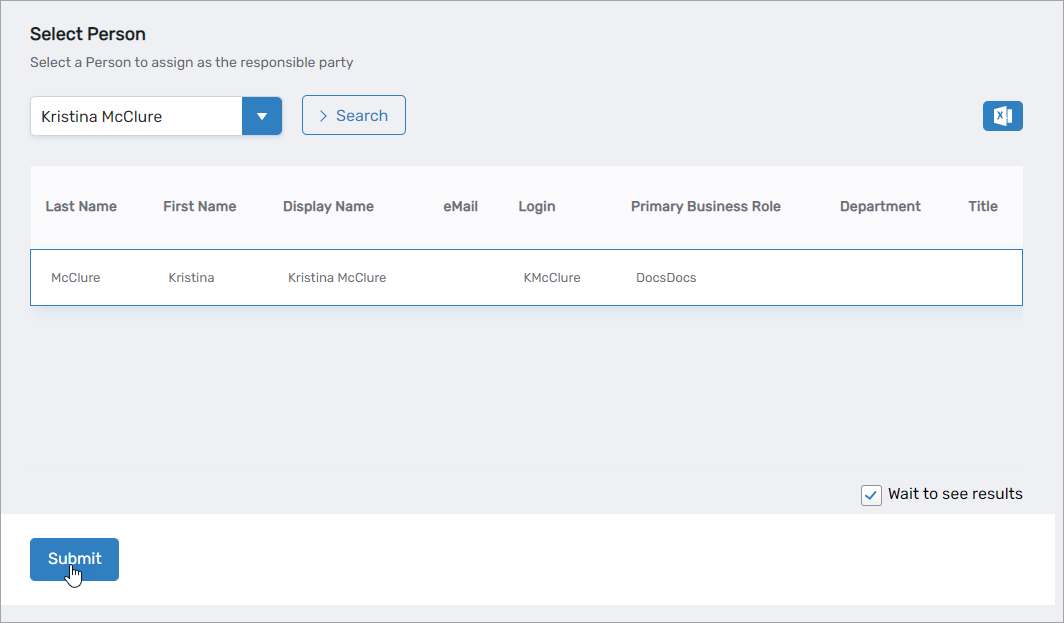
- Click Submit to complete the assignment.
Verify the Results
After assigning the responsible party:
- Navigate to Role Management > Management Roles.
- Search for and select one of the roles you assigned a responsible party to.
- Click the role's name to open its details view.
- Verify the Responsible Party field displays the correct person's name.
- (Optional) Repeat for additional roles to confirm bulk assignments completed successfully.
Related Topics
- Onboard Management Roles — Assign responsible parties during role creation
- Edit Management Role Owners & Deputies — Manage administrative ownership and delegation
- Approve Management Role Changes — Review and approve role modifications
- About Management Roles — Understand Management Role governance concepts