Applications Page
The Applications page is where delegated application administrators manage Azure and PBAC applications — configuring credentials, controlling app role assignments, and governing access to application functionality — without needing direct access to the Azure portal or underlying systems. Upon logging in, Resource Admin opens this page by default.
To access the Applications page you need:
UI-Res-Admin-MS-Applicationfor full application management, orUI-Res-Admin-MS-Application Basefor read-only / limited accessVIS-Res-Admin-MS-API— required for all Resource Admin usersUI-Res-Admin-MS-Common— required for all Resource Admin users
For Claims Mapping Policy management, also assign UI-Res-Admin-MS-Application-ClaimsMapping-Policy. See Assigning Management Roles Needed to Access Resource Admin.
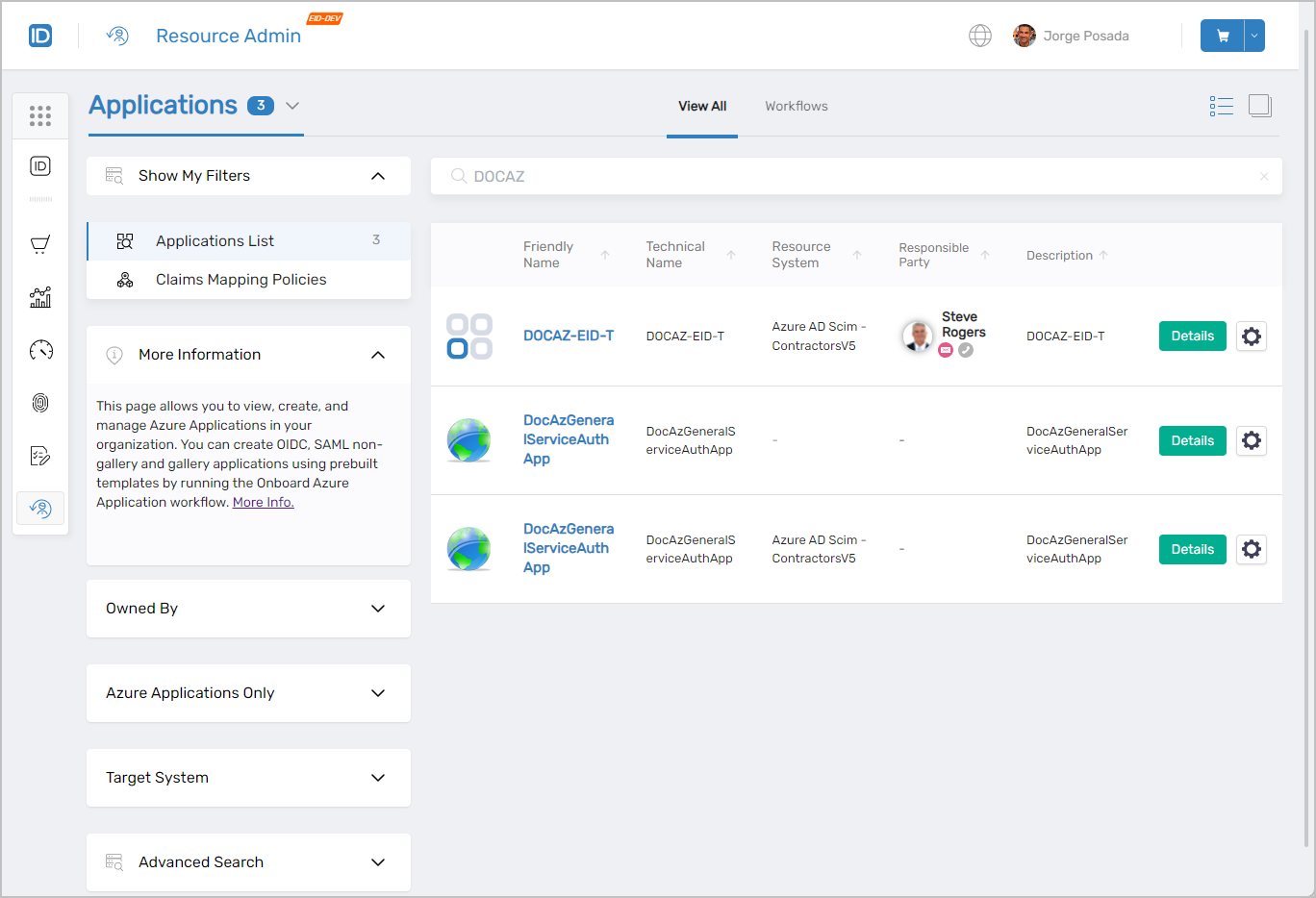 Applications page showing the main interface with filters and application listings
Understanding Application Types
The tabs and management options available for an application depend on its type. Three types appear in Resource Admin:
| Type | What it is | What you can manage |
|---|---|---|
| Azure application | An application registered in Microsoft Entra ID | Client secrets, certificates, scopes, API permissions, token claims, app roles, role definitions, Claims Mapping Policies |
| PBAC application | An application governed by EmpowerID's Policy-Based Access Control engine | Role Definitions, App Rights, Field Types, Resource Types, PBAC assignments |
| Basic application | A non-Azure, non-PBAC application | Core attributes and settings only |
Finding Applications
Search matches against the following attributes simultaneously:
- Name
- FriendlyName
- Description
- MatchingPattern
Entering "PBAC" returns every application where that string appears in any of those fields.
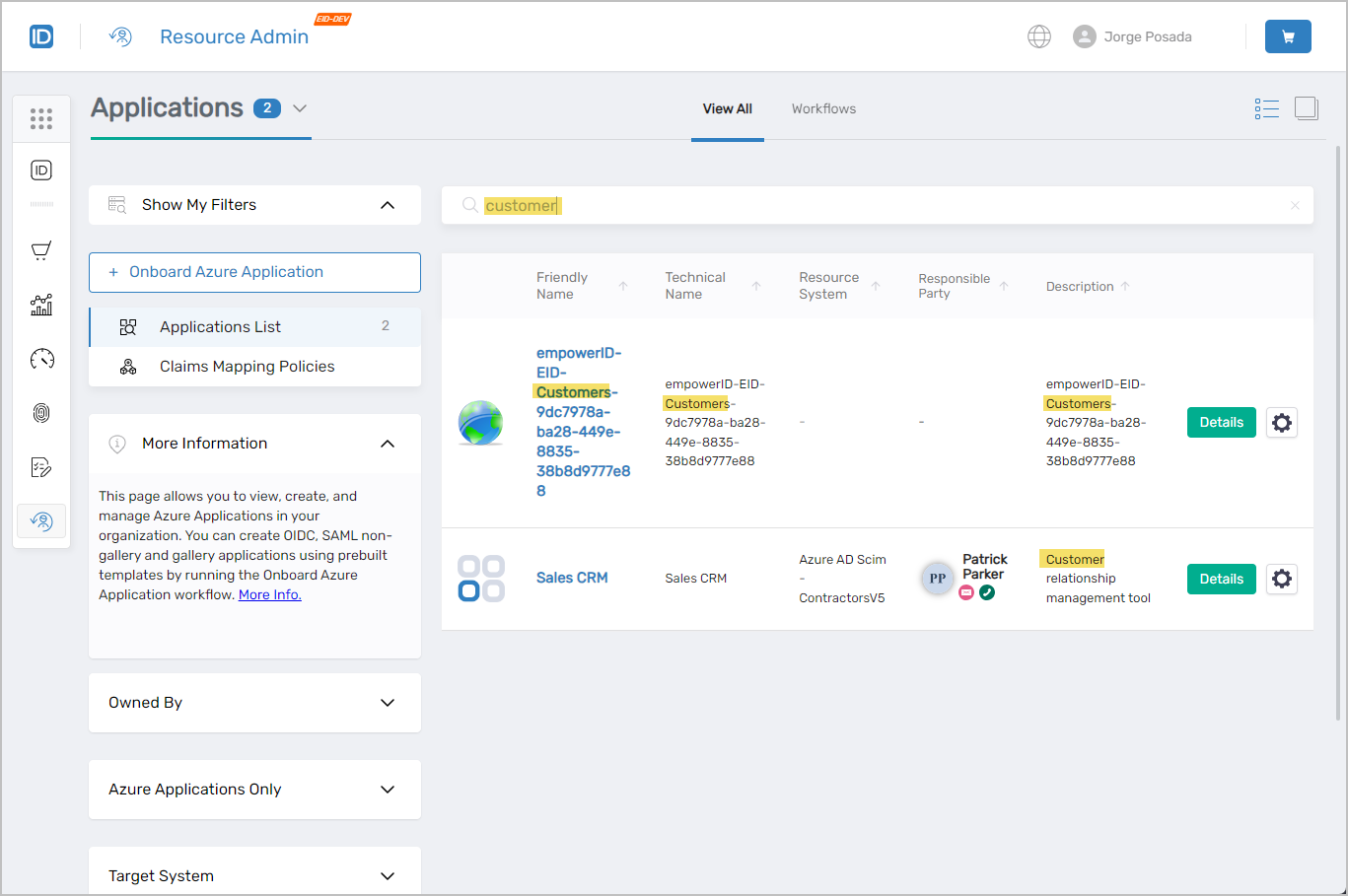 Search results showing applications matching the search criteria
Application Search Filters
Use filters alongside the search bar to narrow results by ownership, application type, or target system.
| Filter | Description |
|---|---|
Owned By | Lists applications by ownership:
|
Azure Applications Only | When selected, removes non-Azure applications from results. |
Target System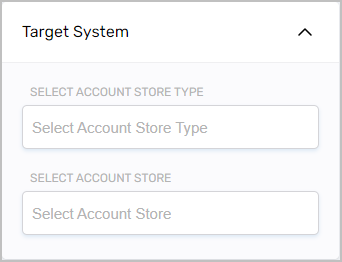 | Filters applications to a specific Account Store Type and/or Account Store. |
Advanced Search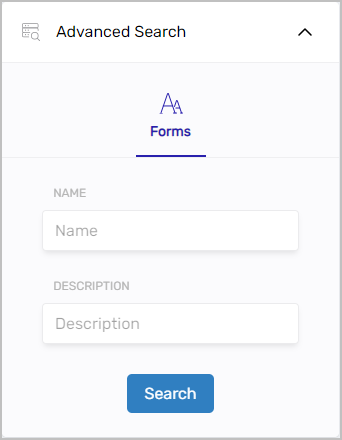 | Additional attribute-level filtering options. |
The Owned By filter is visible only to users with the appropriate role assignment.
Working with Applications
Select the Details link on any application record to open the Details view. The tabs available depend on the application type. Select the gear icon on any record to launch contextual workflows such as the Manage Azure Application Wizard.
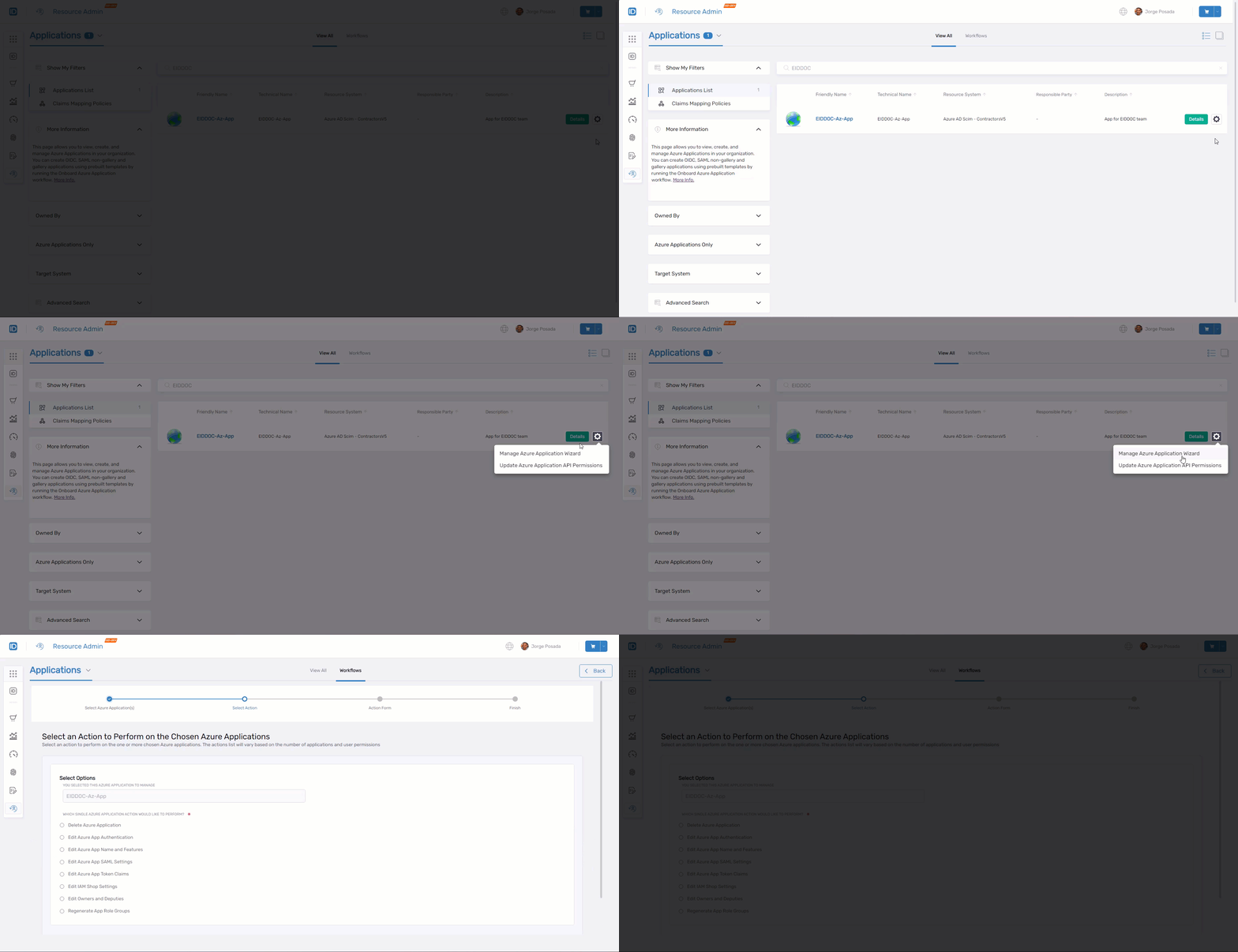 Contextual workflows available for Azure applications
Azure Applications
Selecting Details on an Azure application opens its Overview page, where you navigate between tabs to manage different aspects of the application.
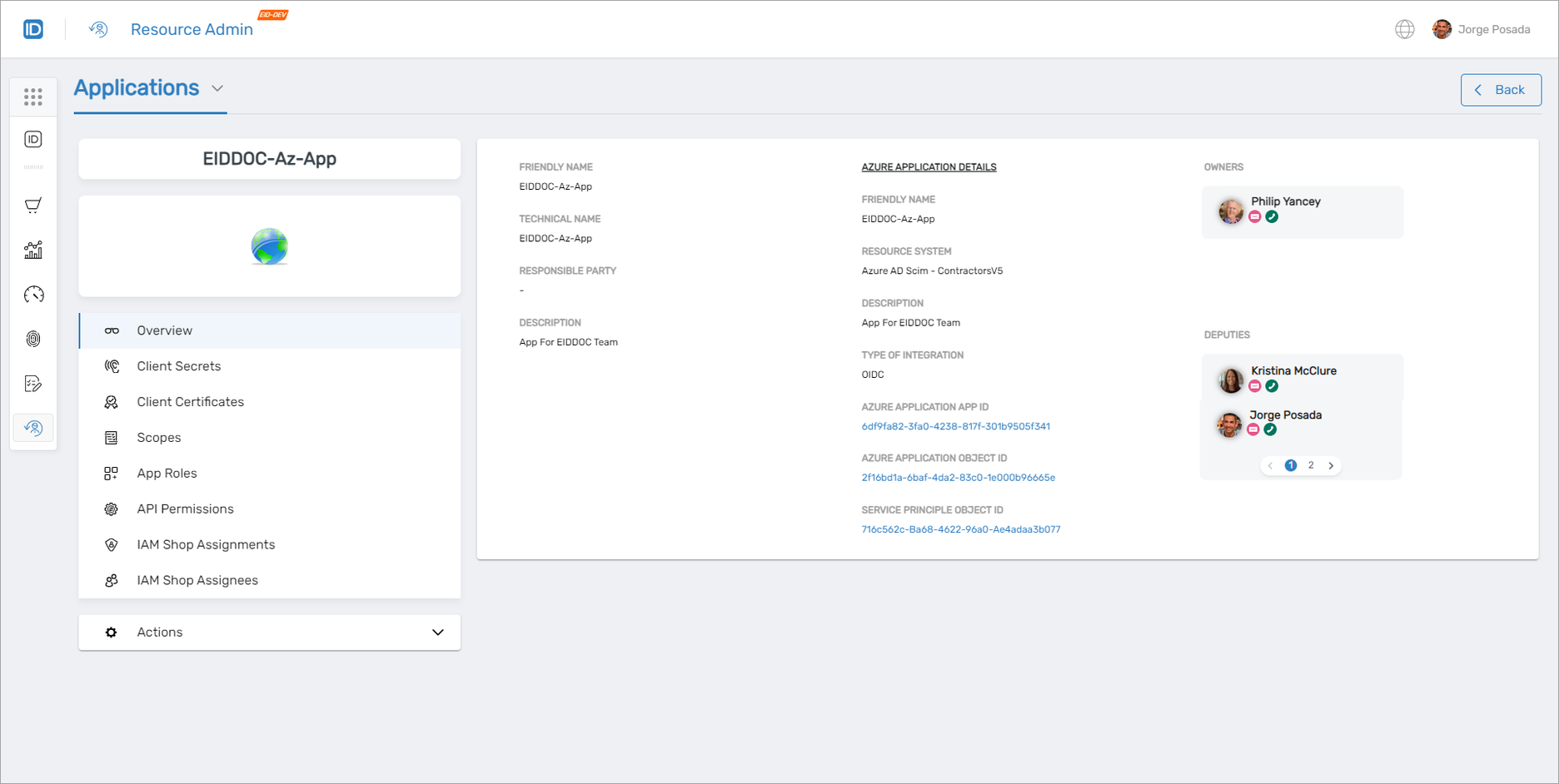 Azure application overview page with available tabs
Client Secrets
Use this tab when you need to issue a new secret, rotate an expiring secret, review existing credentials, or revoke a client secret.
- View, request access to, and check out existing secrets
- Add and delete client secrets
- Run the Manage Credential Wizard
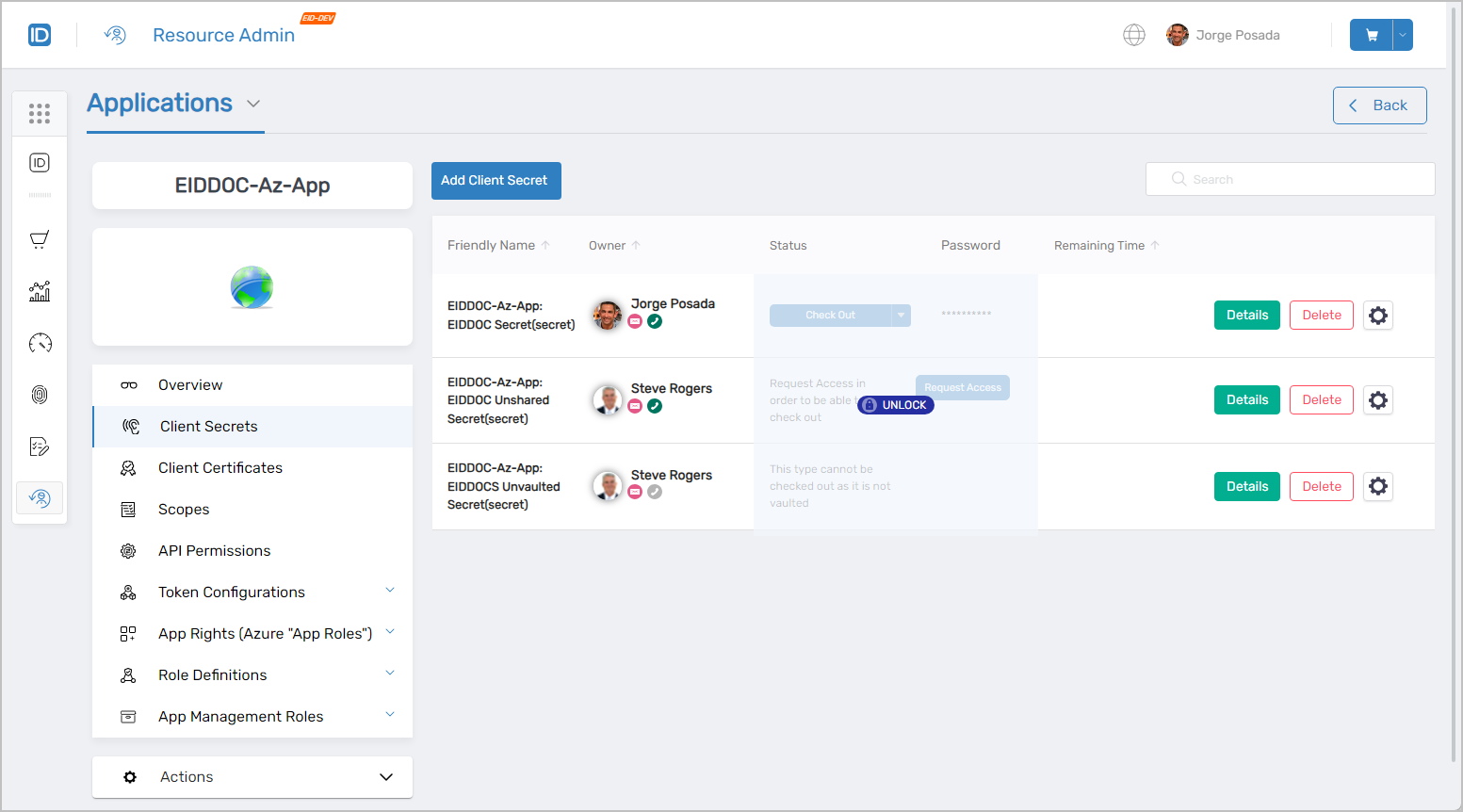 Client Secrets management interface
Client Certificates
Use this tab when you need to add certificate-based credentials, review existing certificates, or remove a certificate from the application.
- View, request access to, and check out existing certificates
- Add and delete client certificates
- Run the Manage Credential Wizard
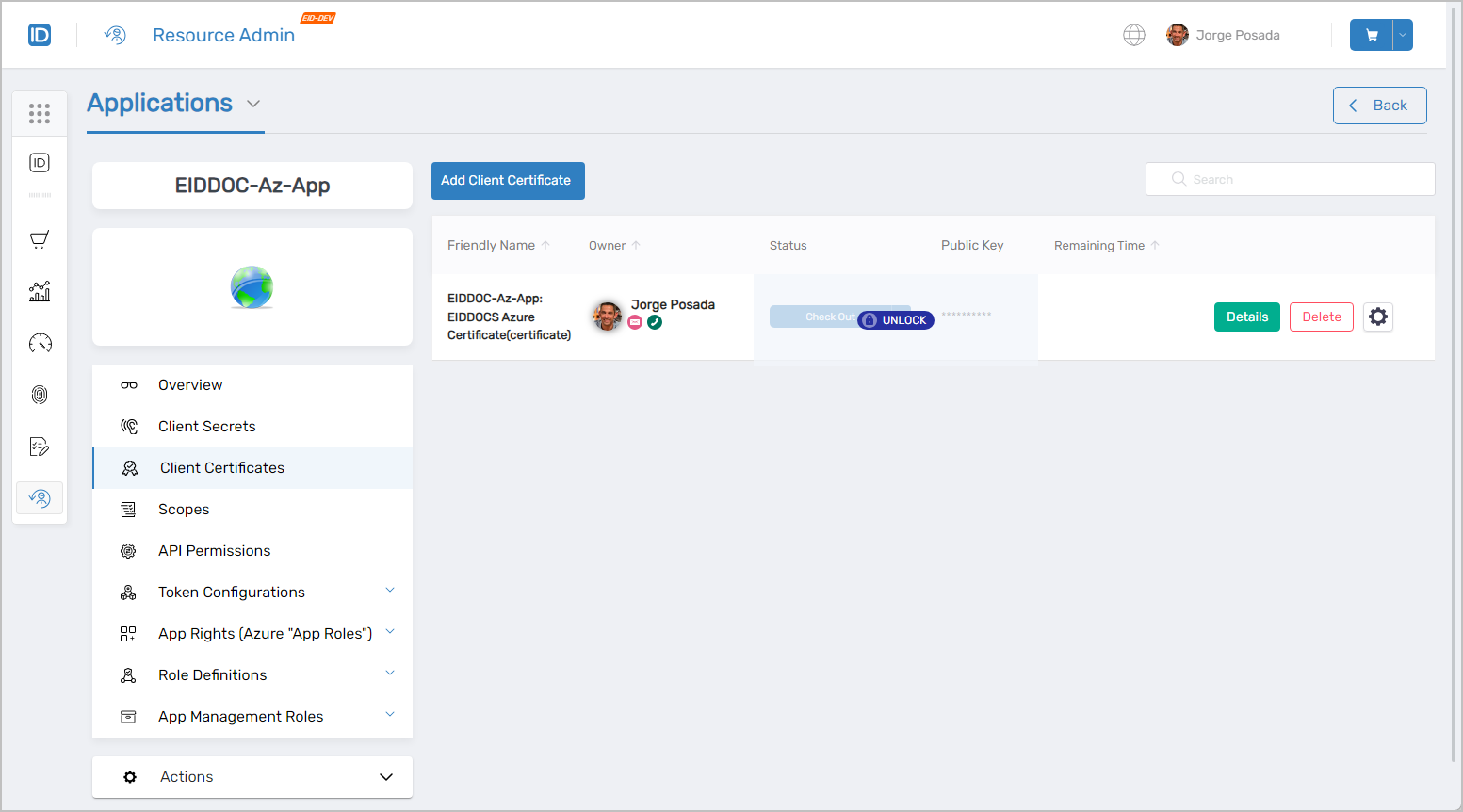 Client Certificates management interface
Scopes
Use this tab when you need to add or remove OAuth scopes that this application exposes to other applications.
- View existing scopes
- Add and delete scopes
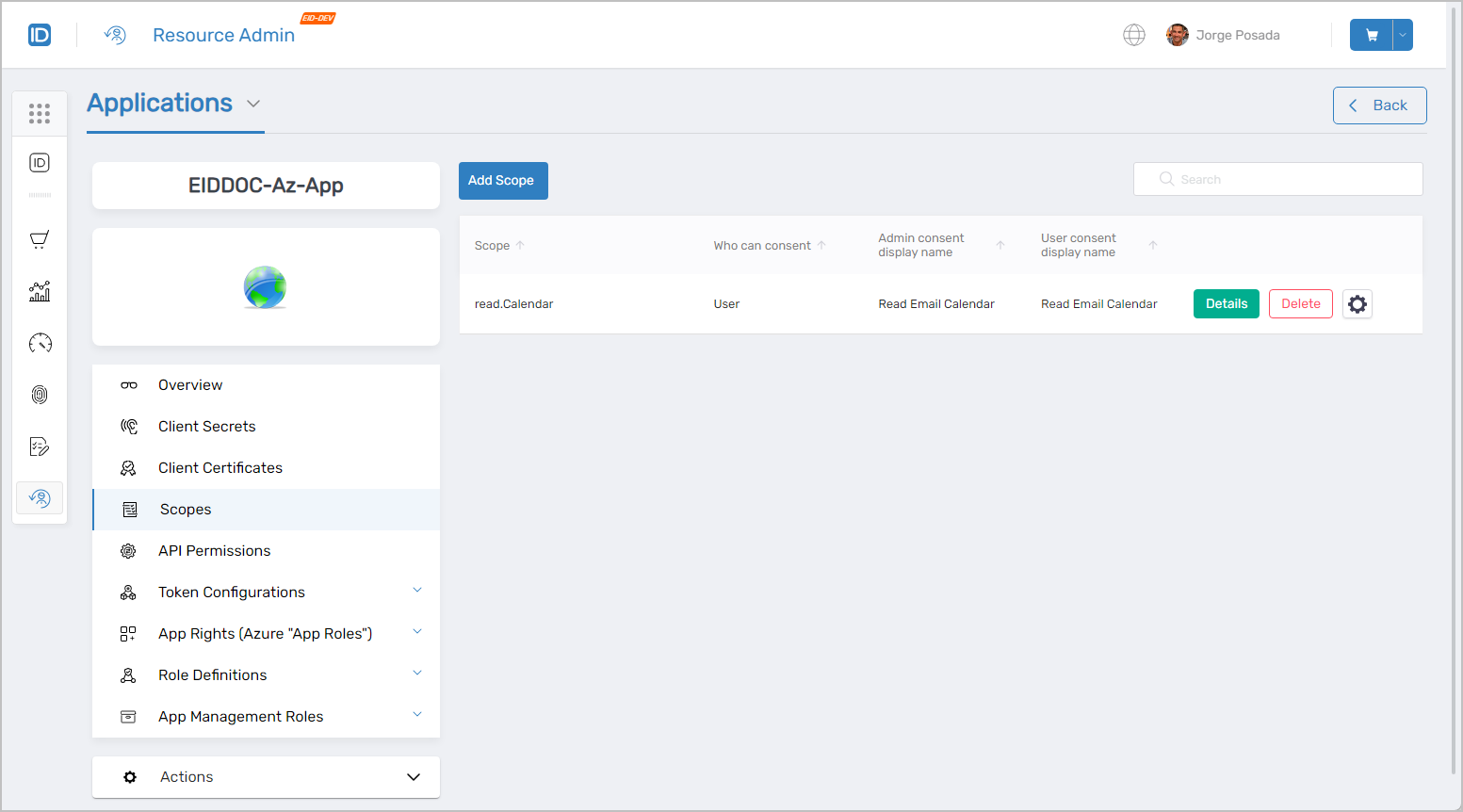 Scopes management interface
API Permissions
Use this tab when you need to add or remove the delegated or application permissions this application requests from other APIs.
- View existing API permissions
- Add and delete API permissions
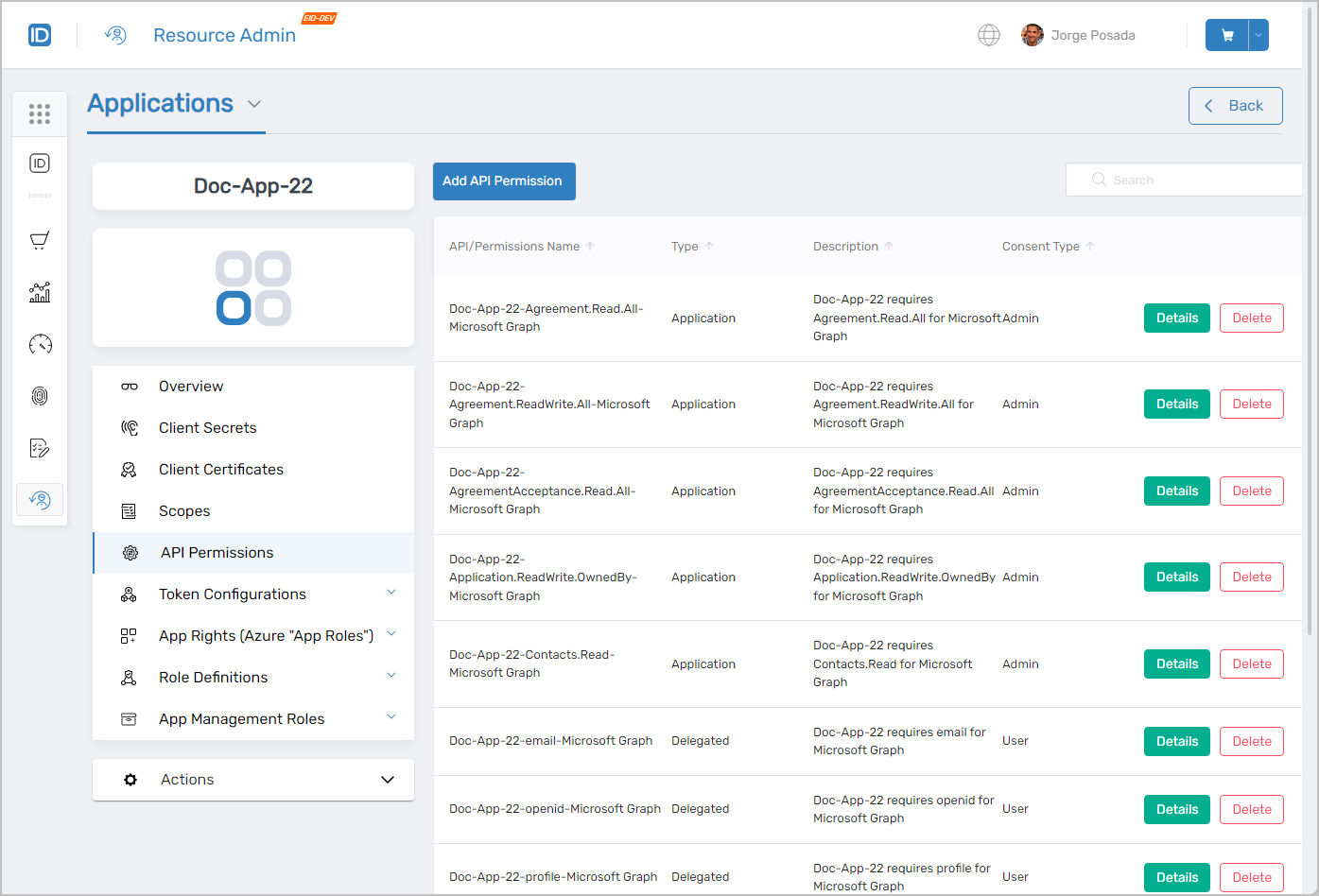 API Permissions management interface
Token Configurations
Use this tab when you need to add or remove the claims included in tokens issued to this application.
- View existing claims
- Add and remove claims
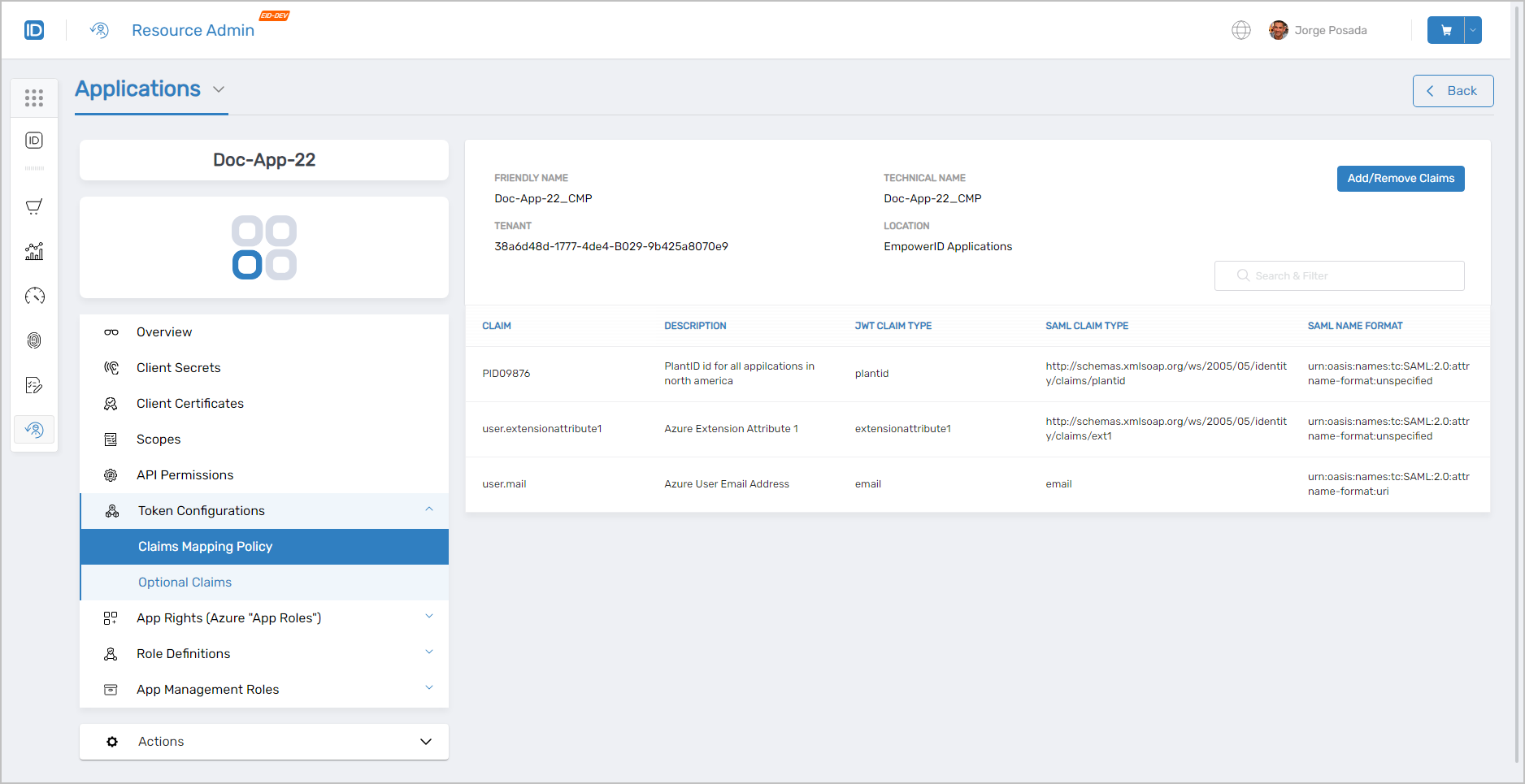 Token Configurations management interface
App Rights (Azure "App Roles")
Use this tab when you need to create app roles, assign them to users, review who holds which app right, or remove an assignment.
- View, create, and delete app rights
- View, assign, and remove app right assignments
- View people with app rights to the application
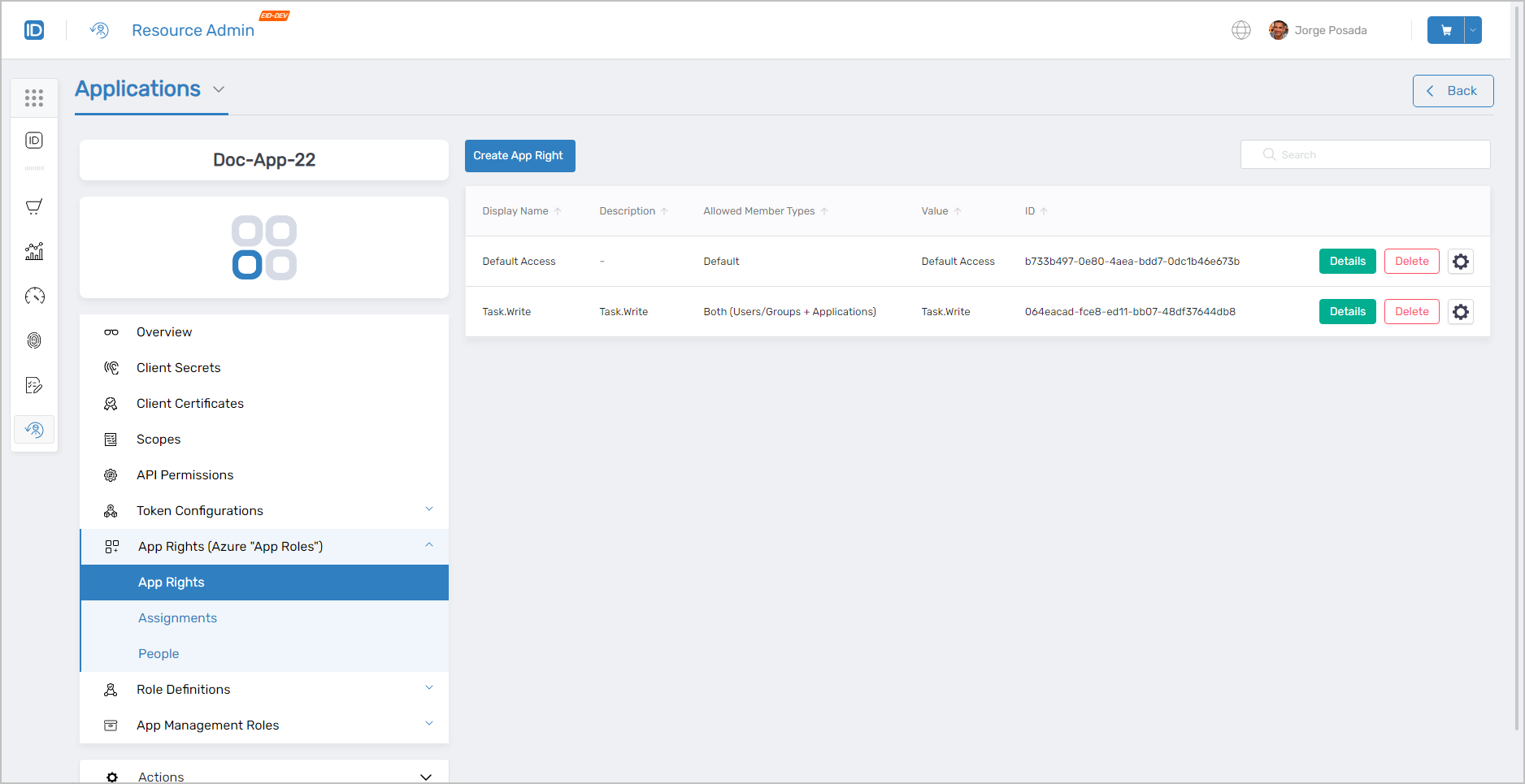 App Rights management interface
Role Definitions
Use this tab when you need to create a role definition that bundles app rights, assign it to users, or review existing role definition assignments.
- View, create, and delete role definitions
- View, assign, and remove role definition assignments
- View people with app roles
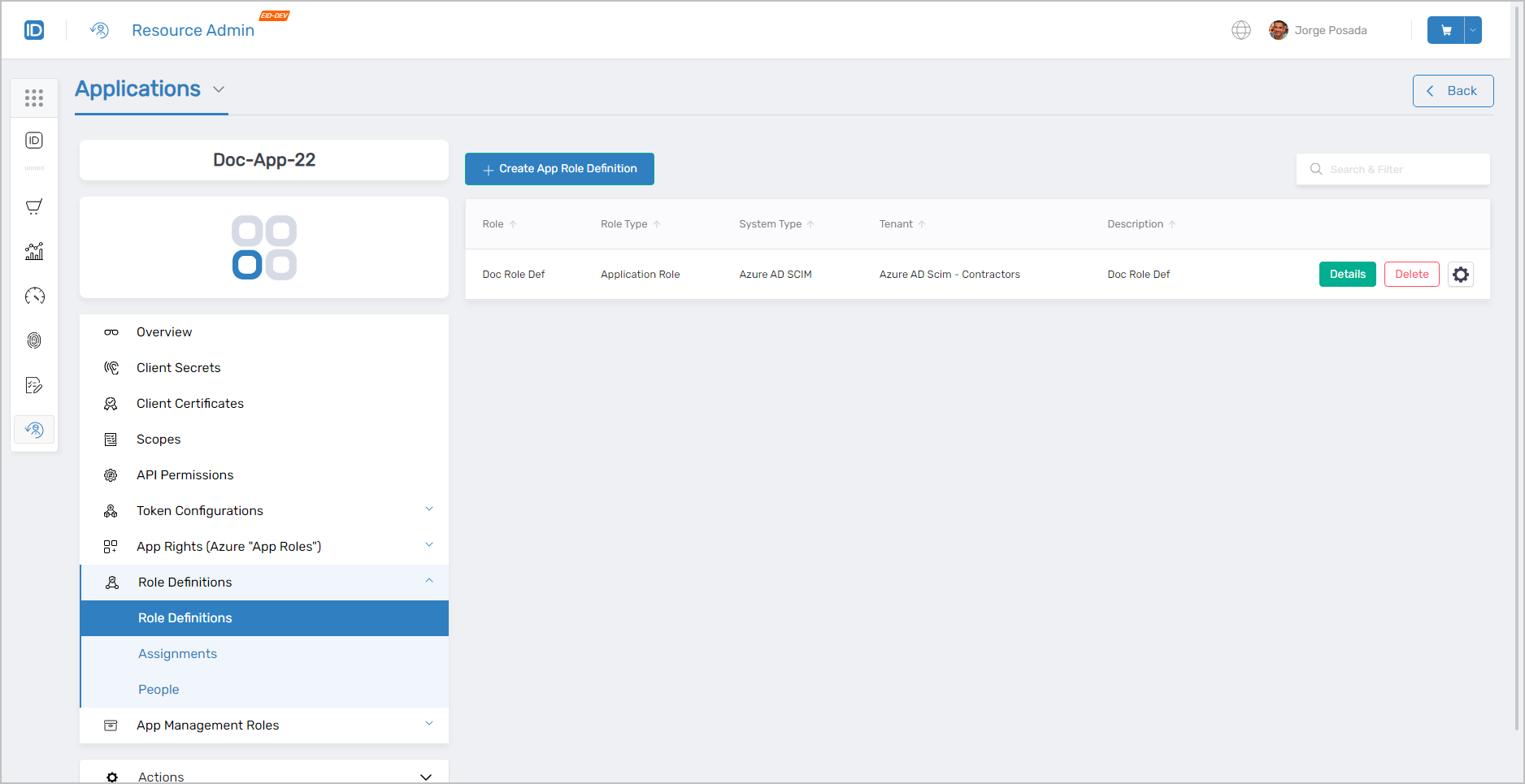 Role Definitions management interface
App Management Roles
Use this tab when you need to create a Management Role scoped to this application, or view who holds application-scoped administrative roles.
- View, create, and delete App Management Roles
- View direct and total access granted to each role
- View people assigned as members
App Management Roles management interface
Actions
The Actions tab surfaces context-sensitive workflows based on the tab you are currently viewing. On the Overview tab it shows the Manage Azure Application Wizard and Update Azure Application API Permissions; on the Client Secrets tab it shows Delete Azure Application Client Secrets; and so on.
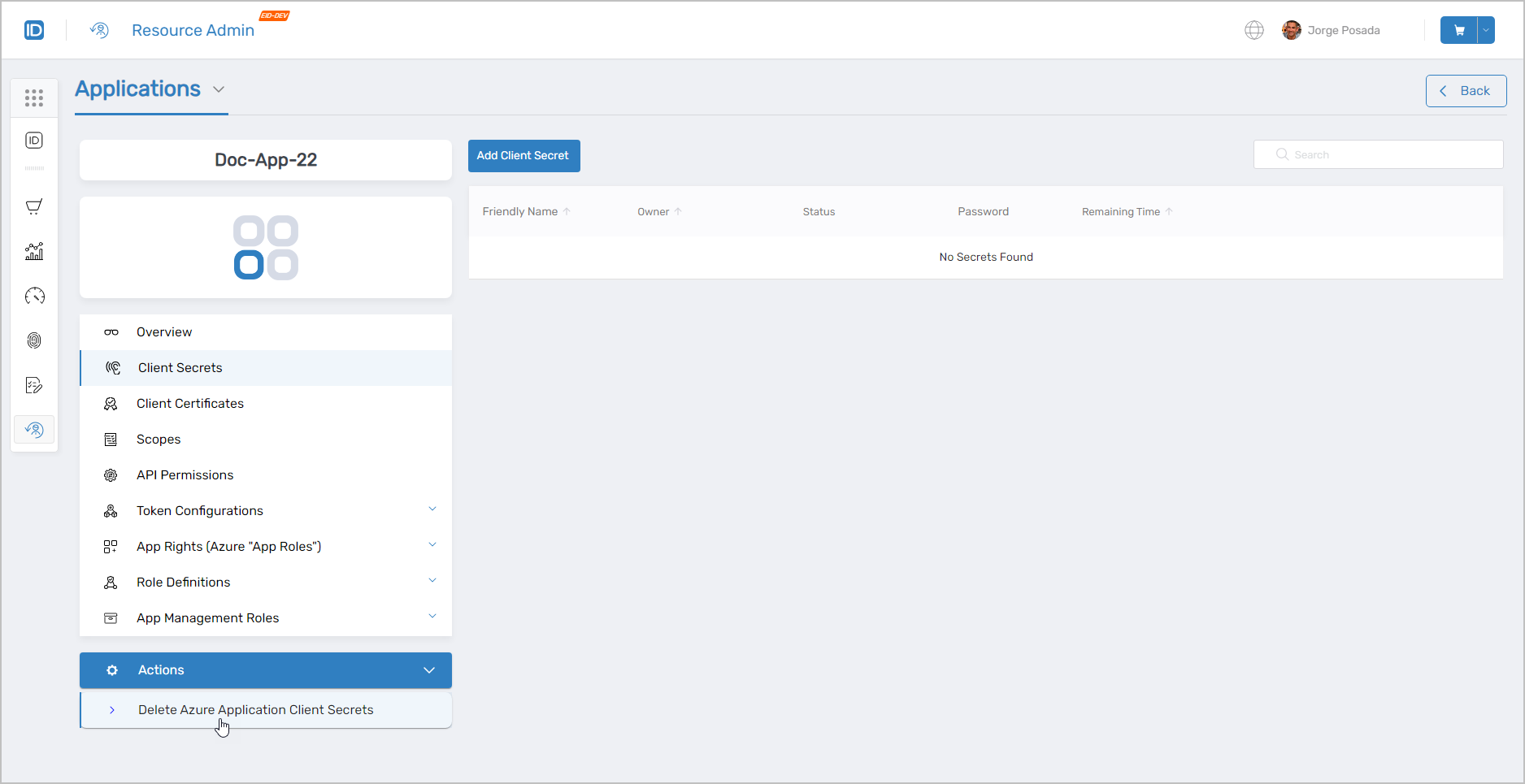 Context-sensitive Actions tab showing relevant workflows
Claims Mapping Policies
Use this section when you need to manage the identity claims sent to an Azure application at sign-in. Claims Mapping Policies are available for Azure applications only and appear as a separate tab alongside the application list.
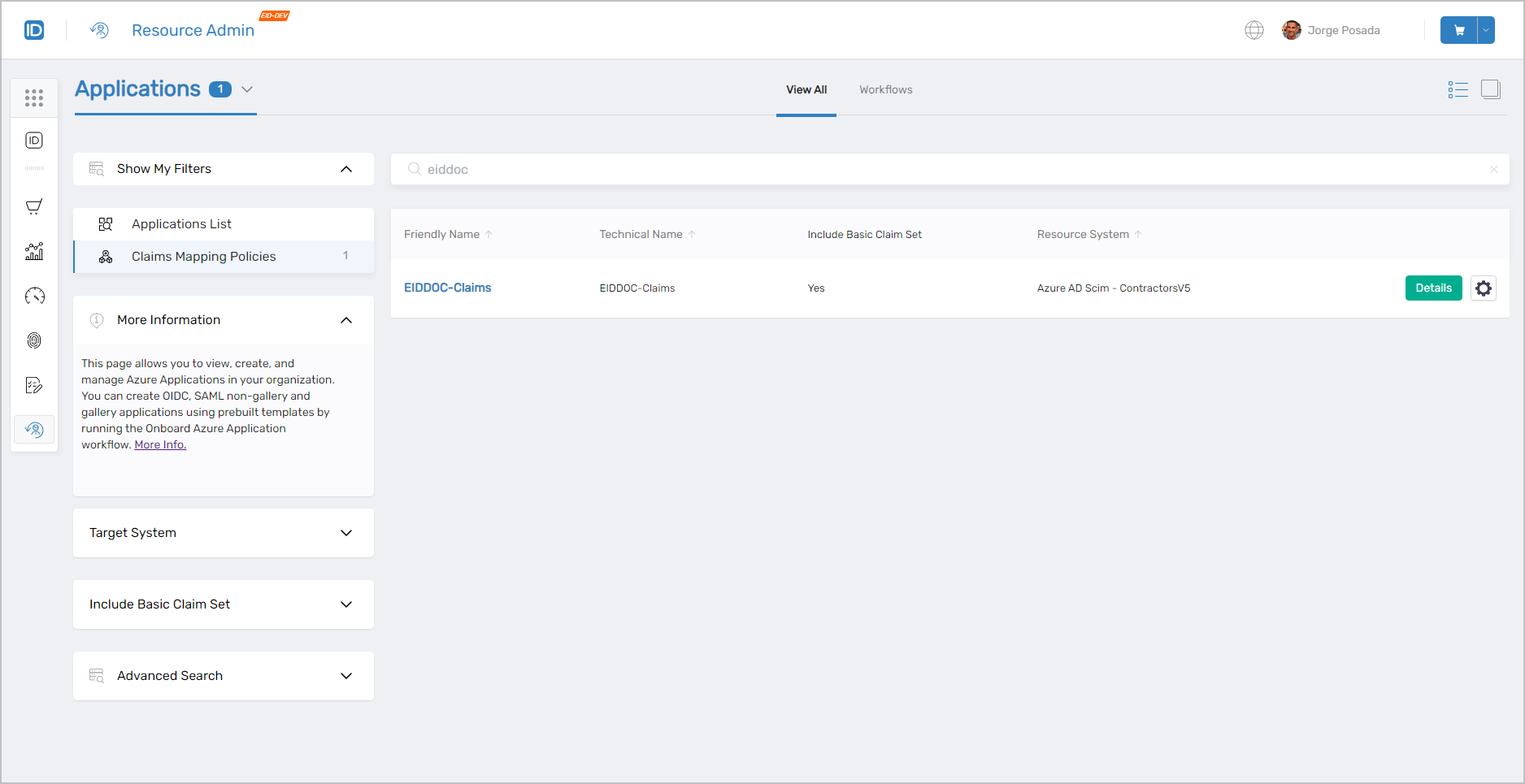 Claims Mapping Policies management interface
Claims Mapping Policies Search Filters
| Filter | Description |
|---|---|
| Target System | Filters Claims Mapping Policies to a specific Account Store Type and/or Account Store. |
Include Basic Claim Set | Filters by whether a policy includes the basic claim set: All, Yes, or No. |
Advanced Search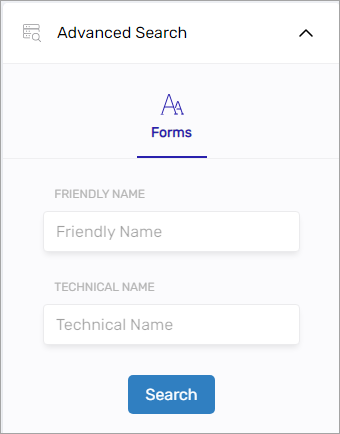 | Additional attribute-level filtering options. |
PBAC Applications
Selecting Details on a PBAC application opens its Overview page. The two key tabs for PBAC applications are described below.
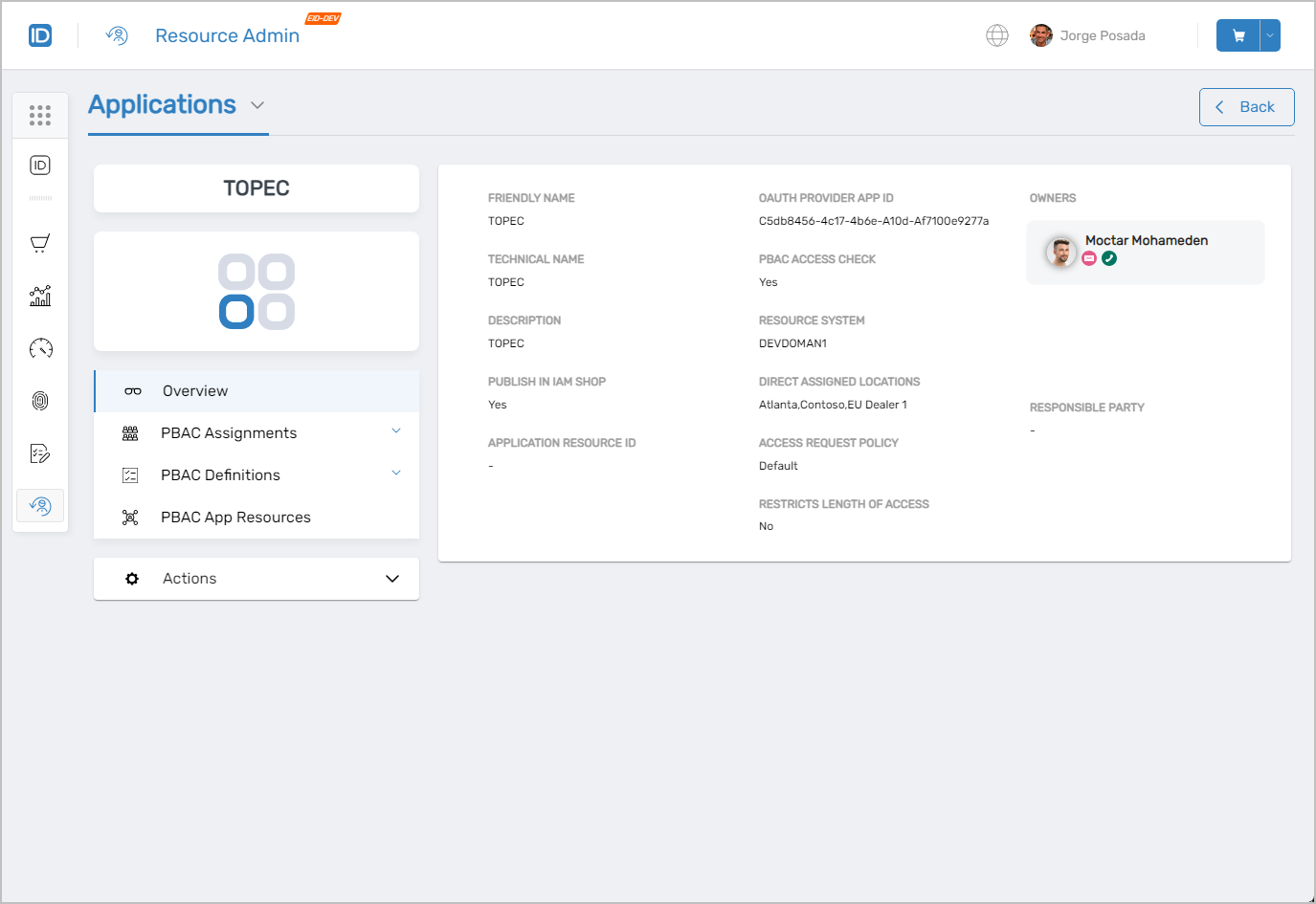 PBAC application overview page
PBAC Assignments
Use this tab when you need to assign a Role Definition to a person or group, review who has which PBAC assignment, or remove an existing assignment.
- Assign and delete Role Definitions
- View people with Role Definition assignments
- Edit existing Role Definition assignments
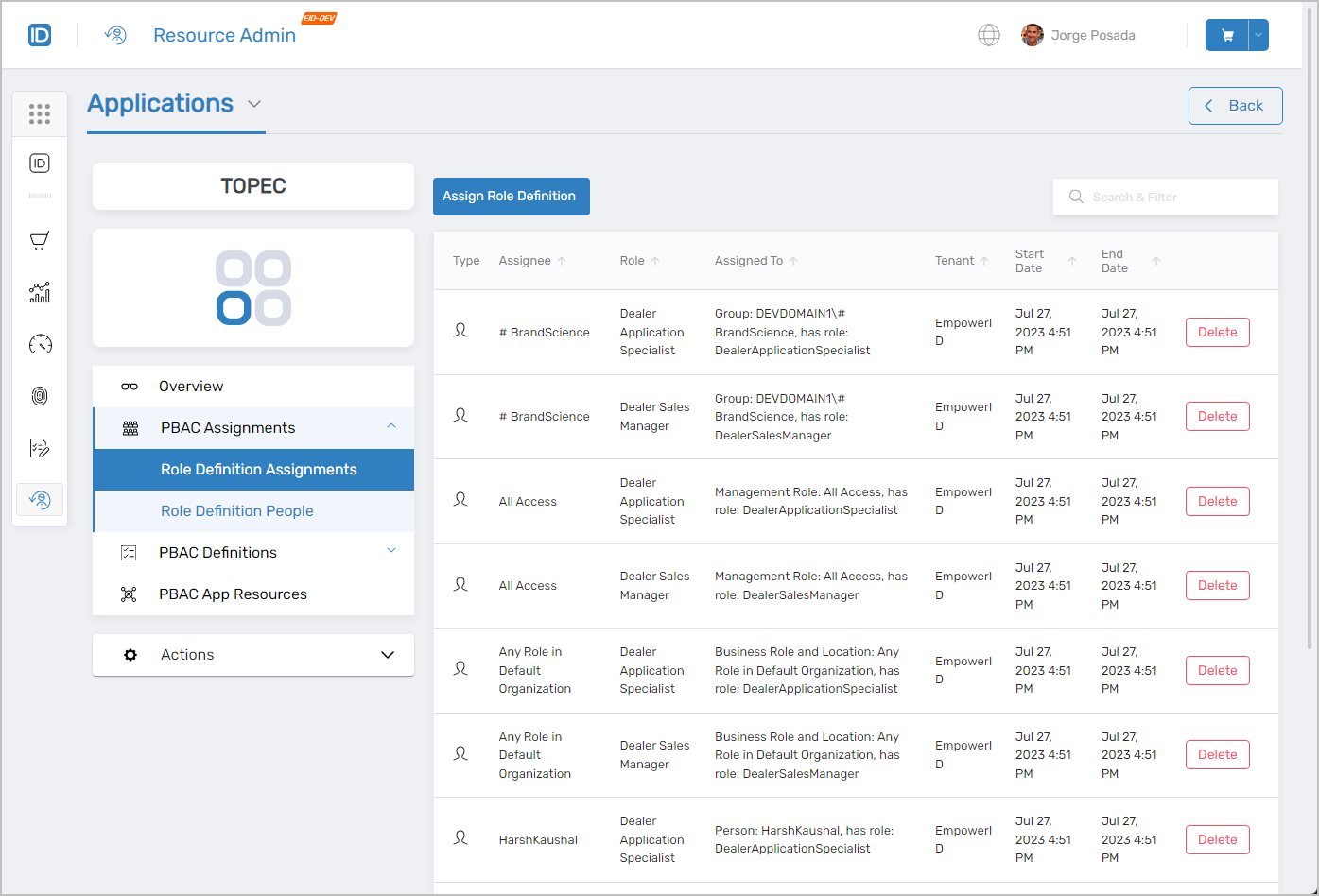 PBAC Assignments management interface
PBAC Definitions
Use this tab when you need to create or manage the underlying App Rights, Role Definitions, App Management Roles, or Resource Types that define how access is structured for this PBAC application.
- App Rights – View, create, delete, and assign App Rights
- App Role Definitions – View, create, delete, and modify App Role Definitions
- App Management Roles – Create and delete App Management Roles
- PBAC Resource Types – Create, edit, and delete Resource Types
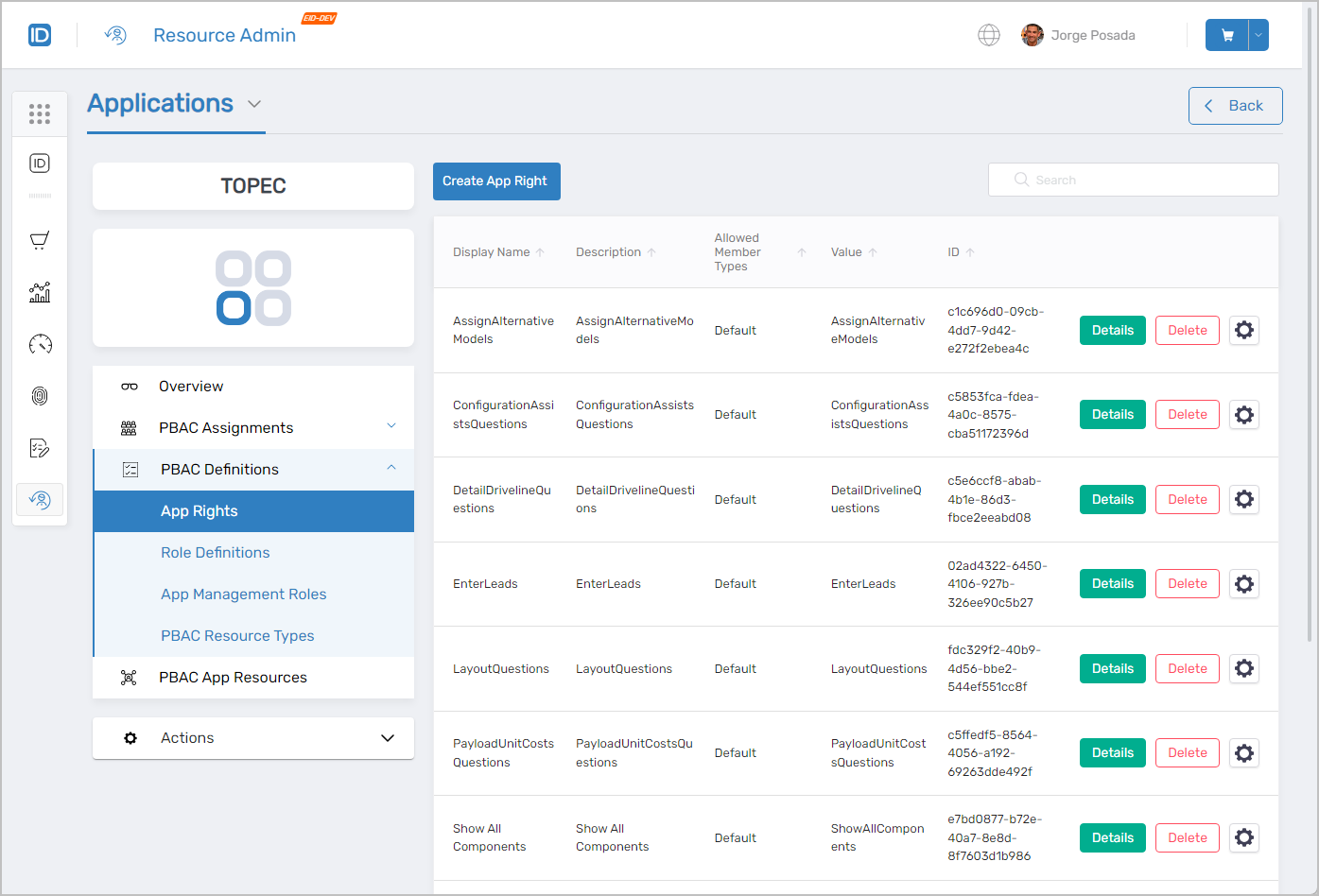 PBAC Definitions management interface
Workflows Available from This Page
The Workflows page provides a centralized location for all application-related workflows, including onboarding Azure applications and Claims Mapping Policies, configuration, and update procedures.
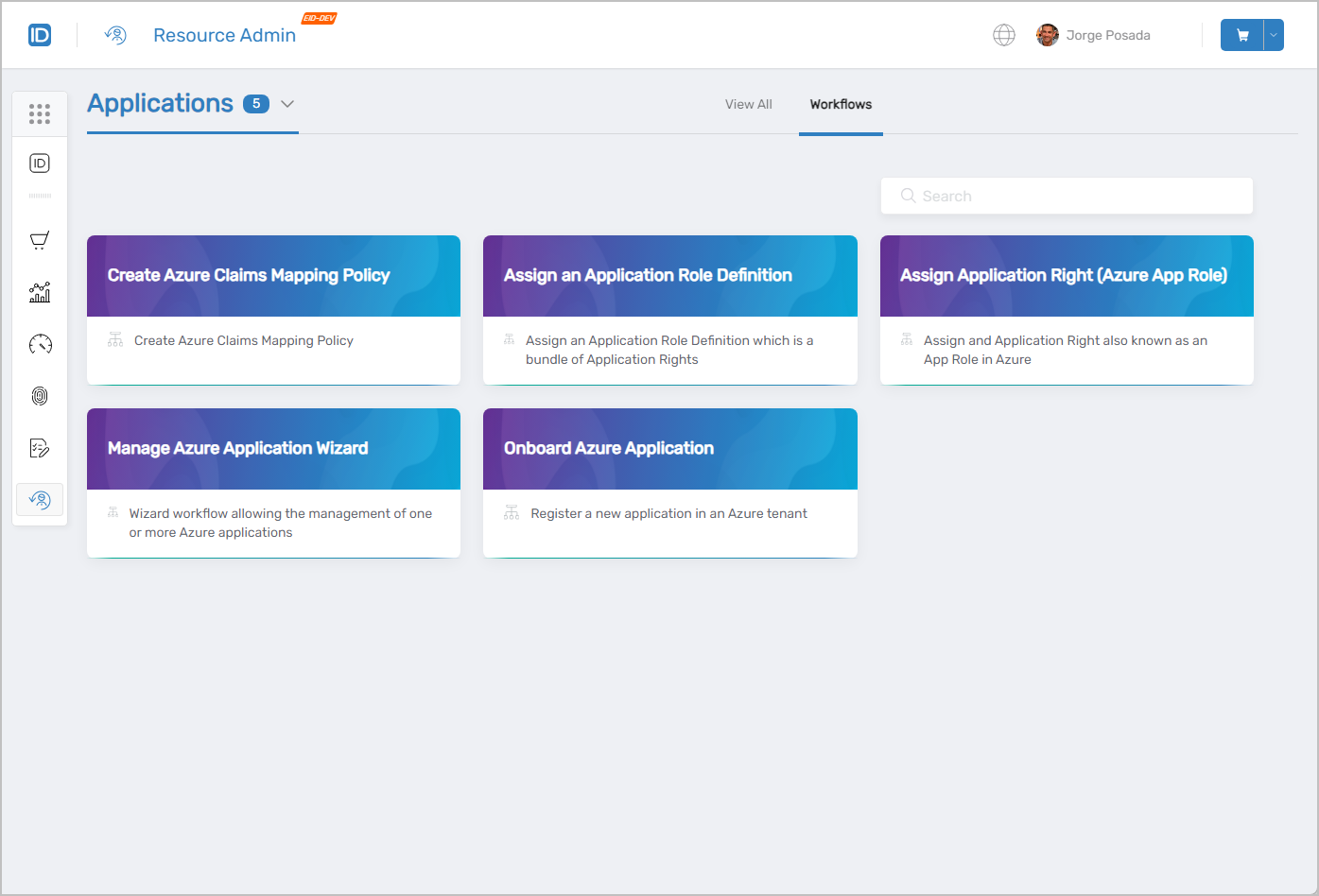 Available workflows for application management
Common Tasks
| Task | Article |
|---|---|
| Onboard an Entra (Azure AD) application | Onboard Azure Applications |
| Onboard a PBAC application | Onboard PBAC Applications |
| Edit IAM Shop settings for an application | Edit Application IAM Shop Settings |
| Add or delete client secrets | Create Client Secrets |
| Add or delete client certificates | Create Client Certificates |
| Add or delete application scopes | Add Application Scopes |
| Create a Claims Mapping Policy | Create Claims Mapping Policy |
| Assign PBAC app rights | Assign App Rights |
| Assign PBAC role definitions | Assign Role Definitions |
| Set up PBAC approval routing | Set Up PBAC Approval Routing |
| Assign Custom Security Attributes | Assign Custom Security Attributes |
Related Pages
- Navigating Resource Admin – General interface overview
- Groups Page – Group management
- Management Roles Page – Role-based access control administration
- People Page – User onboarding and identity management
- Mailboxes Page – Exchange mailbox administration
- Shared Folders Page – File share access management