Shared Folders Page
The Shared Folders page is where delegated folder owners and administrators manage access to shared network folders — controlling IAM Shop assignments, RBAC access grants, and the approval policies that govern self-service requests — with EmpowerID's governance and audit capabilities applied to file system permissions. Access it by selecting Shared Folders from the Resource Type menu.
To access the Shared Folders page you need:
UI-Res-Admin-MS-Shared-Foldersfor full shared folder management, orUI-Res-Admin-MS-Shared-Folders-Basefor read-only / limited accessVIS-Res-Admin-MS-API— required for all Resource Admin usersUI-Res-Admin-MS-Common— required for all Resource Admin users
See Assigning Management Roles Needed to Access Resource Admin.
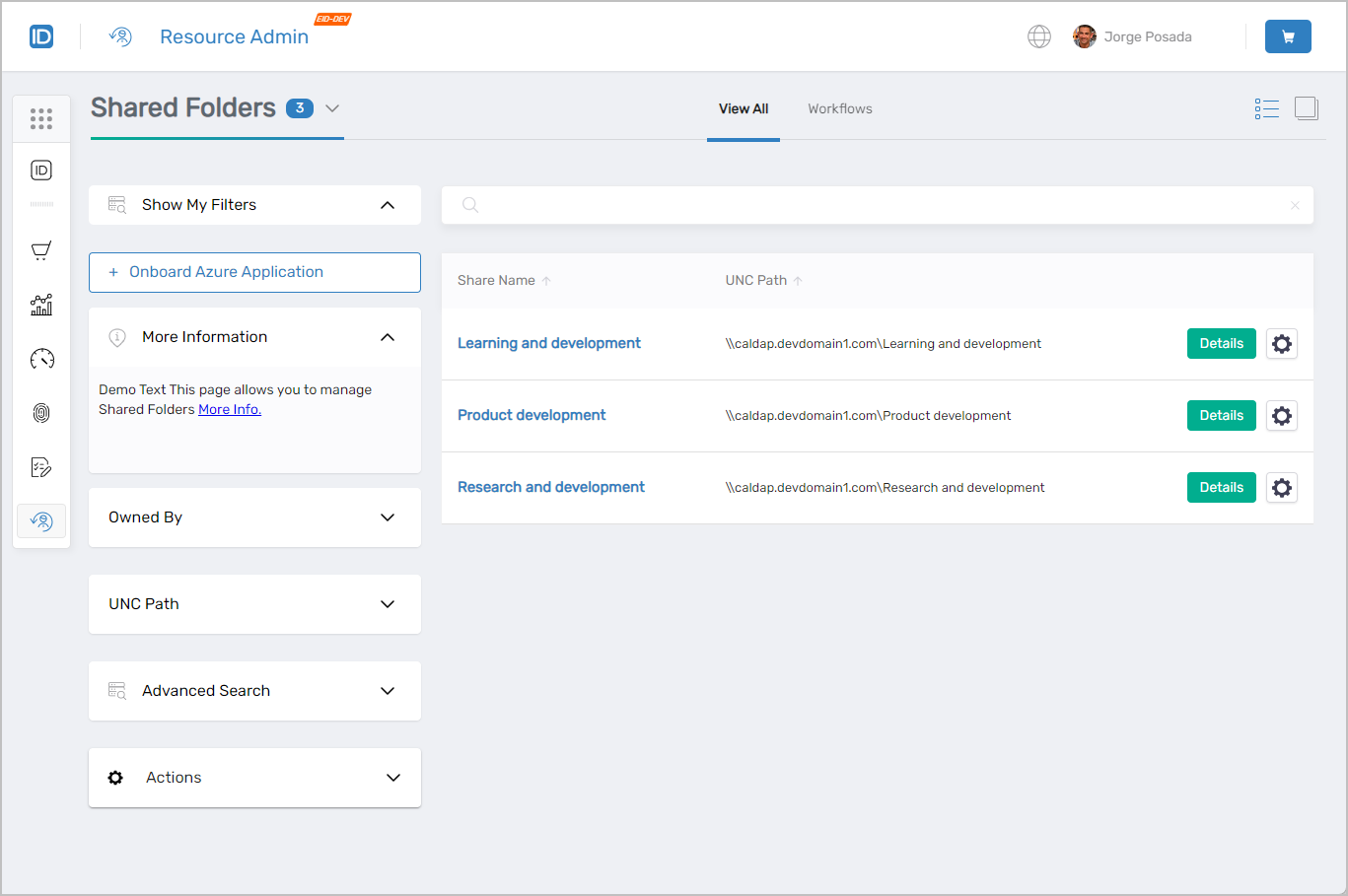 Shared Folders page showing the main interface with filters and folder listings
Finding Shared Folders
Search matches against the following attributes simultaneously:
- Name
- FriendlyName
- LocalPath
- UNCPath
Entering "fi" returns every folder where that string matches any of those attributes.
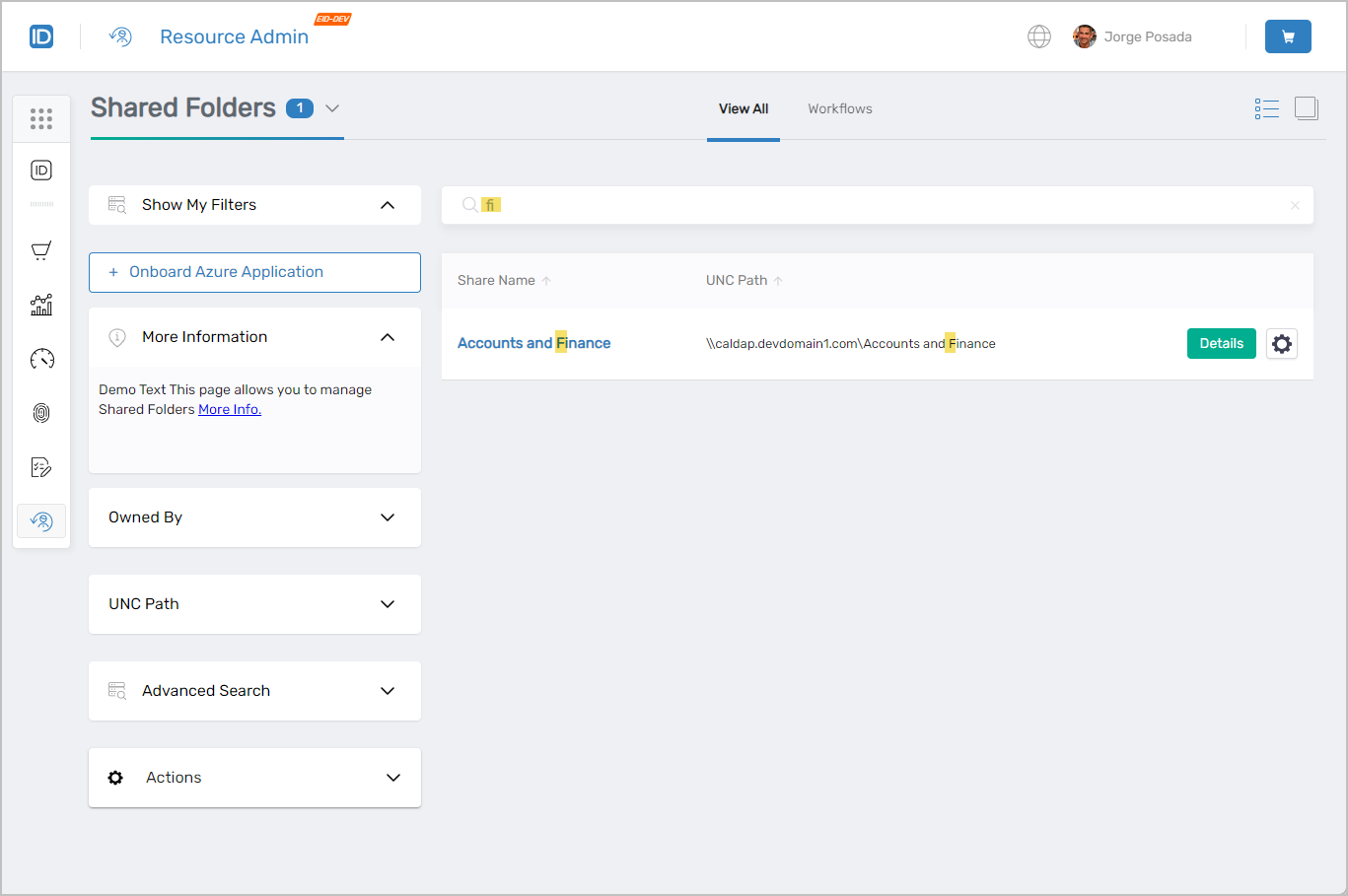 Search results showing shared folders matching the search criteria
Shared Folder Search Filters
Use filters to narrow a large set of results. Filters can be combined with search terms for granular results.
| Filter | Description |
|---|---|
Owned By | Lists folders by ownership:
|
UNC Path | Filters folders to those matching the specified UNC path. |
Advanced Search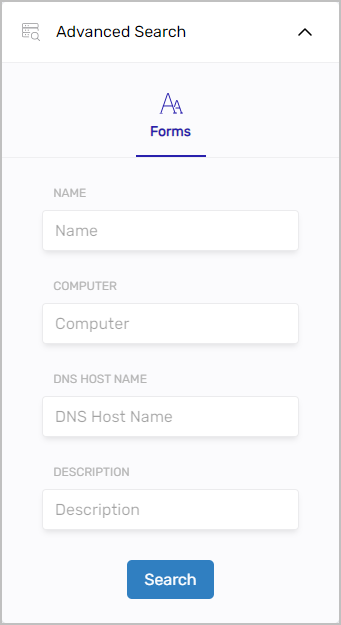 | Attribute-level filtering by Name, Computer, DNS Host Name, or Description. |
The Owned By filter is visible only to users with the appropriate role assignment.
Working with Shared Folders
Select the Details link on a shared folder record to open the Details view. Select the gear icon to launch the Delete Shared Folder workflow.
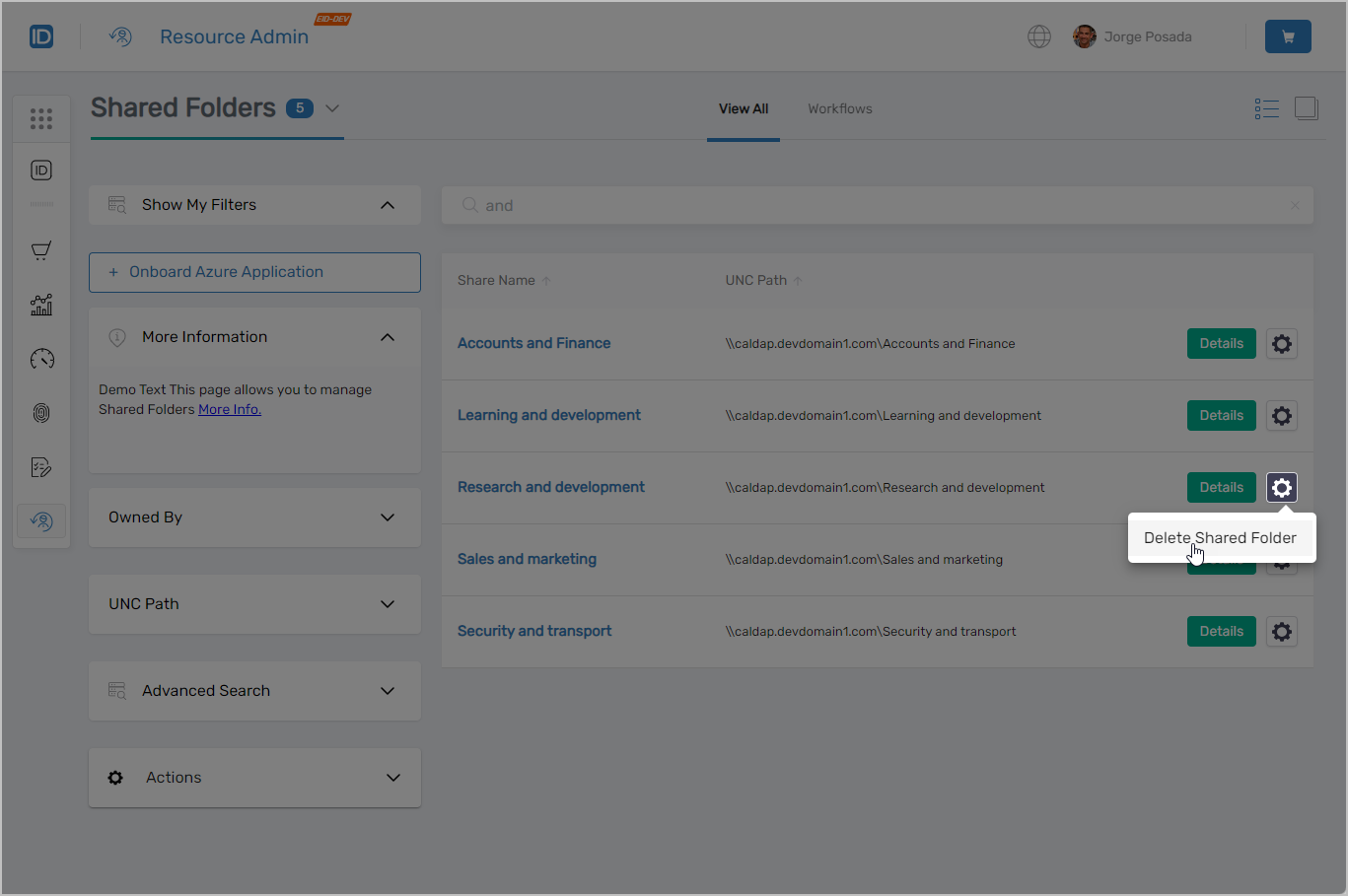 Shared folder record showing Details link and contextual workflow button
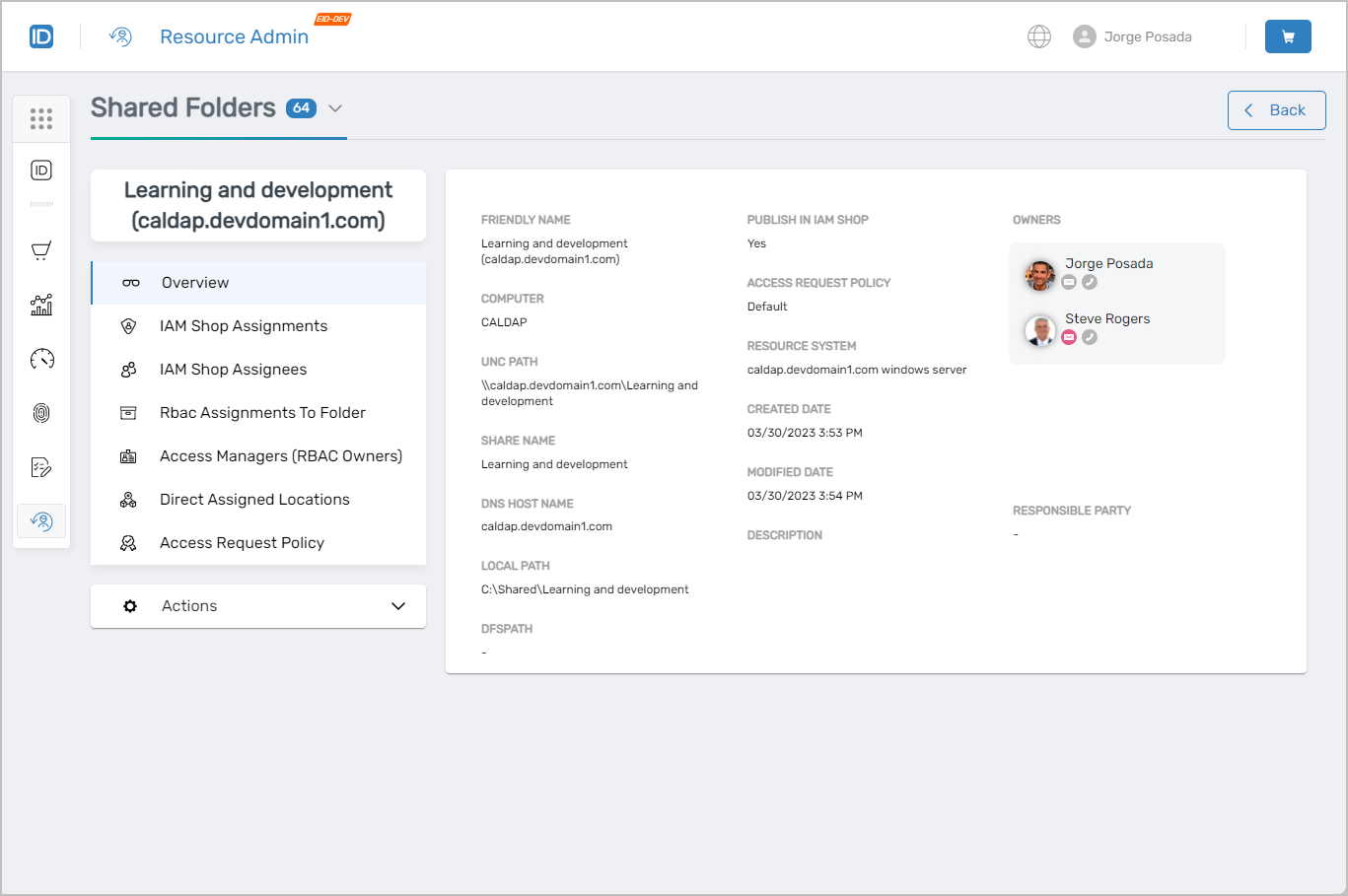 Shared folder overview page with available tabs
IAM Shop Assignments
Use this tab when you need to grant a specific user access to this folder at a defined permission level, see who currently has direct access assignments, or revoke an existing assignment.
- View, add, and remove IAM Shop Assignment entries for individual users
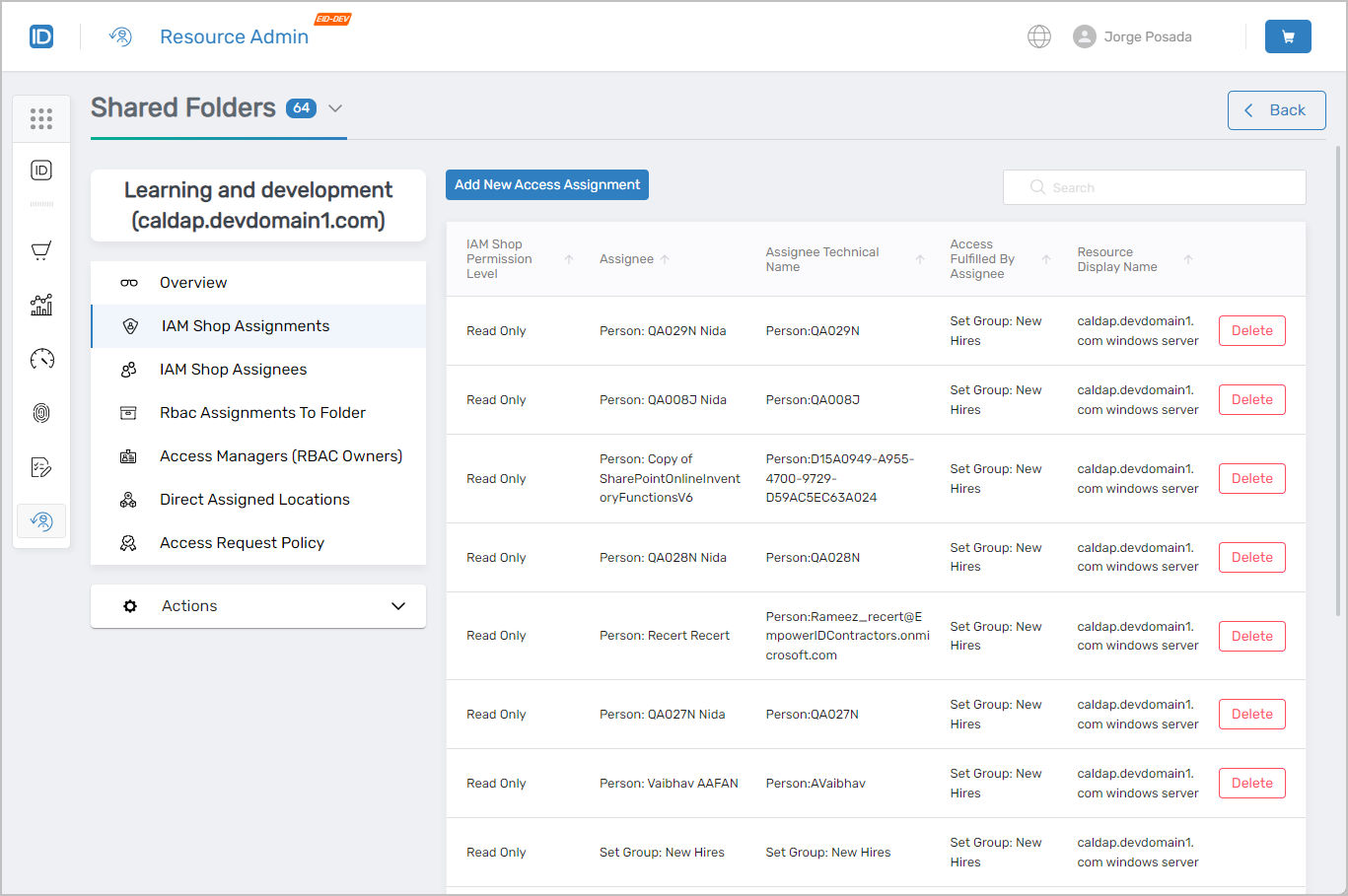 IAM Shop Assignments tab showing access assignment management
IAM Shop Assignees
Use this tab when you need to grant access to an entire group, Management Role, or query-based collection at a specific IAM Shop Permission Level, or remove that type of assignee.
- View, add, and remove IAM Shop Assignees (Groups, Management Roles, Management Role Definitions, or Query-Based Collections)
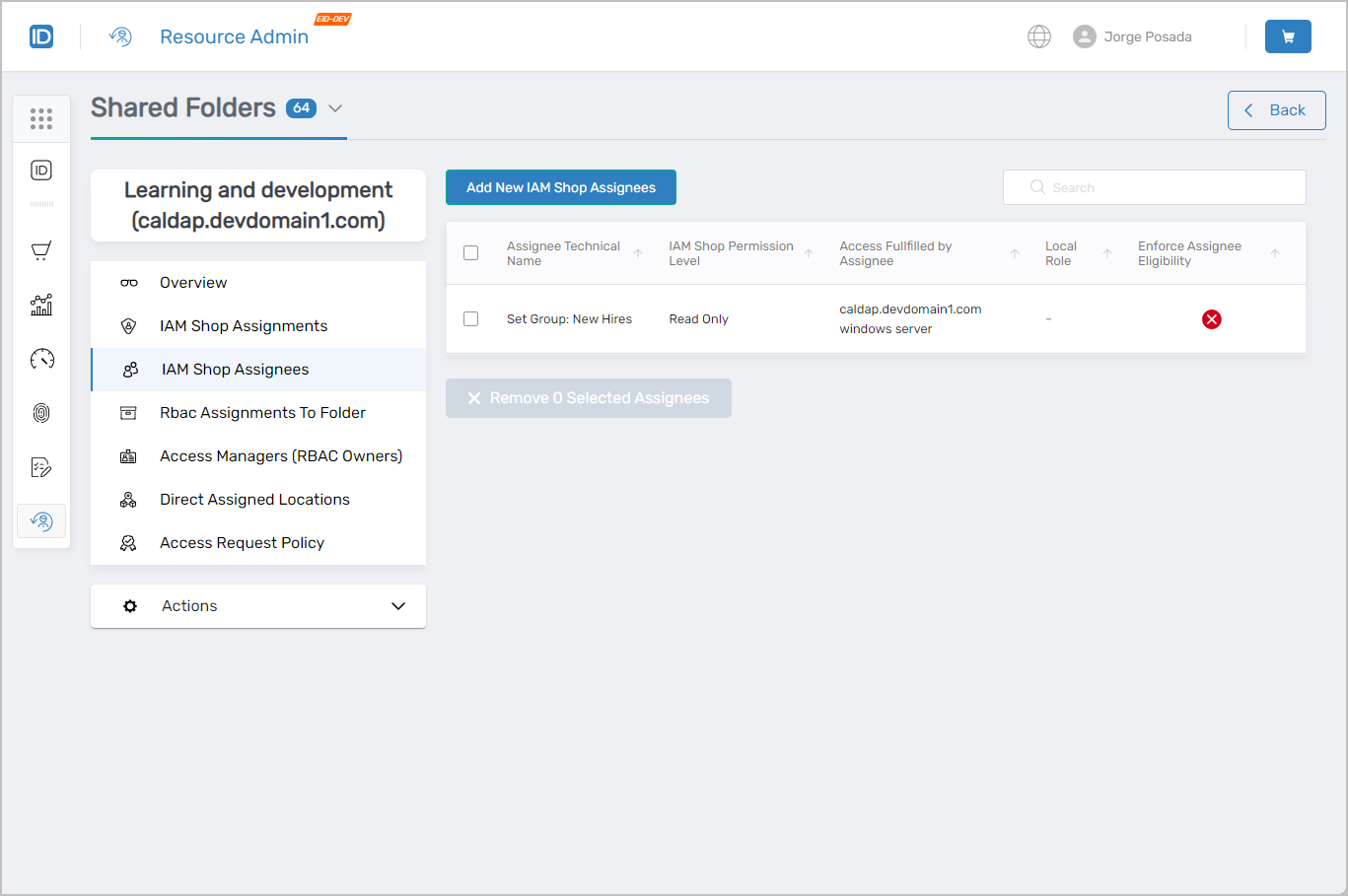 IAM Shop Assignees tab showing assignee management
RBAC Assignments to Folder
Use this tab when you need to review which RBAC access assignments exist for the folder, or remove one that is no longer appropriate.
- View existing RBAC access assignments
- Delete RBAC access assignments
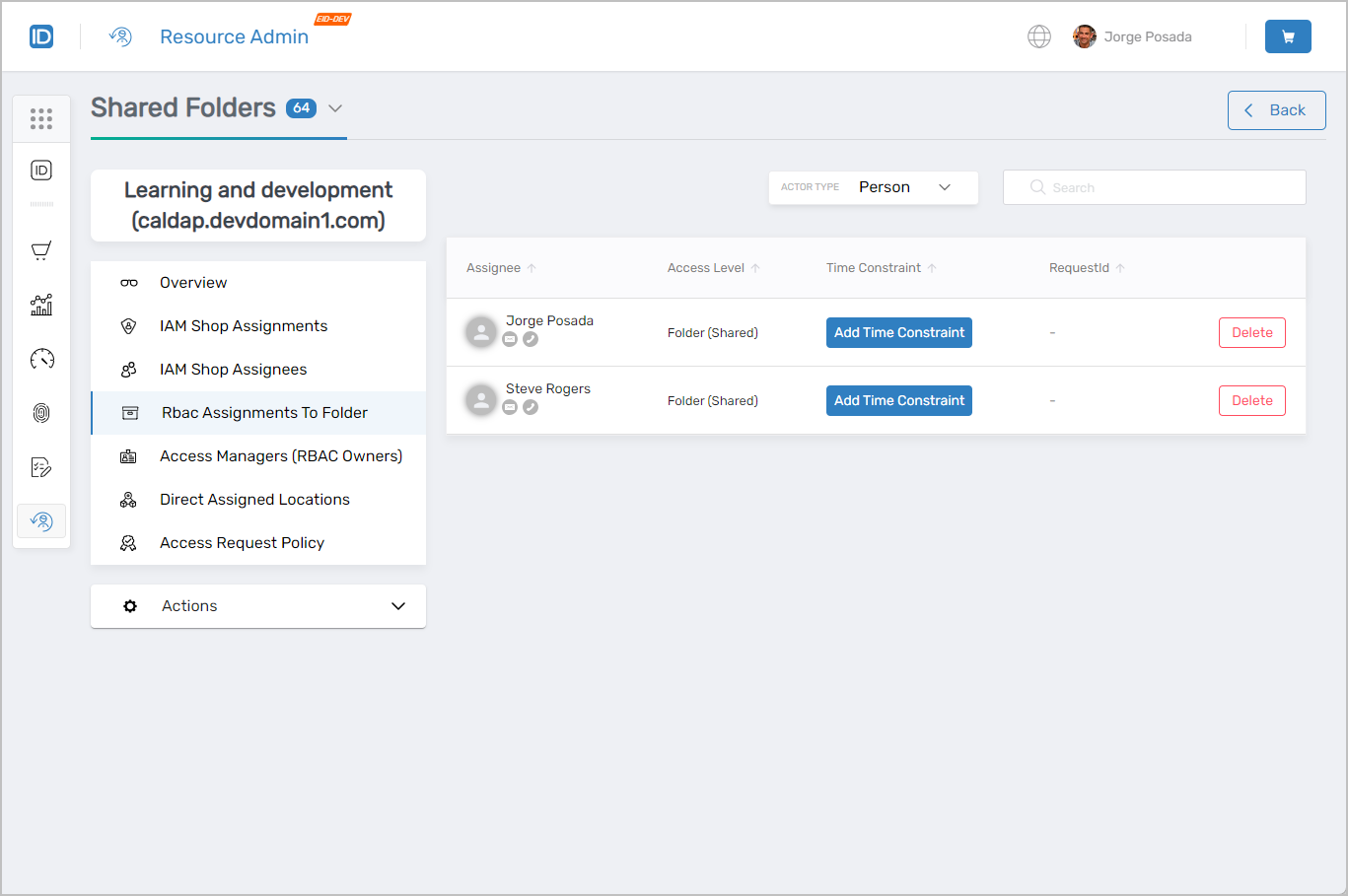 RBAC Assignments to Folder tab showing role-based access control
Access Managers (RBAC Owners)
Use this tab when you need to assign a person responsibility for managing access to this folder, review who currently holds that responsibility, or remove an access manager.
- View, add, and remove access managers
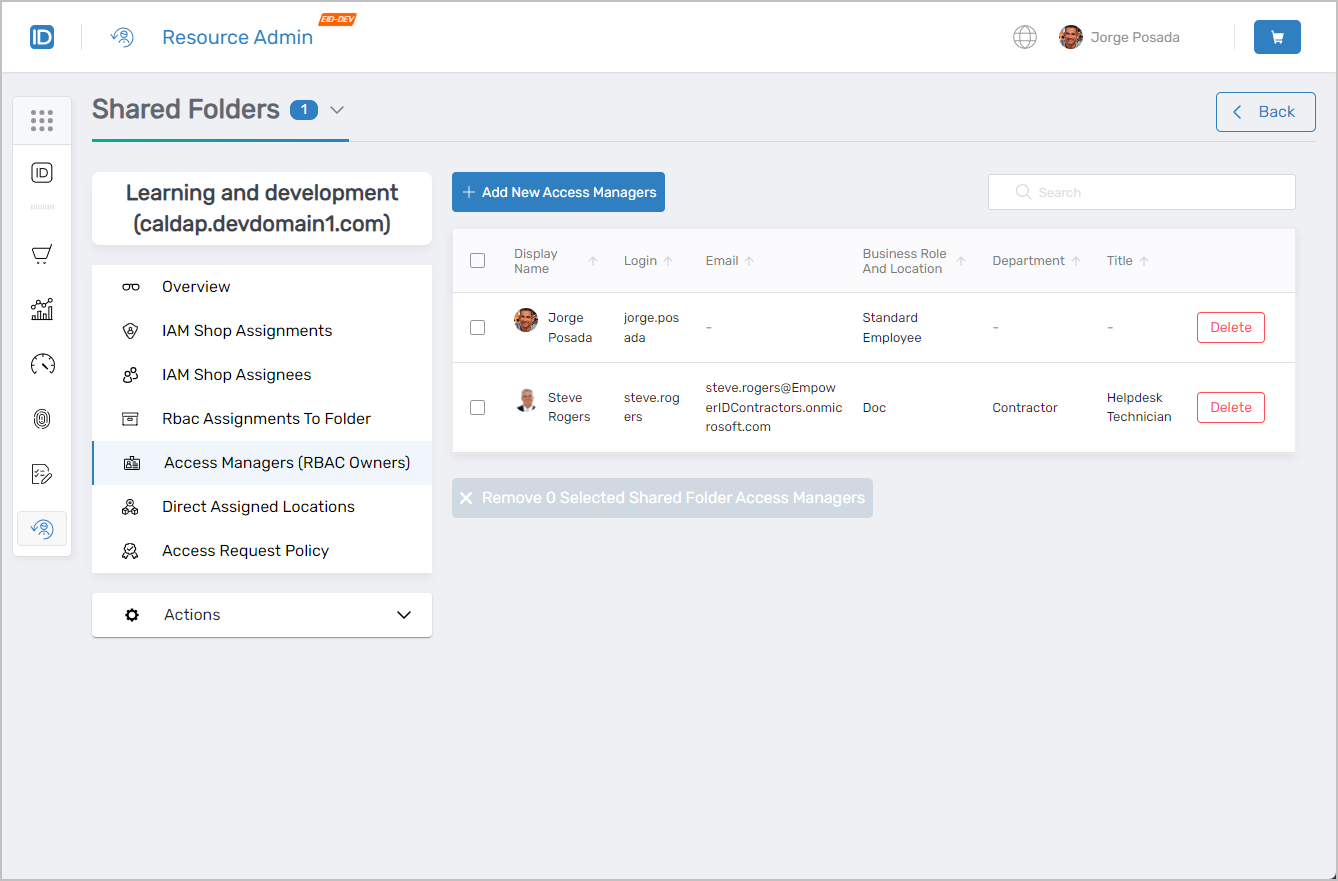 Access Managers (RBAC Owners) tab showing access manager administration
Direct Assigned Locations
Use this tab when you need to associate this folder with an organizational location, review existing location assignments, or remove a location assignment.
- View, add, and remove assigned locations
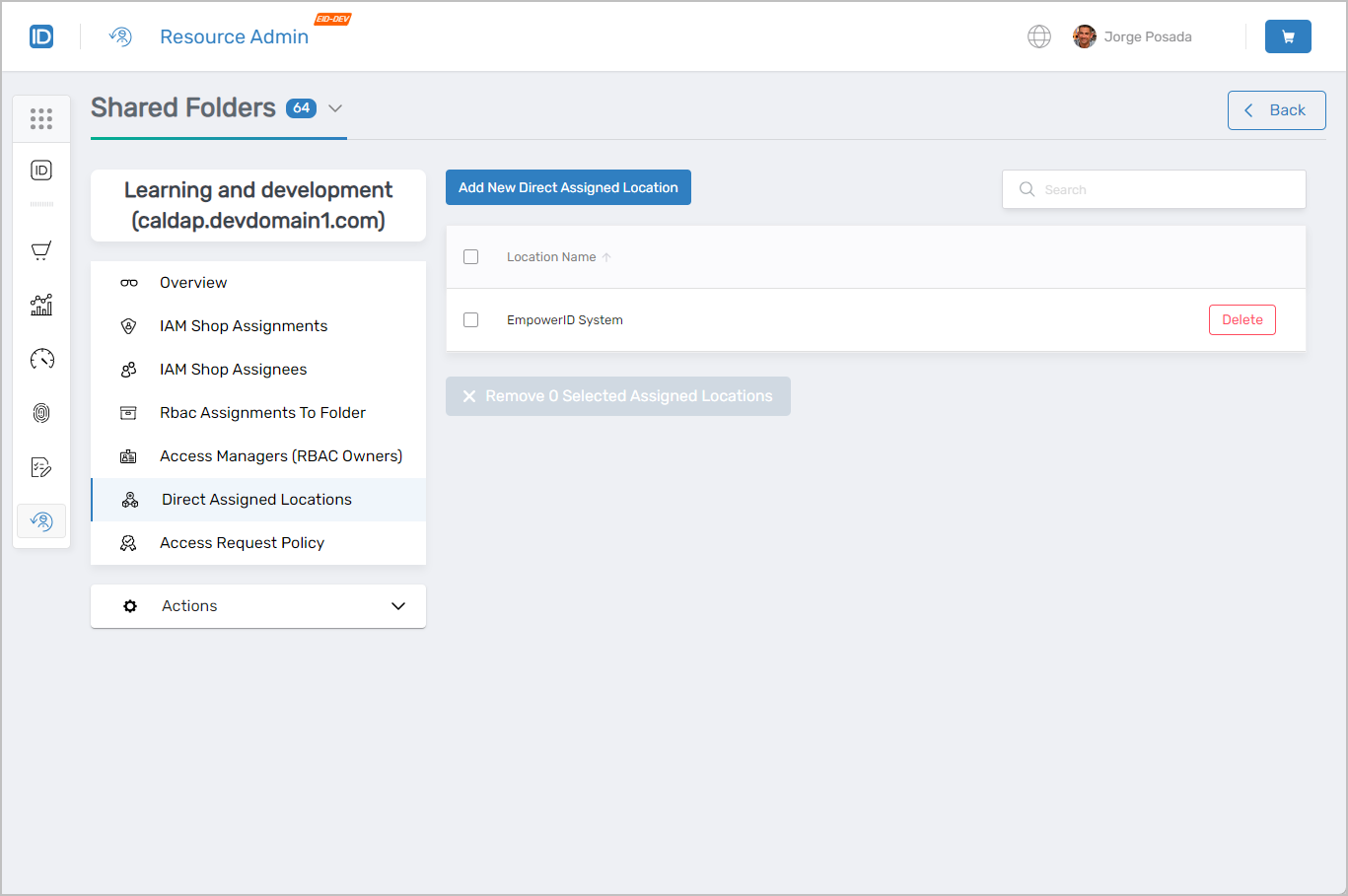 Direct Assigned Locations tab showing location assignment management
Access Request Policy
Use this tab when you need to change the approval workflow that governs self-service access requests for this folder in the IAM Shop, or review the currently configured policy.
- View the current Access Request Policy
- Change the Access Request Policy
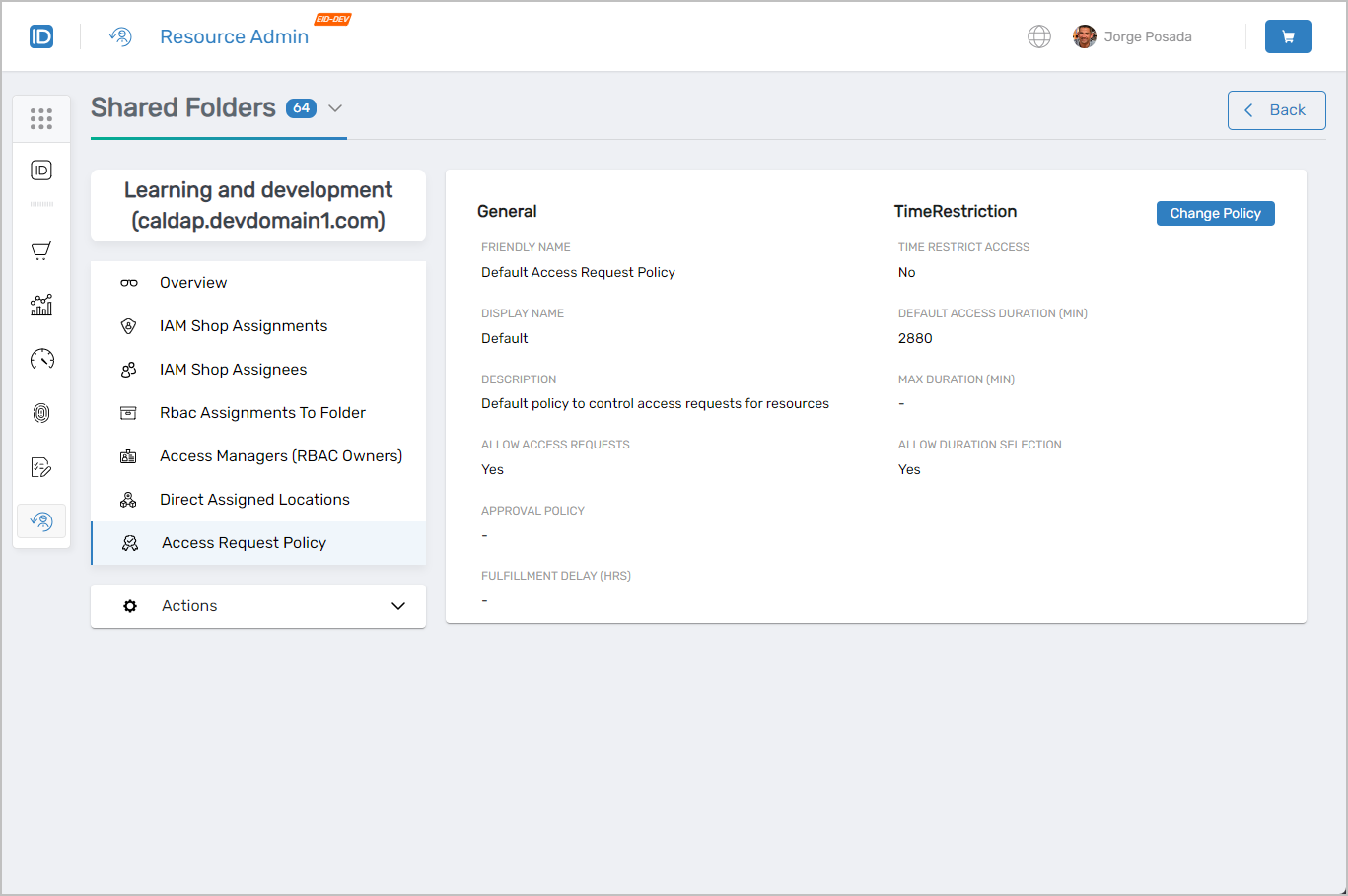 Access Request Policy tab showing approval workflow configuration
Workflows Available from This Page
The Shared Folders Workflows page provides a centralized hub for shared folder workflows.
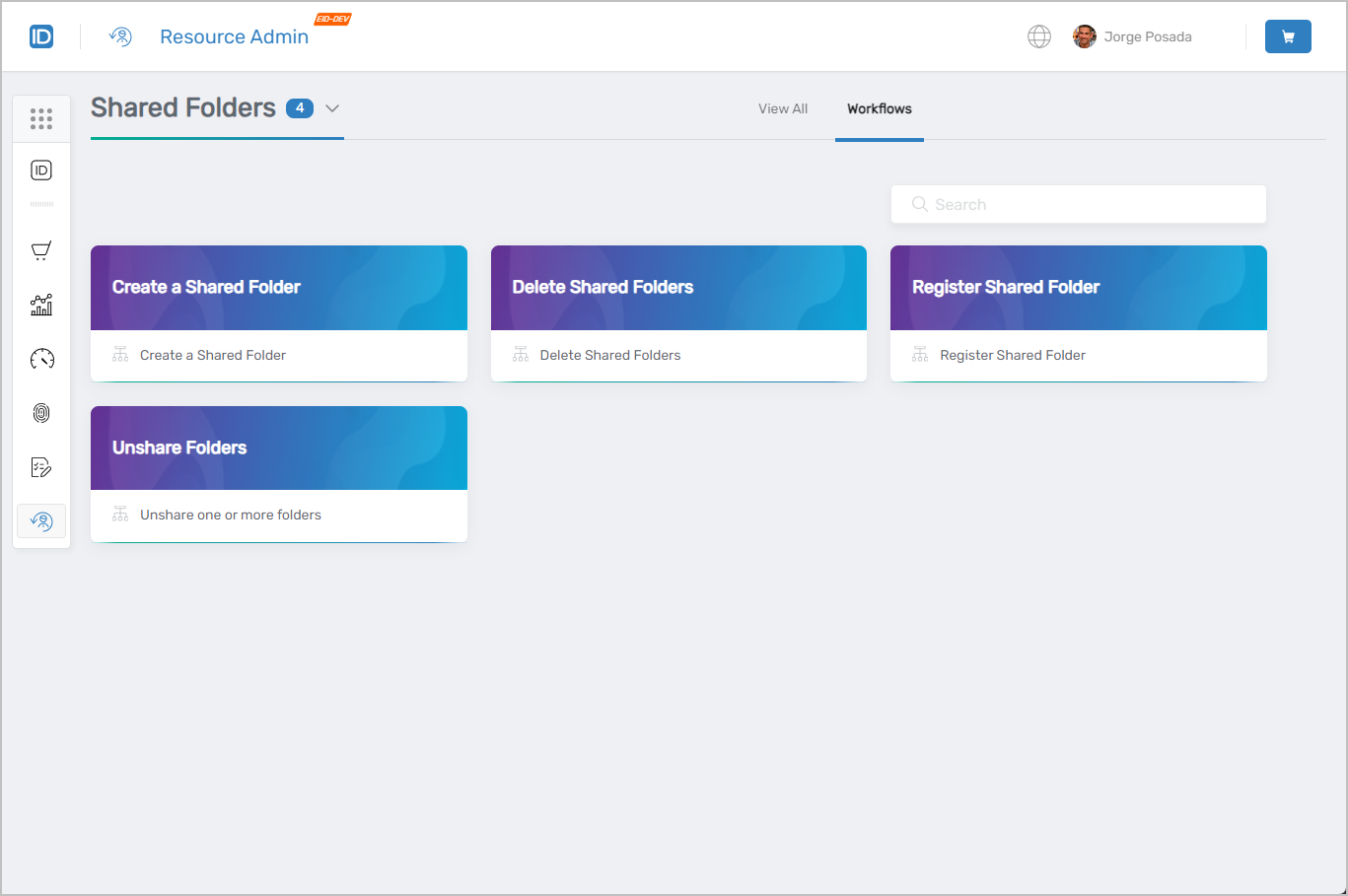 Available workflows for shared folder management
Common Tasks
| Task | Article |
|---|---|
| Register an existing shared folder | Register Shared Folders |
| Create a new shared folder | Create Shared Folders |
| Delete a shared folder | Delete Shared Folders |
| Unshare a folder | Unshare Folders |
Related Pages
- Navigating Resource Admin – General interface overview
- Applications Page – Application management
- Groups Page – Group management
- Management Roles Page – Role-based access control administration
- People Page – User onboarding and identity management
- Mailboxes Page – Exchange mailbox administration