Managing the Display of the Support Navbar Item
The EmpowerID user interface includes a Support item at the bottom of the navbar. This item, a subcomponent of the EmpowerID Base application, displays support contact information such as phone numbers and email addresses so end-users can reach out for assistance.
You can hide this item by removing access to the NavbarSupport control from the Management Role Definitions that grant it.
Remove Access to the Support Navbar Item
- On the navbar, go to Apps and Authentication > Applications.
- On the App Resources tab, search for NavbarSupport.
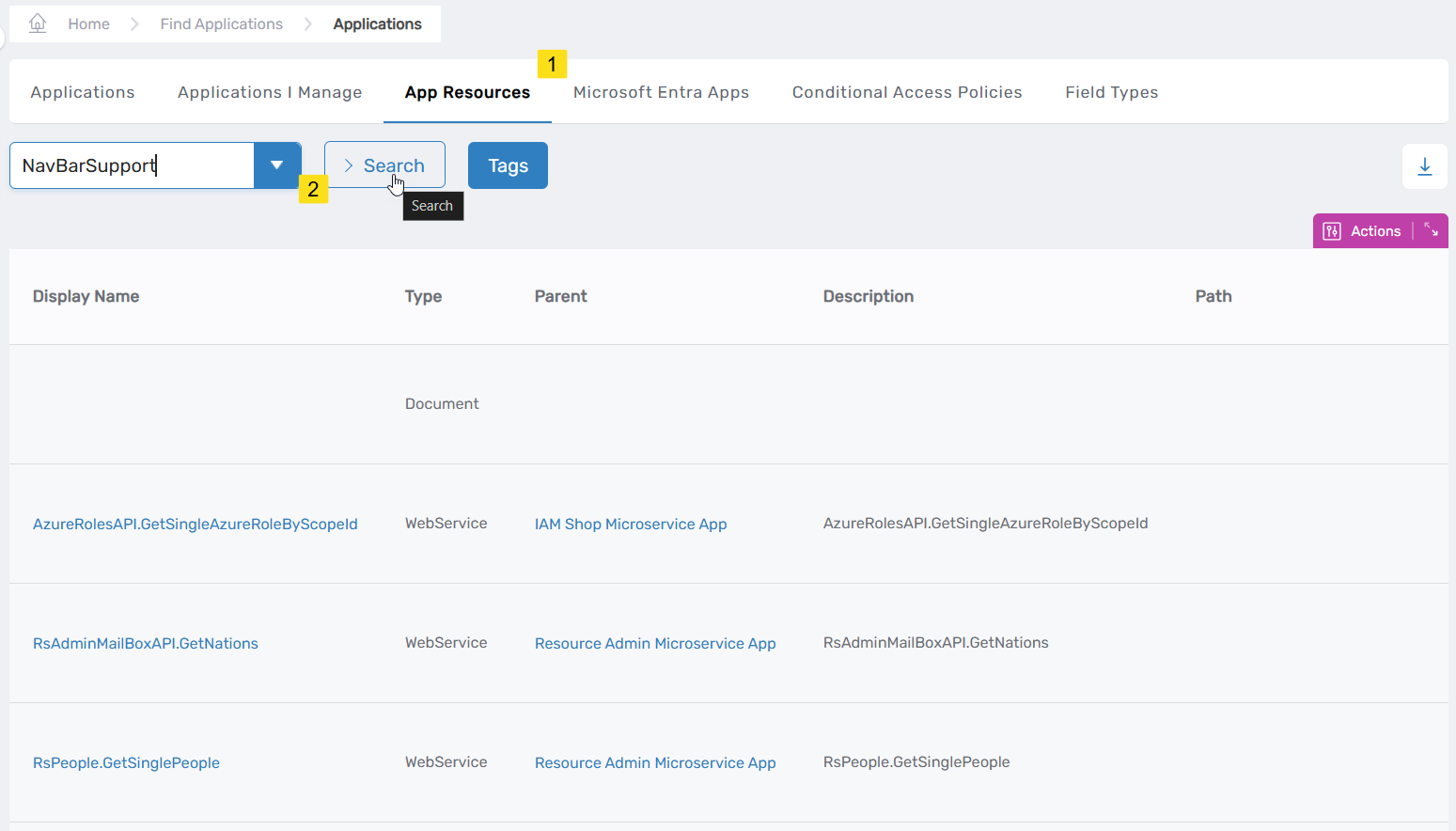
- In the results, click the Display Name link for the resource record.
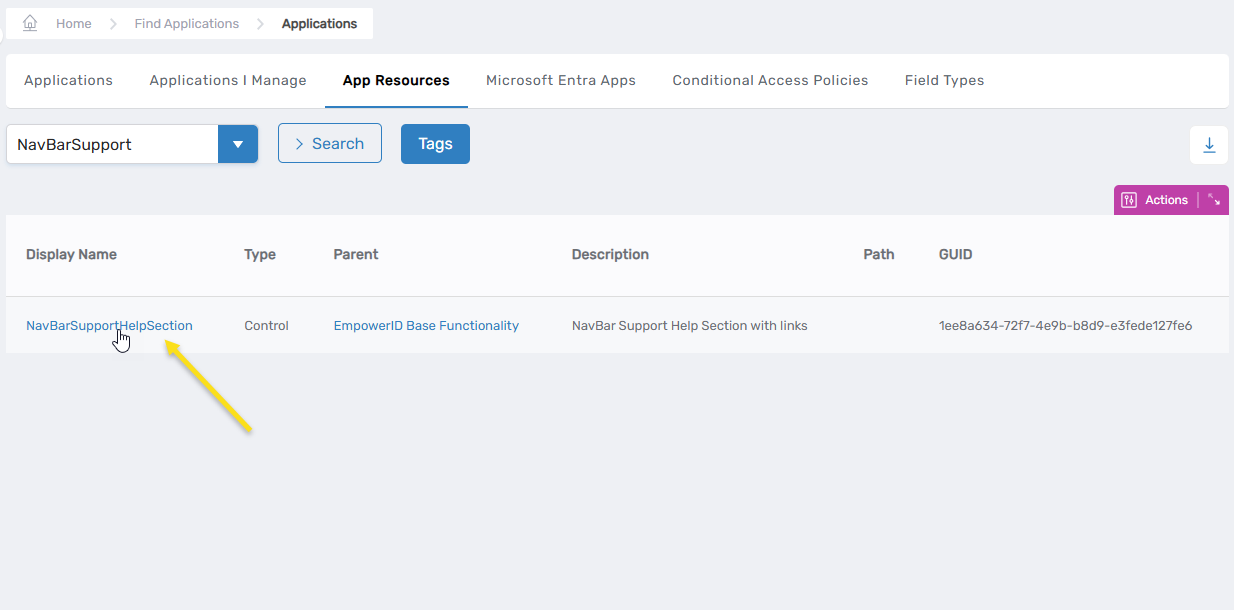
This opens the View One page for the control.
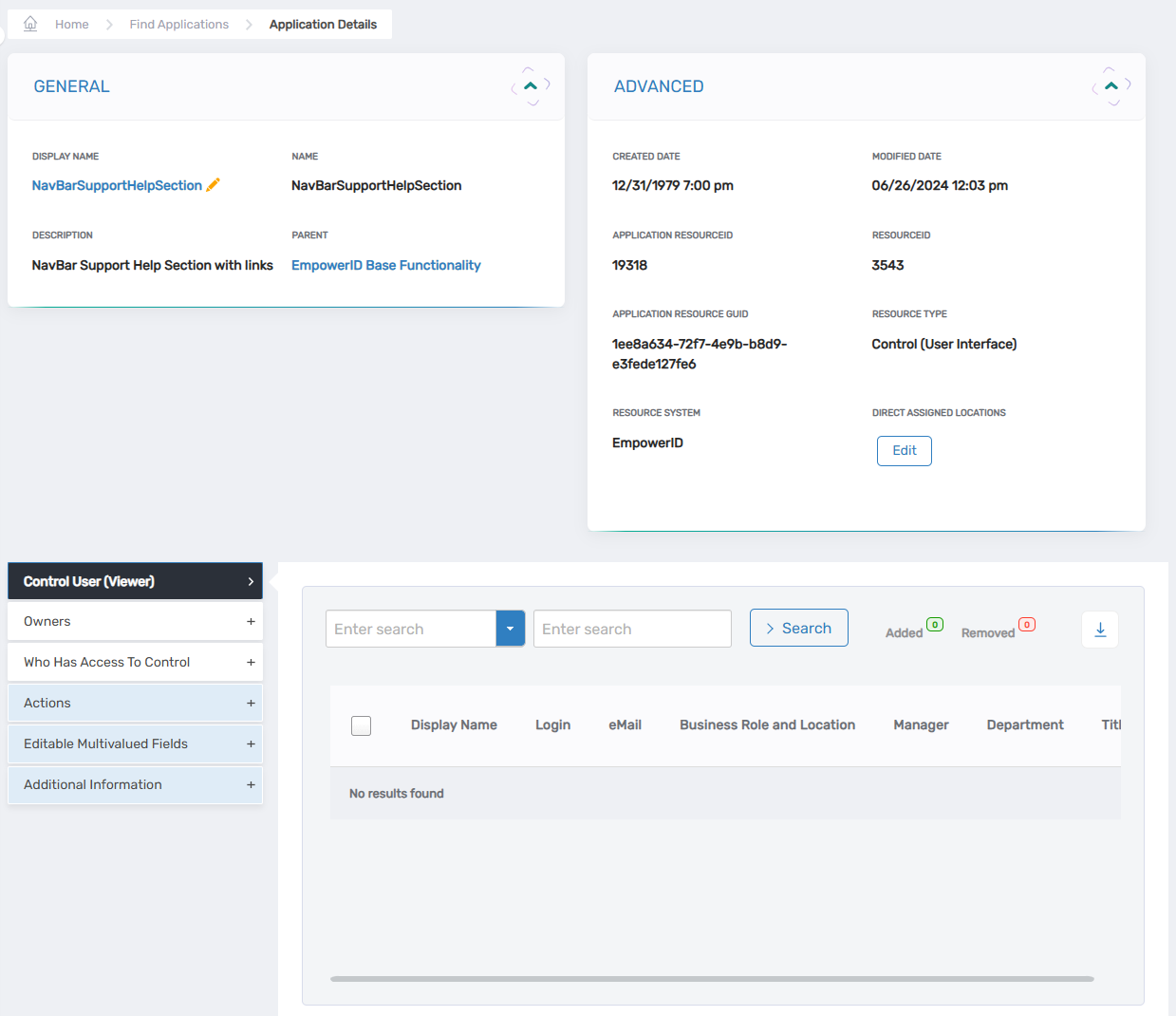
- On the View One page, expand the Who Has Access To Control accordion.
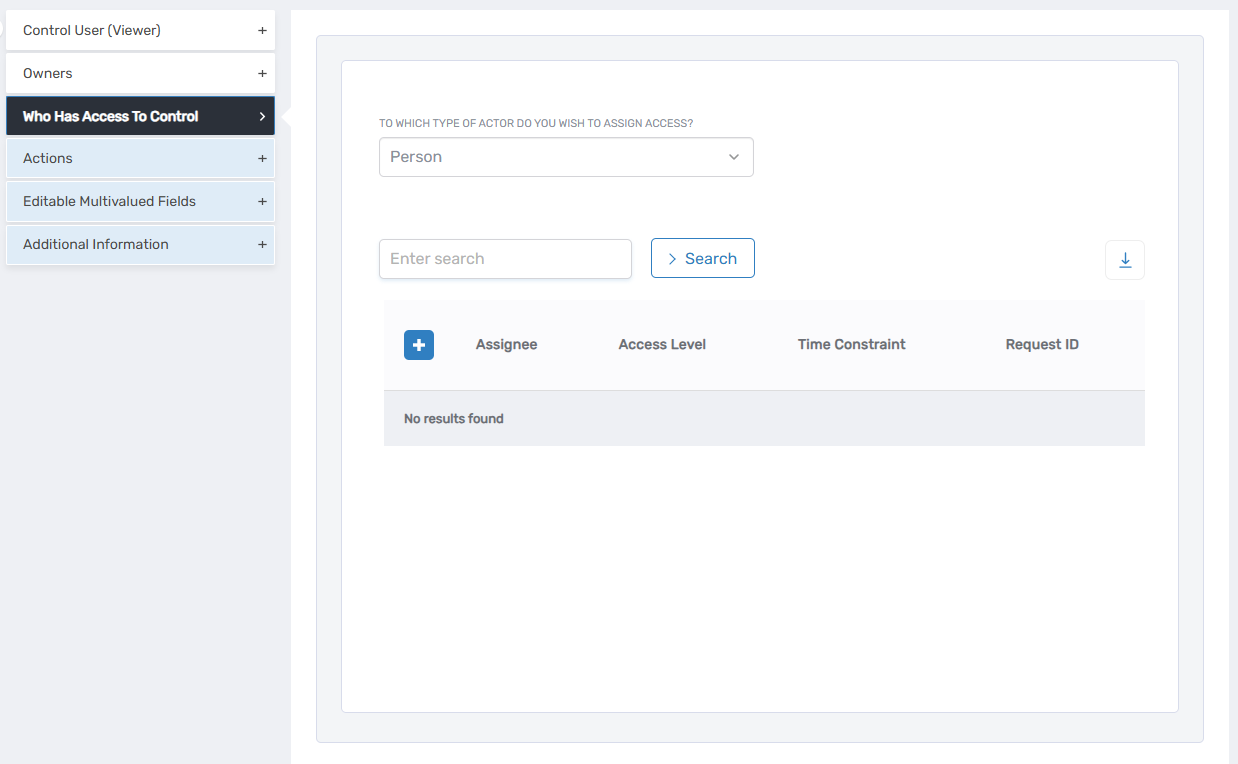
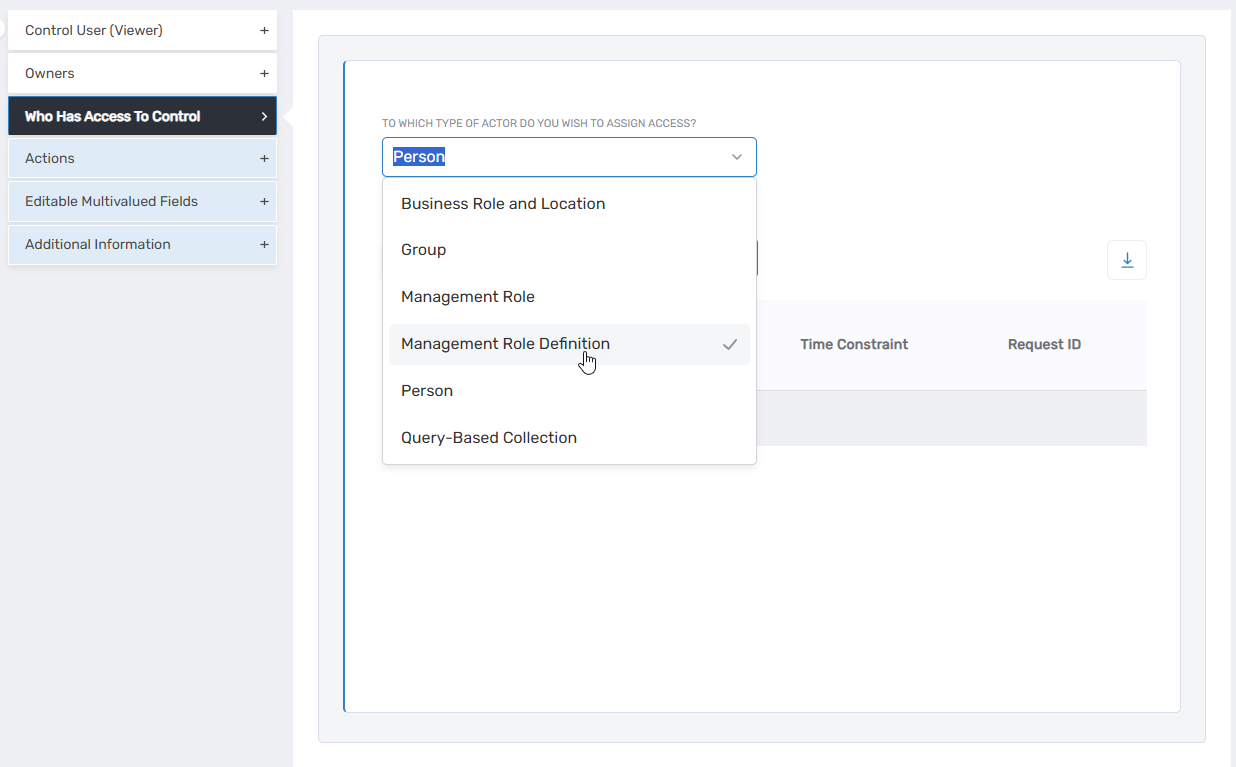
- In the To Which Type of Actor Do You Wish To Assign Access? dropdown, select Management Role Definition.
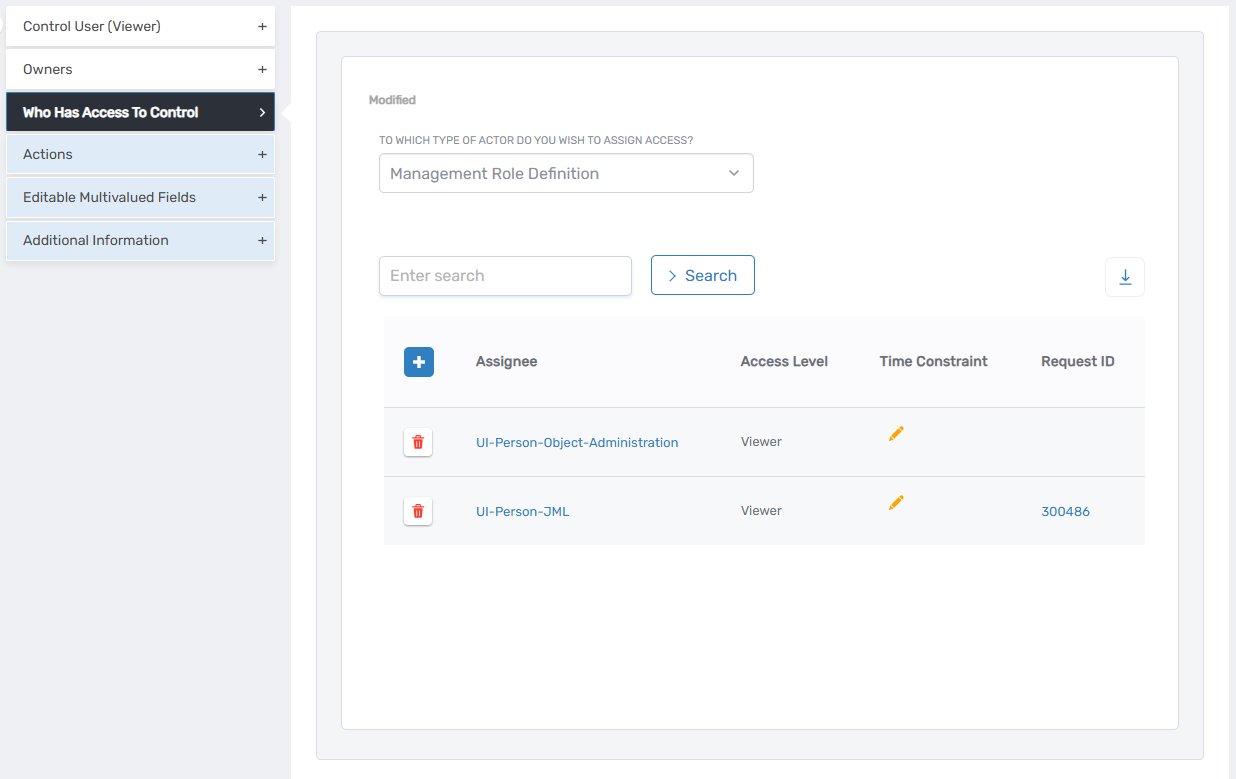
- Review the list of Management Role Definitions that currently have access to the control.
In the example shown, it is assigned to UI-Person-Object-Administration and UI-Person-JML.
- For each Management Role Definition that should no longer see the Support item, click the Delete (trash can) icon next to the assignment record.
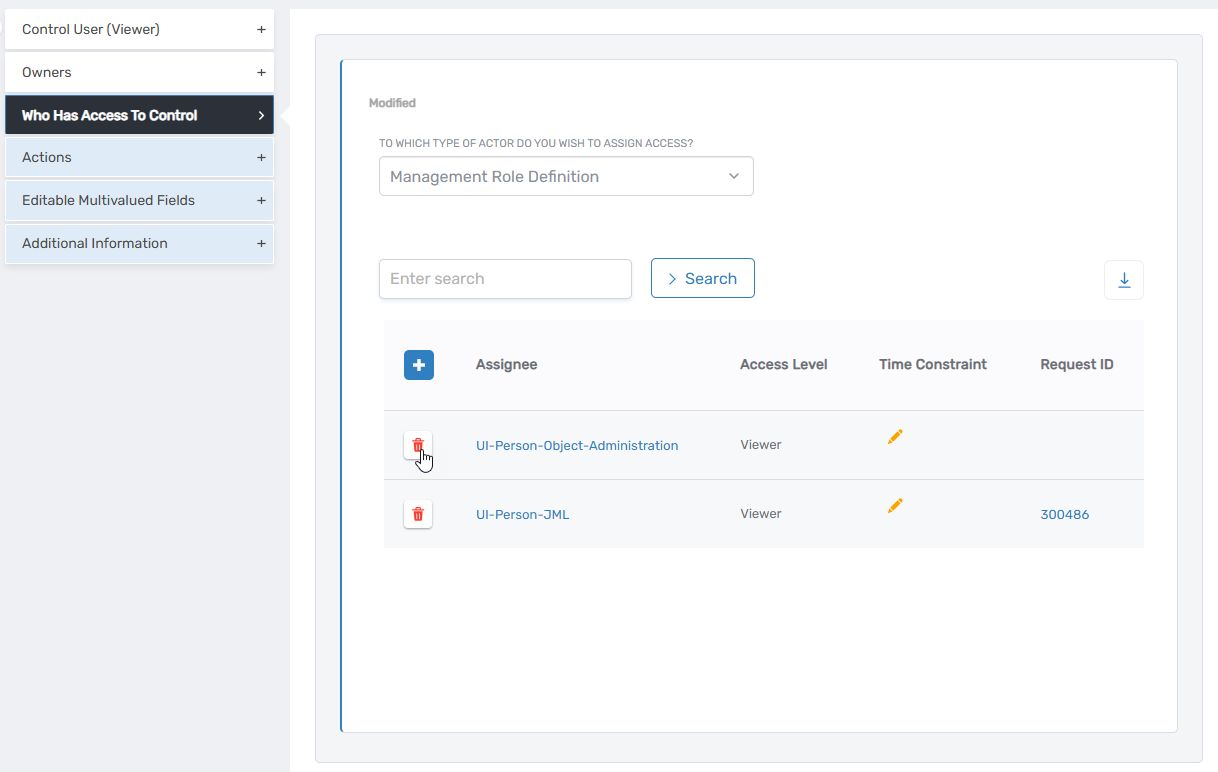
This removes access to the control for that Management Role Definition.
Expected Results
Once these changes are processed:
- Users whose access to the control was removed will no longer see the Support section in the navbar.
- The Support item will be hidden for any users associated with the affected Management Role Definitions.