Job Failure Threshold Notification Settings
EmpowerID provides two system settings that control how frequently email notifications are sent when Jobs fail. These values determine how many failures must occur, and within what time window, before EmpowerID triggers an alert.
The two settings are:
- JobFailureNotificationThresholdIntervalInMinutes — Specifies the length of time (in minutes) during which job failures are counted.
- JobFailureNotificationThresholdNumberOfFailures — Specifies how many failures must occur within the defined interval before a notification is sent.
These settings work together.
For example, if:
JobFailureNotificationThresholdIntervalInMinutes= 300JobFailureNotificationThresholdNumberOfFailures= 4
Then EmpowerID sends a job failure notification when a job fails 4 times within a 300-minute window.
Adjusting the values increases or decreases the failure threshold required to trigger notifications.
Prerequisites
ℹ️ You must belong to the SaaS Admin Management Role to access and edit EmpowerID System Settings.
Edit Job Failure Threshold Notification Settings
- In the navbar, go to
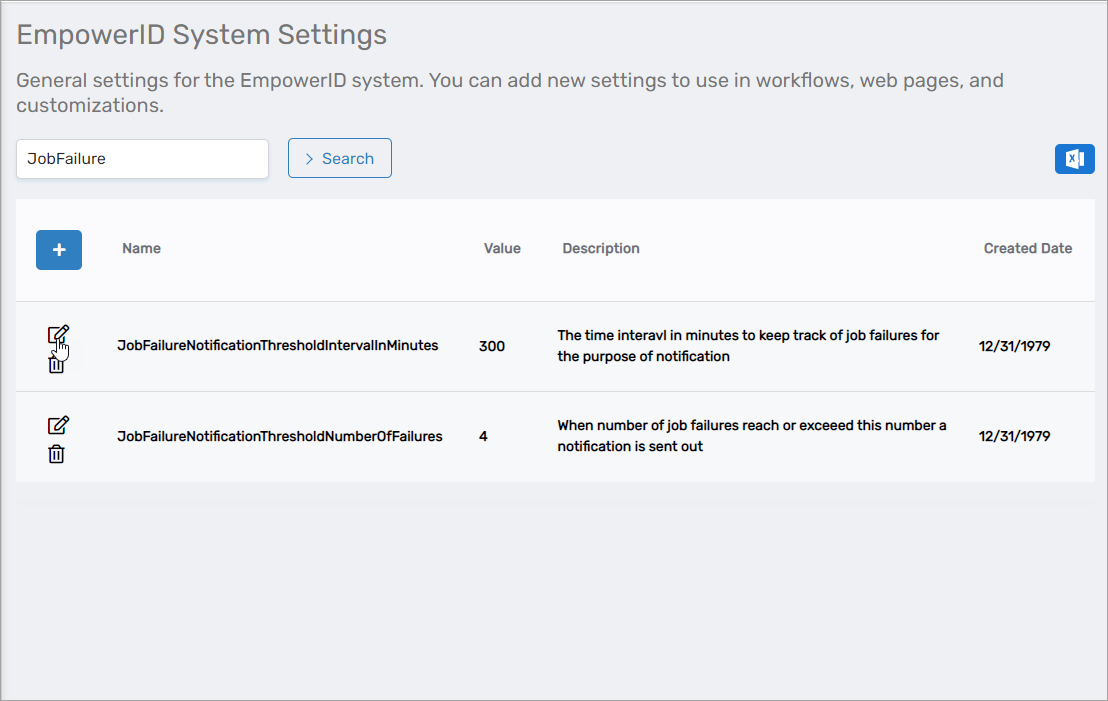
Infrastructure Admin > EmpowerID Servers and Settings > EmpowerID System Settings. - On the EmpowerID System Settings page, search for JobFailure.
- Click the Edit icon next to the setting you want to update.
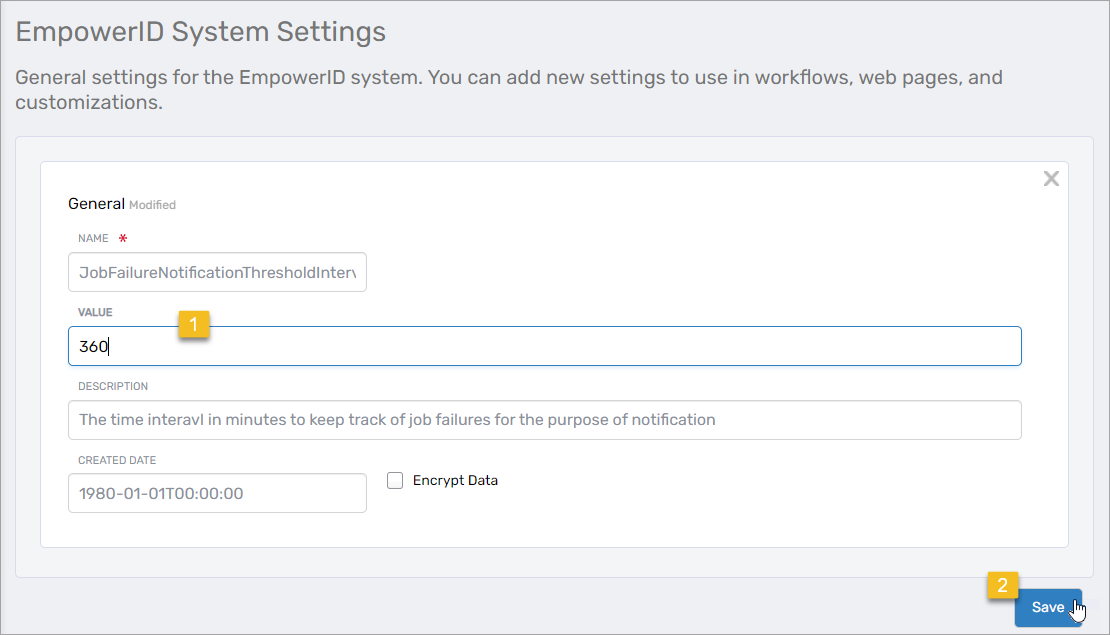
- Enter the new value in the Value field and click Save.
- Repeat these steps for each threshold setting you need to modify.