Modify View One Page Attributes
Most resource objects in EmpowerID have an associated View One page that displays detailed information about the object. Users with the appropriate access can view these pages to review data about People, Groups, Locations, and other EmpowerID-managed resources.
For example, Person objects include a View One page containing multiple tabs, panels, and accordions that present identity and account data:
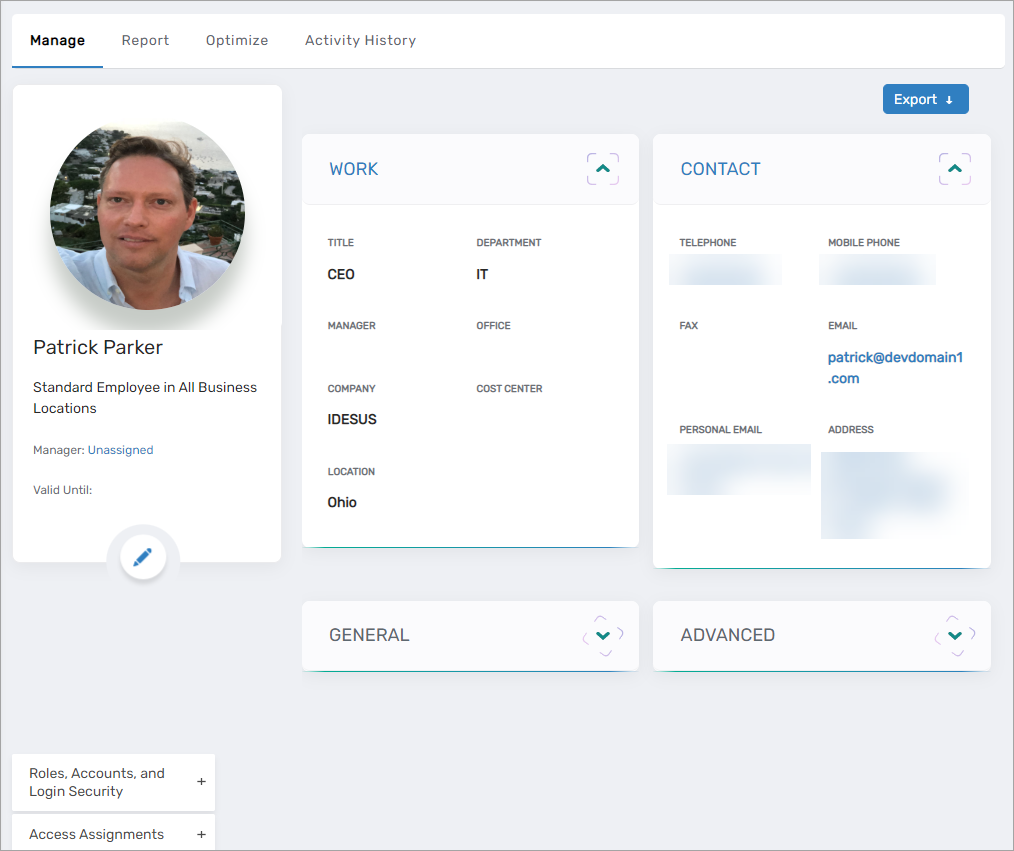
Depending on your organization’s requirements, you may want to simplify or customize the information displayed. For instance, if you prefer not to show the General, Advanced, Extension Attributes, or Custom Attributes accordions, these can be removed to create a streamlined layout:
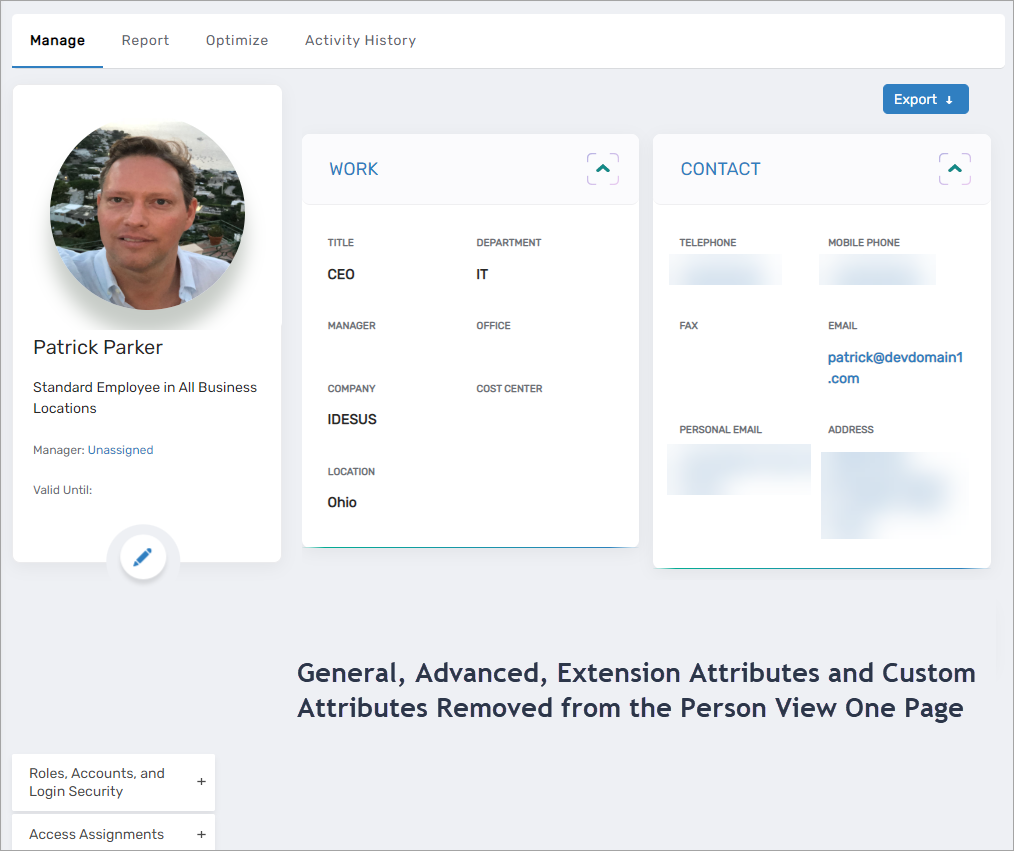
These configurations are managed on the ViewOneAttributeSettings page. Changes made here apply globally to all users but can be reverted at any time.
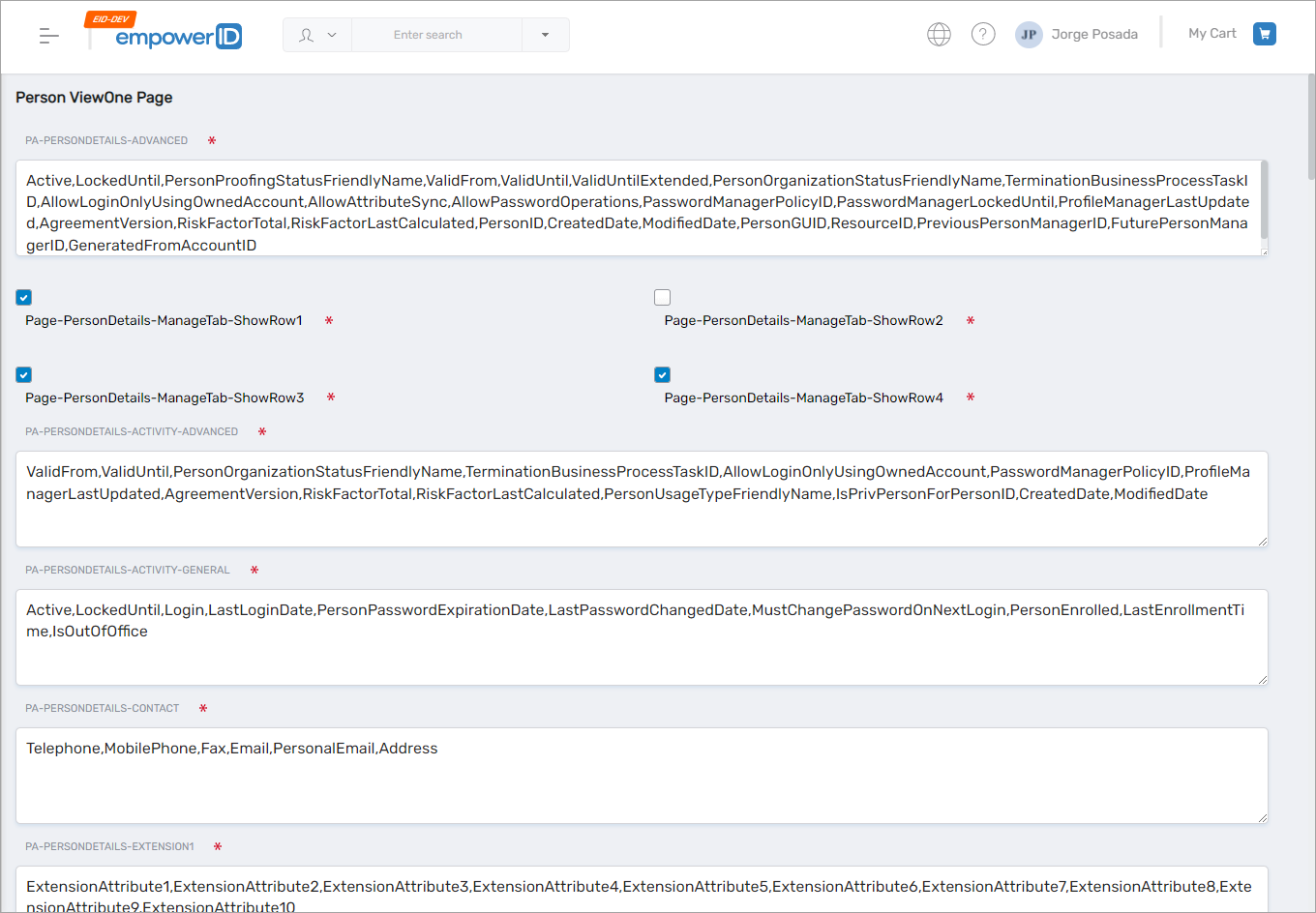
How to Modify View One Pages
The example below demonstrates how to remove the General, Advanced, Extension Attributes, and Custom Attributes accordions on the Person View One page.
- On the navbar, go to
Admin > Miscellaneous > View One Page Attributes. - In the Person ViewOne Page section, deselect:
- Page-PersonDetails-ManageTab-ShowRow3
- Page-PersonDetails-ManageTab-ShowRow4
Then save your changes.
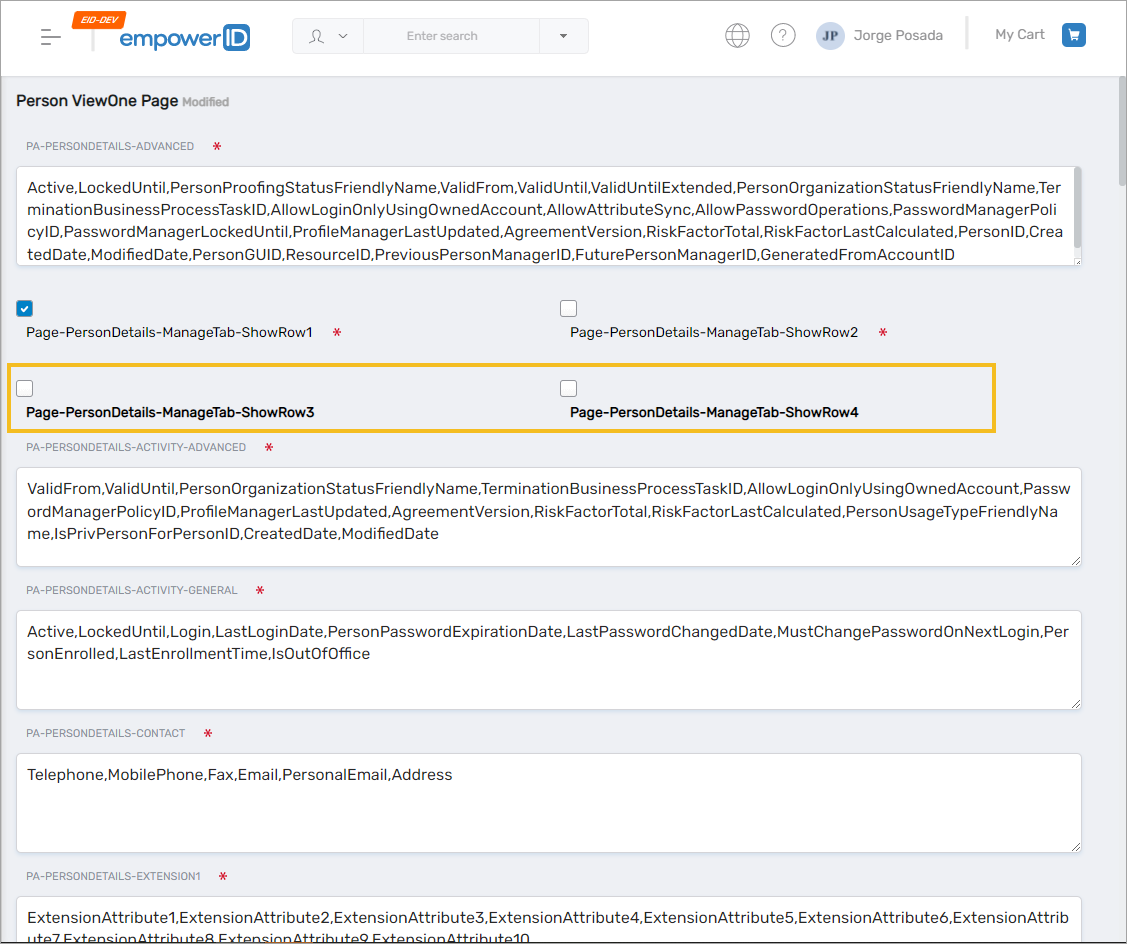
- Open the View One page for any Person to confirm the updated layout.
Beyond removing entire accordions, you can also remove or retain specific attributes within an accordion.
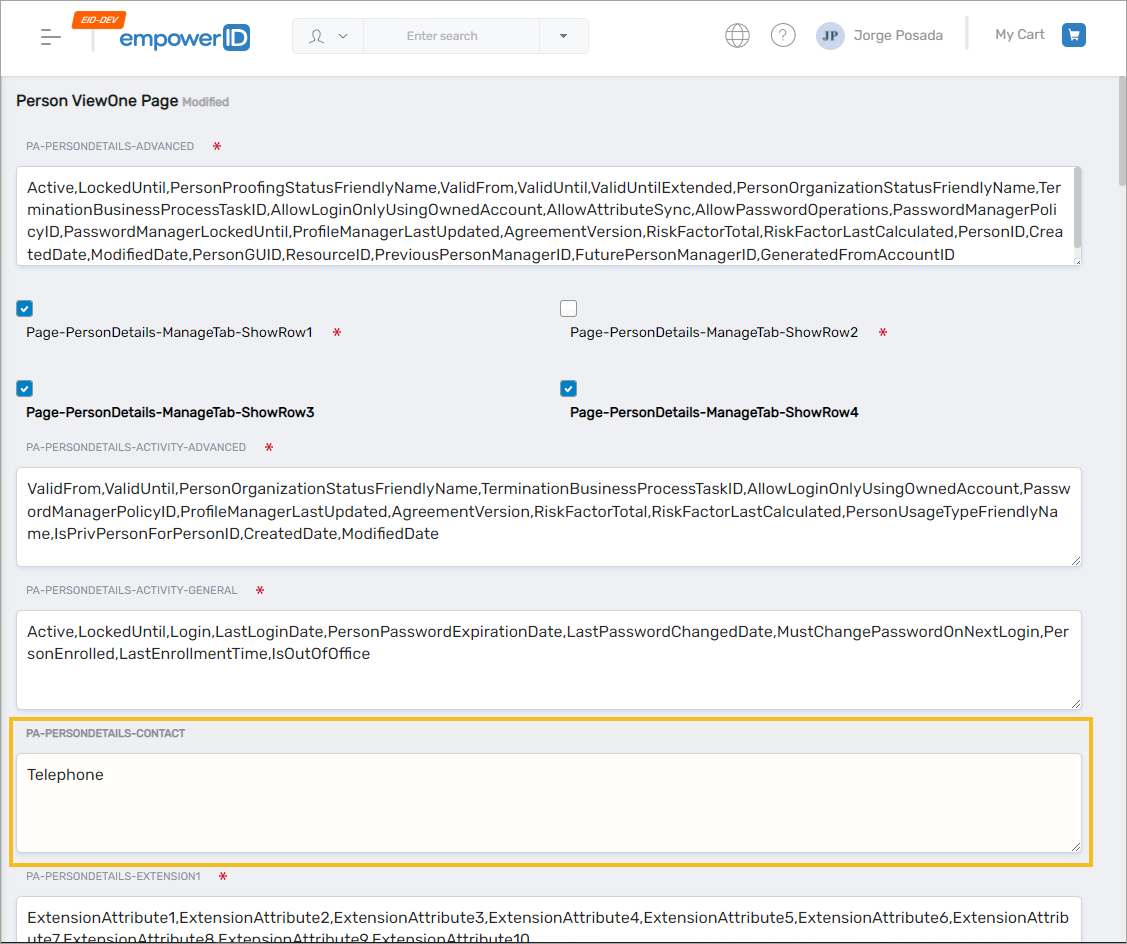
For example, if you want the Contact accordion to display only the Telephone attribute, remove the additional attributes so the section appears as follows:
If you add attributes to any section, the attribute names must match existing EmpowerID RBAC Object attribute names for that object type.