Edit Group Assignments
Group assignments allow you to grant Management Roles to entire groups rather than individual users. All current and future group members automatically receive role permissions.
Prerequisites
Before modifying group assignments, ensure you have:
- Access to Resource Admin with permissions to manage the target Management Role
Procedure
-
Navigate to Resource Admin.
-
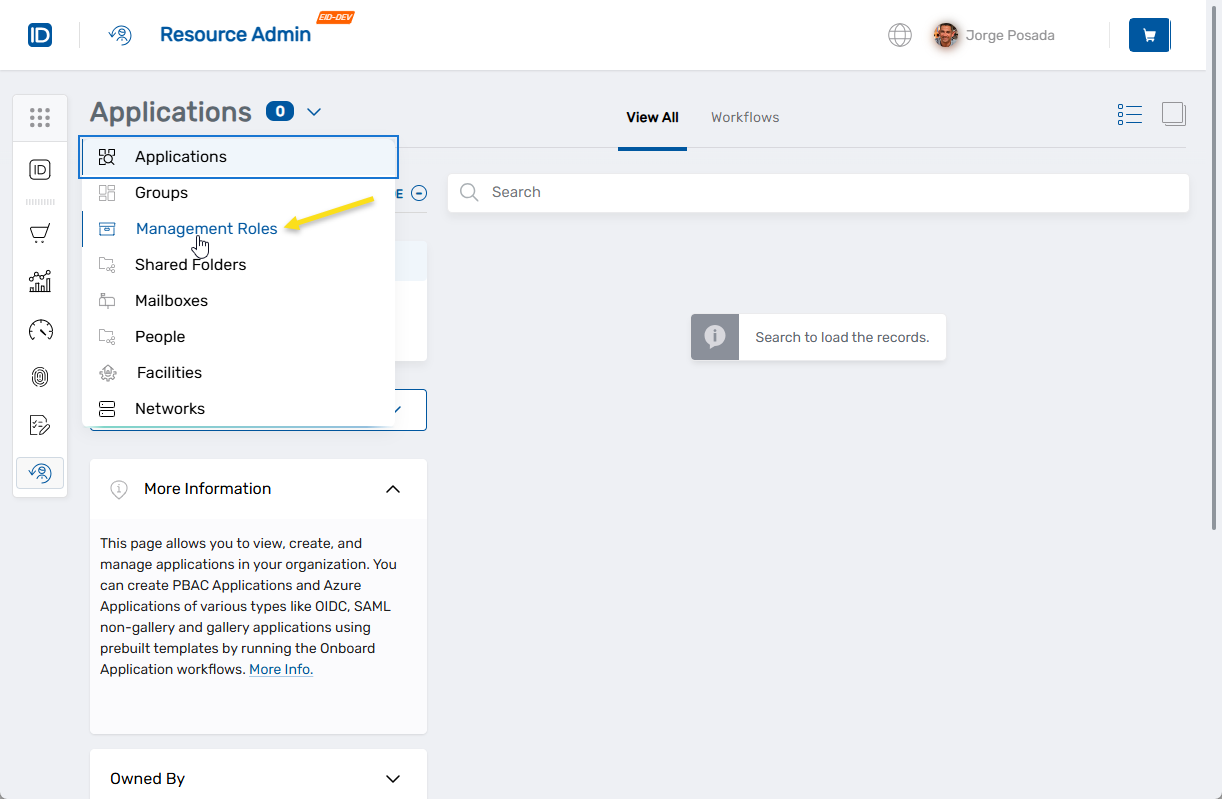
Select Management Roles from the resource type menu.
-
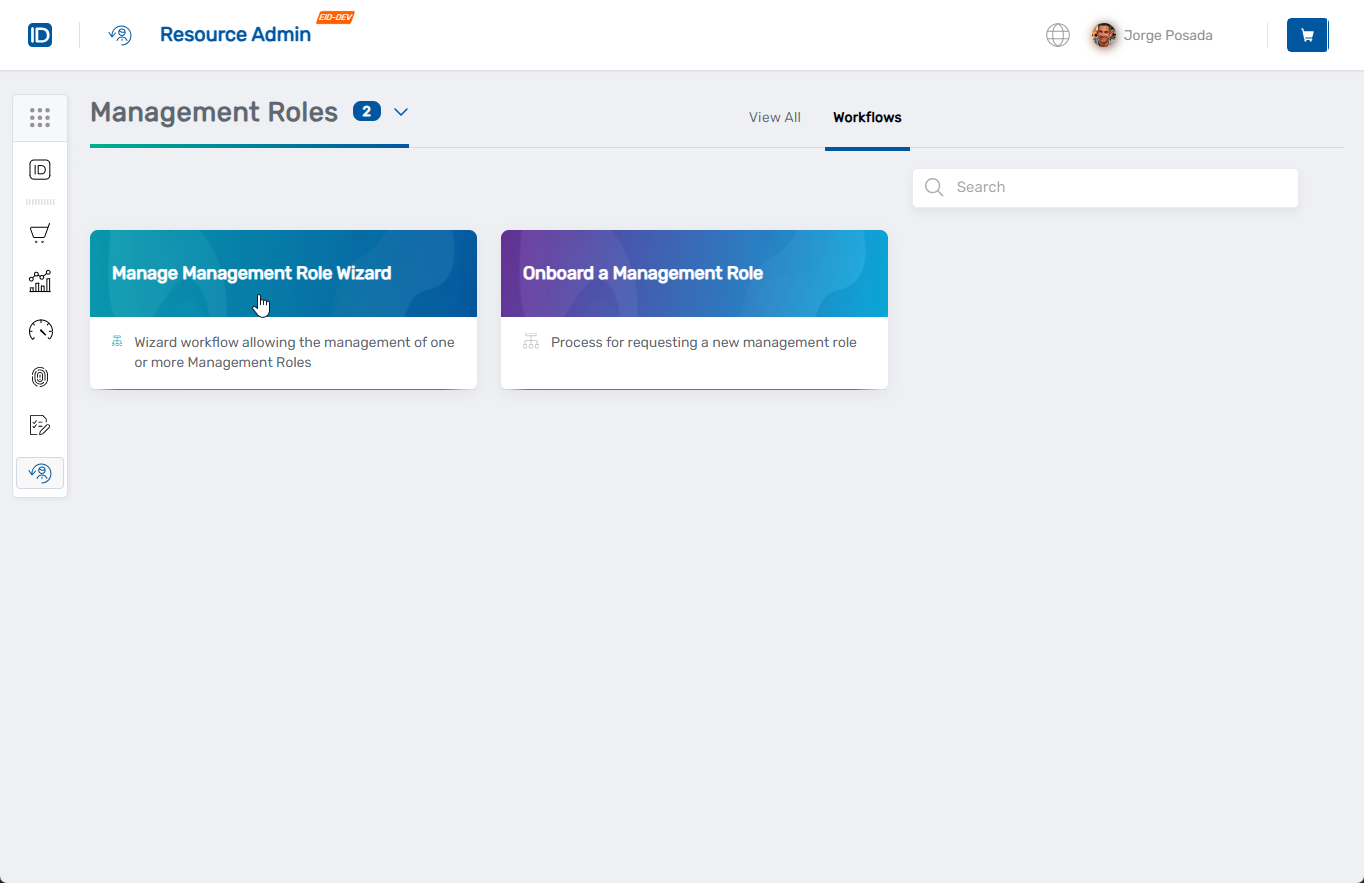
Click the Workflows tab.
-
Find and click Manage Management Role Wizard.
-
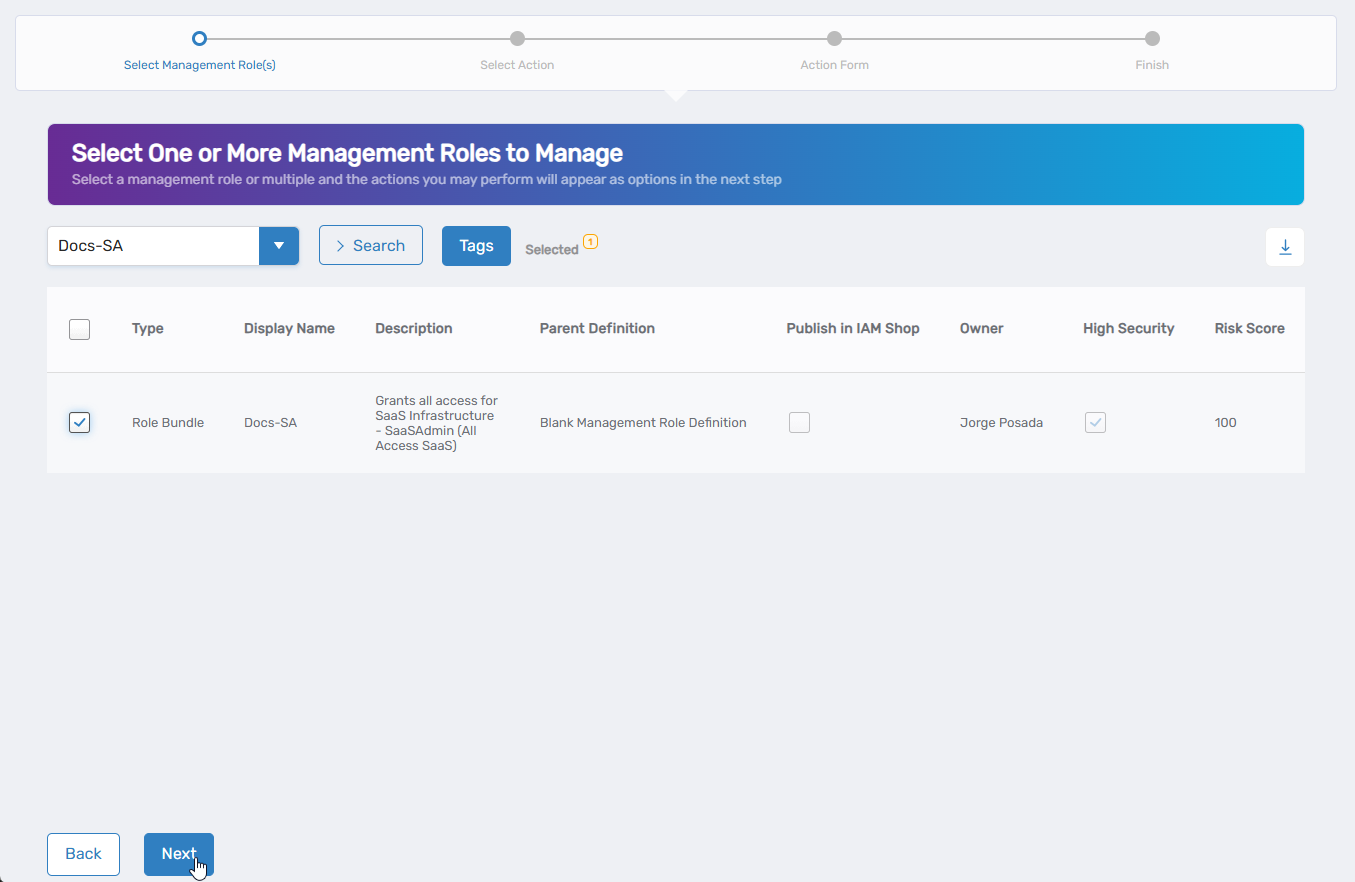
Select the Management Role you want to modify by checking the box next to it and click Next.
-
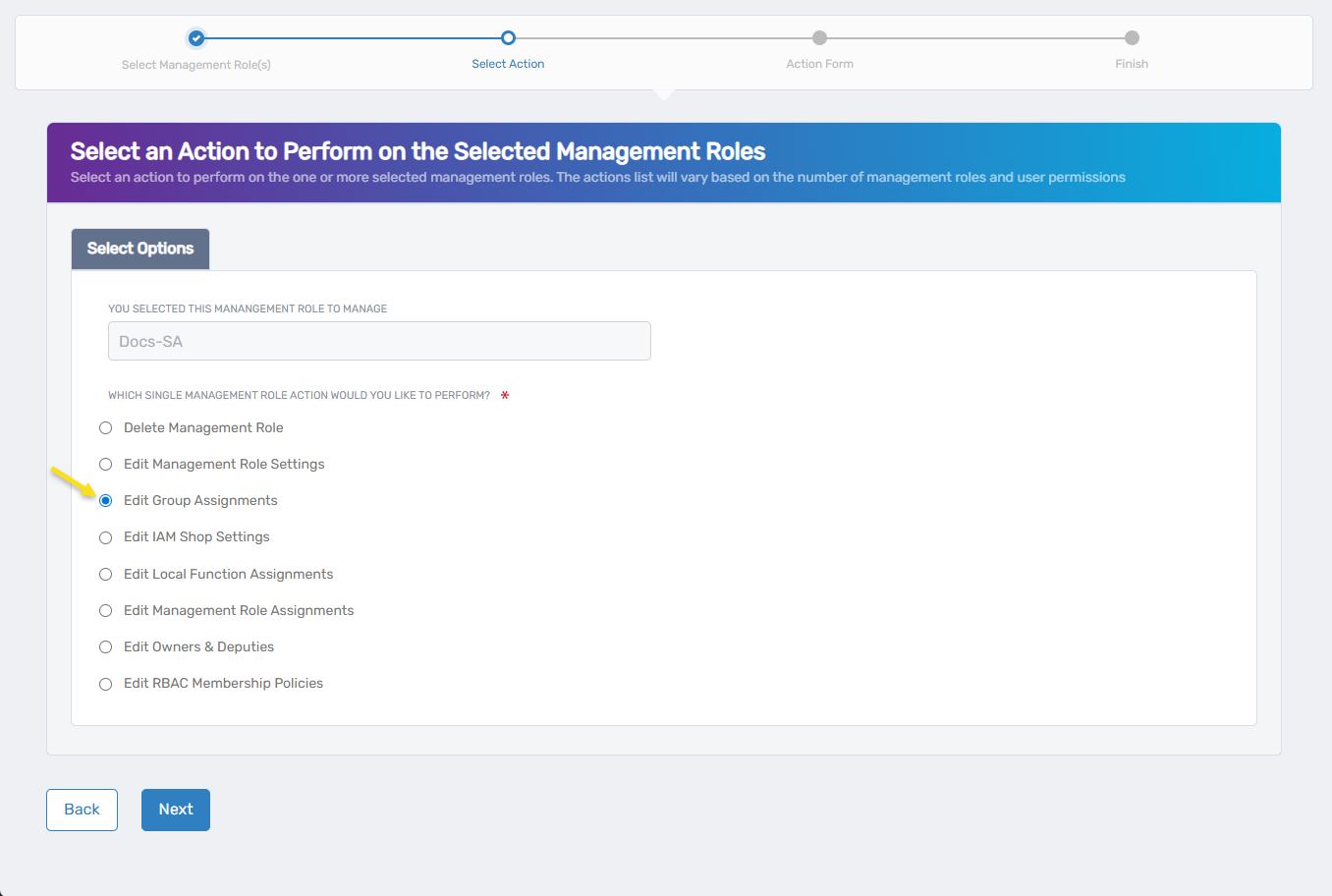
Select Edit Group Assignments from the available actions and click Next.
-
If the role has existing group assignments, they appear in the grid:
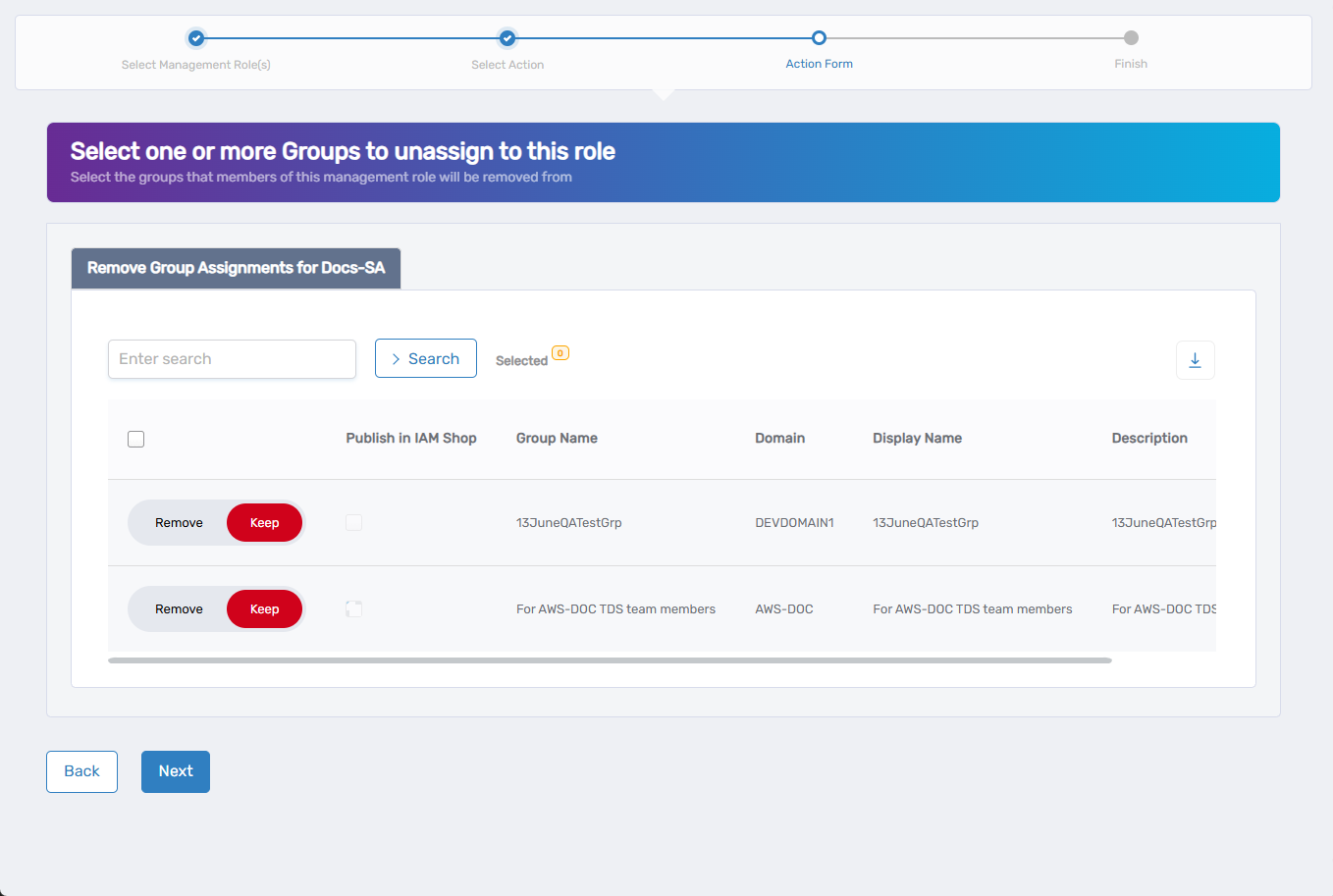
- Use the search functionality to find specific groups if needed
- Click Remove to delete a group assignment
- Click Keep to retain an assignment
If the role has no existing group assignments, skip to step 9.
-
Click Next to proceed to adding new groups.
-
To add new group assignments:
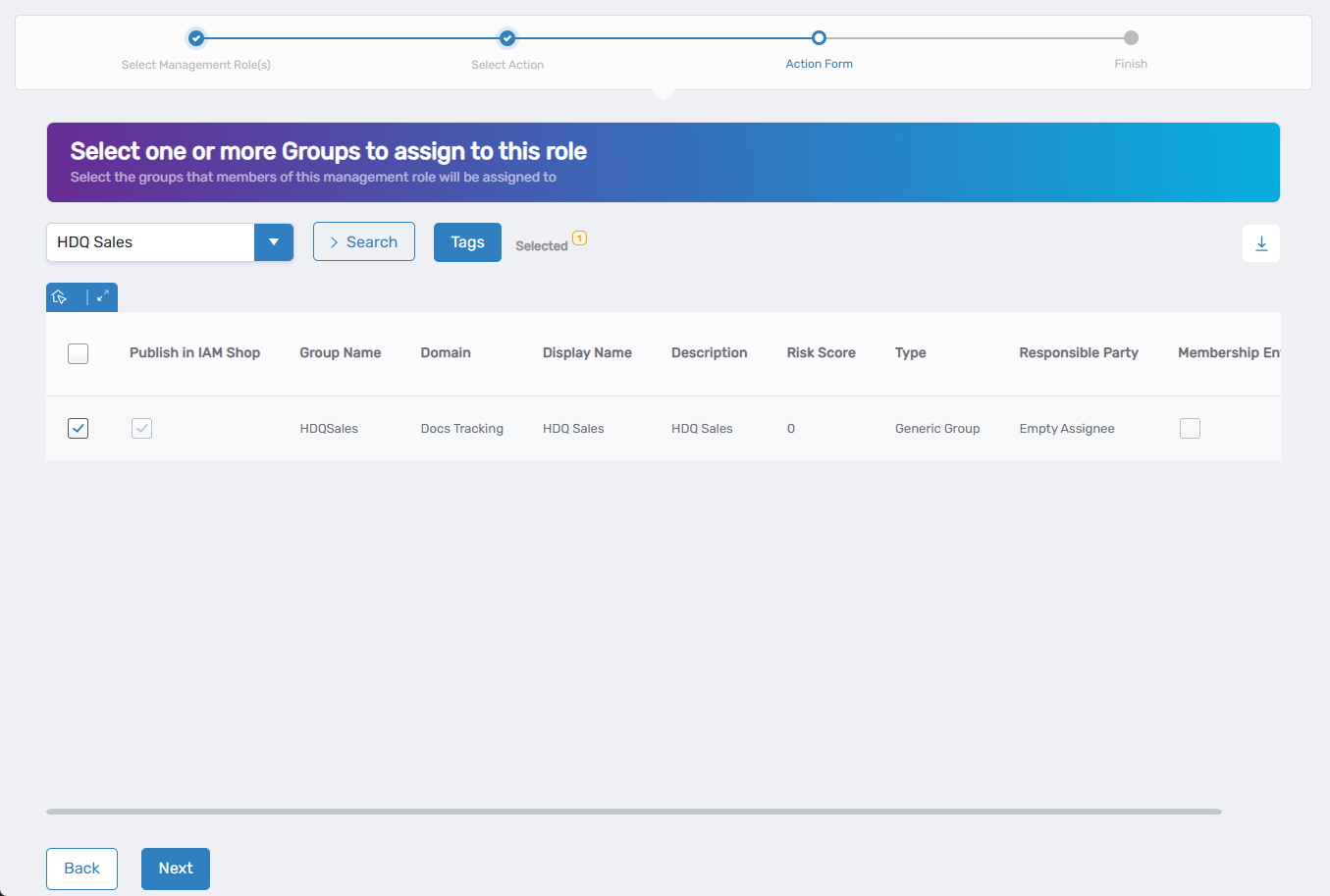
- Use the search field to find specific groups, or click the dropdown arrow for advanced search options
- Check the box next to each group you want to assign
- Repeat to add multiple groups
Skip this step if you only want to remove existing assignments.
-
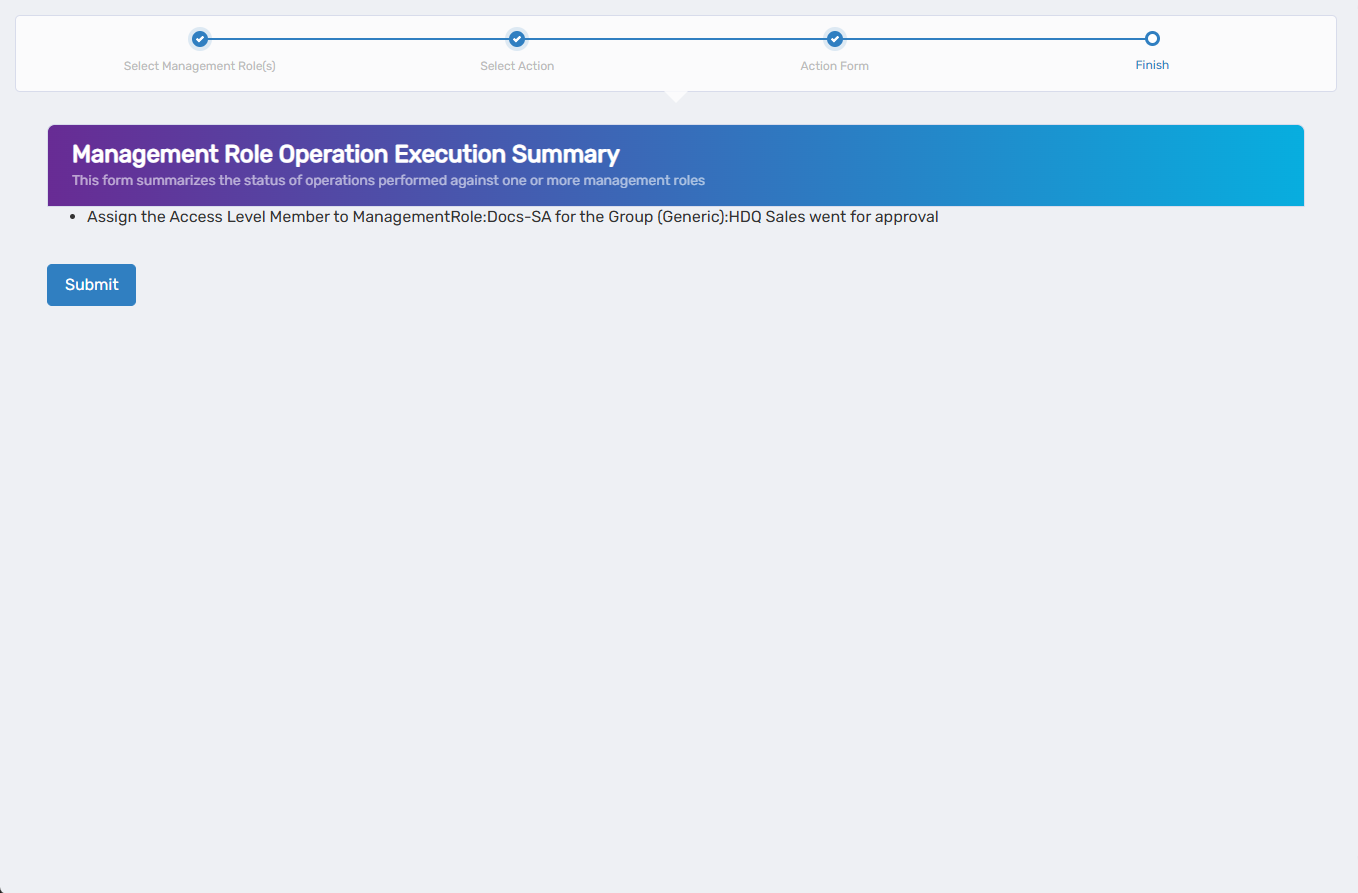
Review the Operation Execution Summary to confirm your changes and click Submit.
-
Choose your next action and click Submit:
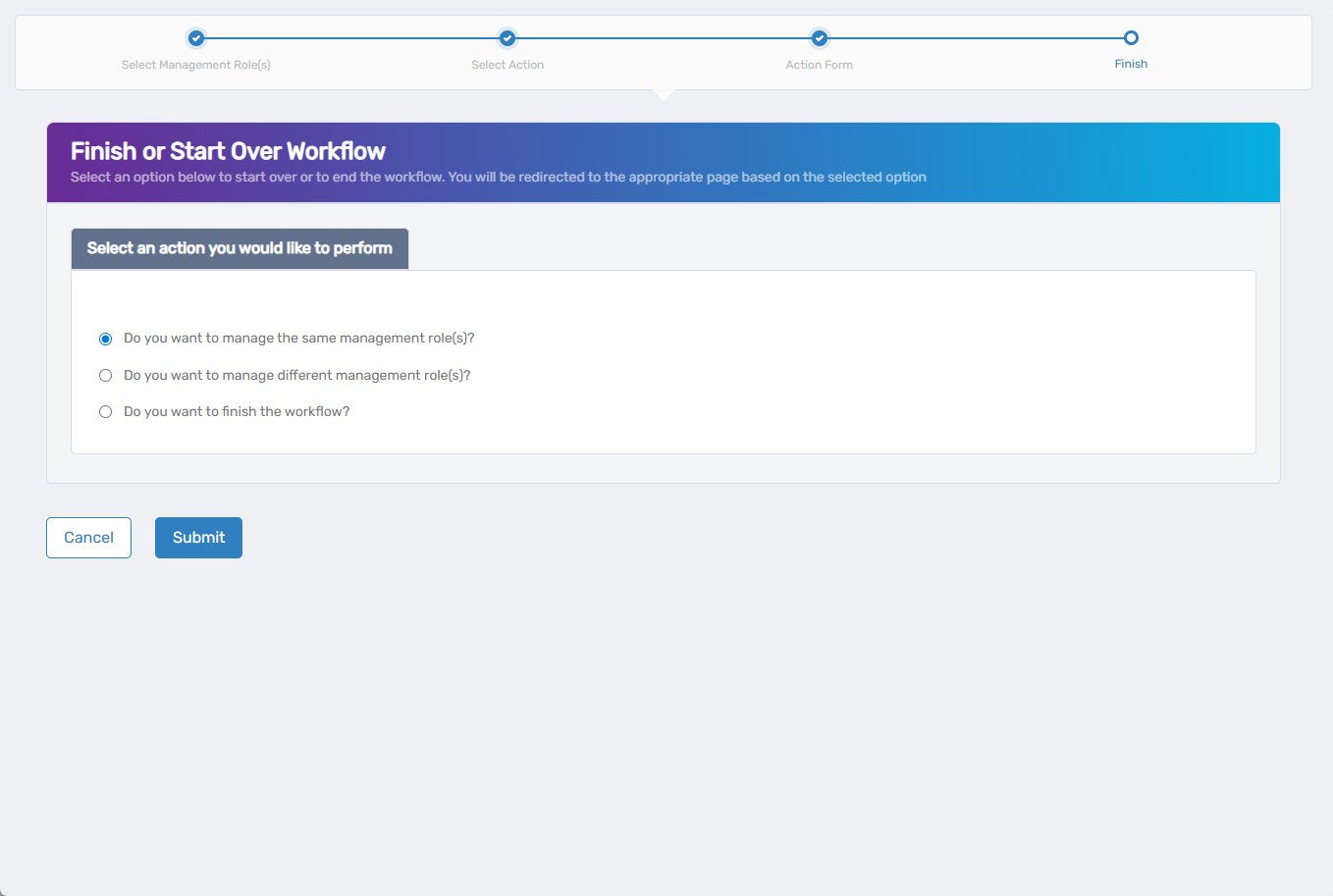
- Do you want to manage the same Management Role? - Perform additional actions on the same role
- Do you want to manage different Management Role(s)? - Work with other Management Roles
- Do you want to finish the workflow? - Exit the wizard
Verify the Results
Group assignment changes may require approval depending on your organization's policies. To verify the changes:
- After approval, navigate back to Resource Admin > Management Roles.
- Select the Management Role you modified and review the group assignments to confirm your changes were applied.
Related Topics
- Add Groups to Management Roles - Direct method for adding groups without the wizard
- Add People to Management Roles - Assign individuals to roles
- Edit RBAC Membership Policies - Create automatic assignment rules
- Edit Management Role Owners & Deputies - Manage role ownership