Restoring Deleted Mailboxes
This topic demonstrates how to restore a mailbox that was previously deleted in EmpowerID.
Procedure
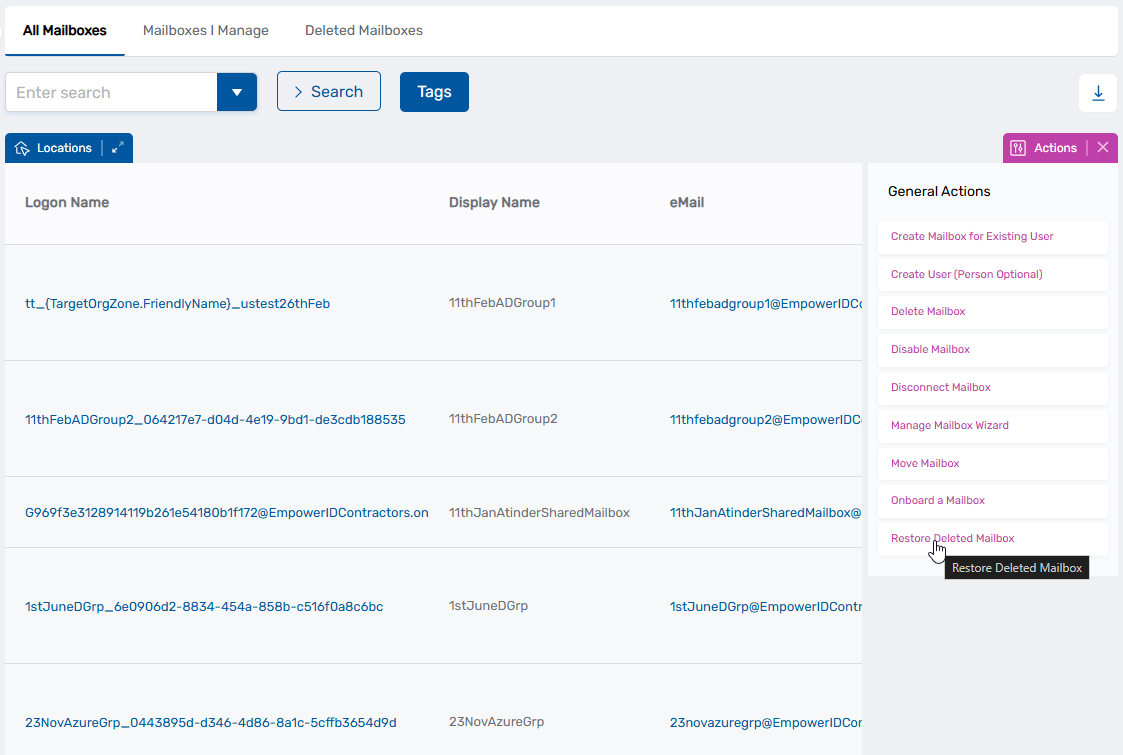
- On the navbar of the EmpowerID application, expand Object Administration and select Mailboxes.
- Click the Restore Deleted Mailboxes action link.
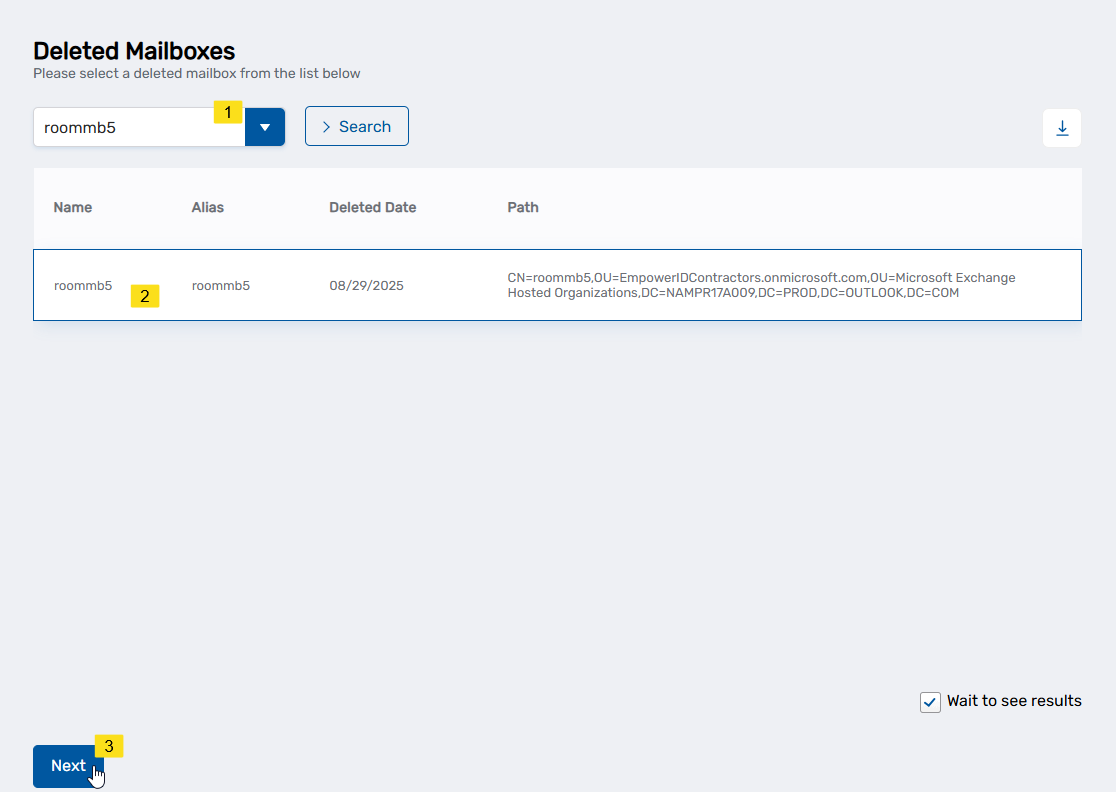
- In the Deleted Mailboxes lookup that appears, search for the deleted mailbox you want to restore, click the record for it to select it and then click Next.
- Click Submit to close the Operation Execution Summary.