Edit Mailbox Policies
This procedure configures mailbox policy settings to control which role assignment, retention, sharing, and other organizational policies apply to the mailbox.
Edit Mailbox Policies
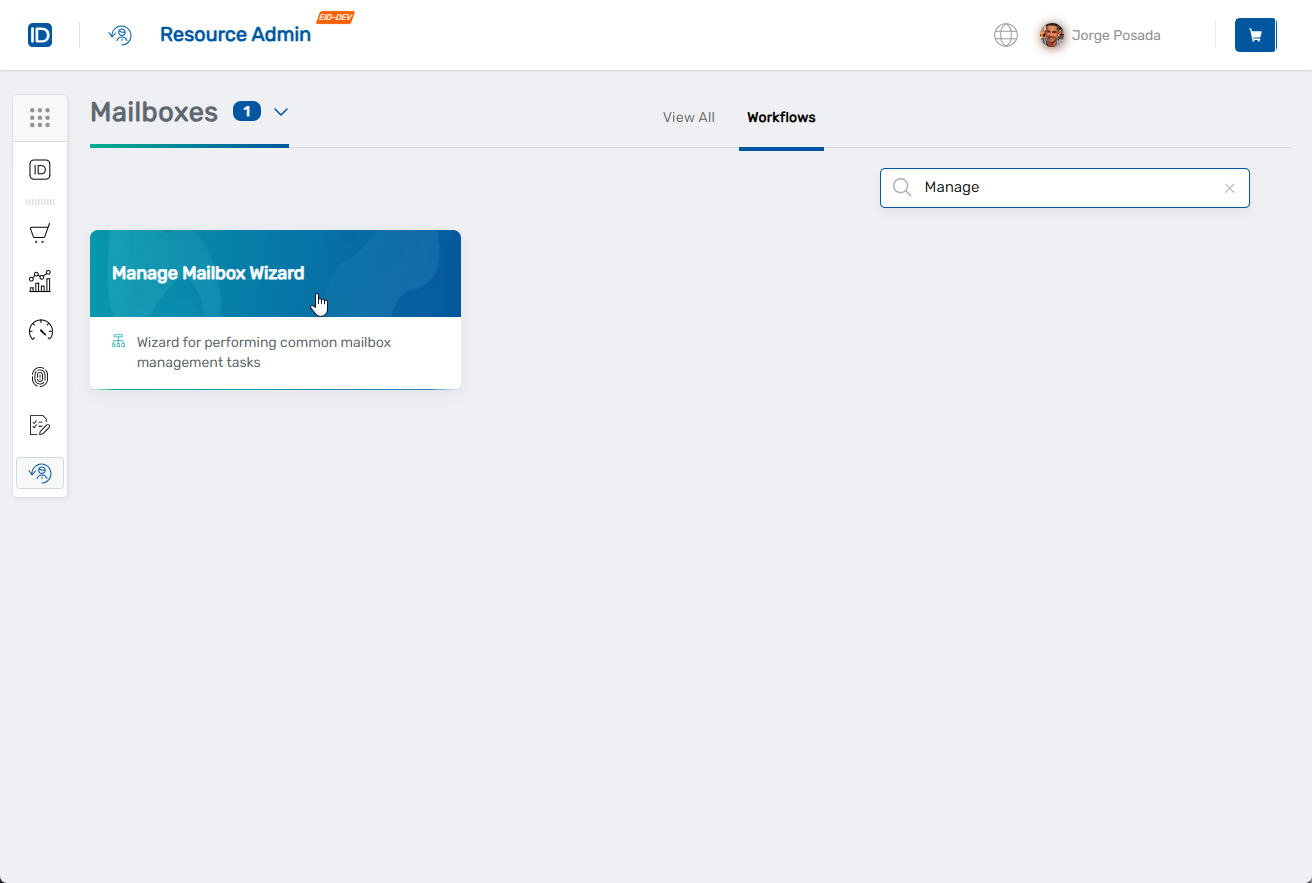
- Navigate to Resource Admin.
- Select Mailboxes from the resource type menu.
- Click the Workflows tab.
- Click Manage Mailbox Wizard.
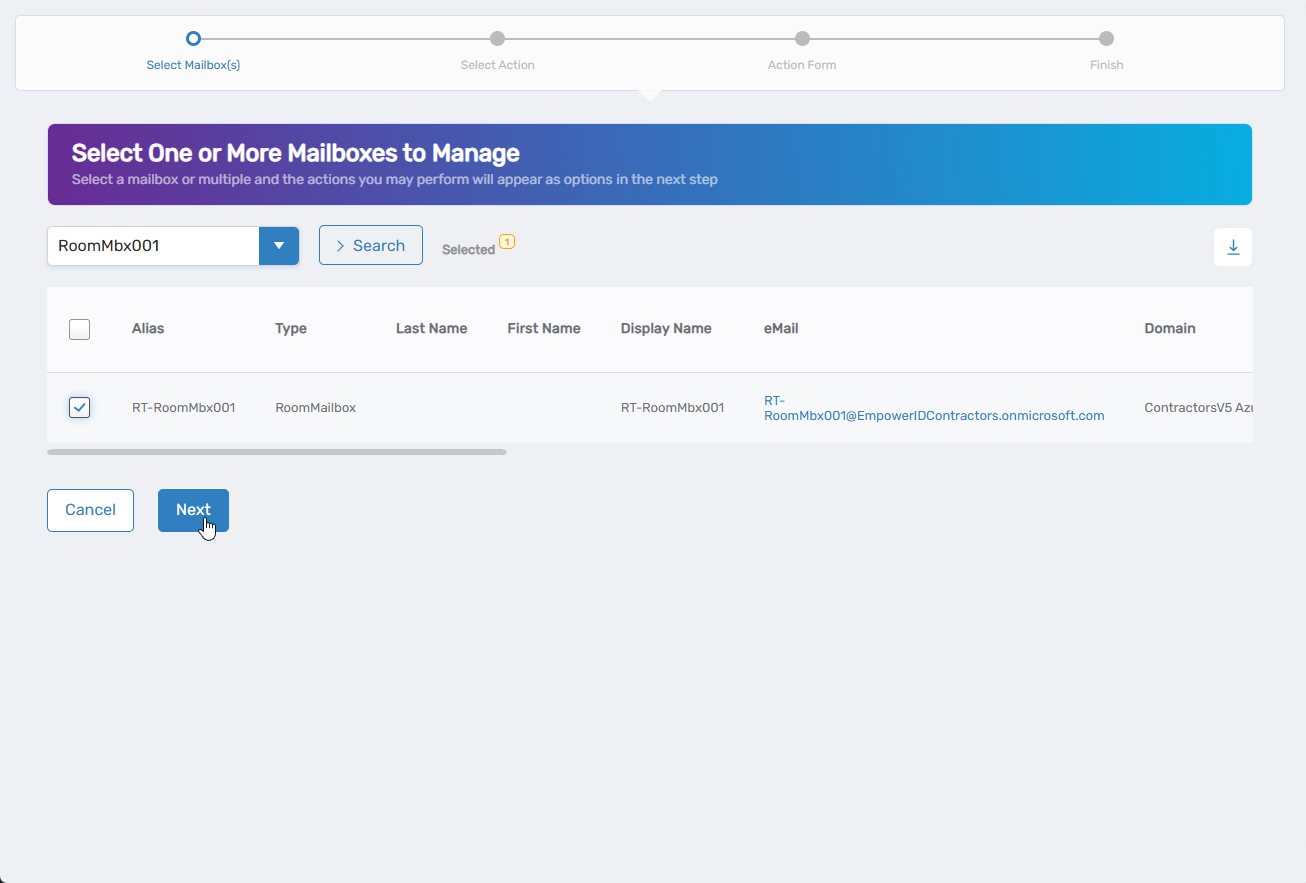
- Search for the mailbox to modify, check the box next to it, and click Next.
- Select Edit Mailbox Policies from the available actions.
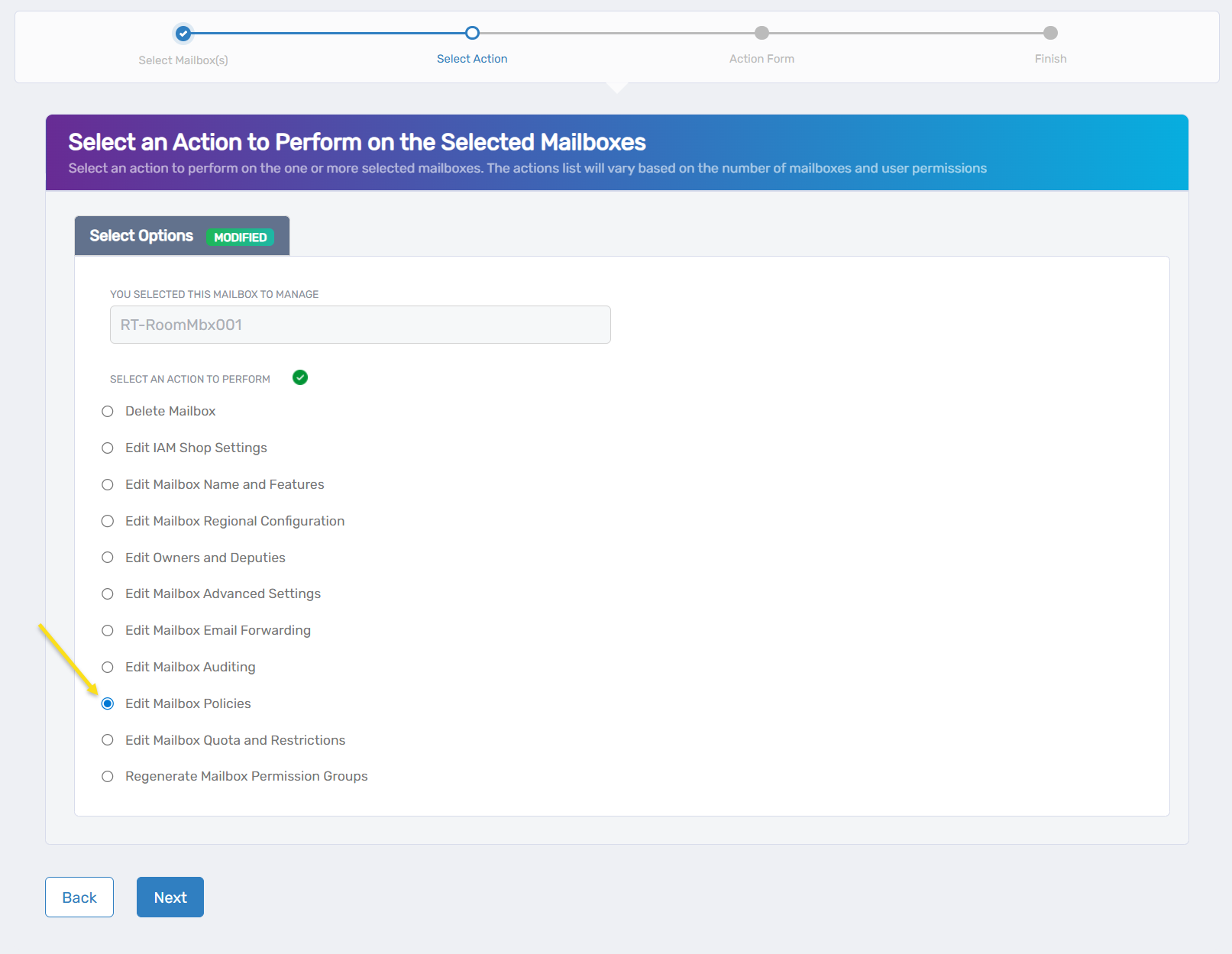
- Click Next.
- Configure mailbox policies:
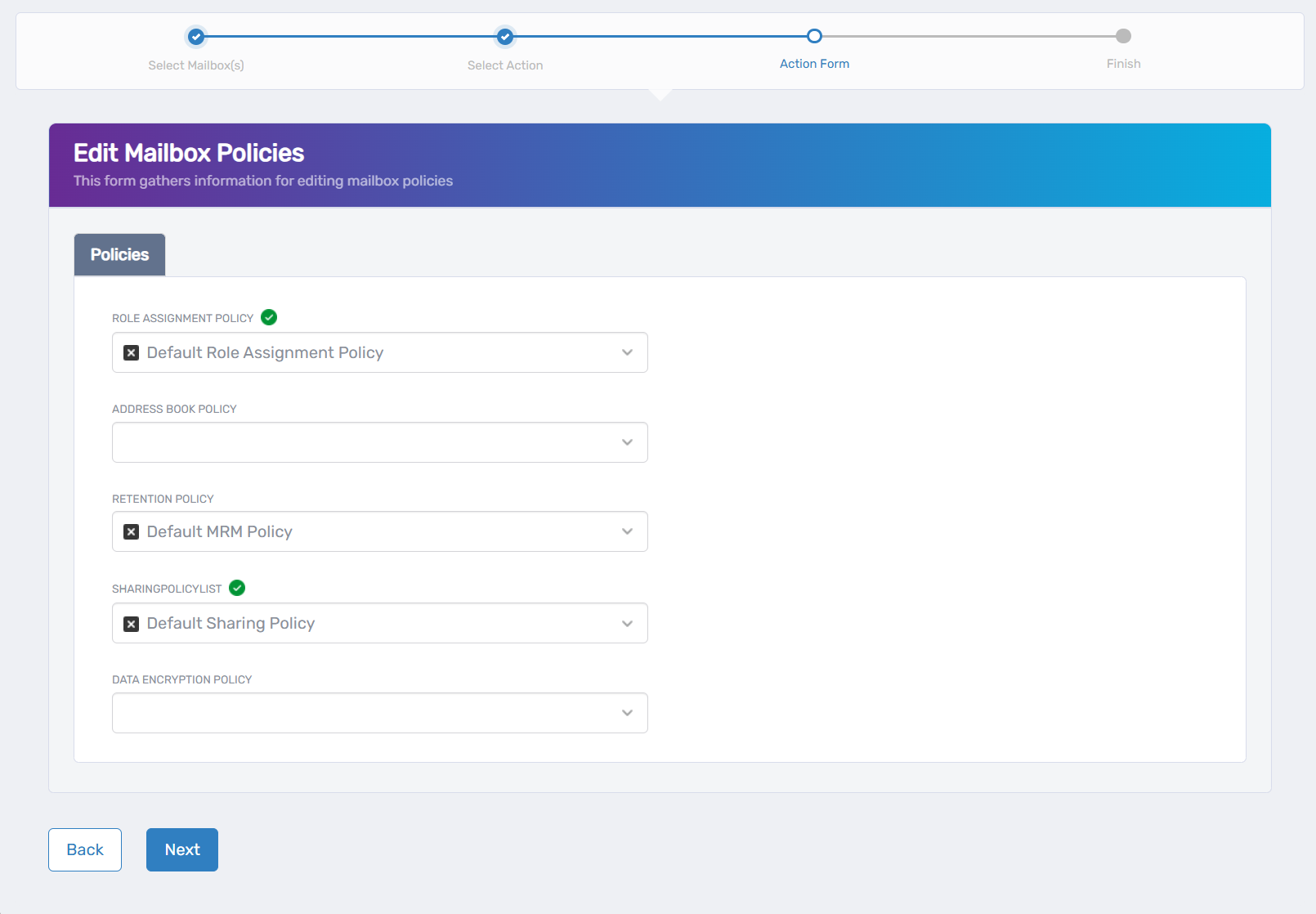
- Role Assignment Policy: Select the policy defining management tasks for this mailbox
- Address Book Policy: Choose the policy for segmented address book access
- Retention Policy: Select the policy controlling message retention and deletion
- Sharing Policy: Choose the policy controlling calendar and contact sharing permissions
- Data Encryption Policy: Select the policy for data encryption requirements
- Click Next.
- Review the Operation Execution Summary.
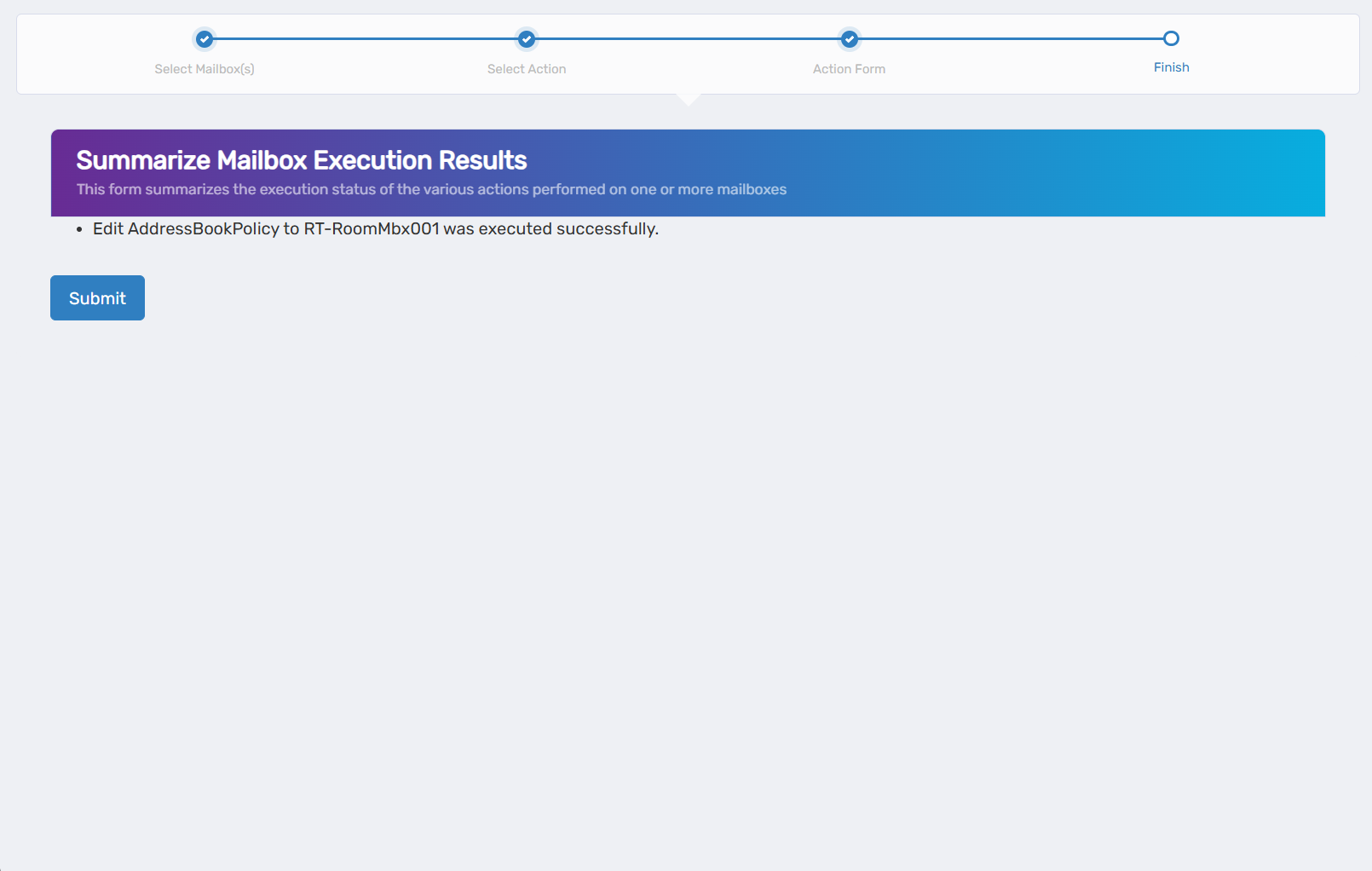
- Click Submit.
- Select your next action:
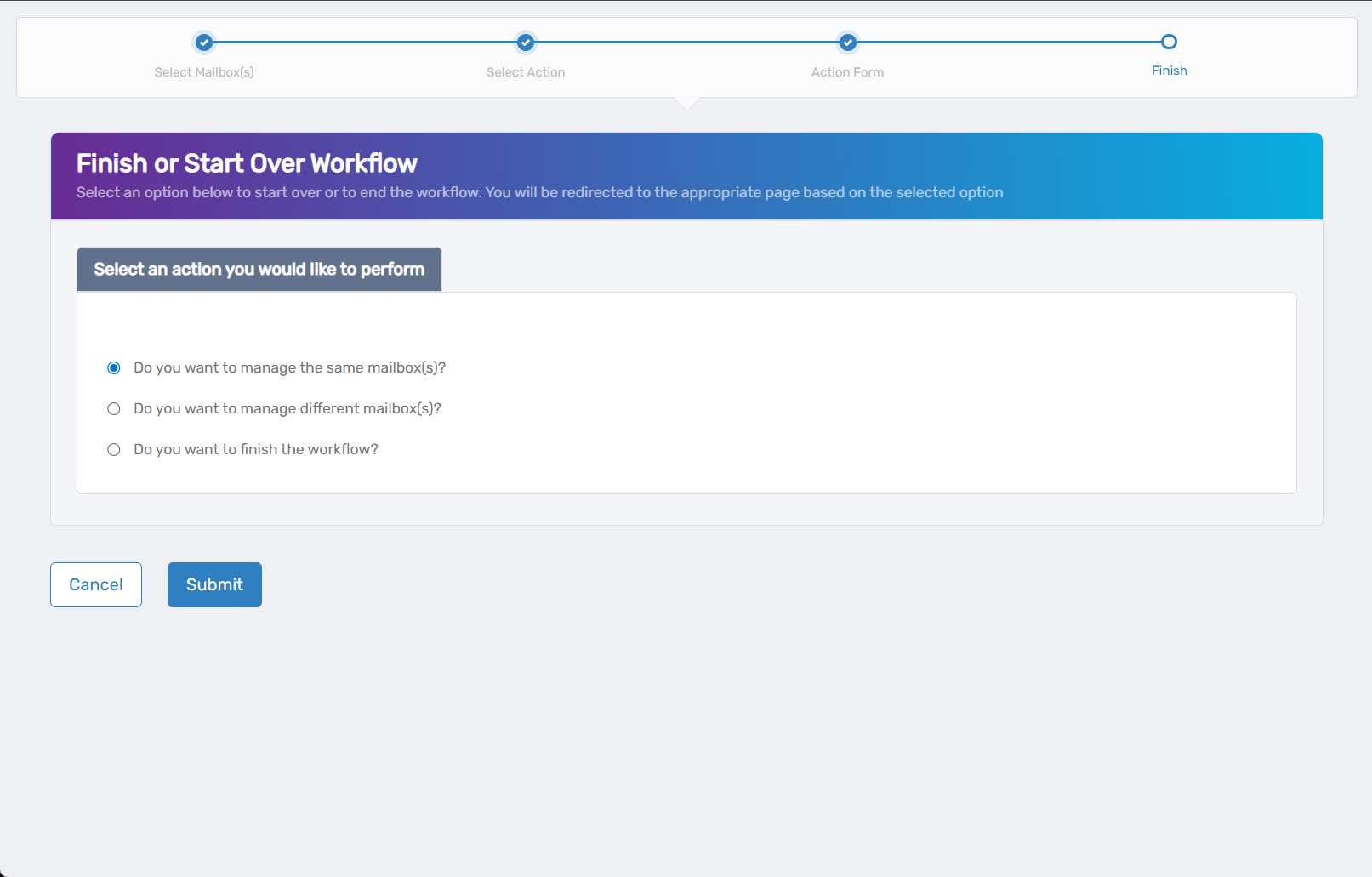
- Do you want to manage the same Mailbox? - Perform additional actions on this mailbox
- Do you want to manage different Mailbox(es)? - Work with other mailboxes
- Do you want to finish the workflow? - Complete and exit the wizard
- Click Submit.
Results
- Policy changes take effect for most settings
- Retention policies begin processing messages according to the new policy schedule
- Sharing policies control external calendar and contact sharing capabilities
- Role assignment changes affect mailbox management tasks