Edit IAM Shop Settings
This procedure configures IAM Shop settings to control mailbox visibility, requestability, and approval processes in the self-service portal.
Edit IAM Shop Settings
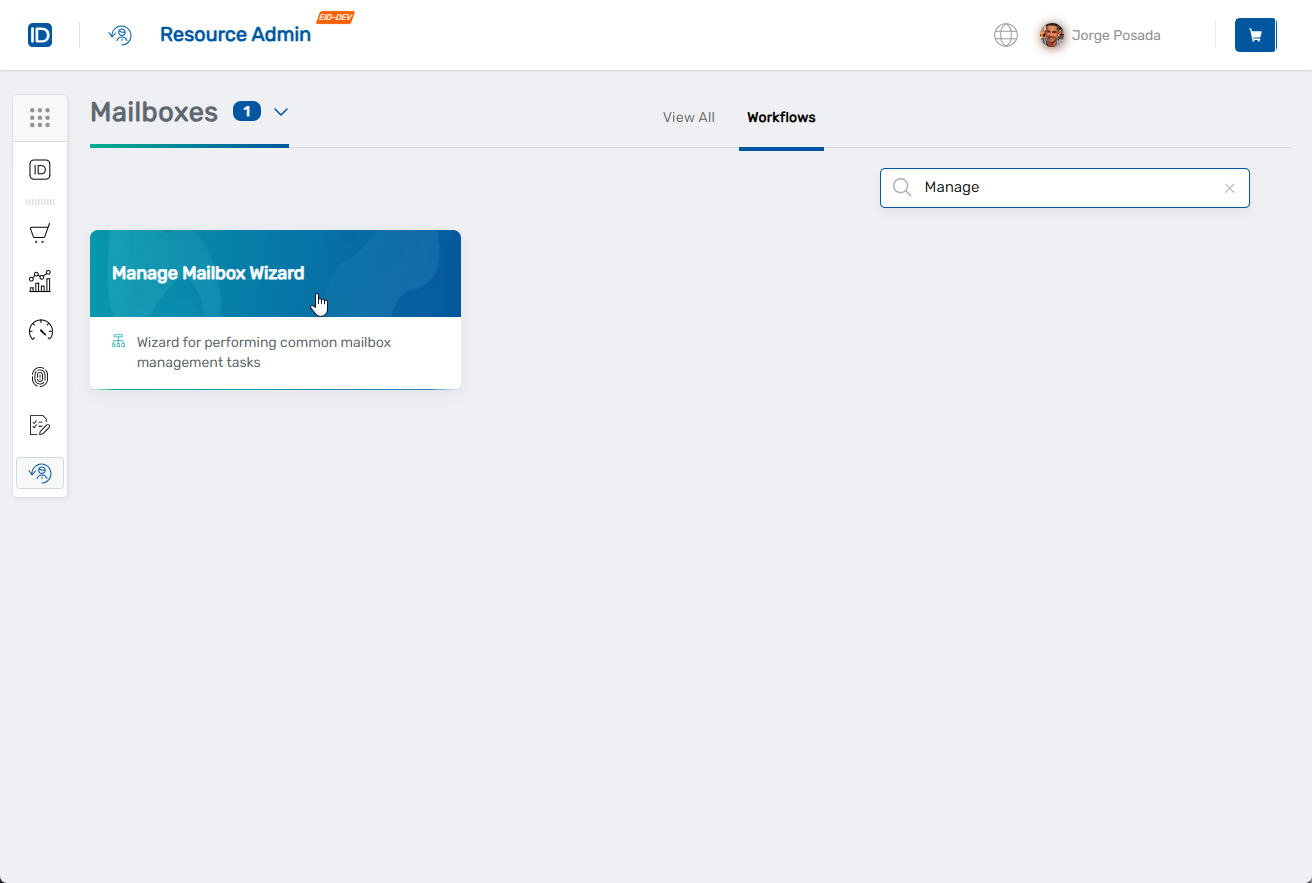
- Navigate to Resource Admin.
- Select Mailboxes from the resource type menu.
- Click the Workflows tab.
- Click Manage Mailbox Wizard.
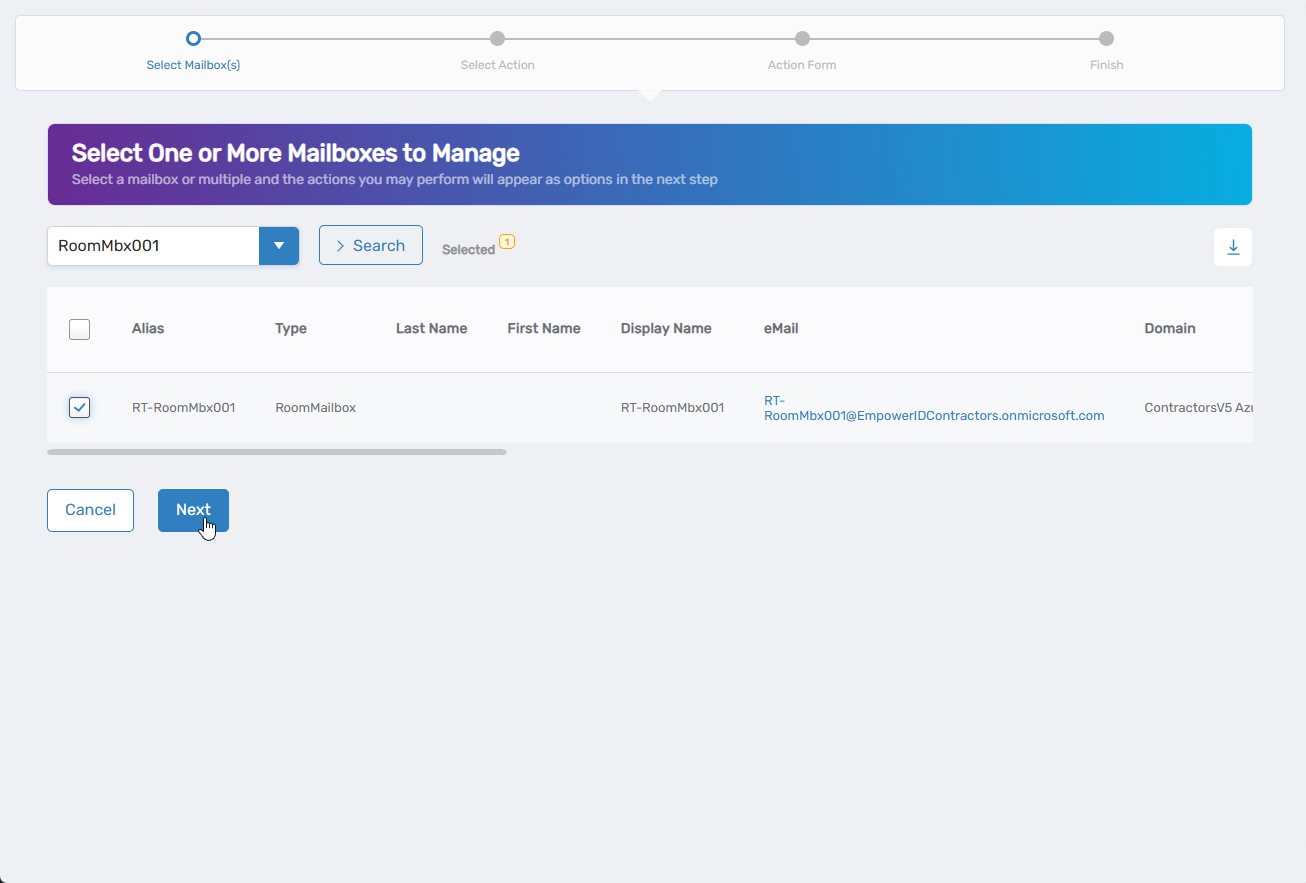
- Search for the mailbox to modify, check the box next to it, and click Next.
- Select Edit IAM Shop Settings from the available actions.
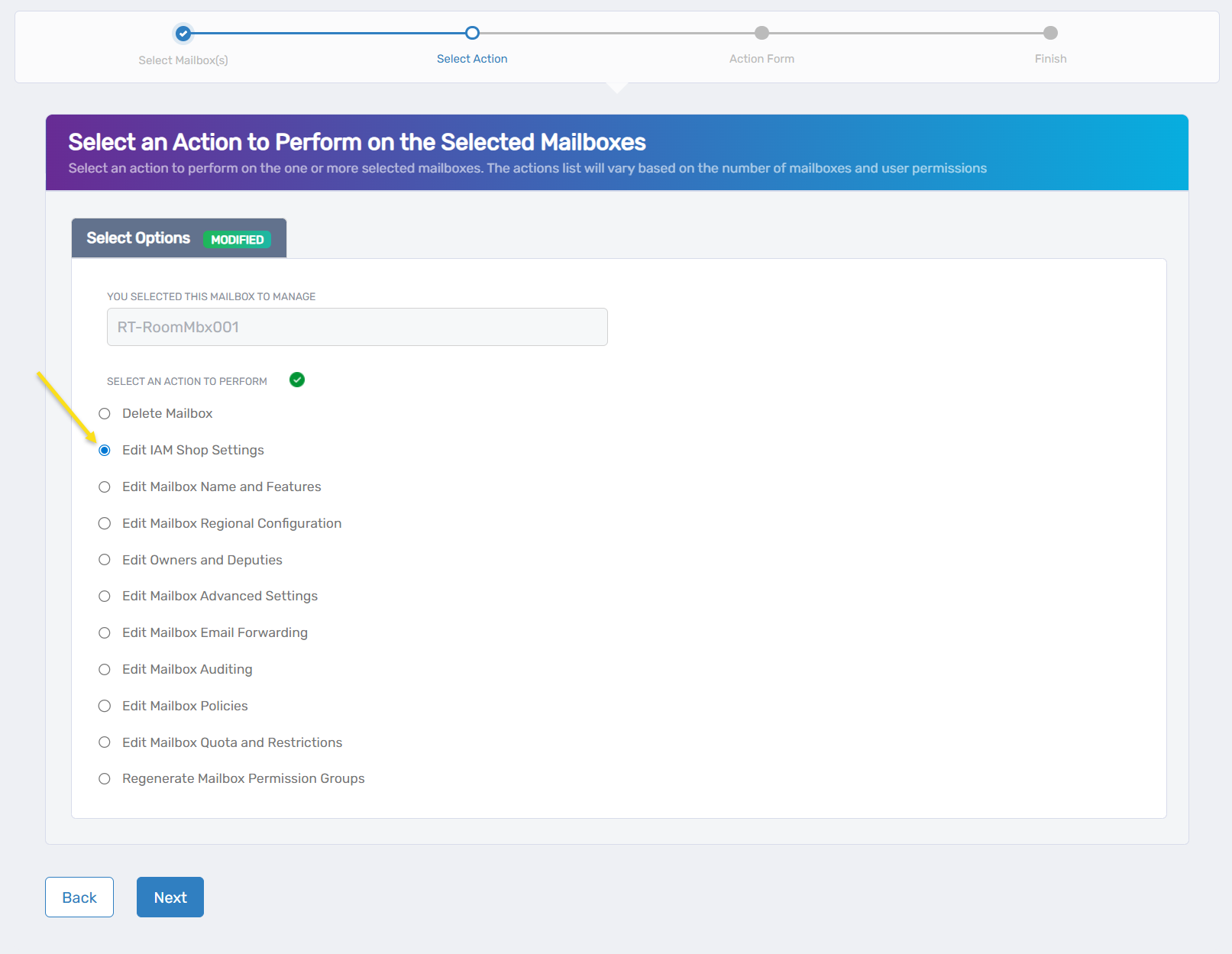
- Click Next.
- Configure IAM Shop settings:
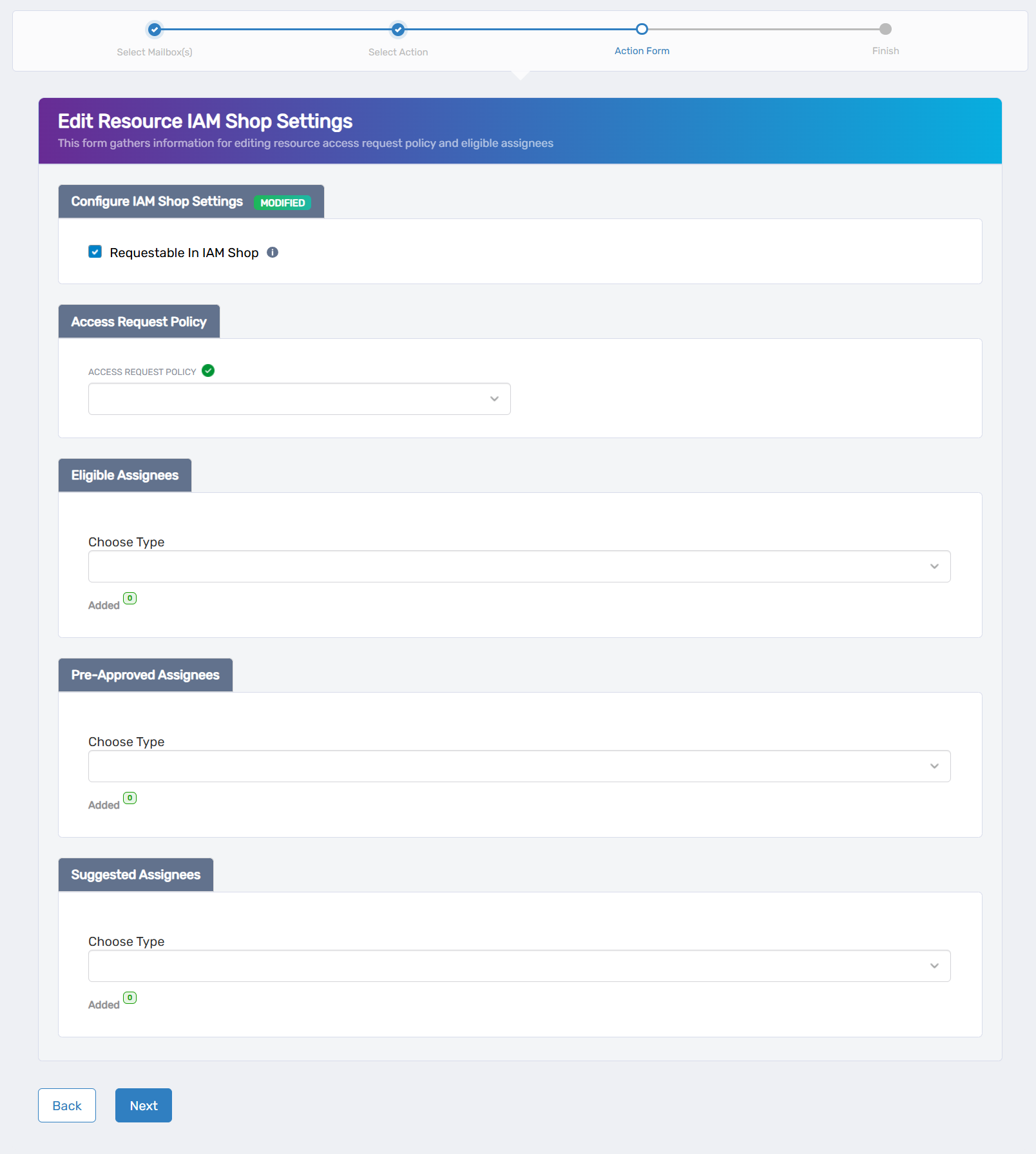
- Requestable in IAM Shop: Check to make the mailbox available for self-service requests
- Access Request Policy: Select the policy that defines request processing and approval
- Eligible Assignees: Choose who can request access (requests routed for approval)
- Preapproved Assignees: Select users who can activate access without approval
- Suggested Assignees: Choose users who see this mailbox as a recommendation
- Use the search fields to find and add people, groups, or roles for each assignee type.
- Review existing assignees and select to remove or keep them as needed.
- Click Next.
- Review the Operation Execution Summary.
- Click Submit.
- Select your next action:
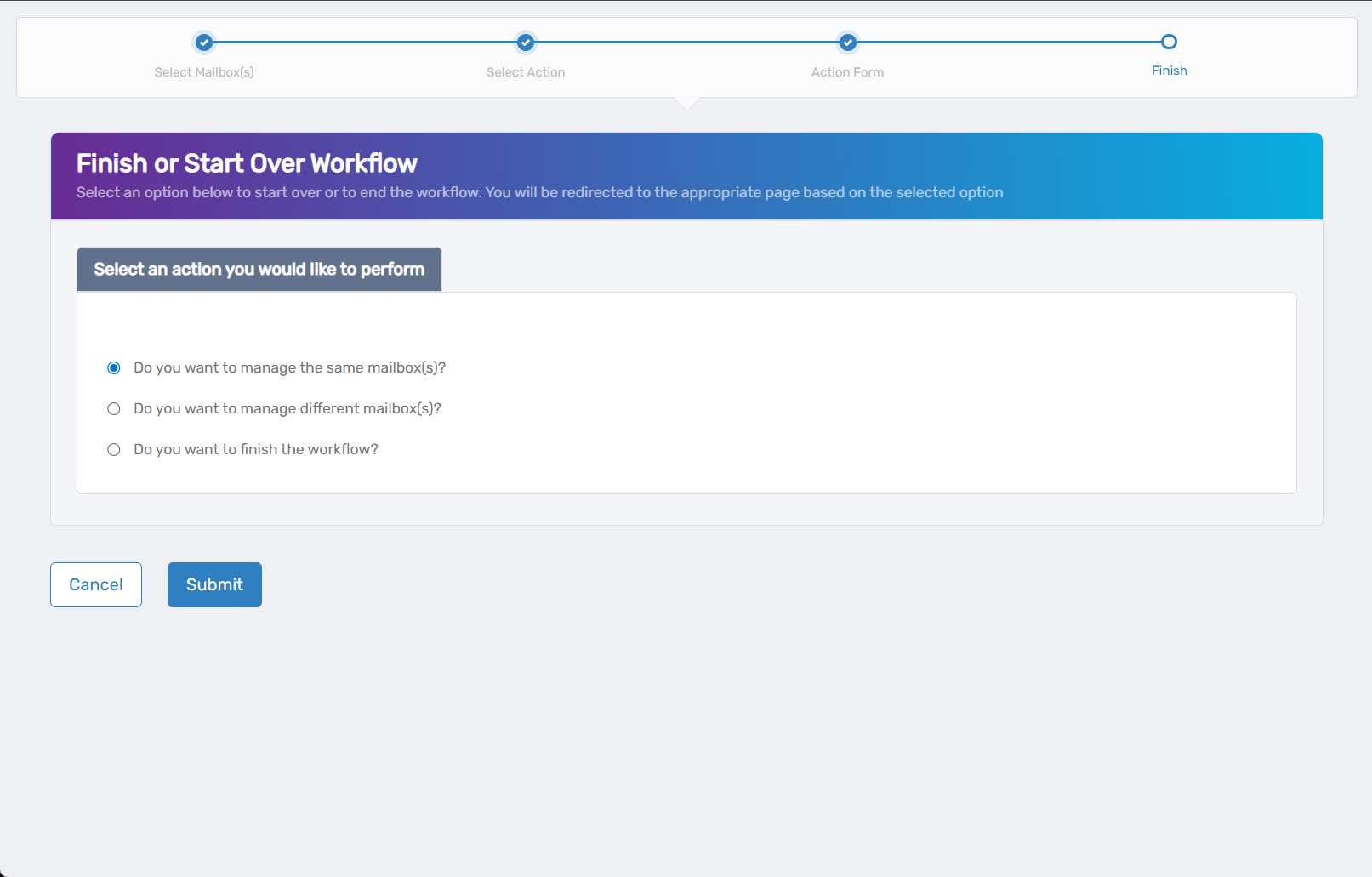
- Do you want to manage the same Mailbox? - Perform additional actions on this mailbox
- Do you want to manage different Mailbox(es)? - Work with other mailboxes
- Do you want to finish the workflow? - Complete and exit the wizard
- Click Submit.
Results
- Mailbox visibility in the IAM Shop is updated based on configuration
- Eligible users can see and request the mailbox if configured as requestable
- Preapproved users can activate mailbox access without approval workflows
- Suggested users see the mailbox recommended in their IAM Shop interface