Edit Mailbox Auditing
This procedure configures mailbox auditing settings to enable detailed logging of user actions and administrative activities for compliance and security monitoring.
Edit Mailbox Auditing
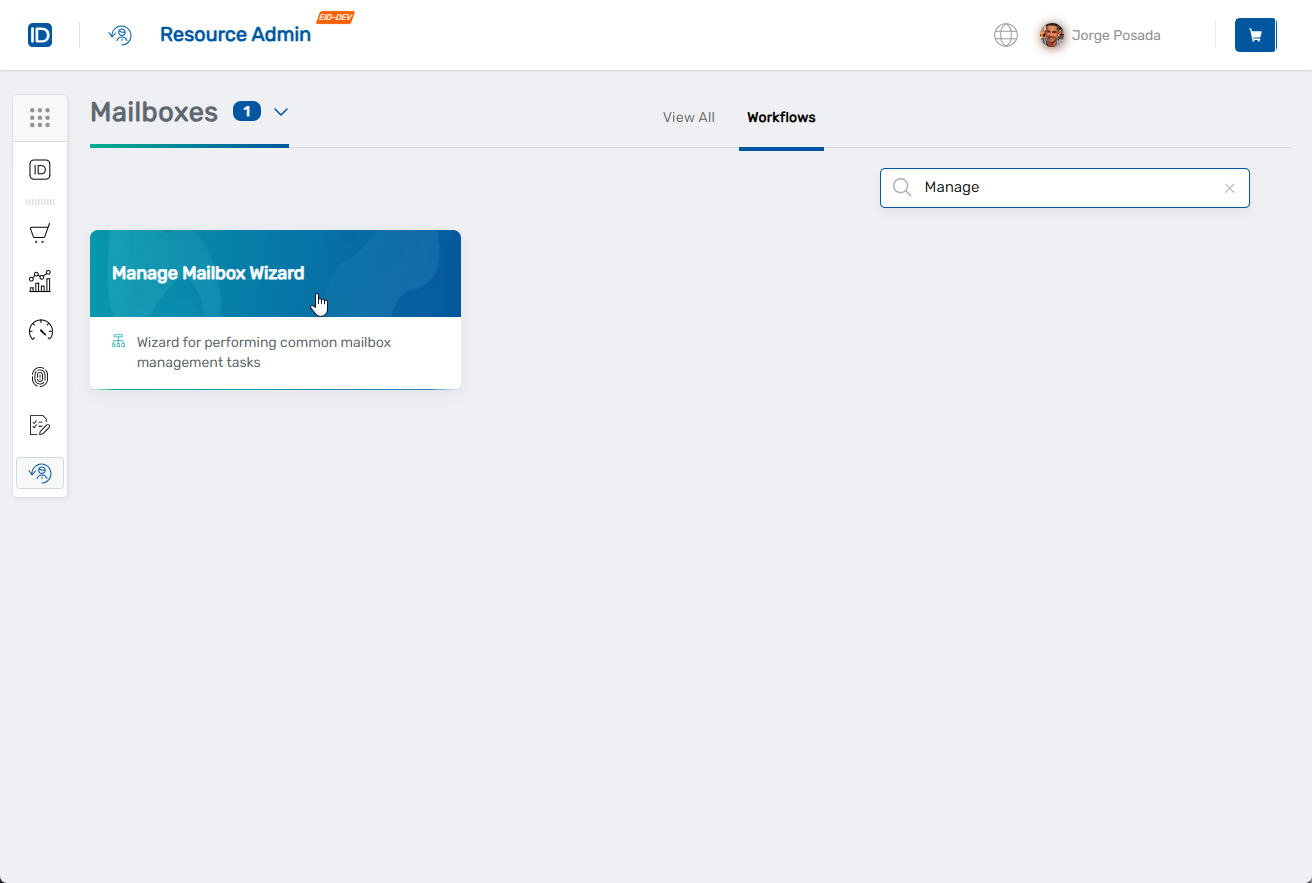
- Navigate to Resource Admin.
- Select Mailboxes from the resource type menu.
- Click the Workflows tab.
- Click Manage Mailbox Wizard.
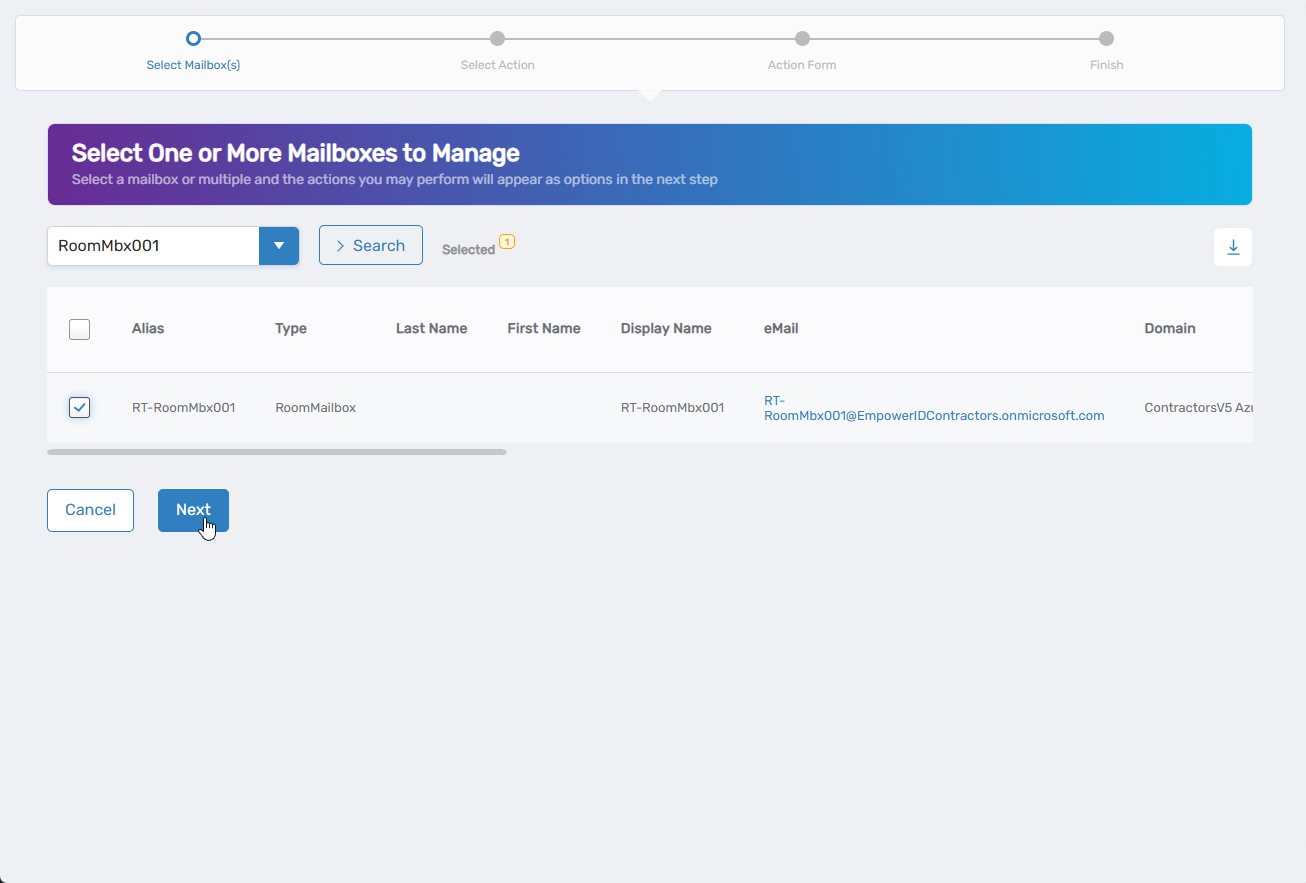
- Search for the mailbox to modify, check the box next to it, and click Next.
- Select Edit Mailbox Auditing from the available actions.
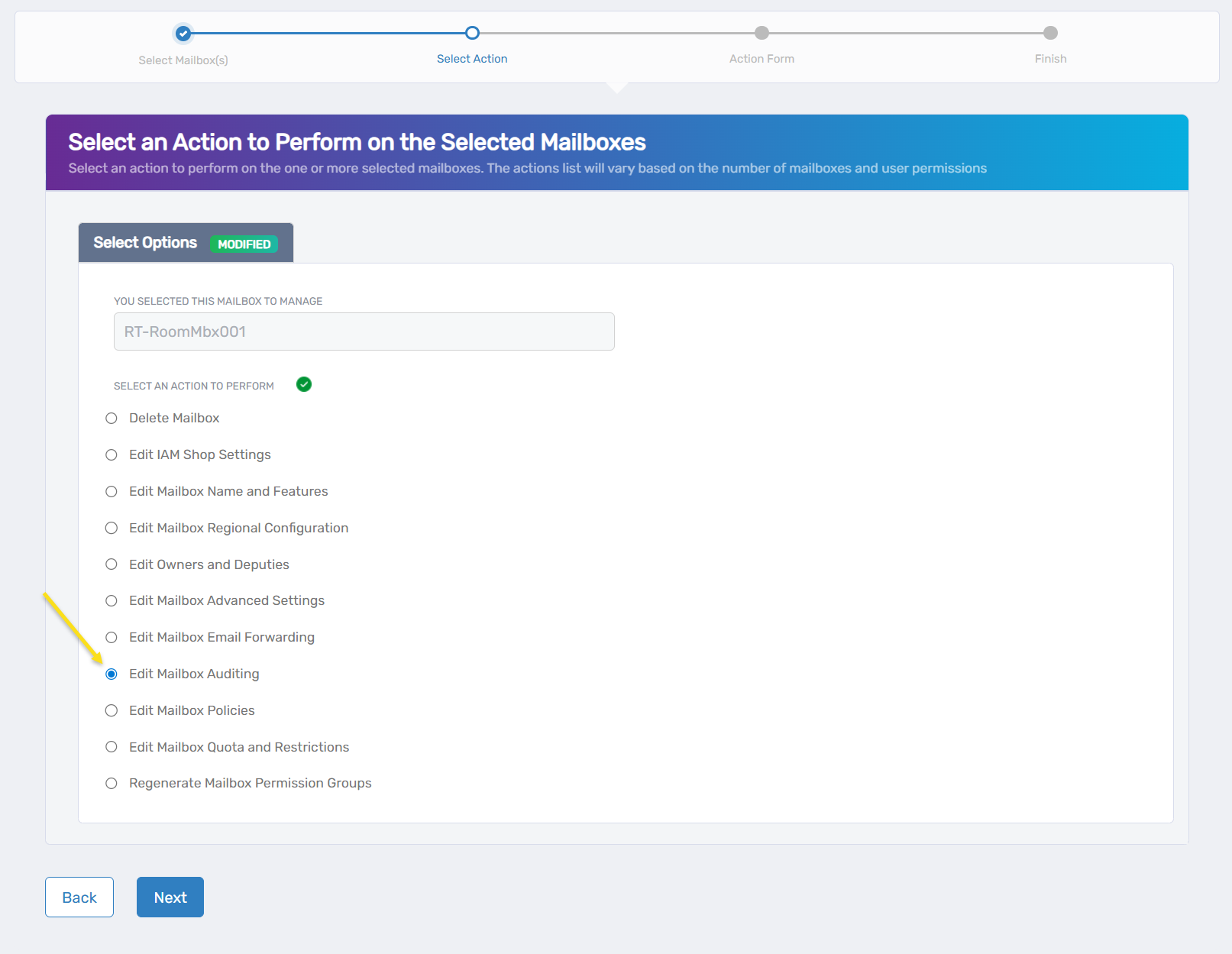
- Click Next.
- Configure auditing settings:
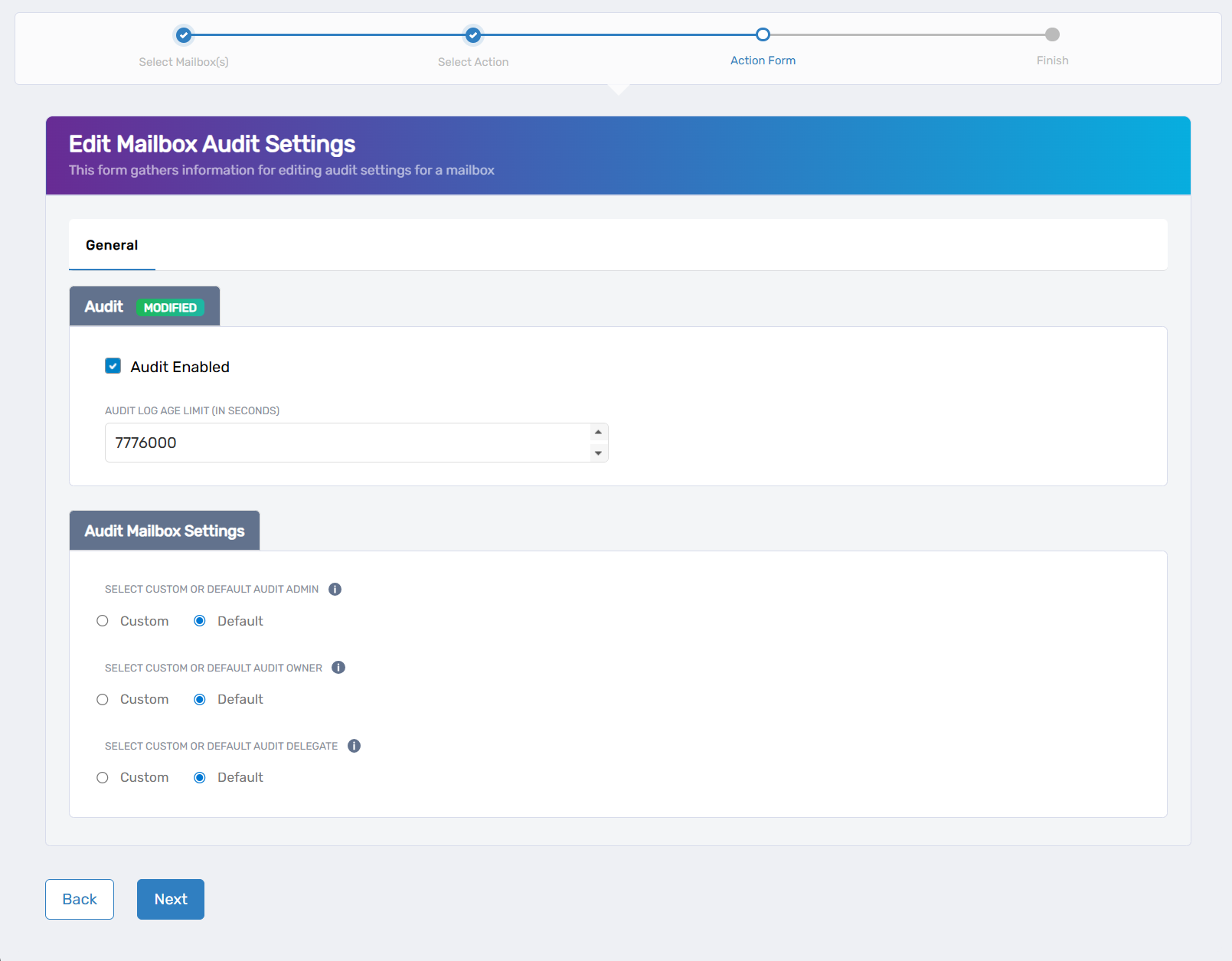
- Audit Enabled: Check to activate auditing for the mailbox
- Audit Log Age Limit (in seconds): Set retention period before automatic deletion
- Select Custom or Default Audit Admin: Choose configuration for auditing administrative actions
- Select Custom or Default Audit Owner: Choose configuration for auditing mailbox owner actions
- Select Custom or Default Audit Delegate: Choose configuration for auditing delegate actions
- Click Next.
- Review the Operation Execution Summary.
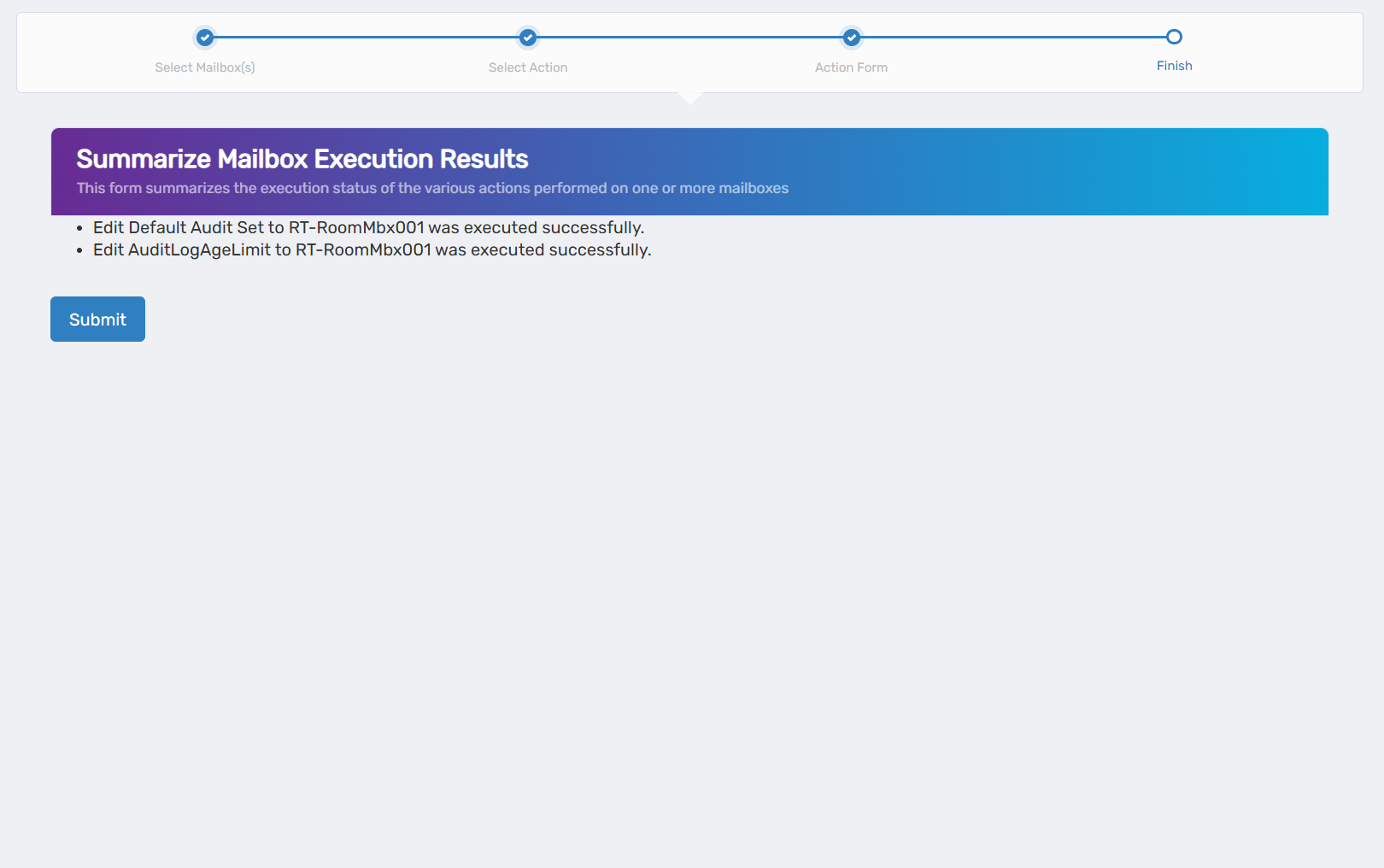
- Click Submit.
- Select your next action:
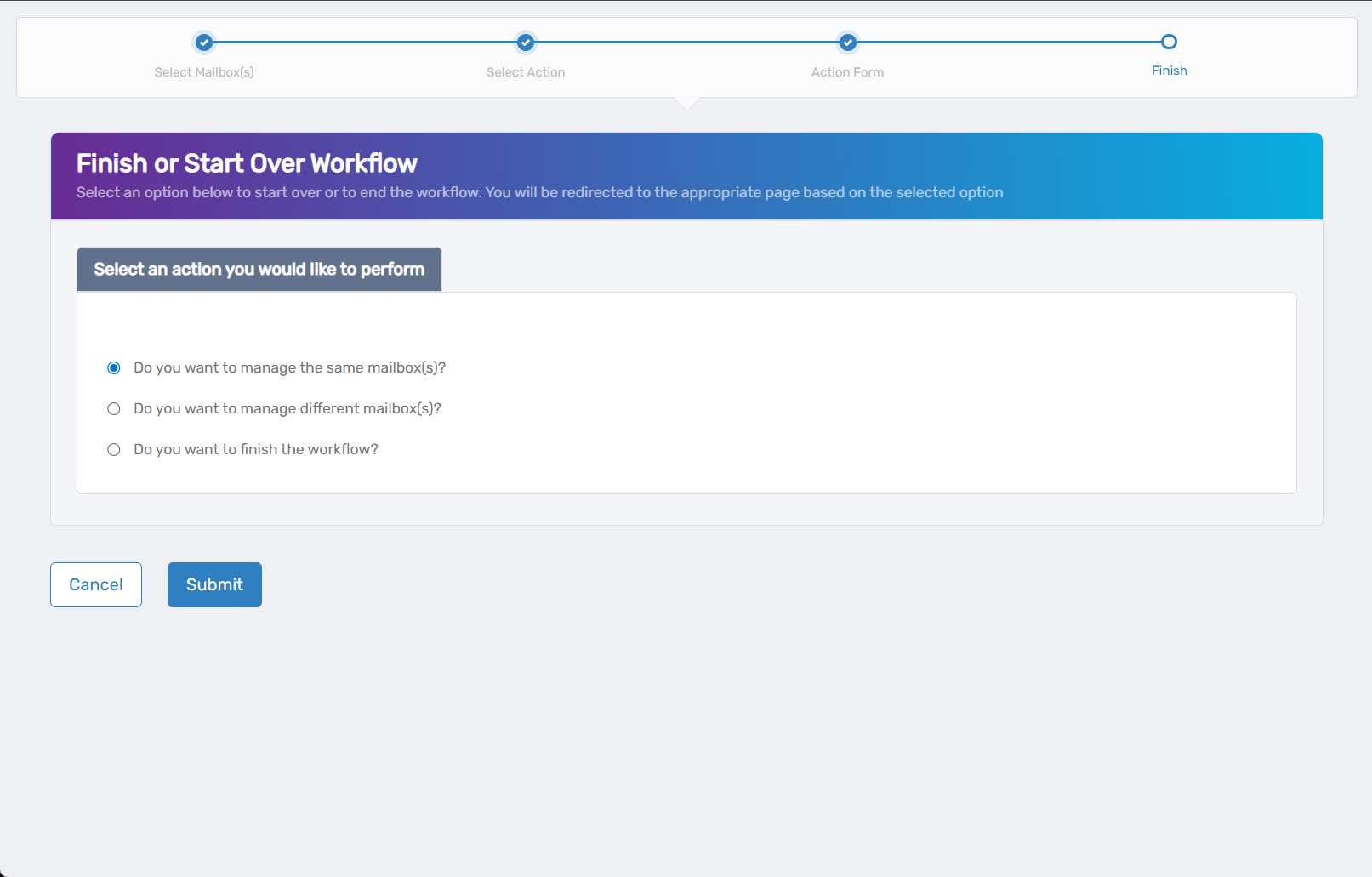
- Do you want to manage the same Mailbox? - Perform additional actions on this mailbox
- Do you want to manage different Mailbox(es)? - Work with other mailboxes
- Do you want to finish the workflow? - Complete and exit the wizard
- Click Submit.
Results
- Audit logging begins for all enabled activities
- Audit logs are generated in the Exchange audit log system
- Log retention follows the configured age limit settings