Edit Mailbox Advanced Settings
This procedure configures advanced mailbox properties including retention policies, litigation hold, and other specialized Exchange settings for compliance and organizational requirements.
Edit Mailbox Advanced Settings
- Navigate to Resource Admin.
- Select Mailboxes from the resource type menu.
- Click the Workflows tab.
- Click Manage Mailbox Wizard.
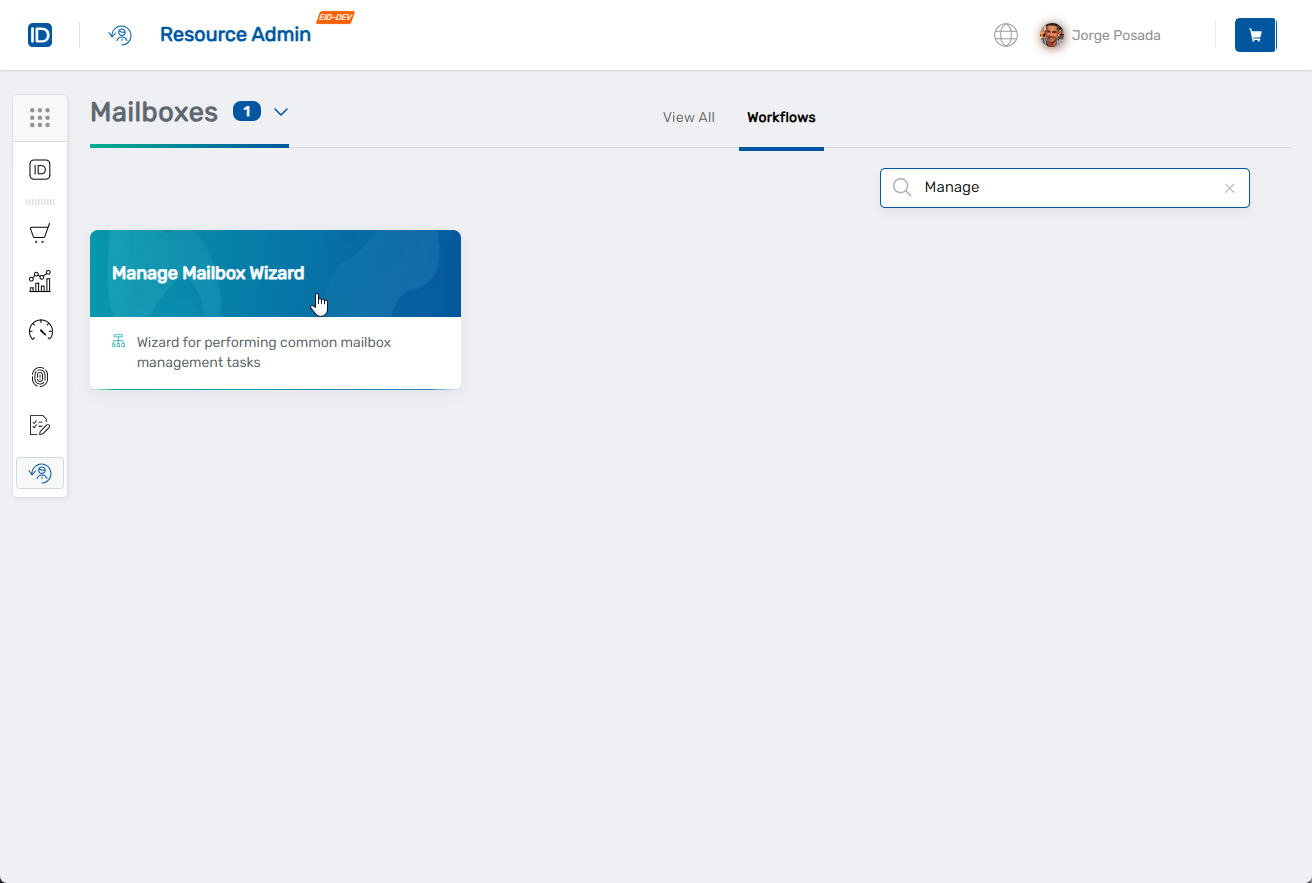
- Search for the mailbox to modify, check the box next to it, and click Next.
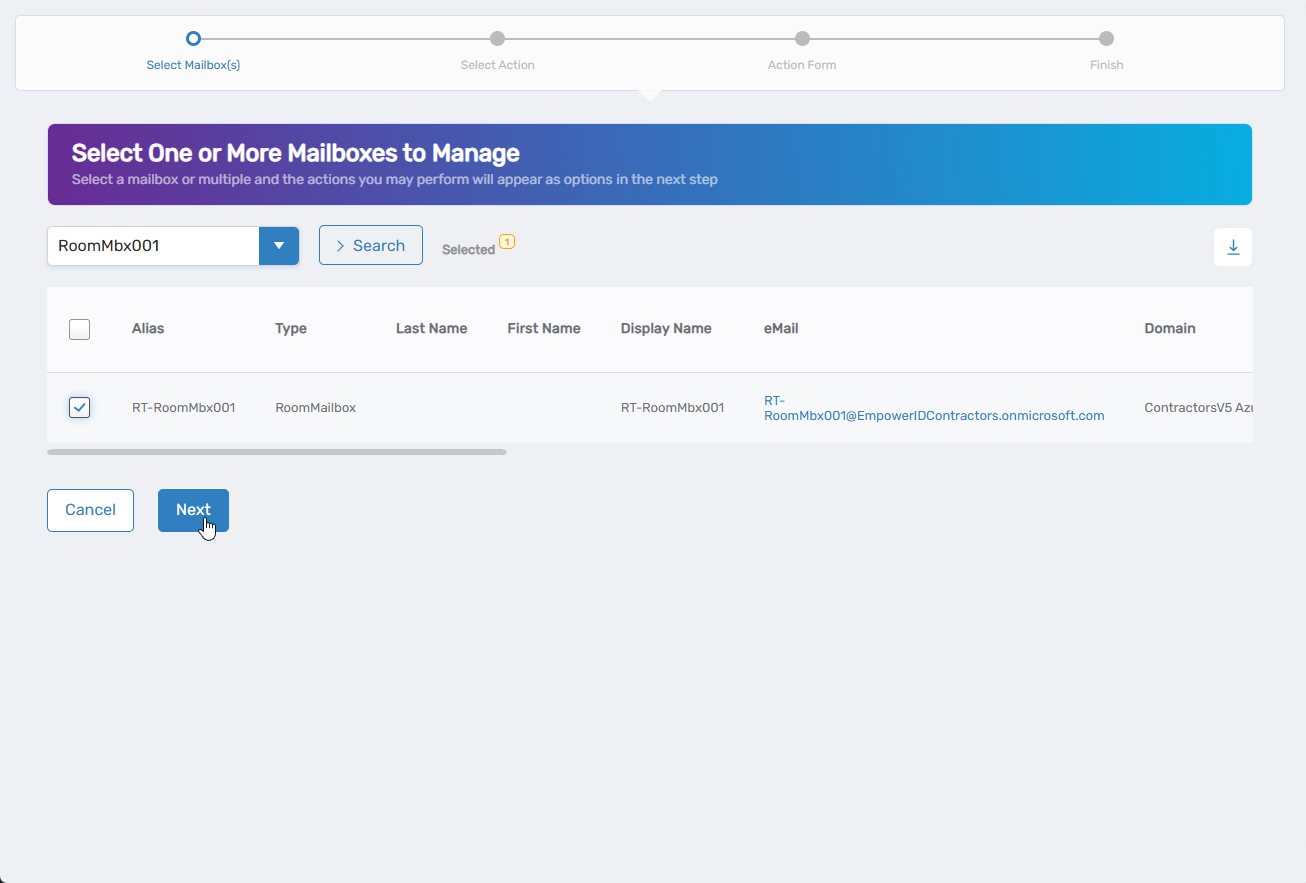
- Select Edit Mailbox Advanced Settings from the available actions.
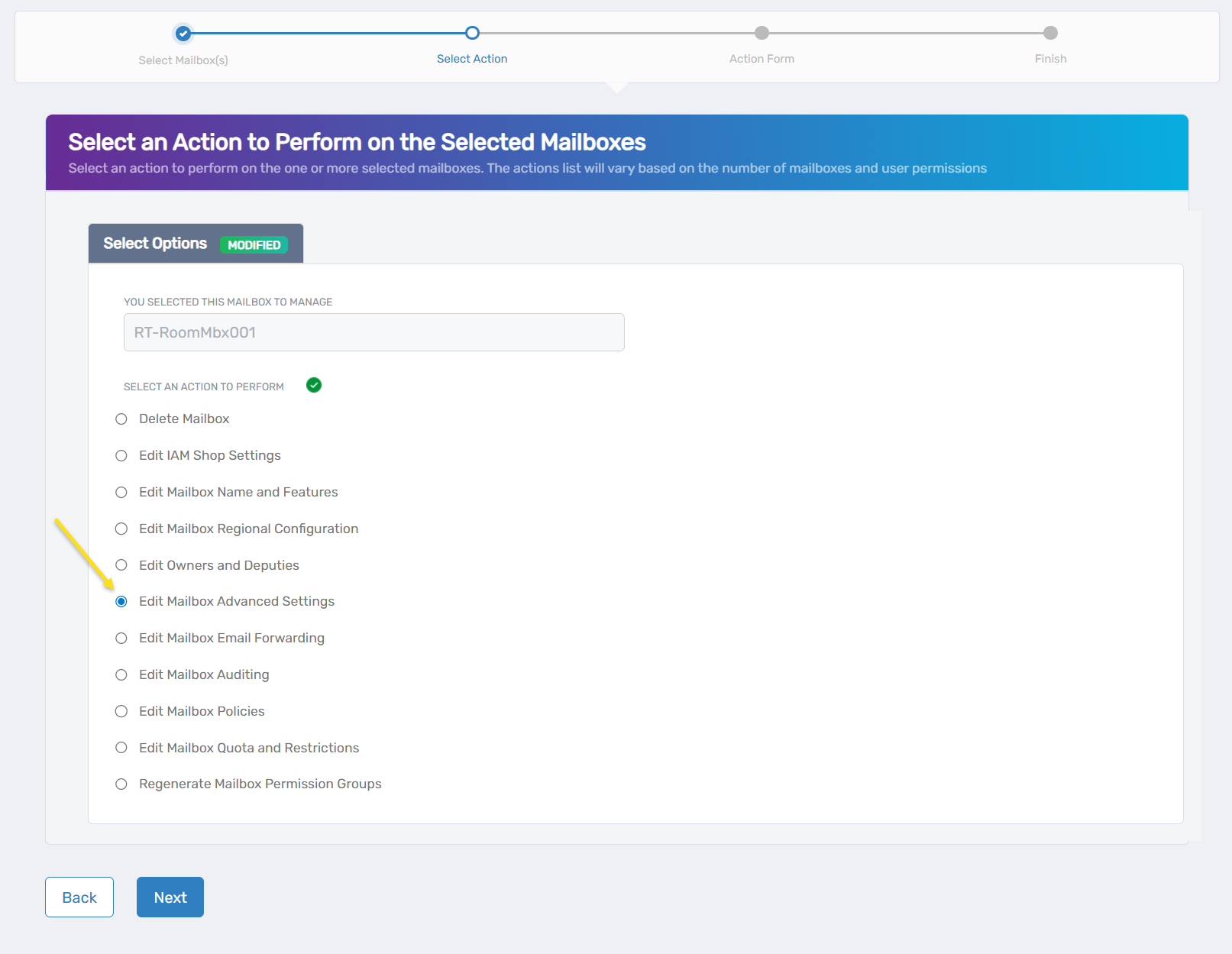
- Click Next.
- Review the Advanced tab for system information:
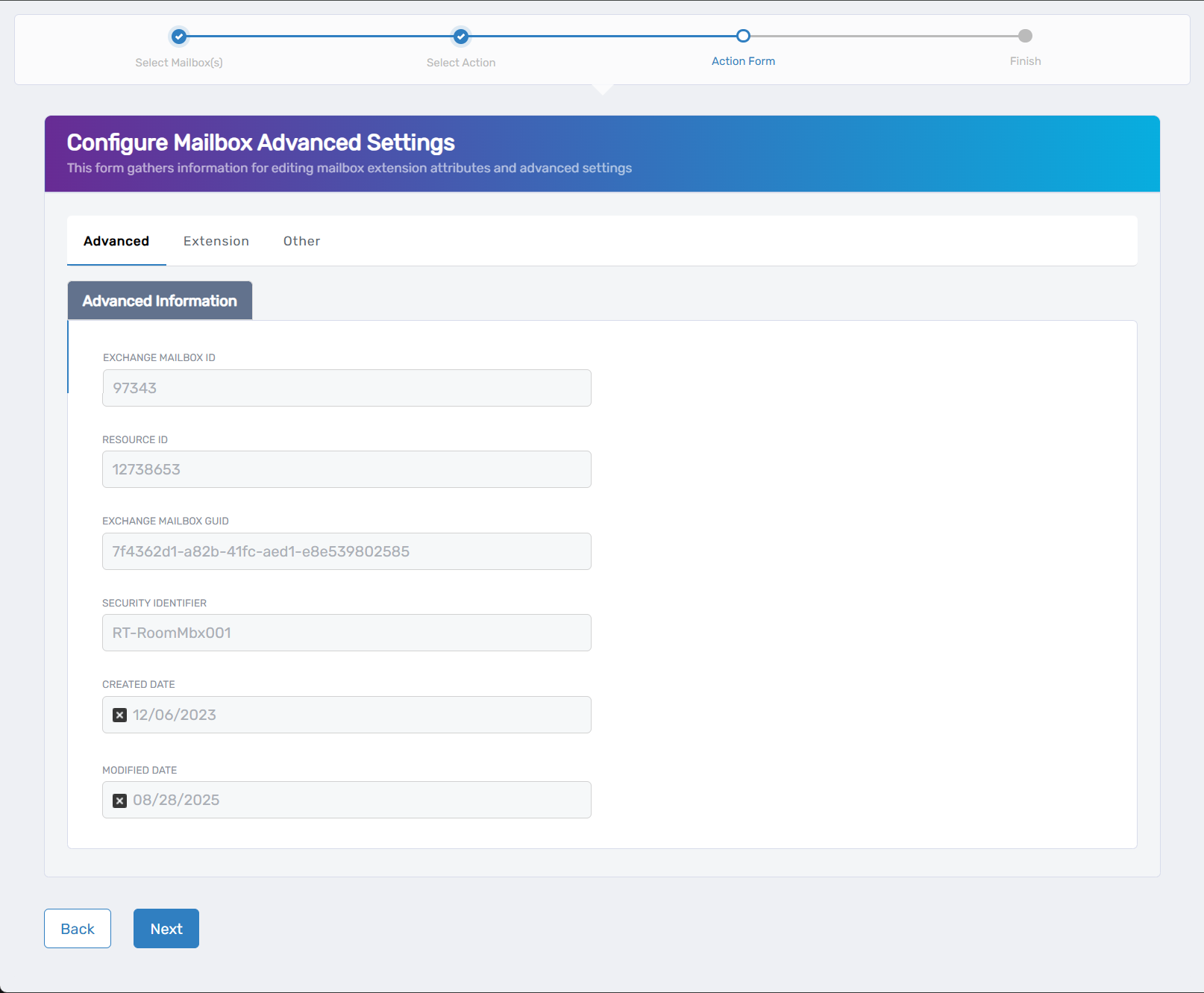
- Exchange Mailbox ID: Unique identifier for the mailbox in Exchange
- Resource ID: Internal resource identifier
- Exchange Mailbox GUID: Global unique identifier for the mailbox
- Security Identifier: Security ID used for permissions
- Created Date: When the mailbox was originally created
- Modified Date: Last modification timestamp
- Configure Extension tab settings if needed:
- Extension Attribute 1-15: Enter custom values for organizational tracking and reporting
- Configure Other tab settings as required:
- Litigation Hold Enabled: Check to place the mailbox on legal hold
- Retention Hold Enabled: Check to enable retention hold for compliance
- Use Database Retention Defaults: Check to apply default retention settings
- Retention URL: Enter a URL for retention policy information
- Retain Deleted Items For (in seconds): Set deleted item retention period
- Retention Comment: Add comments about retention policies
- Single Item Recovery Enabled: Check to allow recovery of individual deleted items
- Moderation Enabled: Check to enable message moderation
- Send Moderation Notifications: Choose when to send notifications (Always, Internal, Never)
- Message Copy For Send On Behalf Enabled: Check to keep copies of messages sent on behalf
- Message Copy For Sent As Enabled: Check to retain copies of messages sent as this mailbox
- Message Recall Processing Enabled: Check to allow message recall functionality
- Message Tracking Read Status Enabled: Check to enable read receipt tracking
- Click Next.
- Review the Operation Execution Summary.
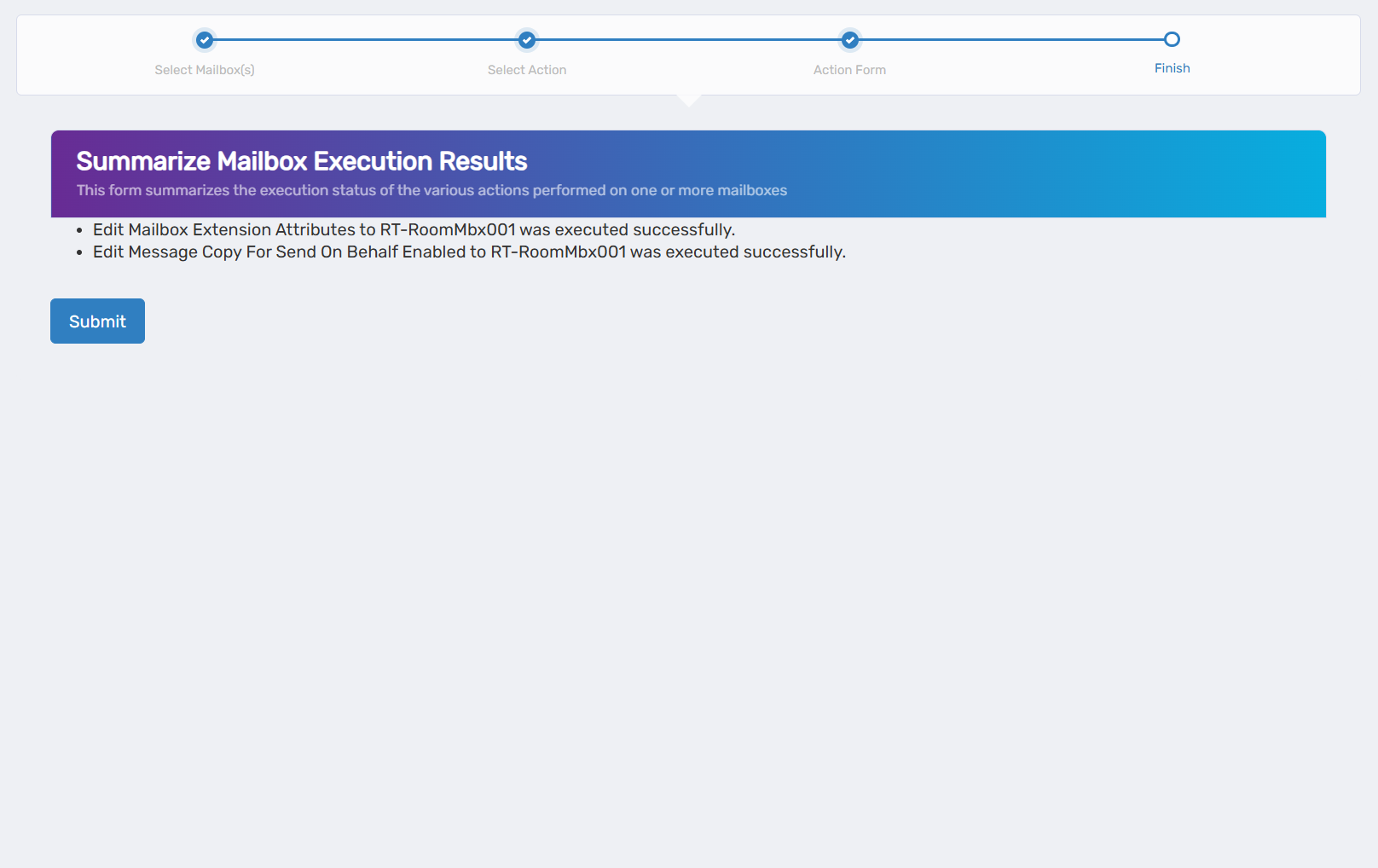
- Click Submit.
- Select your next action:
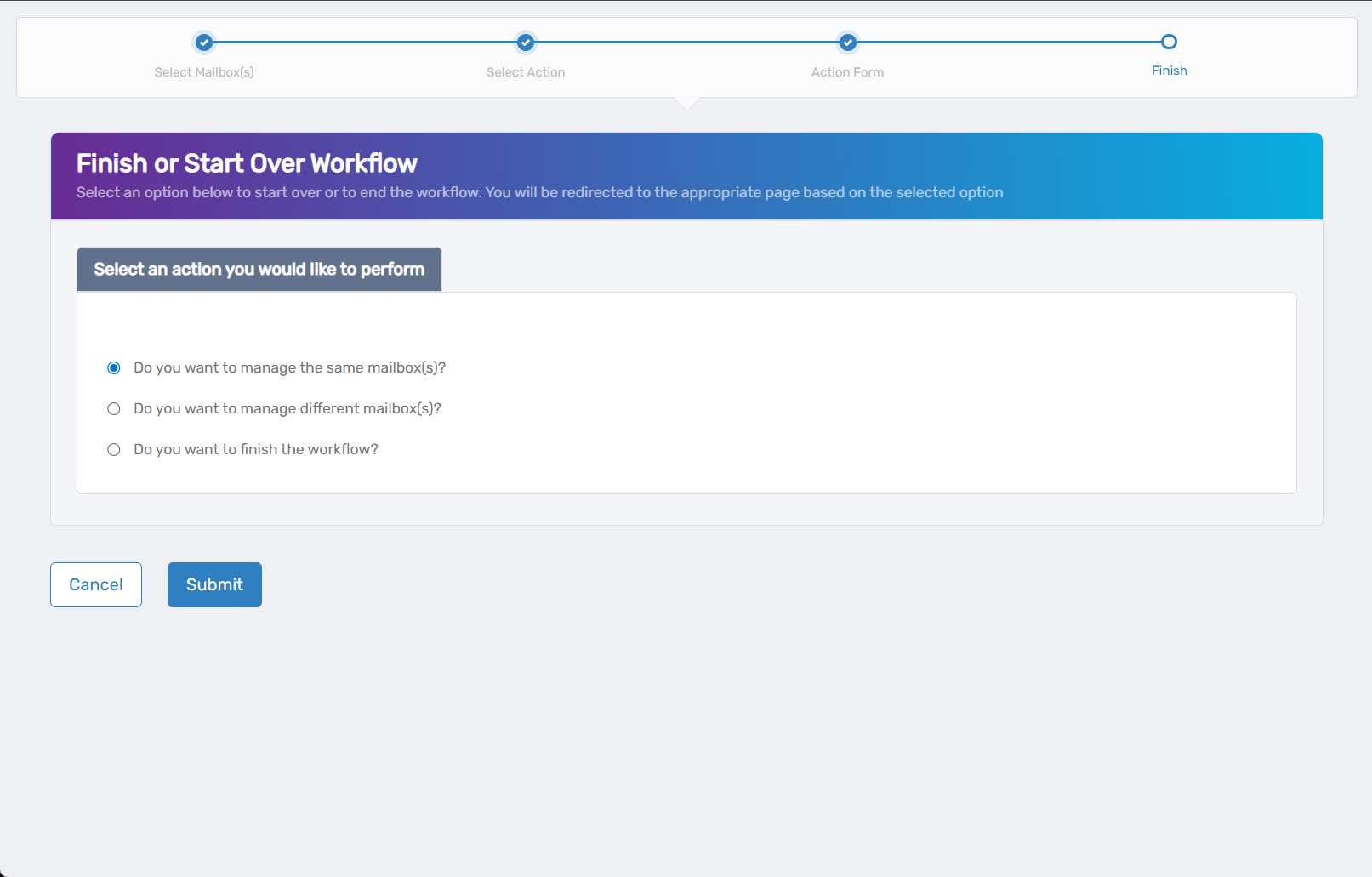
- Do you want to manage the same Mailbox? - Perform additional actions on this mailbox
- Do you want to manage different Mailbox(es)? - Work with other mailboxes
- Do you want to finish the workflow? - Complete and exit the wizard
- Click Submit.
Results
- Retention policies apply to messages according to policy schedules
- Litigation hold preserves mailbox content if enabled
- Archive policies move messages based on configured criteria
- Custom attributes are available for directory queries and reporting