Set up Email Notification Preferences
Customize how and when you receive emails from EmpowerID so you can stay informed without being overwhelmed.
Overview
EmpowerID sends email notifications for many events — like when someone requests access, when you need to approve something, or when a task is assigned to you. Some users want to receive every update, while others prefer a summary or none at all.
If your organization allows it, you can turn notifications on or off, choose which types of events you’re notified about, and control the frequency of summary (digest) emails.
Customizing your preferences helps you stay on top of the updates that matter most — without cluttering your inbox.
What You’ll Need
- Access to the MyIdentity application
- The ability to manage your own notification settings (enabled by your organization)
How to Manage Your Email Notifications
- Open the Email Notification Page
In MyIdentity, click your username and choose Email Notifications from the menu.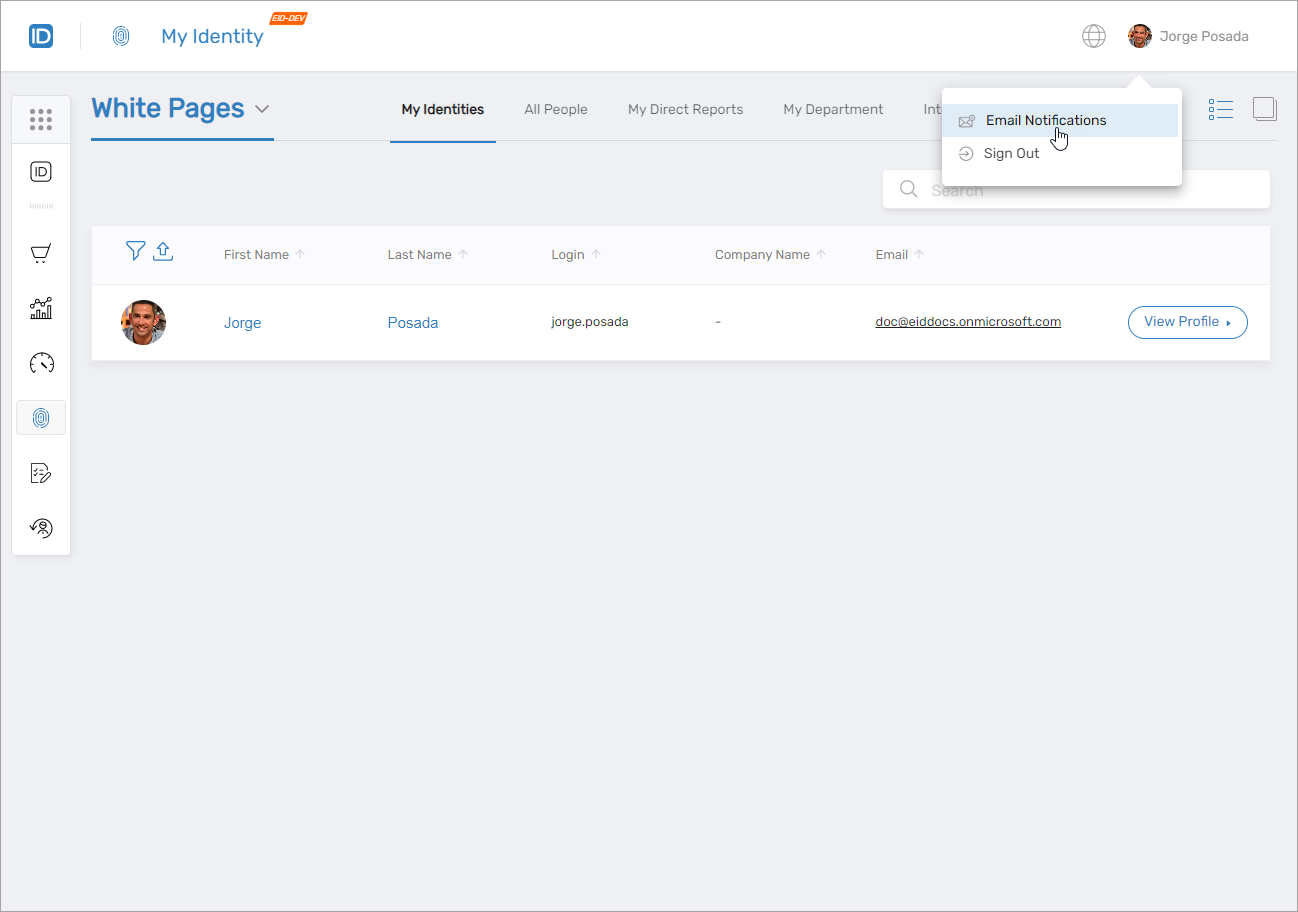 You’ll land on the Email Notifications page:
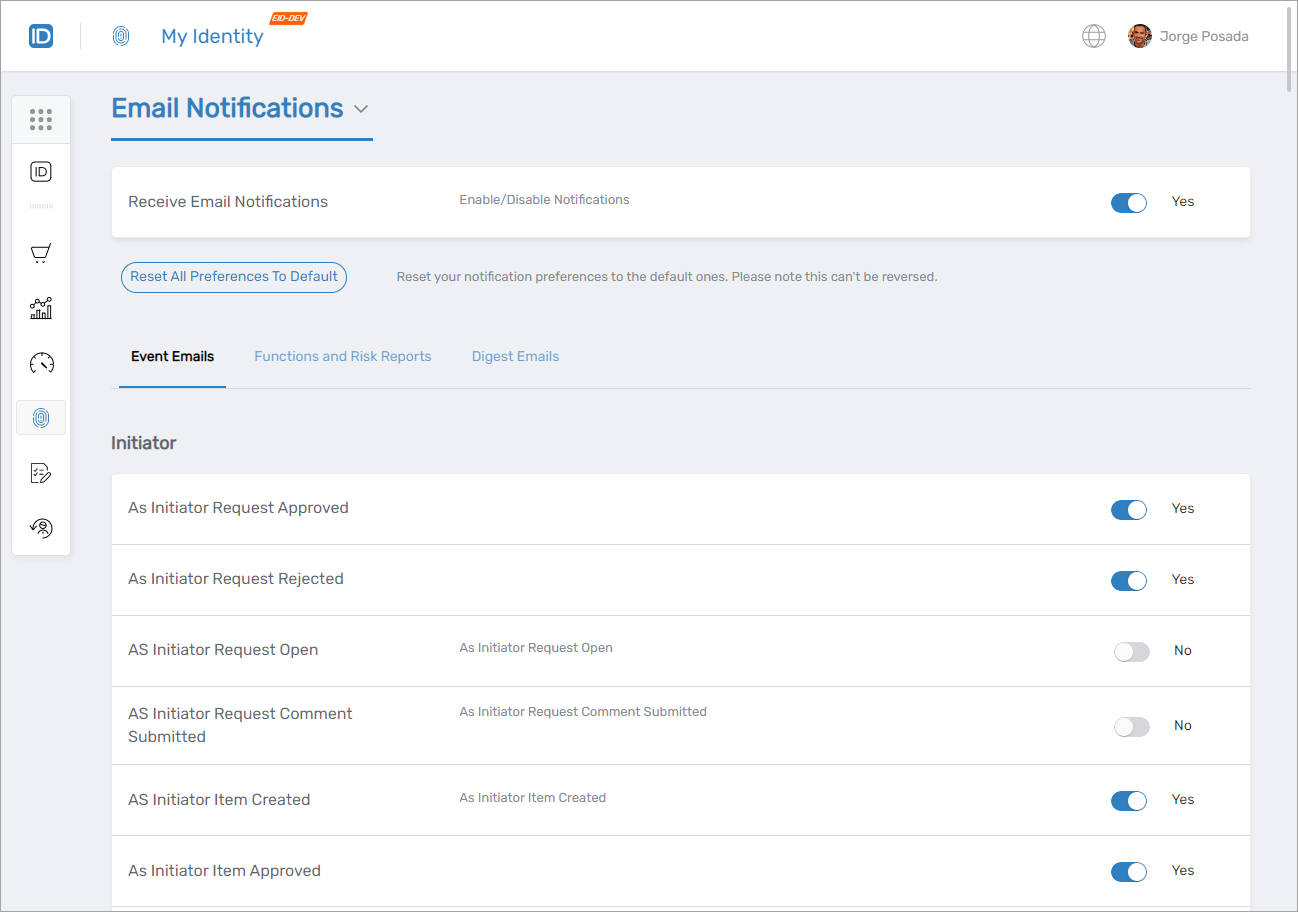
- Turn Email Notifications On or Off
Use the toggle to enable or disable all email notifications.
- Choose Event Notifications
Under Event Emails, decide which specific events you want to receive notifications for. For example:- To receive an email when your request is approved, turn on As Initiator Request Approved.
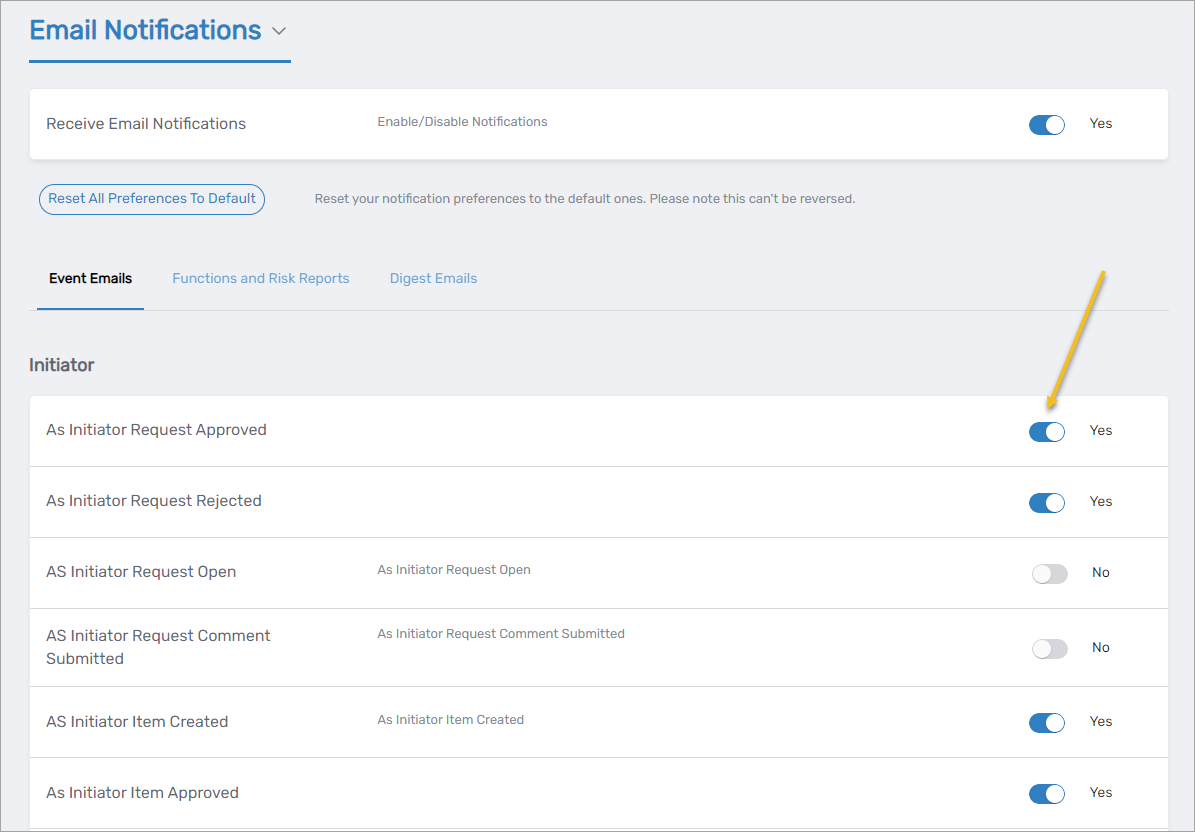
- To receive an email when your request is approved, turn on As Initiator Request Approved.
- Configure Functions and Risk Reports (If Applicable)
If you're a local risk or function owner, you’ll see options to receive reports and choose how often they’re emailed.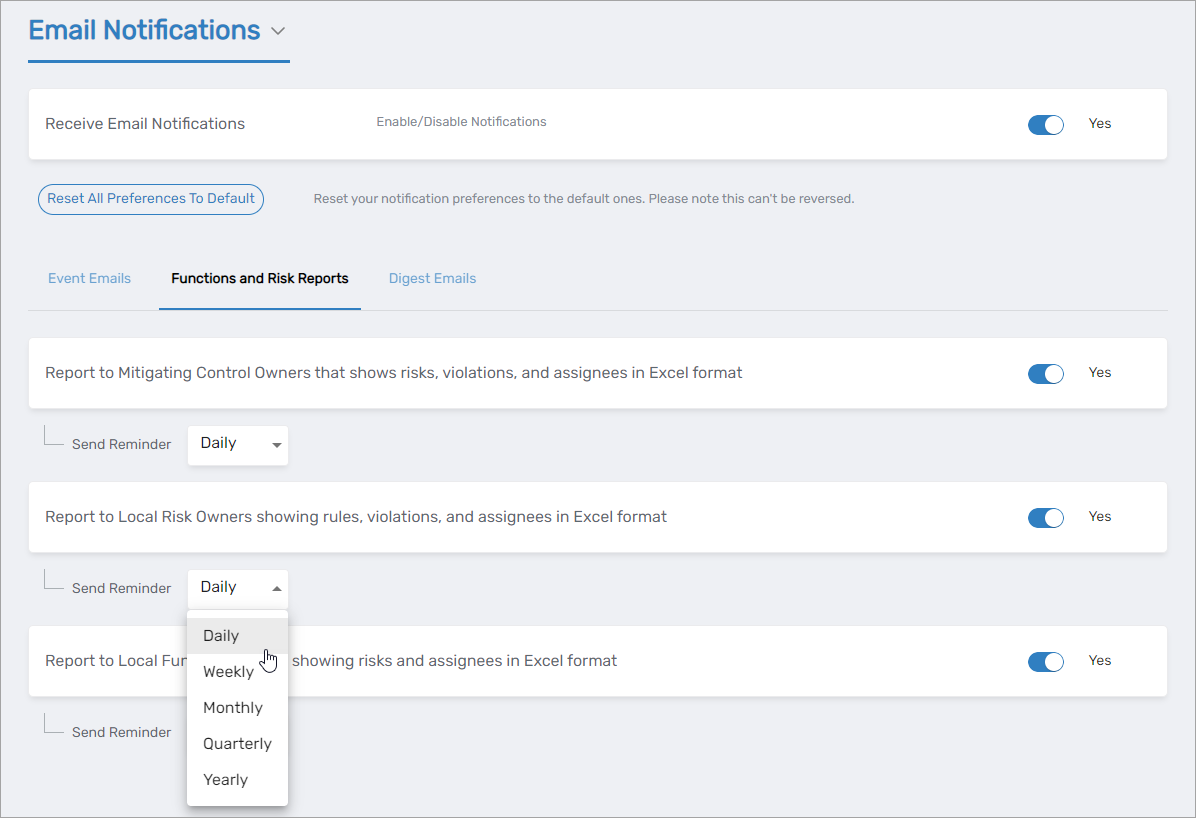
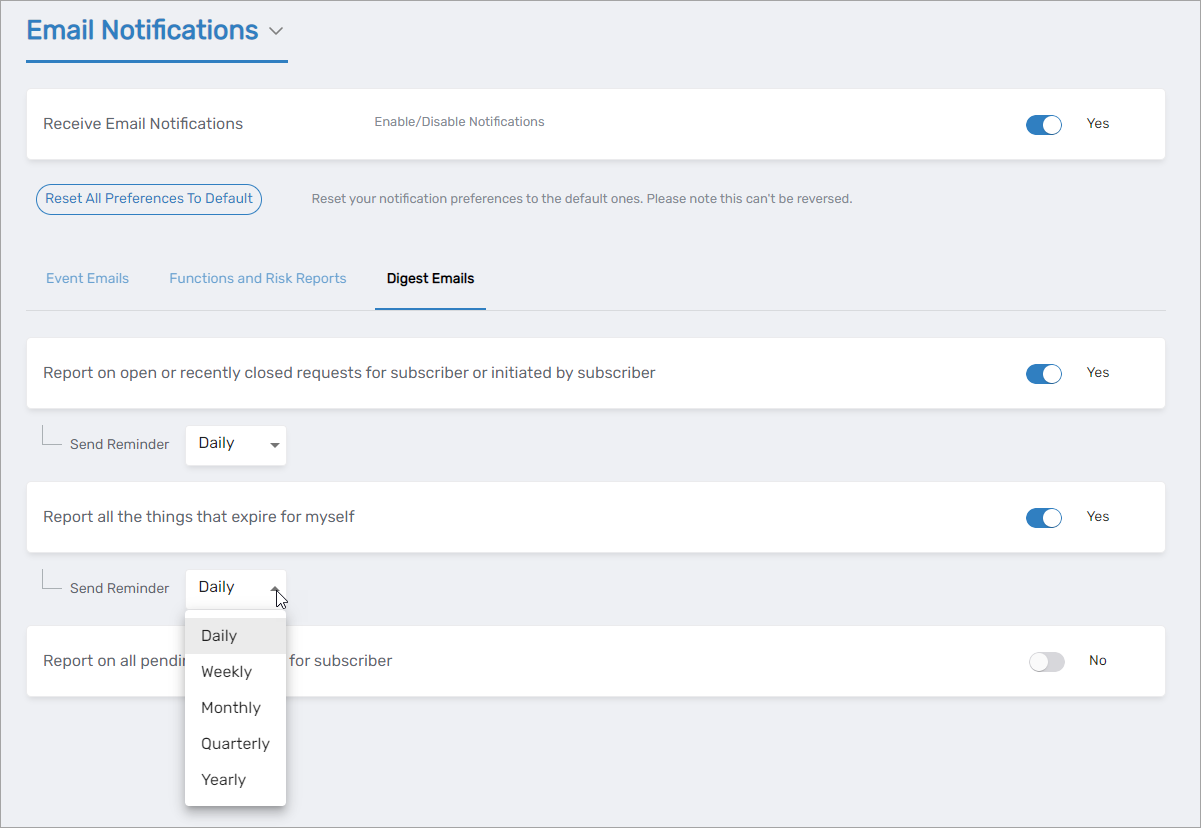
- Set Digest Email Preferences
Digest emails summarize multiple events in one message. You can turn them on/off and choose how frequently you receive them. Digest emails may include:- A list of your open or recently closed requests
- Items about to expire
- Your pending to-do tasks
If you're unsure where to start, enabling digest emails is a good default. They give you a summary without flooding your inbox, while you can selectively enable important event emails as needed.