Manage Your Profile
Use the MyIdentity application in EmpowerID to view and update your personal profile information. Keeping your contact and language preferences up to date ensures smoother communication and a personalized experience.
👤Why Keep Your Profile Updated?
Your profile data is used for identity display, notifications, and contact by system admins. Keeping it accurate helps ensure important messages reach you.
What You Can Update
You can modify the following profile attributes:
- Personal Email
- Preferred Language
- Telephone Numbers
- Street Address
- City, State, Postal Code
- Country
What You’ll Need
- Access to the EmpowerID My Tasks portal
- Your EmpowerID login credentials
How to Edit Your Profile
- Log In to the My Tasks Portal
Access the My Tasks portal and sign in with your EmpowerID account. - View Your Profile
Find your identity record and click View Profile.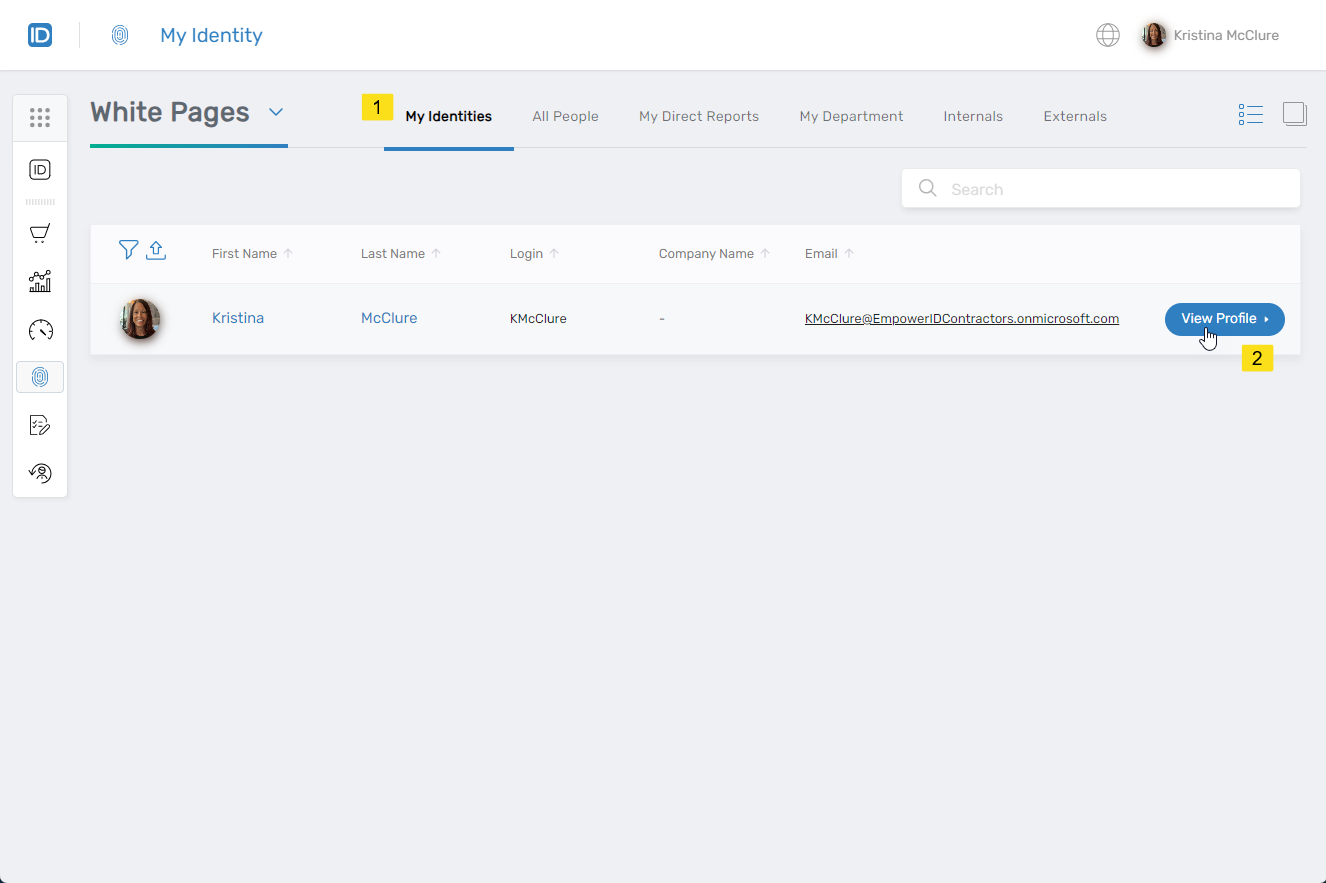
- Open the Identity Management Panel
Click the Manage Your Identity button.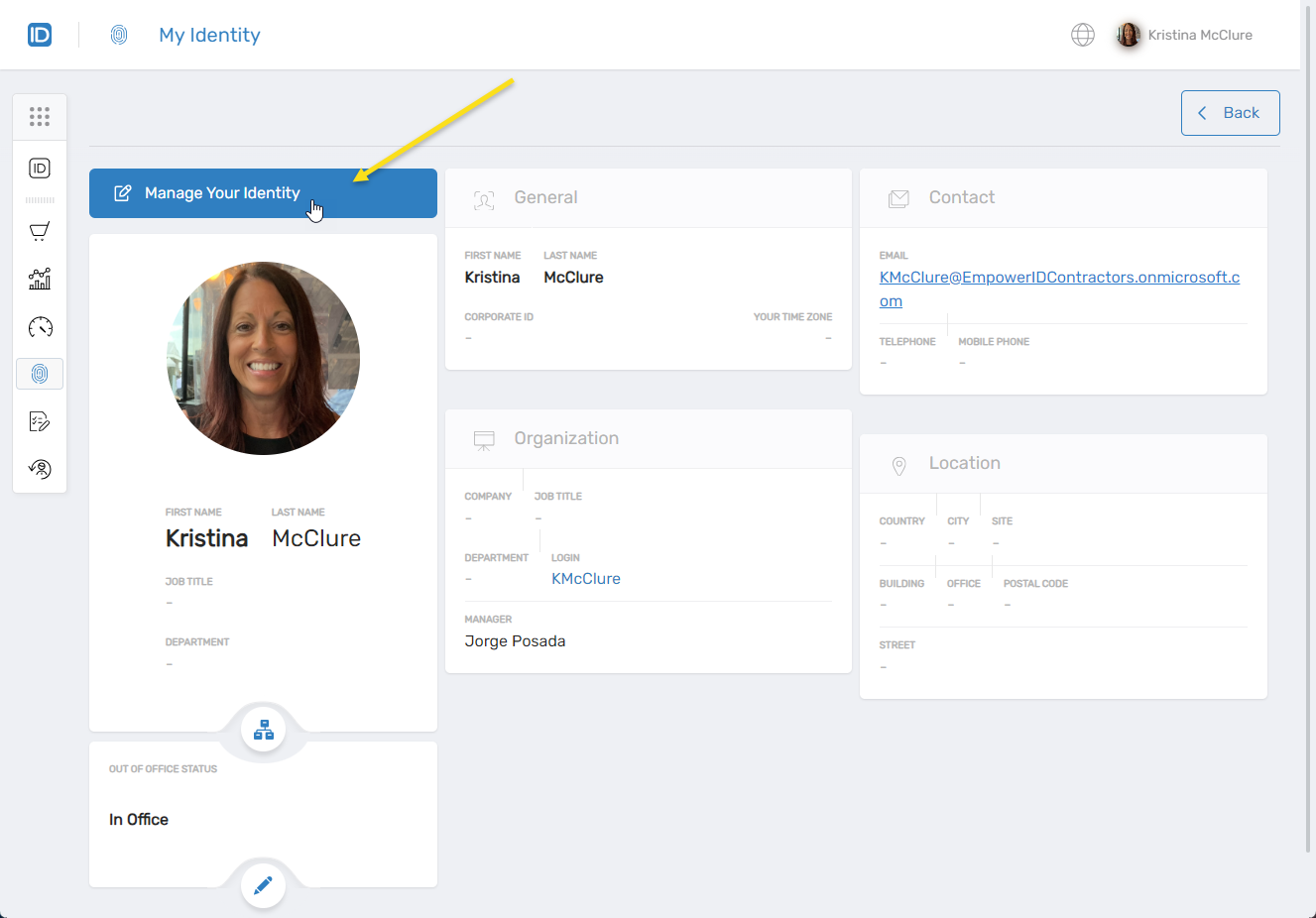
- Select “Edit My Profile”
When prompted with "What would you like to do?", choose Edit my profile and click Next.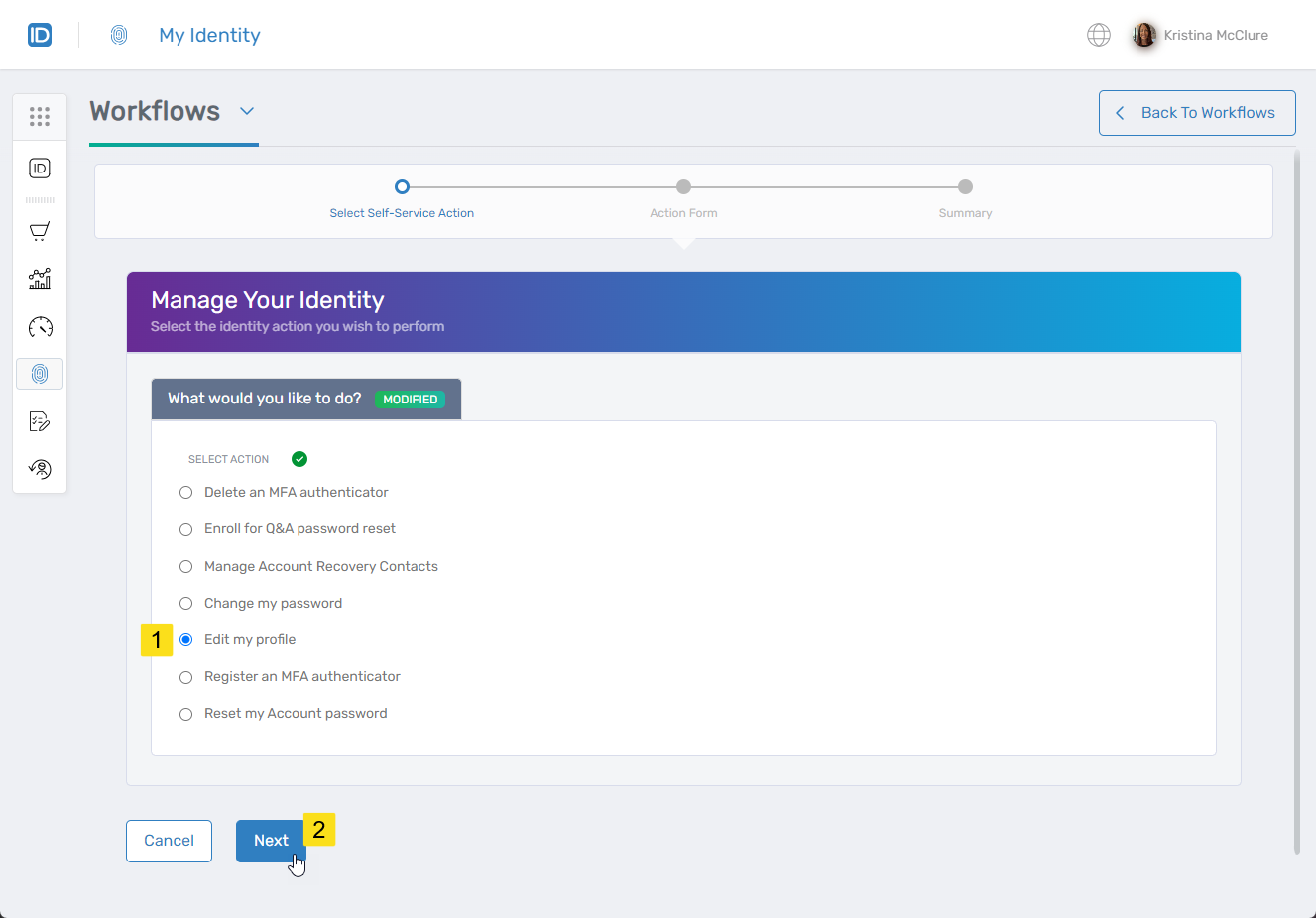
- Update Your Information
Modify any available fields, such as your contact details, preferred language, or address. - Save Your Changes
Once you've made updates, click Submit to save them.
✅Changes Apply Immediately
Your updated profile information will take effect right away across EmpowerID.