Applications Page
Upon logging into Resource Admin, users are directly taken to the Applications page. This user-friendly interface streamlines application management by offering tabs, views, and controls for interacting with, creating, and updating both Azure and non-Azure applications. It also includes functionalities for managing Claims Mapping Policies related to Azure applications.
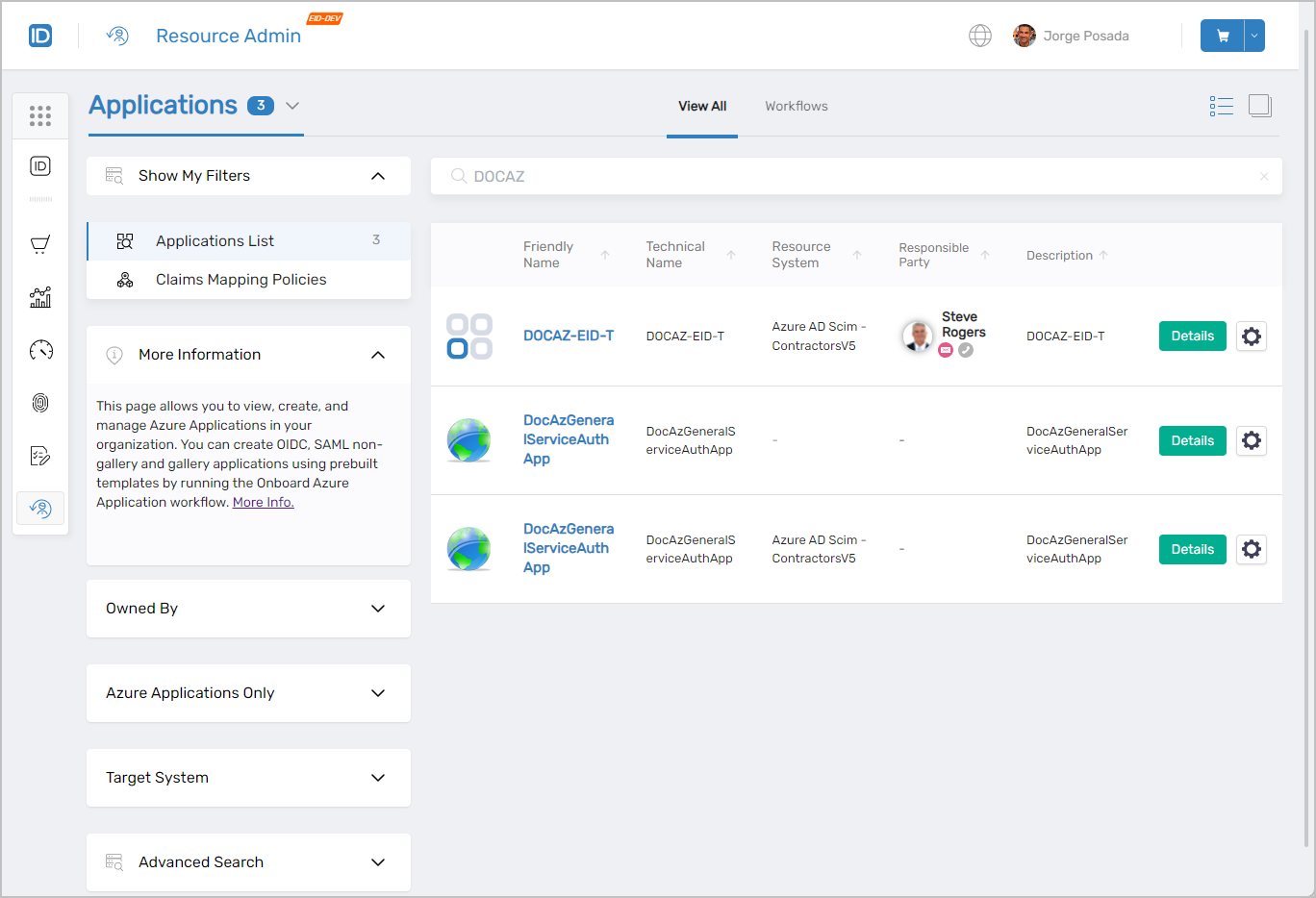 Applications page showing the main interface with filters and application listings
Features Available on the Applications Page
Upon navigating to the Applications page, users have the capability to search for specific applications and Claims Mapping Policies based on defined criteria and manage these objects as necessary.
Searching for Applications
In the EmpowerID Identity Warehouse, each object is associated with a SearchTerms property. This property contains specific search values, enabling users to retrieve all objects that match these criteria. For applications, SearchTerms encompasses the following properties:
- Name
- FriendlyName
- Description
- MatchingPattern
Utilizing these search terms returns all applications where the specified search value finds a match in any of those properties.
Example: Setting the search value to "PBAC" yields applications fulfilling any of these conditions:
- Any application with a name containing the string "PBAC"
- Any application with a display name including the string "PBAC"
- Any application with a description featuring the string "PBAC"
This enhanced search functionality ensures users can effectively and efficiently locate and manage applications within the Resource Admin interface.
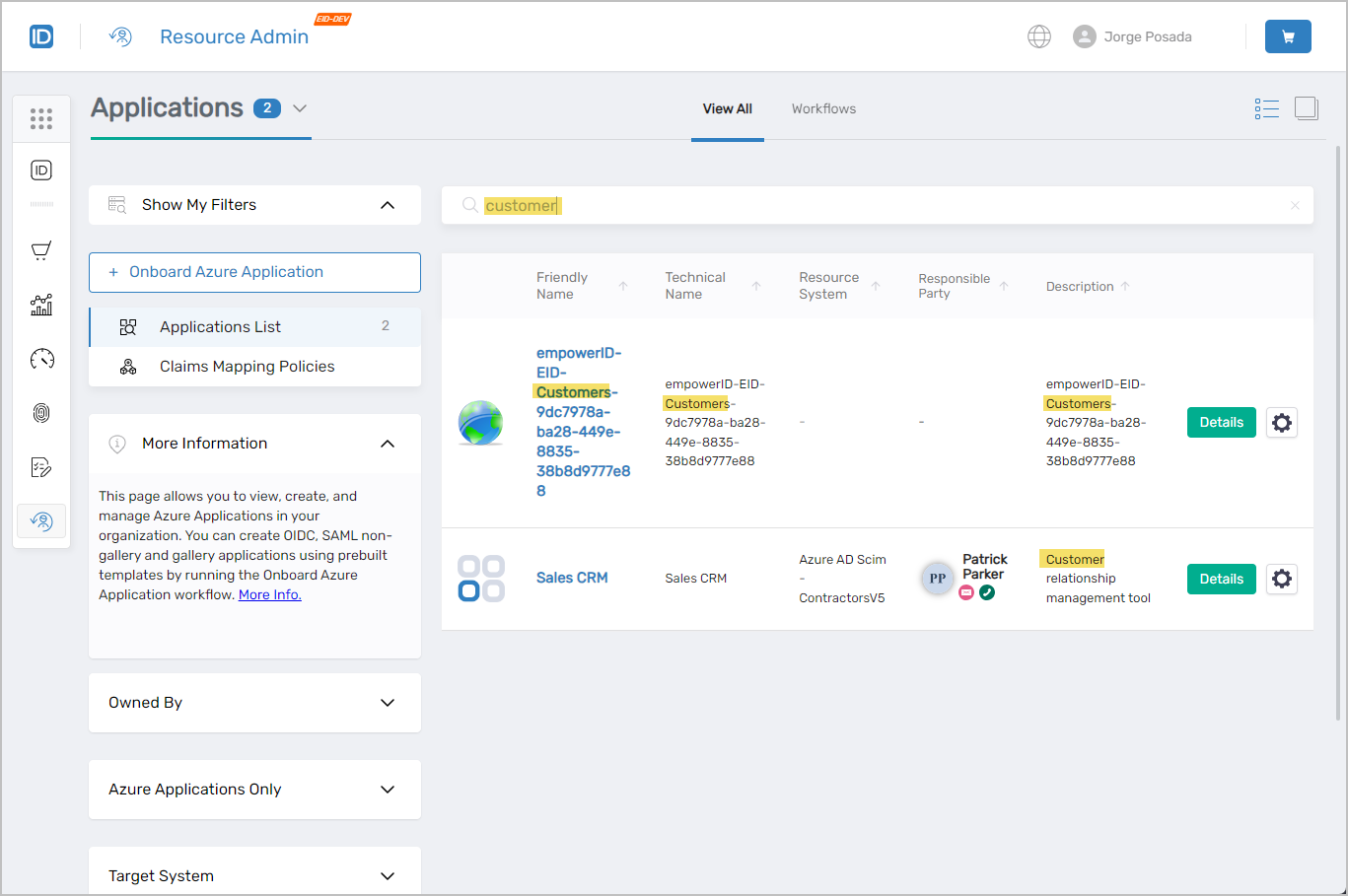 Search results showing applications matching the search criteria
Application Search Filters
To assist in navigating a potentially large number of records, Resource Admin provides various filters. These filters can be used alongside the search terms for a more focused and granular search experience.
| Filter | Description |
|---|---|
Owned By | This filter provides users with options to list applications based on ownership. Options include:
:::info Users must have the appropriate role assignment to see the Owned By filter.::: |
Azure Applications Only | When selected, this filters non-Azure applications from search results. |
Target System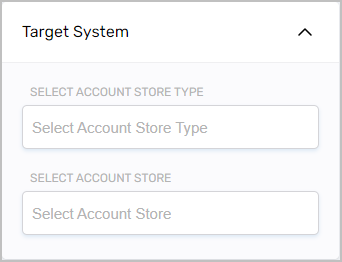 | This filter provides users with options to list only those applications belonging to the selected account store type and/or account store.
|
Advanced Search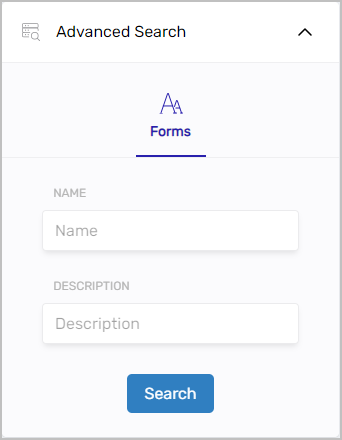 | Provides advanced search capabilities to further filter applications. |
Interacting with Applications
Each application listed in Resource Admin is represented by a detailed record, providing users with essential context for interaction. By selecting the Details link in an application record, users are directed to a Details view. This view hosts a variety of tabs, allowing users to navigate through different sections to review and manage specific information about the application.
The nature of this information and the available management functions vary depending on the application type:
-
Azure applications feature additional tabs such as Access Control and API Permissions, and include a contextual workflow button for initiating specialized workflows like the Manage Azure Application Wizard or Update Azure Applications API Permissions.
-
PBAC apps with app rights assignments might offer different management options.
-
Simple non-Azure and non-PBAC applications could provide basic functionality such as viewing and editing basic settings.
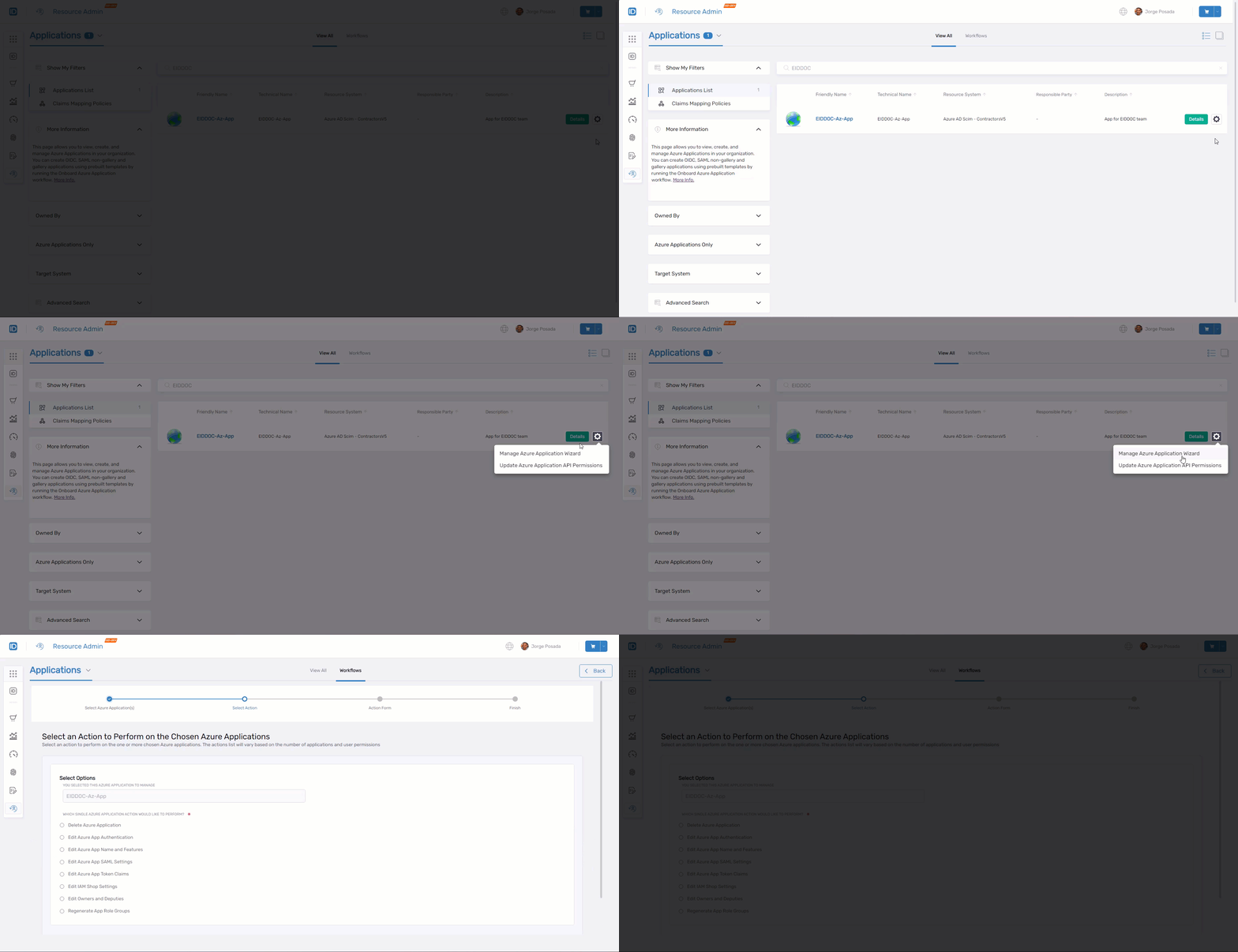 Contextual workflows available for Azure applications
Azure Applications
Clicking the Details button for an Azure application directs users to the Overview page. This page provides access to more in-depth information about the application with navigable tabs for managing aspects of it.
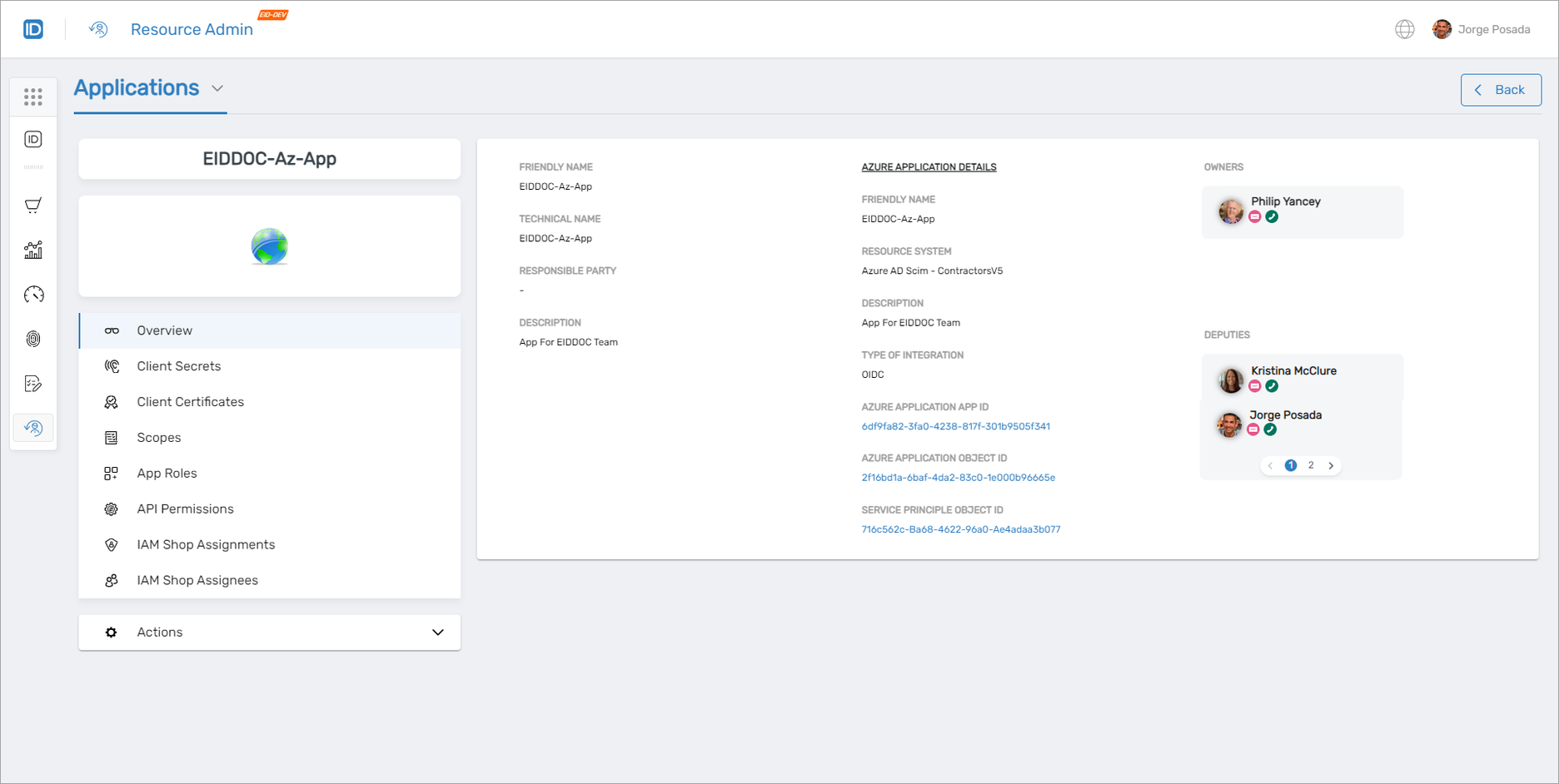 Azure application overview page with available tabs
Client Secrets
The Client Secrets tab grants access to view and manage client secrets for Azure applications. The following functionality is available to delegated users from this tab:
- View detailed information about existing app secrets
- Request access to app secrets
- Check out app secrets
- Add new client secrets
- Delete existing client secrets
- Run the
Manage Credential Wizardworkflow
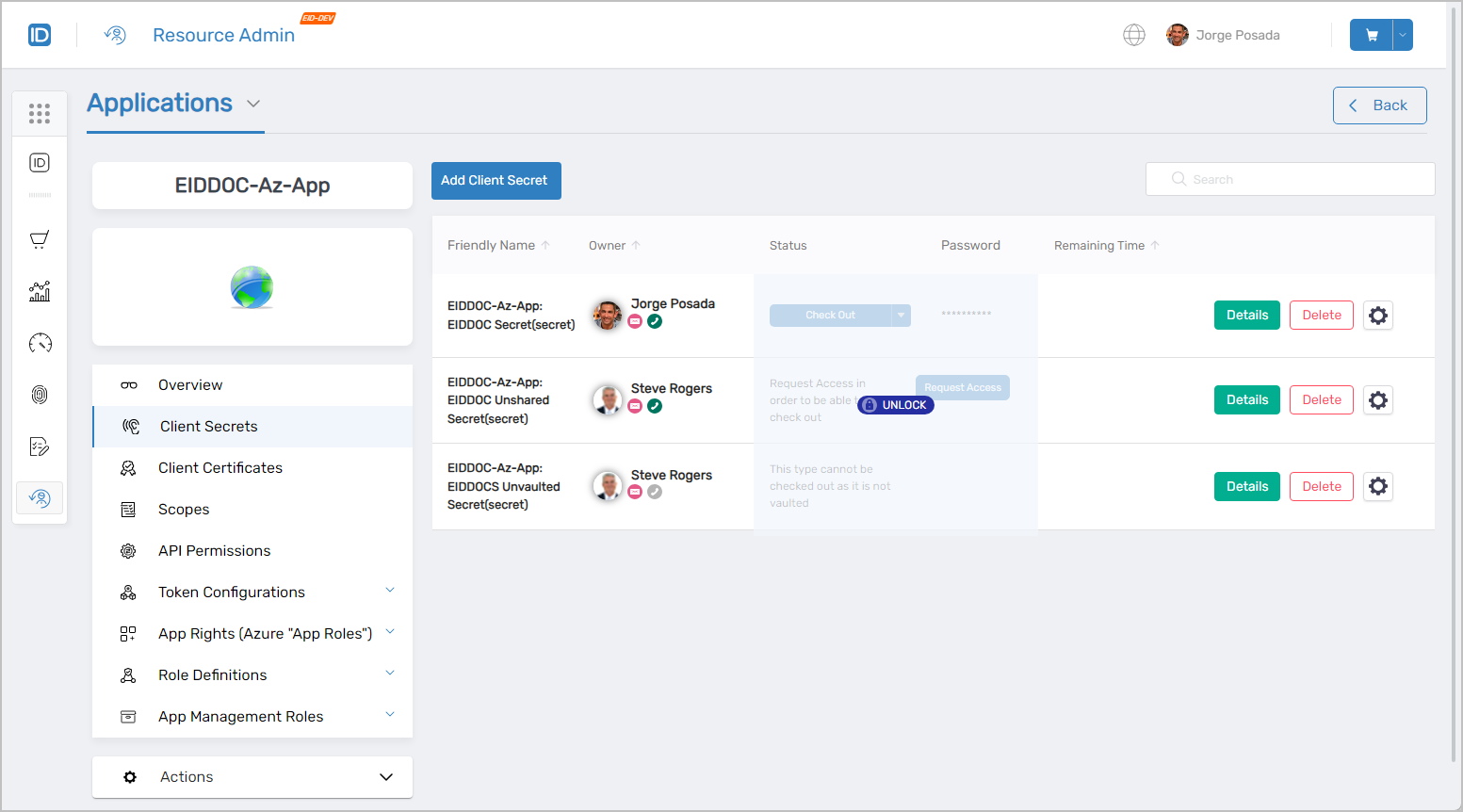 Client Secrets management interface
Client Certificates
The Client Certificates tab grants access to view and manage client certificates for Azure applications. The following functionality is available to delegated users from this tab:
- View detailed information about existing app certificates
- Request access to app certificates
- Check out app certificates
- Add new client certificates
- Delete existing client certificates
- Run the
Manage Credential Wizardworkflow
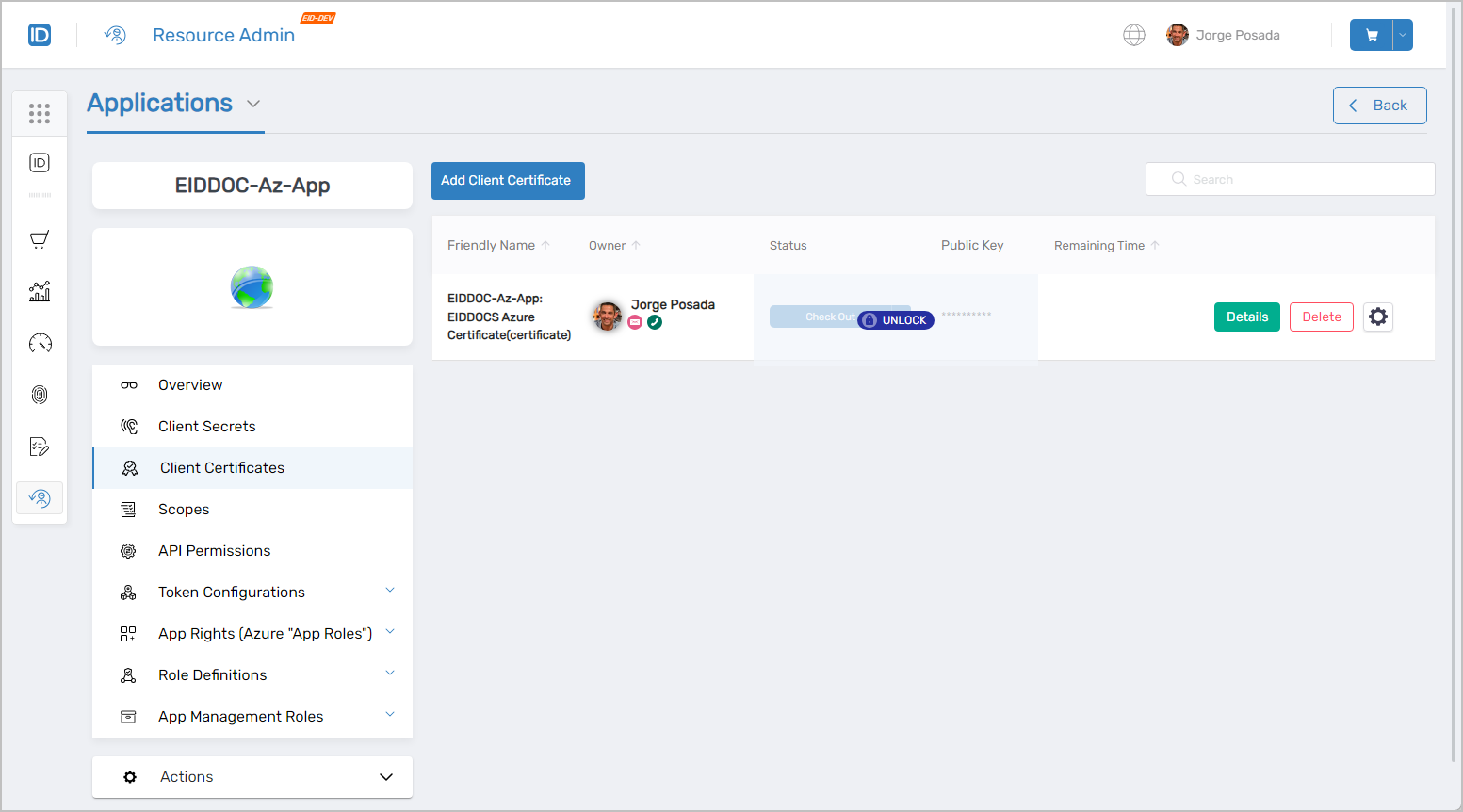 Client Certificates management interface
Scopes
The Scopes tab grants access to view and manage scopes for Azure applications. The following functionality is available to delegated users from this tab:
- View detailed information about existing scopes
- Add new scopes to the application
- Delete scopes from the application
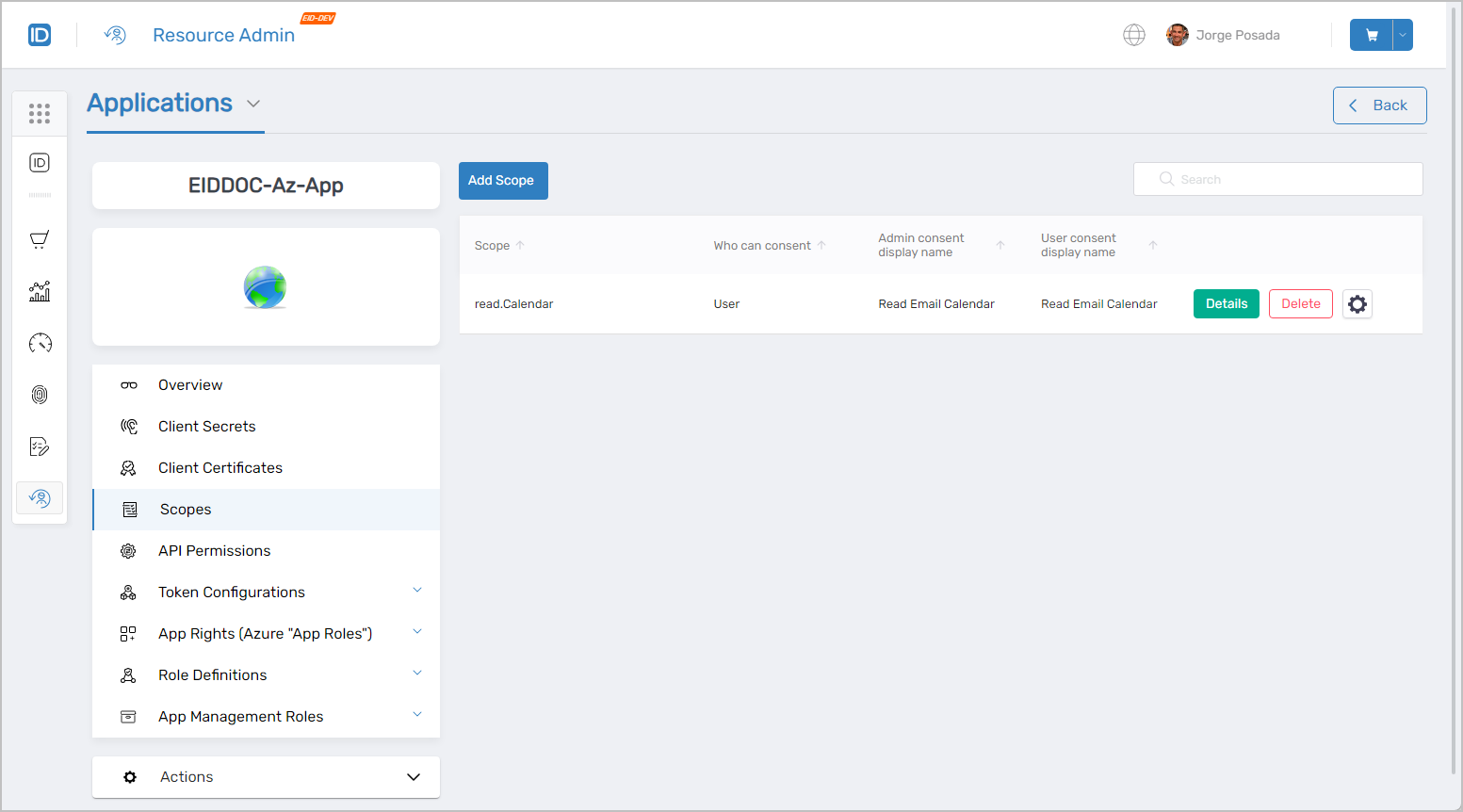 Scopes management interface
API Permissions
The API Permissions tab grants access to view and manage the delegated and applications permissions for Azure applications. The following functionality is available to delegated users from this tab:
- View detailed information about existing API permissions
- Add new API permissions to the application
- Delete existing API permissions from the application
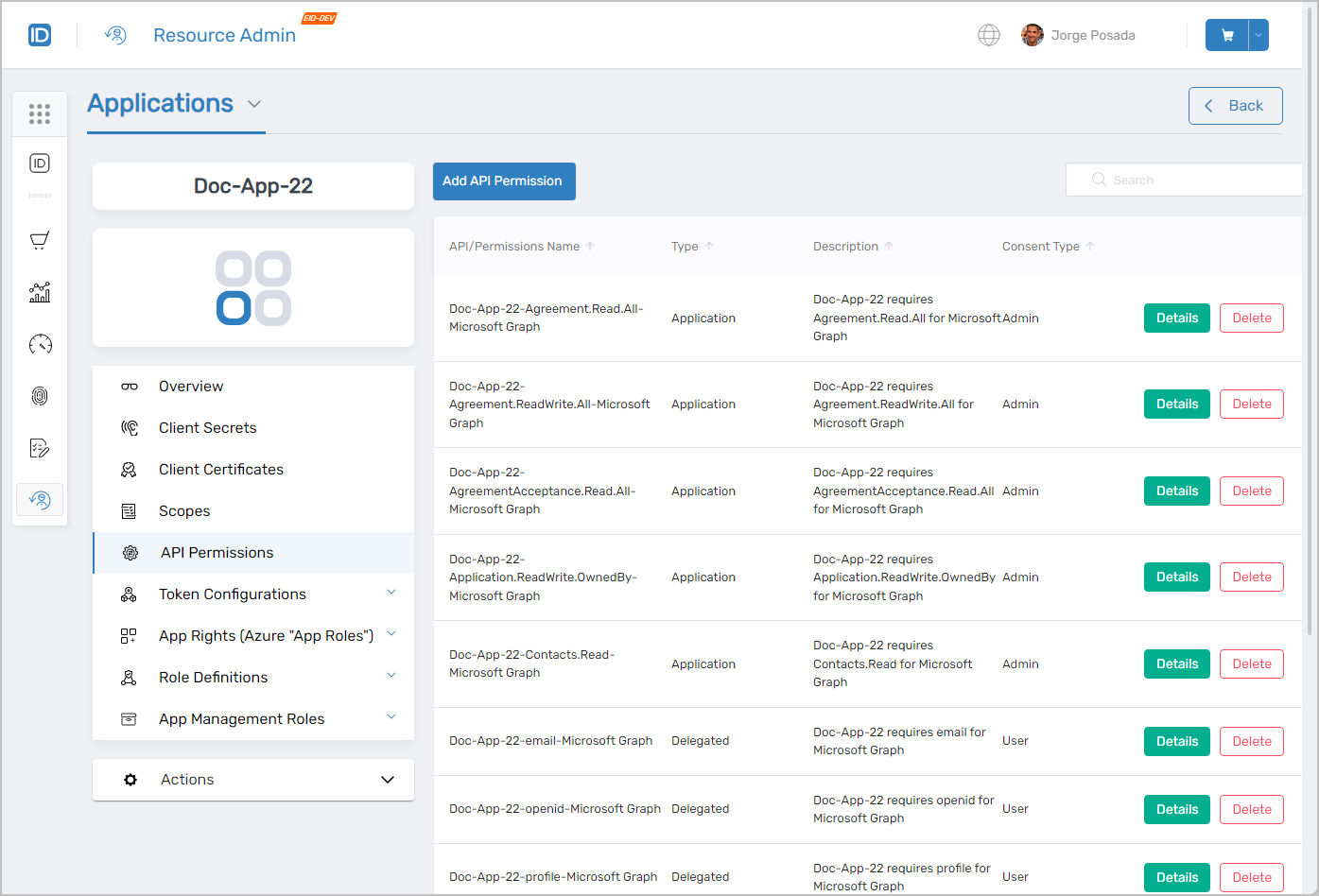 API Permissions management interface
Token Configurations
The Token Configurations tab grants access to view and manage the claims for Azure applications. The following functionality is available to delegated users from this tab:
- View detailed information about existing claims
- Add claims to the application
- Remove claims from the application
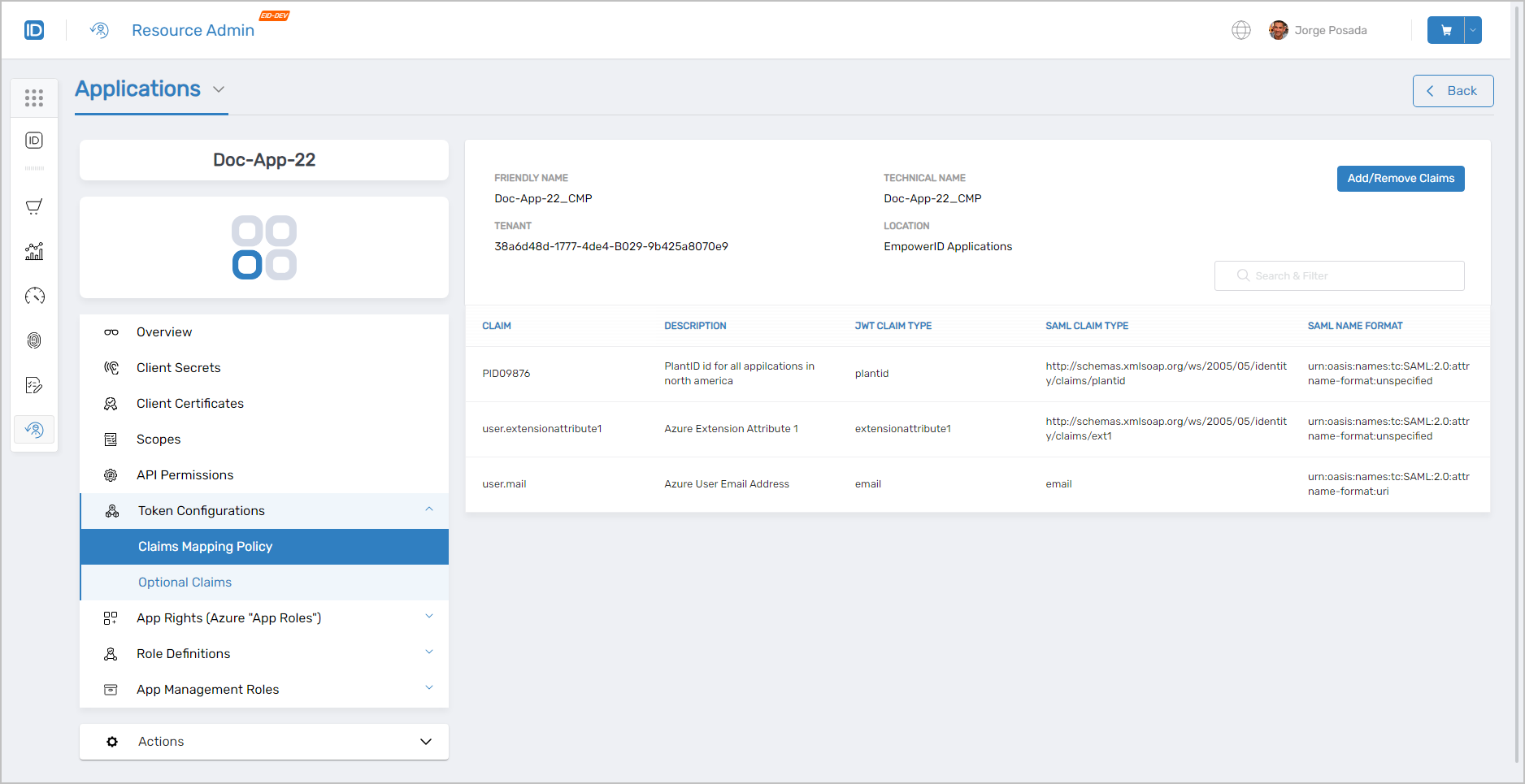 Token Configurations management interface
App Rights (Azure "App Roles")
The App Rights (Azure "App Roles") tab grants access to view and manage app rights for Azure applications. The following functionality is available to delegated users from this tab:
- View detailed information about existing app rights
- Create new app rights for the application
- Delete app rights from the application
- View app right assignments
- Assign app rights to users
- Remove app rights from users
- View people with app rights to the application
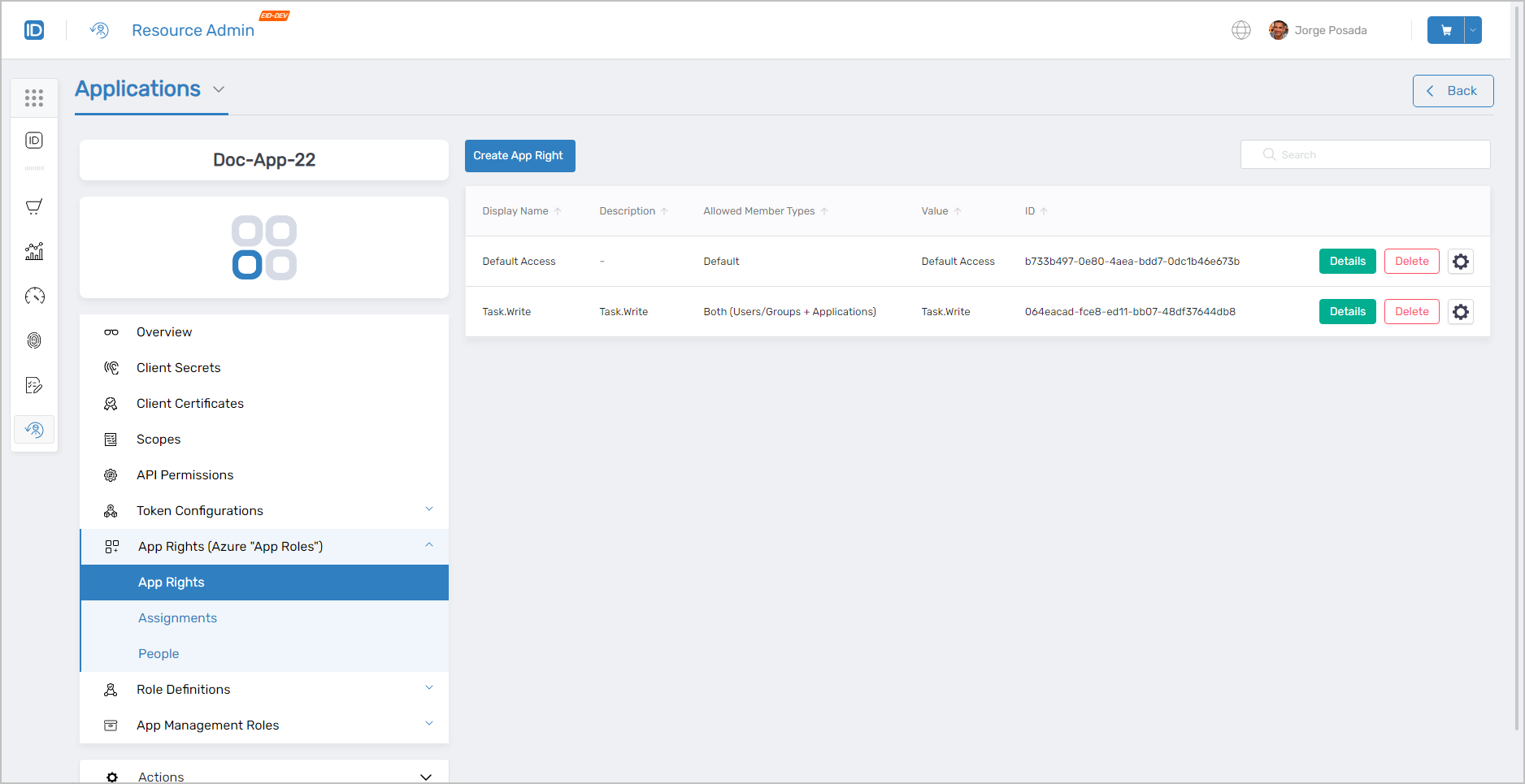 App Rights management interface
Role Definitions
The Role Definitions tab grants access to view and manage app role definitions for Azure applications. The following functionality is available from this tab:
- View detailed information about existing app role definitions
- Create app role definitions for the application
- Delete app role definitions from the application
- View app role assignments
- Assign app roles to users
- Remove app roles from users
- View people with app roles
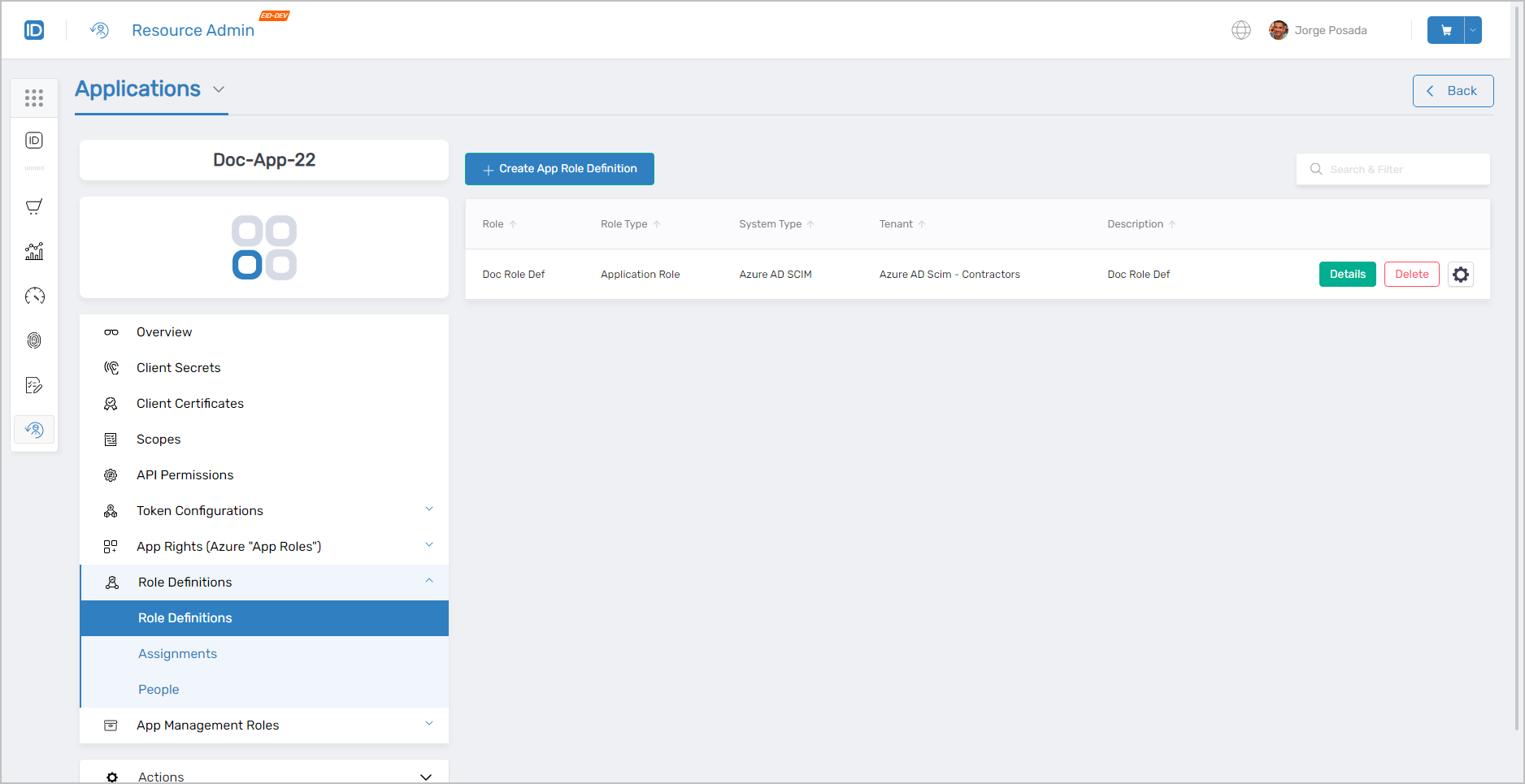 Role Definitions management interface
App Management Roles
In the App Management Roles tab, users with the necessary permissions can comprehensively manage App Management Roles specific to Azure applications. The functionalities available in this tab include:
-
View Detailed Information About Existing App Management Roles: This feature allows users to access in-depth details about each Management Role, including its scope, associated permissions, and configuration.
-
Create App Management Roles: Users can create new Management Roles, tailoring them to specific needs and requirements within the Azure application environment.
-
Delete App Management Roles: This option provides the ability to remove existing Management Roles that are no longer required, ensuring a streamlined and relevant role structure.
-
View People Assigned to Management Roles as Members: Administrators can view a list of individuals who are assigned to each Management Role, offering insights into role distribution and user responsibilities.
-
View Direct Access Granted to the Management Roles: This functionality shows the specific access rights directly granted to each Management Role, helping in understanding their direct influence within the Azure environment.
-
View Total Access Granted to the Management Roles: Users can see the cumulative access privileges of each Management Role, including both direct and indirect access rights, for a complete overview of role-based access within the application.
Actions
The Actions tab within the Resource Admin system is designed to offer a dynamic and context-sensitive user experience. Depending on the application tab selected, it presents relevant workflows that align with the current focus of the user. For instance:
-
When on the Overview tab, the Actions tab provides links to initiate workflows like the Manage Azure Application Wizard and the Update Azure Application API Permissions. These workflows are tailored to provide comprehensive management and configuration capabilities for the Azure application.
-
Conversely, when the user navigates to the Client Secrets tab, the Actions tab adapts to display links for specific workflows such as the Delete Azure Application Client Secrets. This ensures that users have immediate access to pertinent actions related to client secrets management.
This adaptive approach streamlines workflow initiation, making it more intuitive and efficient by presenting users with options that are directly relevant to their current task or area of focus within the application.
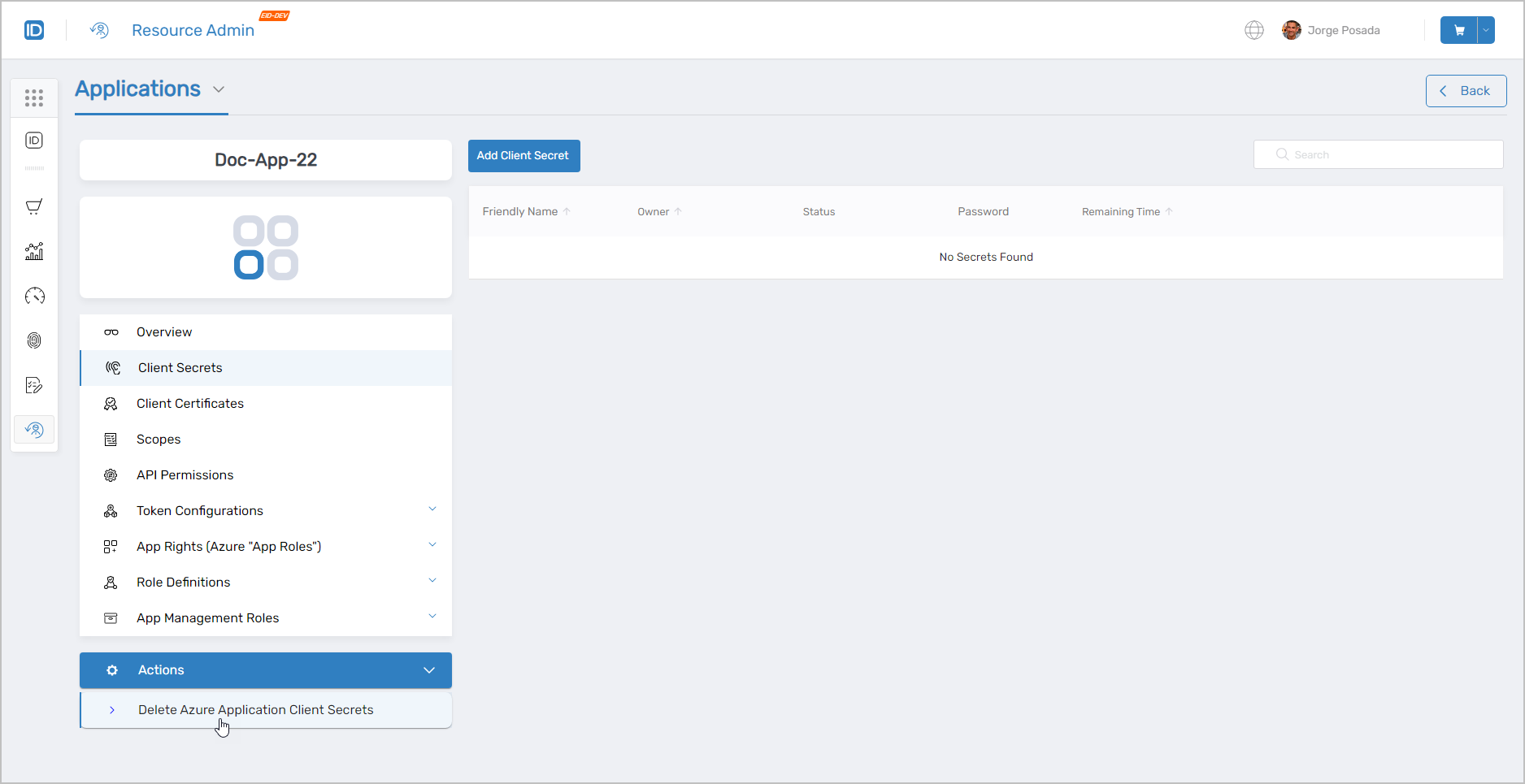 Context-sensitive Actions tab showing relevant workflows
Claims Mapping Policies
Claims Mapping Policies (CMP) in Azure AD are essential for controlling the identity information sent to an application during user sign-in. To manage these policies in your organization, the Claims Mapping Policies tab is your go-to resource. This tab is specifically available for Azure apps and offers various search filters to facilitate easy management and retrieval of CMPs.
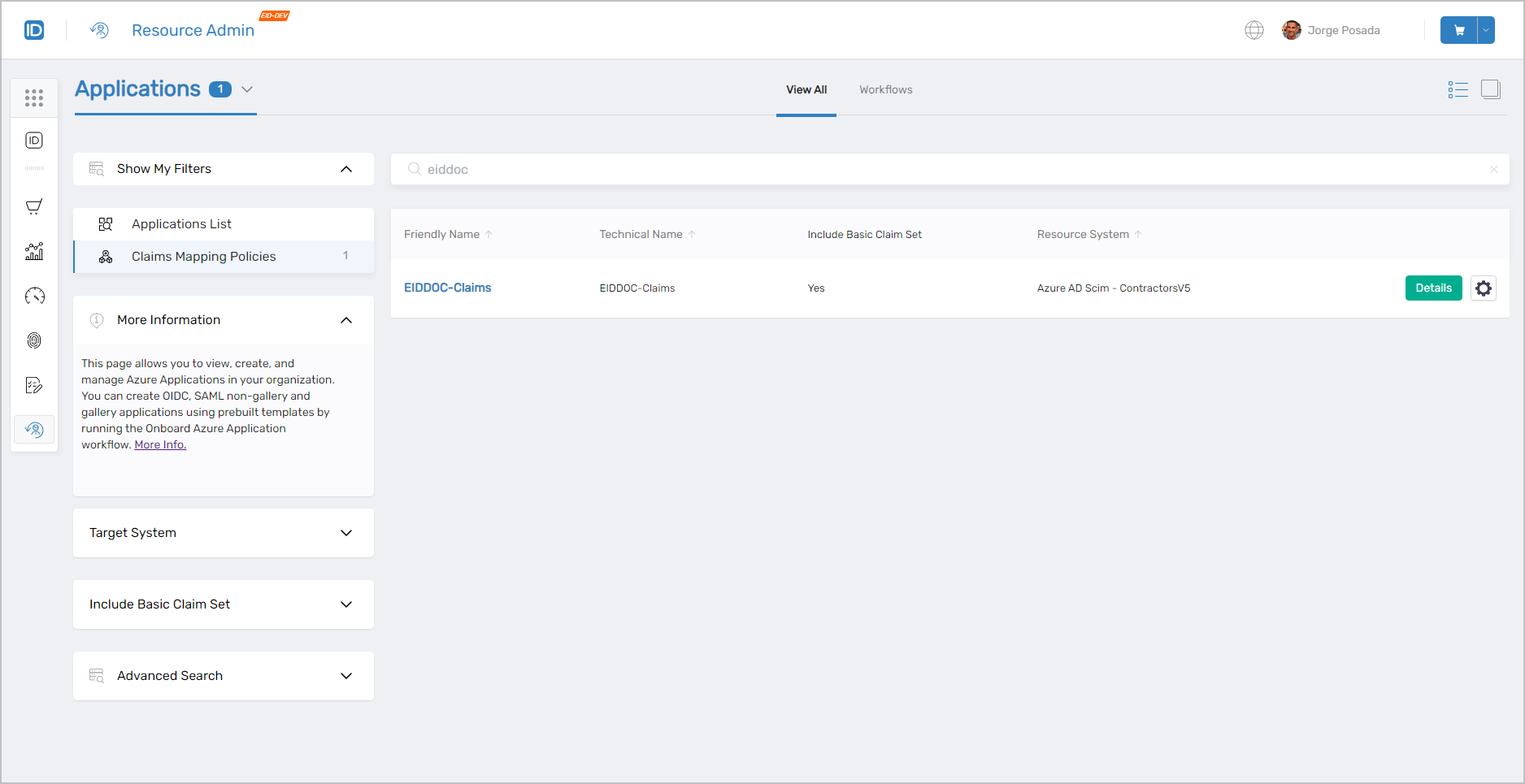 Claims Mapping Policies management interface
Claims Mapping Policies Search Filters
In managing CMPs, search filters play a crucial role in simplifying the search process. Multiple filters can be used for more granular searching.
| Filter | Description |
|---|---|
| Target System | This filter provides users with options to list only those Claims Mapping Policies belonging to applications in the selected account store type and/or account store.
|
Include Basic Claim Set | This filter provides users with options to list Claims Mapping Policies meeting the following criteria:
|
Advanced Search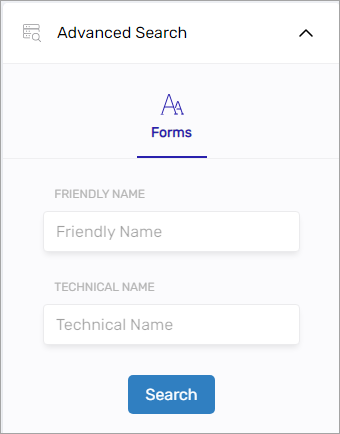 | Provides advanced search capabilities to further filter Claims Mapping Policies. |
PBAC Applications
As with Azure applications, clicking the Details button for a PBAC application directs users to the Overview page. This page provides access to more in-depth information about the application and navigable tabs for managing aspects of it.
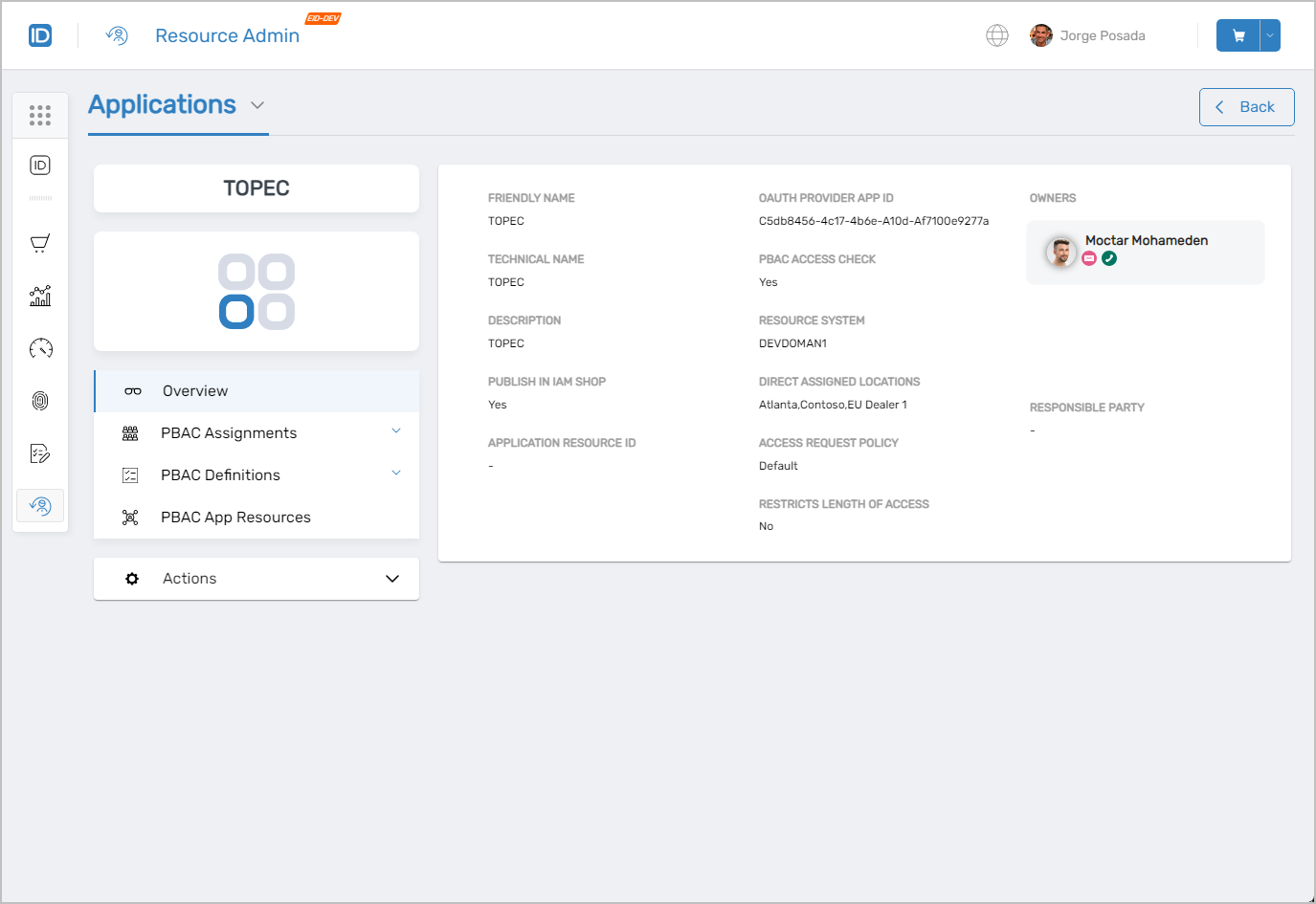 PBAC application overview page
PBAC Assignments
The PBAC Assignments tab is a crucial feature for administrators managing PBAC applications, allowing them to oversee PBAC Definition assignments effectively. Within this tab, users with appropriate permissions have access to the following functionalities:
-
Assign Role Definitions: Users can assign specific Role Definitions to individuals or groups within the application, tailoring access control according to organizational requirements.
-
Delete Role Definitions: This functionality enables the removal of existing Role Definitions, an essential aspect of maintaining up-to-date and relevant access controls.
-
View People with Role Definition Assignments: Administrators can view a list of individuals who have been assigned specific Role Definitions, offering clarity and oversight on who has access to certain application functionalities.
-
Edit the Role Definition Assignments for People: This feature allows for the modification of existing Role Definition assignments, ensuring that access rights remain aligned with the current roles and responsibilities of individuals.
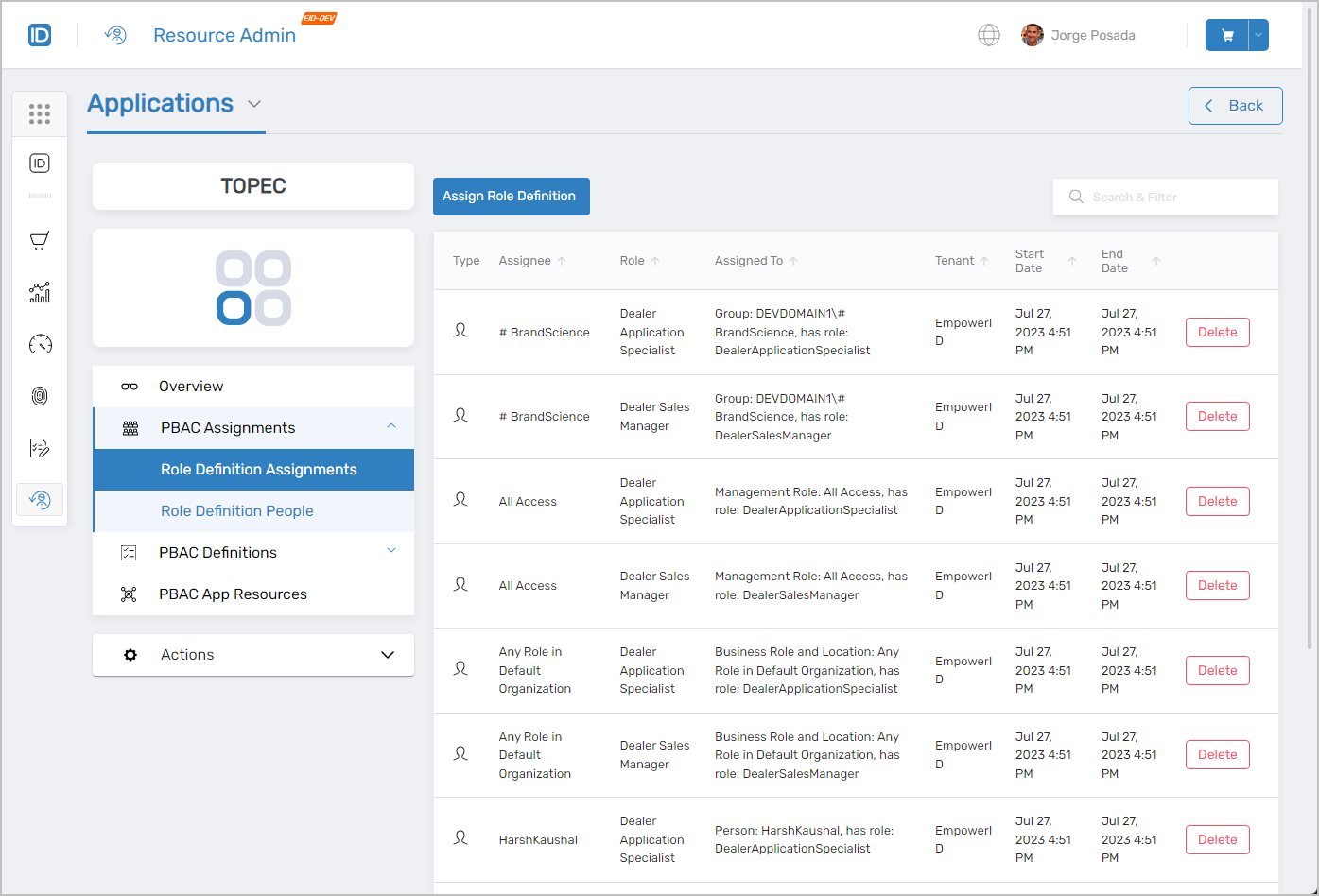 PBAC Assignments management interface
PBAC Definitions
In the PBAC Definitions tab, users have access to a range of functionalities for comprehensive management of PBAC Definition assignments in PBAC applications. These include:
App Rights:
- View detailed information about existing App Rights
- Create new App Rights for specific applications
- Delete App Rights from the application
- Assign specific App Rights to roles or users
App Role Definitions:
- View detailed information about existing App Role Definitions
- Create new App Role Definitions to streamline access control
- Delete App Role Definitions as needed
- Add or Remove App Rights to/from these definitions for precise role management
App Management Roles:
- Create and Delete App Management Roles, enabling customized role-based access management within applications
PBAC Resource Types:
- Create, Edit, and Delete Resource Types, allowing for the customization and fine-tuning of resource-based access controls
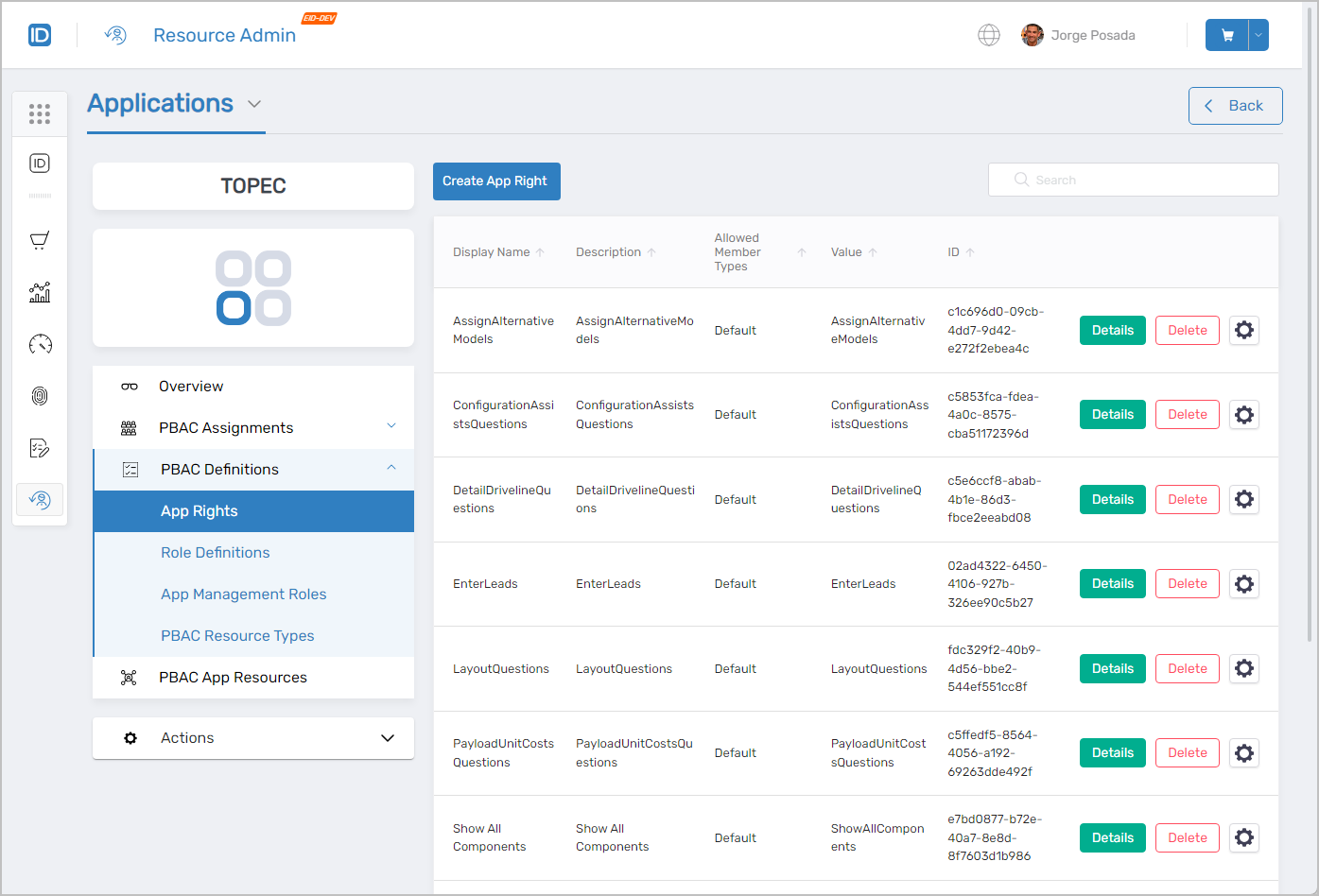 PBAC Definitions management interface
Application Workflows Page
The Workflows page in the Resource Admin system is a dedicated page where authorized users can access and manage a variety of workflows related to applications. This page is designed to provide a centralized location for overseeing application-specific processes, ranging from onboarding Azure applications and Claims Mapping Policies to configuration and update procedures.
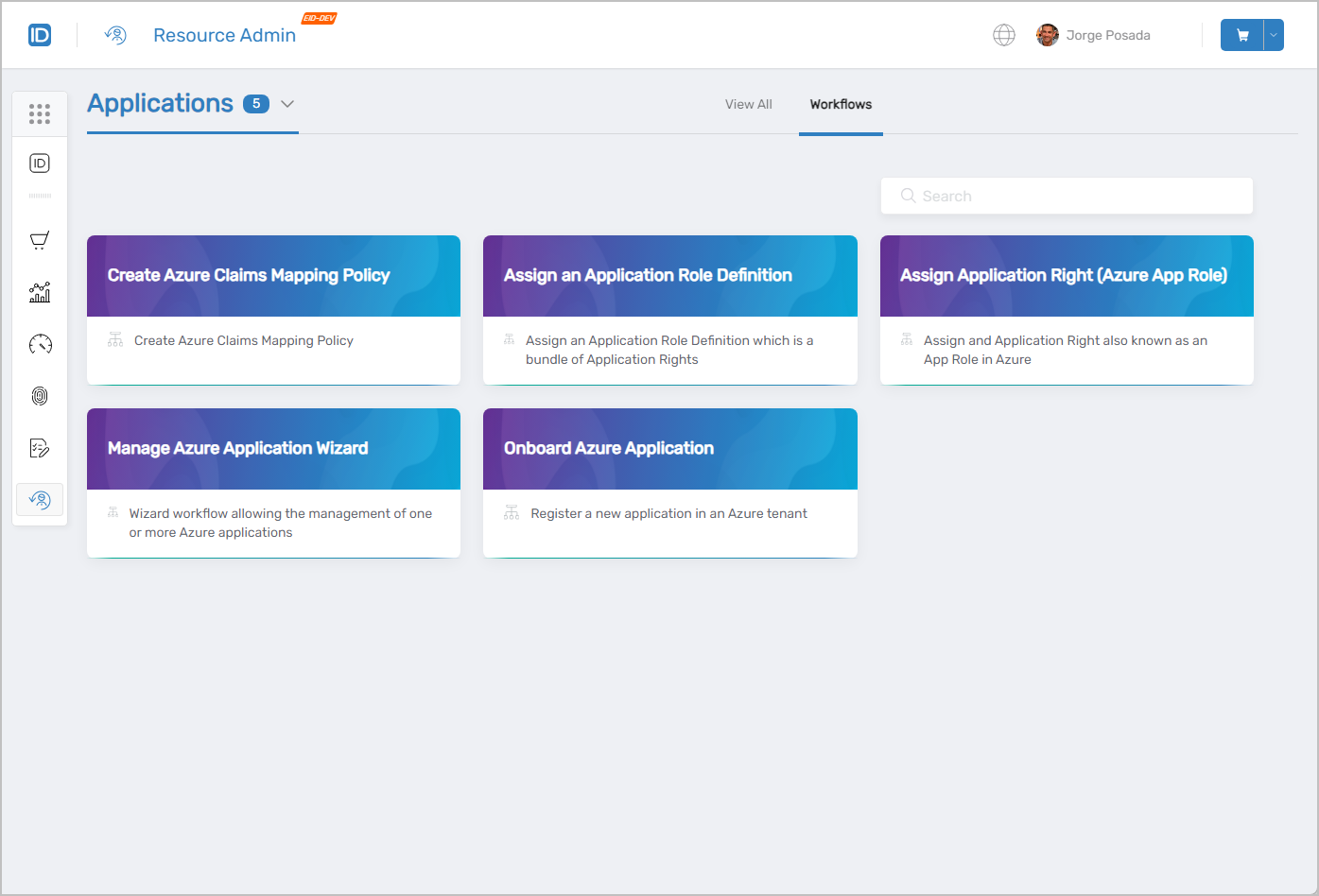 Available workflows for application management
Related Pages
- Navigating Resource Admin - General interface overview
- Groups Page - Group management
- Management Roles Page - Role-based access control administration
- People Page - User onboarding and identity management
- Mailboxes Page - Exchange mailbox administration
- Shared Folders Page - File share access management