Restore Deleted User Accounts
Restore user accounts that have been deleted from EmpowerID to reactivate access for users who need to return to the system. This workflow supports restoring single or multiple user accounts simultaneously.
Prerequisites
- Administrative access to restore deleted user accounts in EmpowerID
- See Access to User Accounts and Groups for required permissions
- Accounts must be within the deletion retention period
Restore Deleted User Accounts
- On the navbar, expand Identity Administration and click User Accounts.
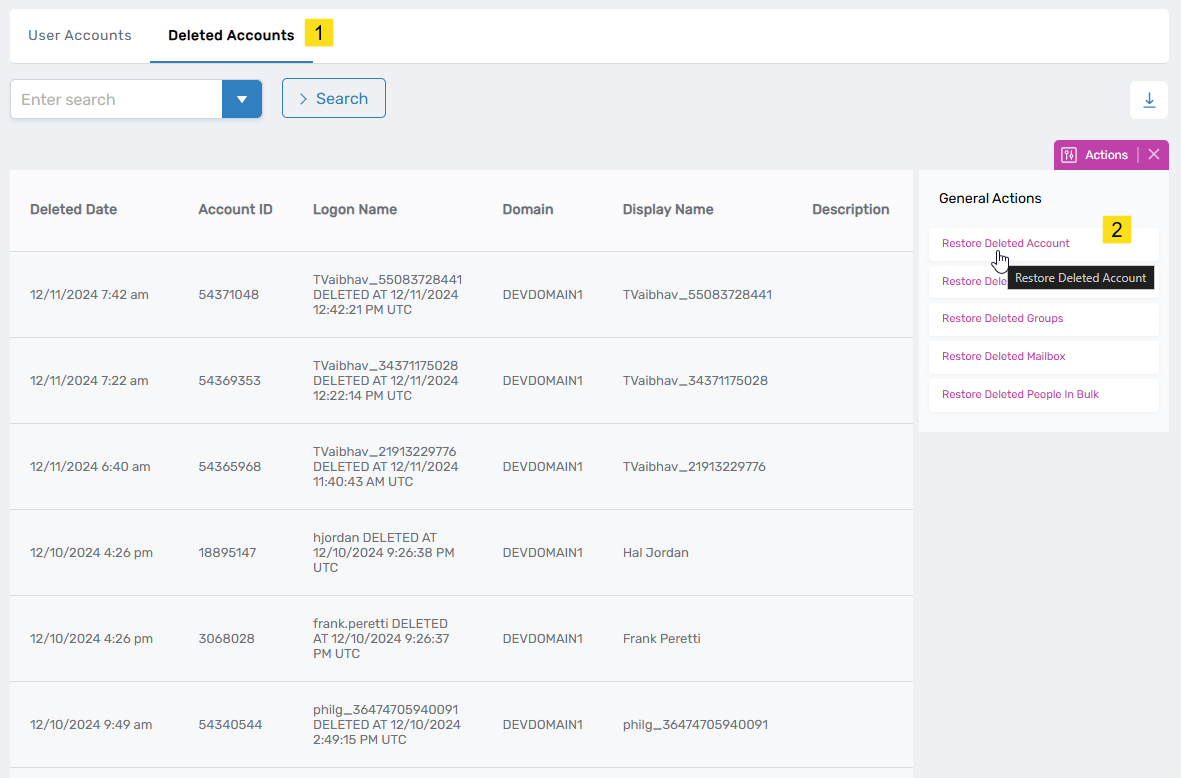
- Select the Deleted Accounts tab and click Restore Deleted Account.
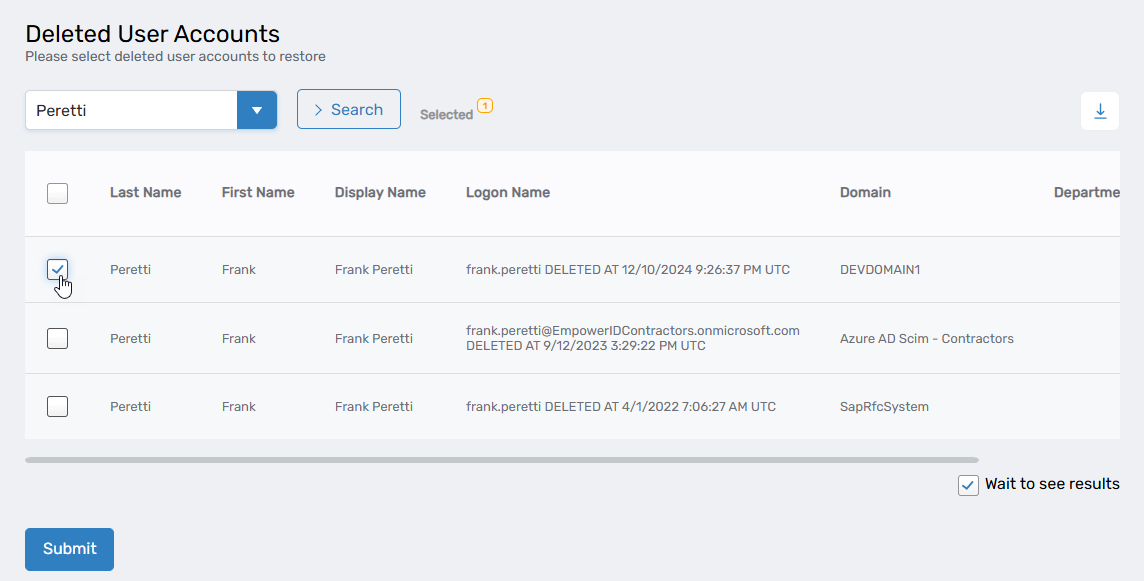
- Search for the deleted user account to restore and check the box beside the account record.
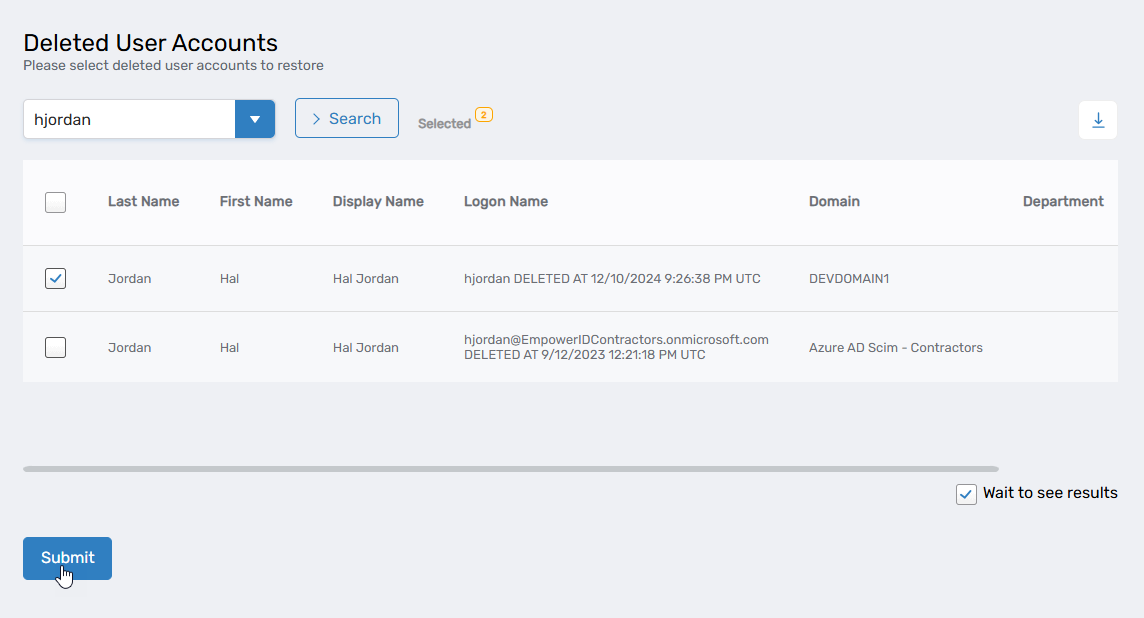
- Repeat step 3 for each additional deleted user account to restore.
- Click Submit.
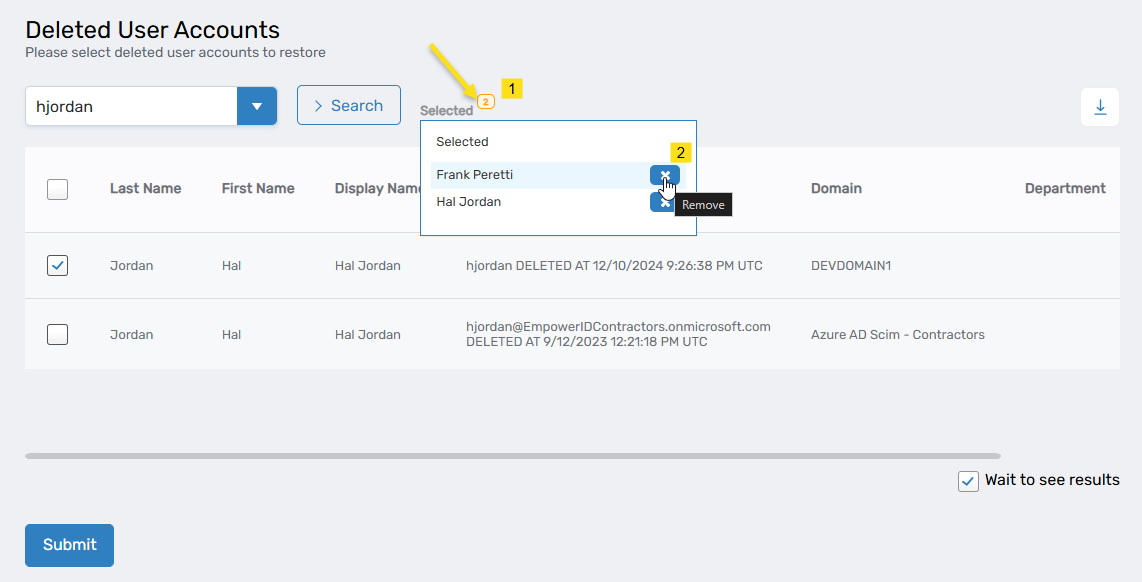
 tip
tipBefore submitting, you can remove selected accounts by clicking the Selected icon and then clicking Remove beside accounts you want to exclude from restoration.
- Review the Operation Execution Summary and click Submit.
Results
- Selected user accounts are restored in EmpowerID
- Accounts return to their pre-deletion state
- Users can authenticate and access systems using restored accounts
- Account restoration is synchronized to connected account stores
- Restoration actions are recorded in audit logs
- Restored accounts are fully operational and available for management