Unlock Locked-Out People
When a person repeatedly enters incorrect passwords within the timeframe specified by their Password Manager policy, EmpowerID locks them out for the duration defined by the policy. During this lockout period, the person cannot log in even with the correct password. You can manually unlock the person to restore their access immediately.
Prerequisites
- Access to the Identity Administration dashboard
- Appropriate delegation to unlock people
Procedure
- On the navbar, expand Identity Administration and select Dashboard.
- On the Identity Admin dashboard, locate the Unlock Person and Accounts widget.
- Enter the name of the locked-out person in the Person to Unlock field and click the tile for that person.
- Click Unlock.
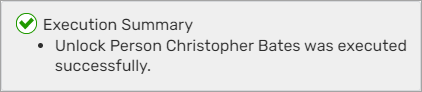
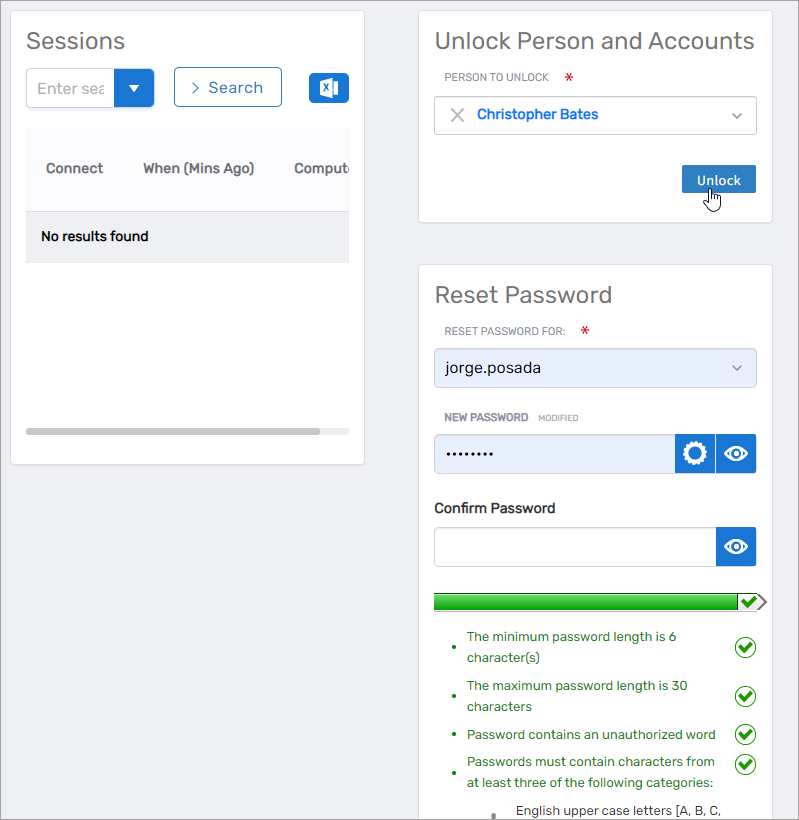 A summary of the unlock action appears.
Results
After completing this procedure:
- The person is immediately unlocked and can log in with their correct password
- The unlock action is recorded in the person's audit log
- If the person has user accounts in connected account stores that were also locked, those accounts may need to be unlocked separately depending on your configuration