Edit Local Function Assignments
When you need to modify which local functions are assigned to a Management Role, you can add or remove these assignments to grant or revoke specific business capabilities for role members. Local functions in EmpowerID are system-specific, business unit-specific, or location-specific activities that define what users can do within particular systems or contexts. By assigning local functions to a Management Role, you grant all role members the ability to perform those specific tasks within the defined system or environment.
Access Requirements: You must have appropriate permissions to manage the specific Management Role you want to modify.
Use this workflow when adjusting system permissions for roles, adding new functional capabilities to existing roles, or removing access to functions that are no longer needed.
Before You Start
You need access to the Resource Admin application to edit local function assignments. If you can't access this workflow, contact your administrator to request permissions.
Make sure you have:
- Knowledge of which local functions should be available to the Management Role
- Understanding of how function assignments affect user capabilities
- Decisions about which functions to add or remove from the role
Get Started
- Navigate to the Resource Admin portal.
- Select Management Roles from the resource type menu.
- Click the Workflows tab.
- Find and click Manage Management Role Wizard.
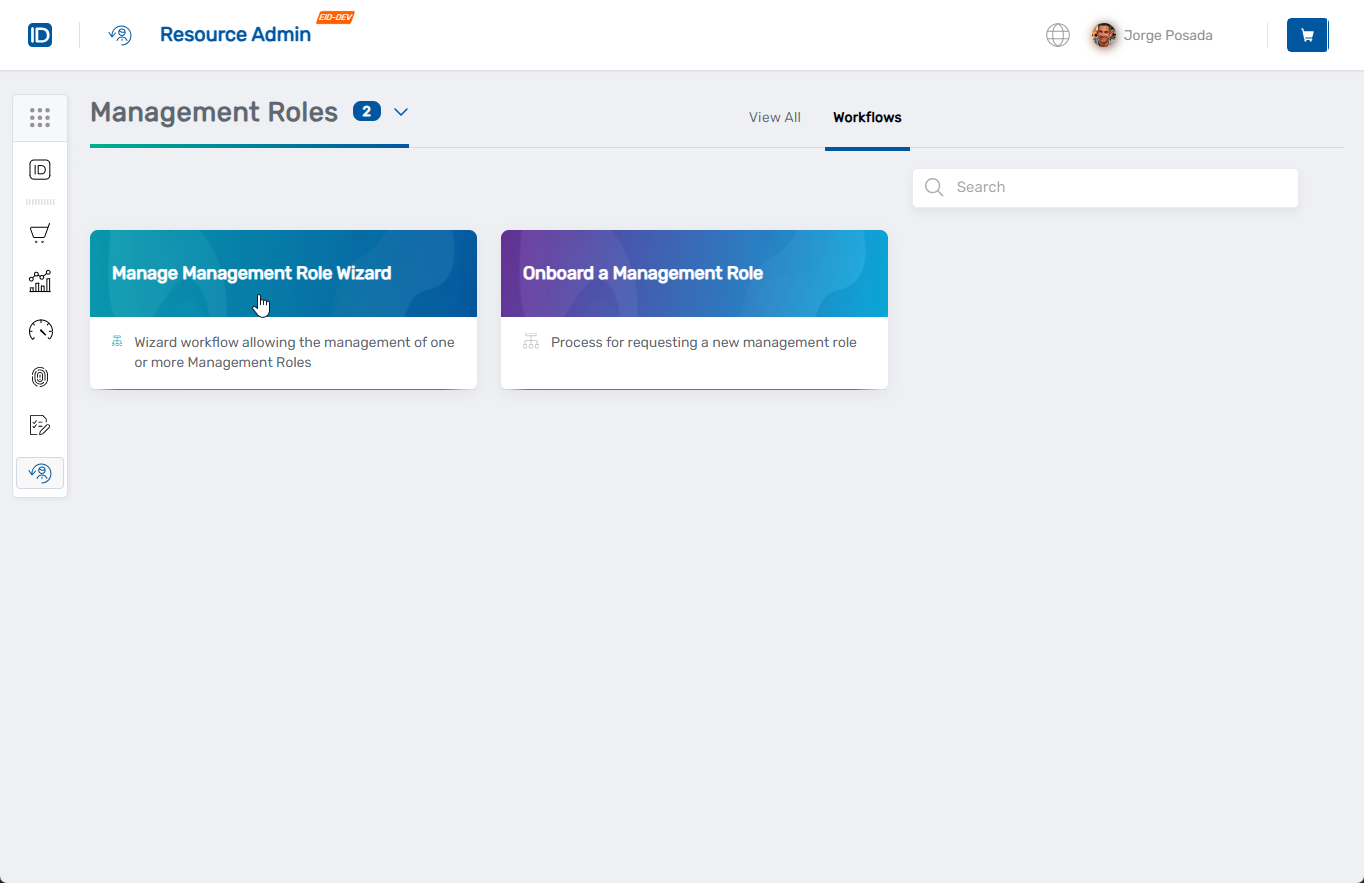
- Select the Management Role you want to modify by checking the box next to it, then click Next.
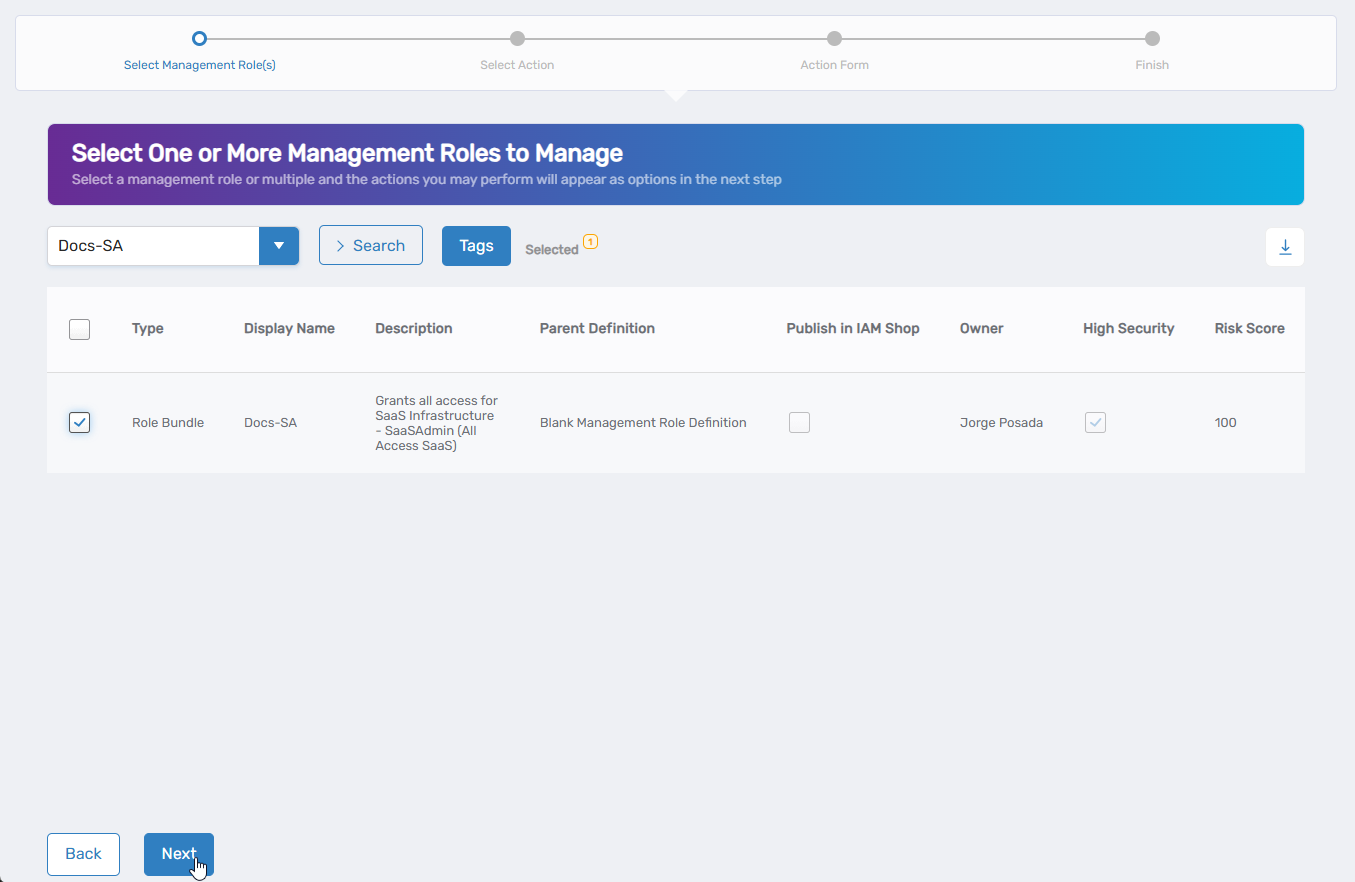
- Select Edit Local Function Assignments from the available actions.
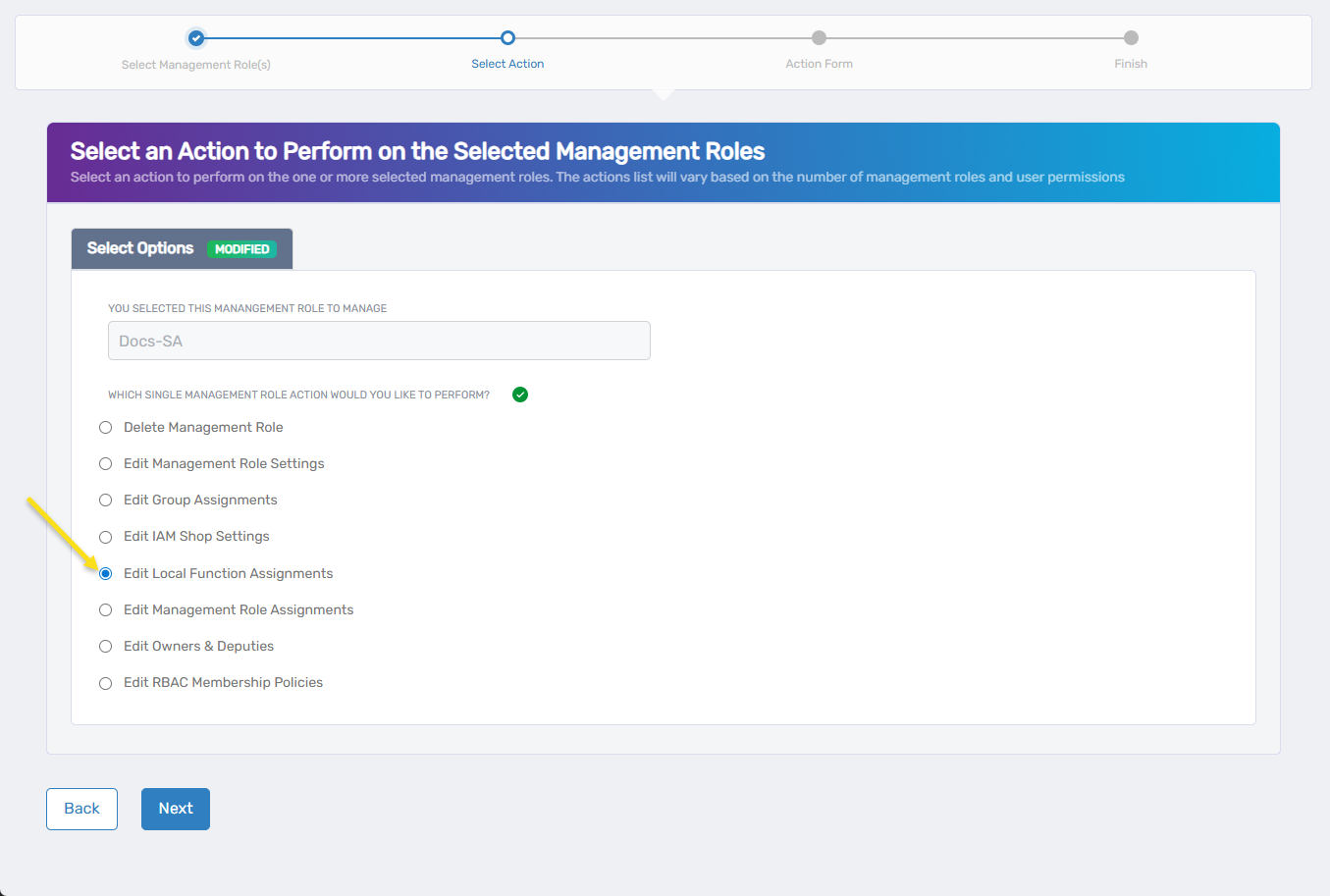
- Click Next to proceed to the local function assignment configuration.
The workflow will open showing the current local function assignment configuration.
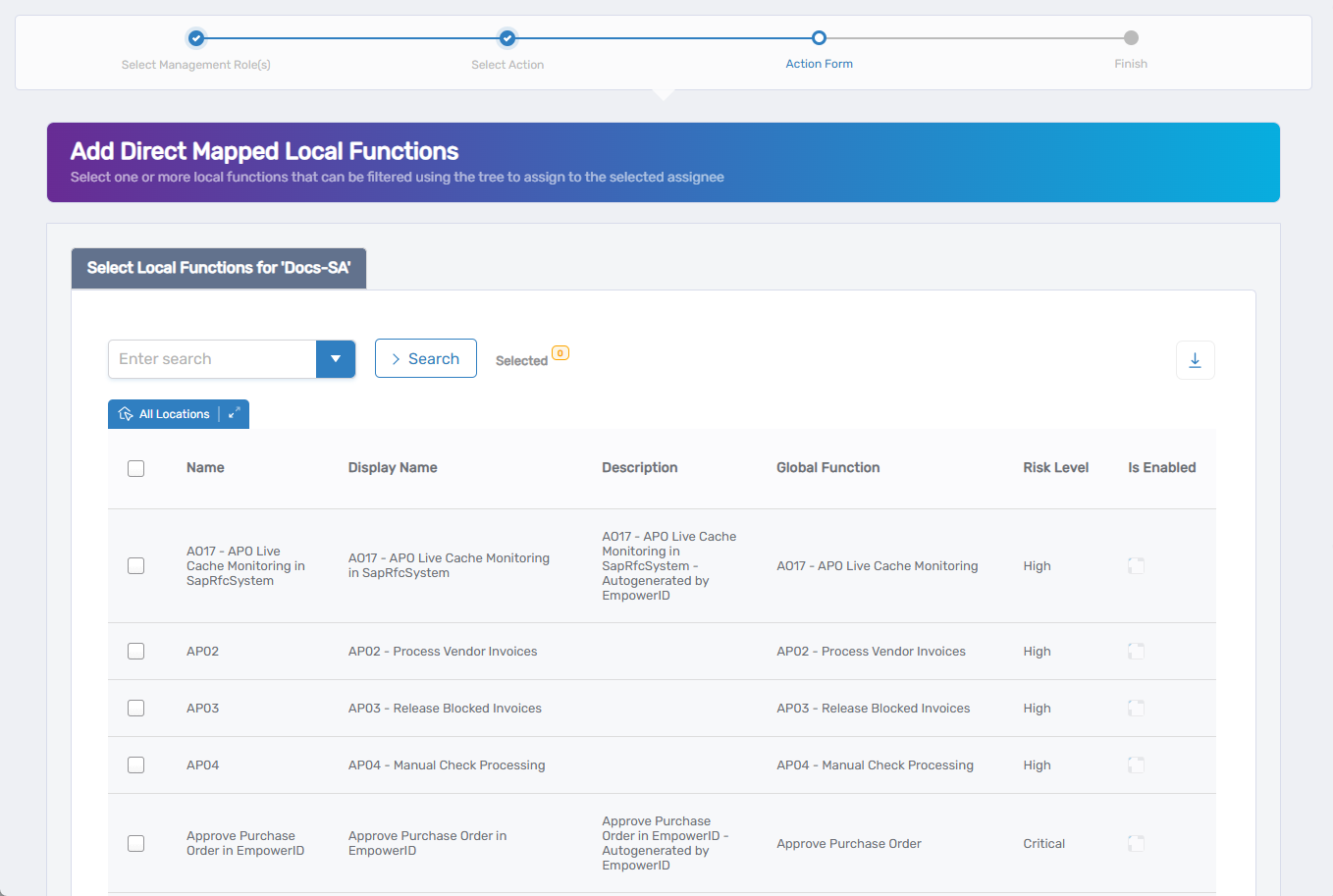 Note: This screen appears only if the role has current local function assignments. If no assignments exist, you'll proceed directly to adding local function assignments.
Update Local Function Assignments
Modify the local function assignments as needed:
Remove Local Function Assignments (if any exist):
- Current function assignments are displayed in a table showing function details including Name, Display Name, Description, Global Function, Risk Level, and status.
- Use the search functionality to find specific functions to remove.
- Click Unassign to remove a function assignment or keep it as Assigned to retain it.
- Click Next to proceed to adding new assignments.
Add Local Function Assignments (optional):
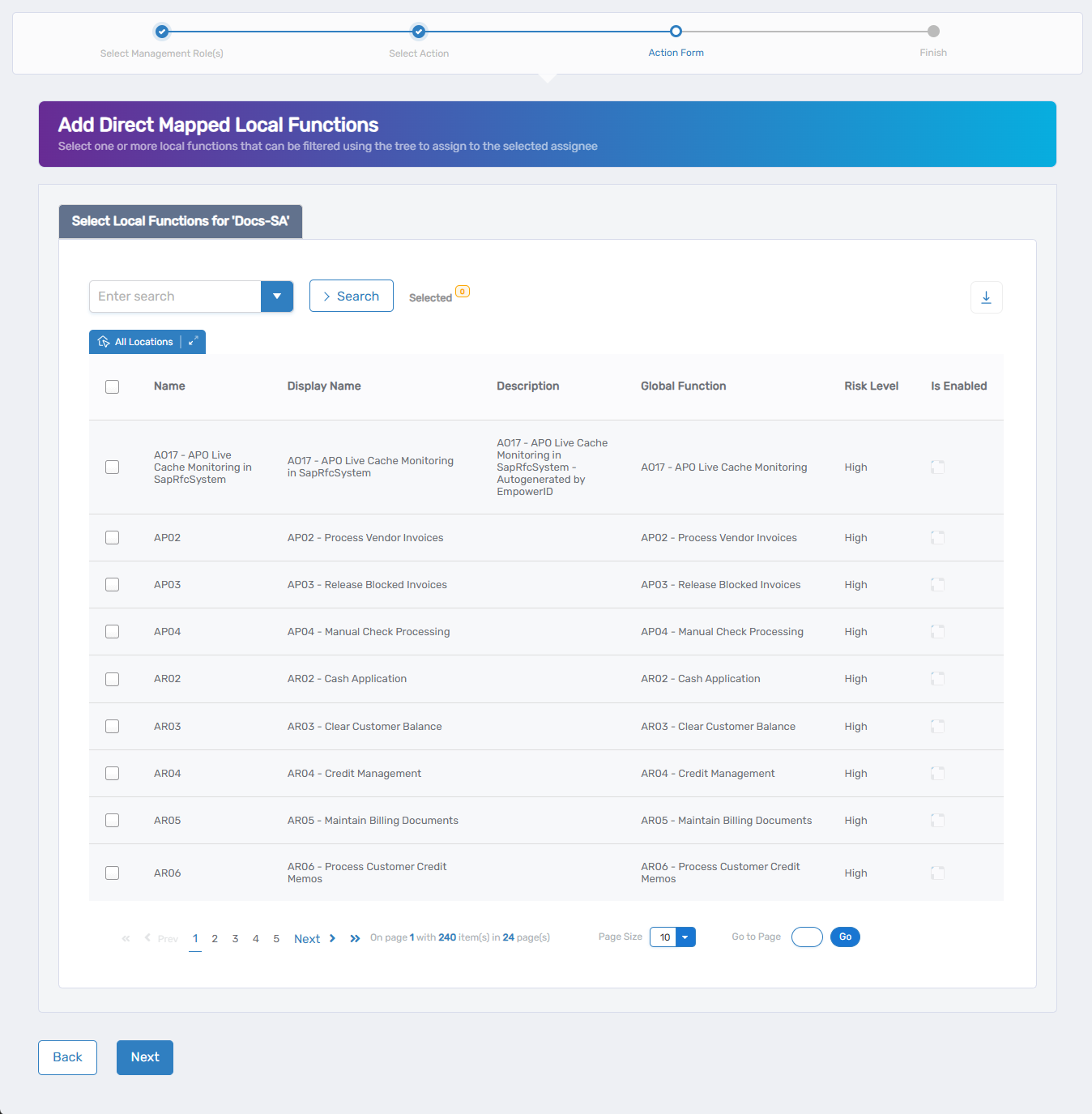
- Use the search field to find specific local functions, or click the dropdown arrow for advanced search options.
- Use the location filter to narrow functions by specific locations if needed.
- Check the box next to the local function you want to assign to this Management Role.
- Repeat as needed to add multiple functions.
- Skip this section if you only want to remove existing assignments.
- Click Next to proceed to the Operation Execution Summary.
Complete the Workflow
- Review the Operation Execution Summary to confirm your changes were applied successfully:
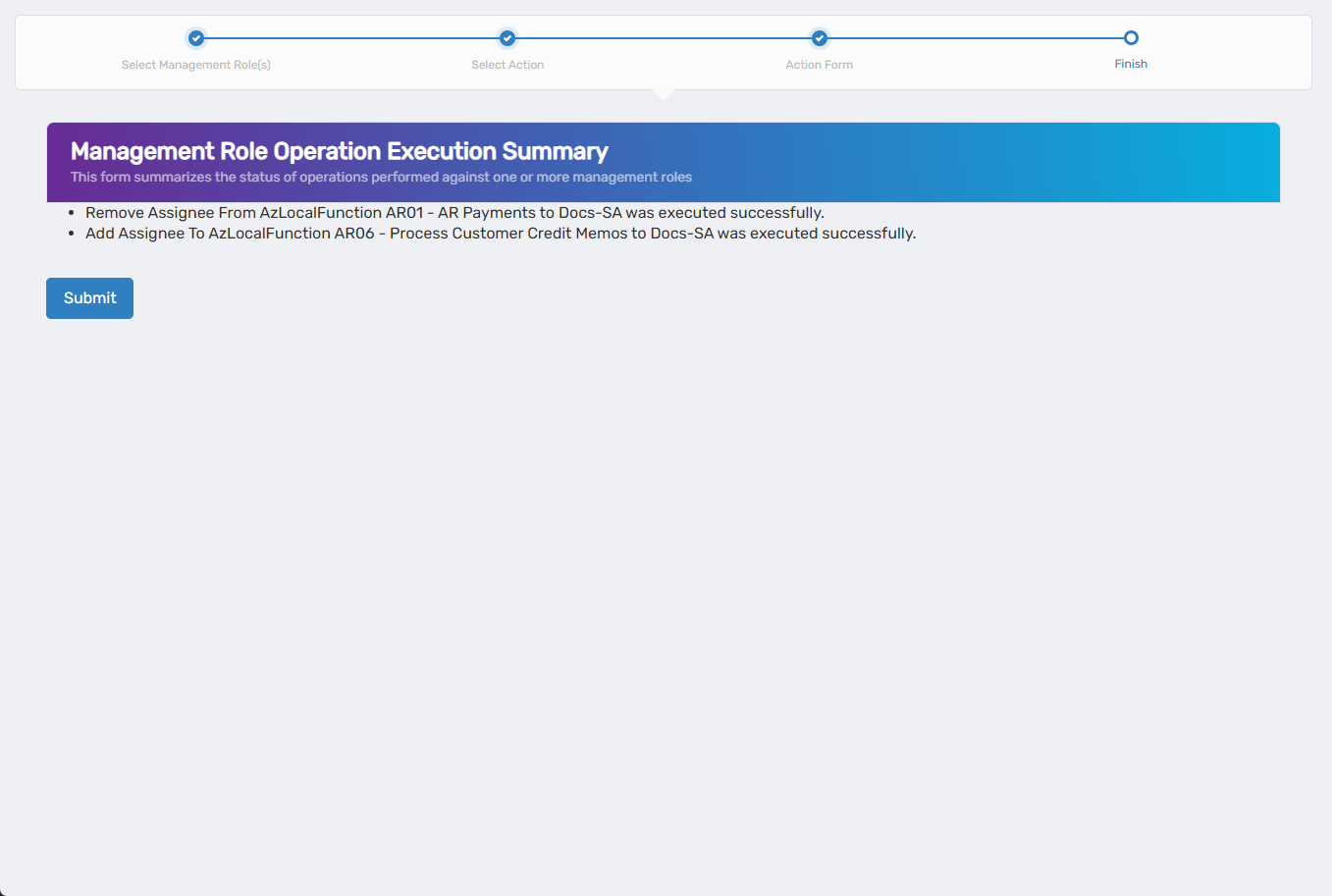 The summary shows the specific local function assignments that were added or removed.
 - Click Submit to continue.
- Choose your next action:
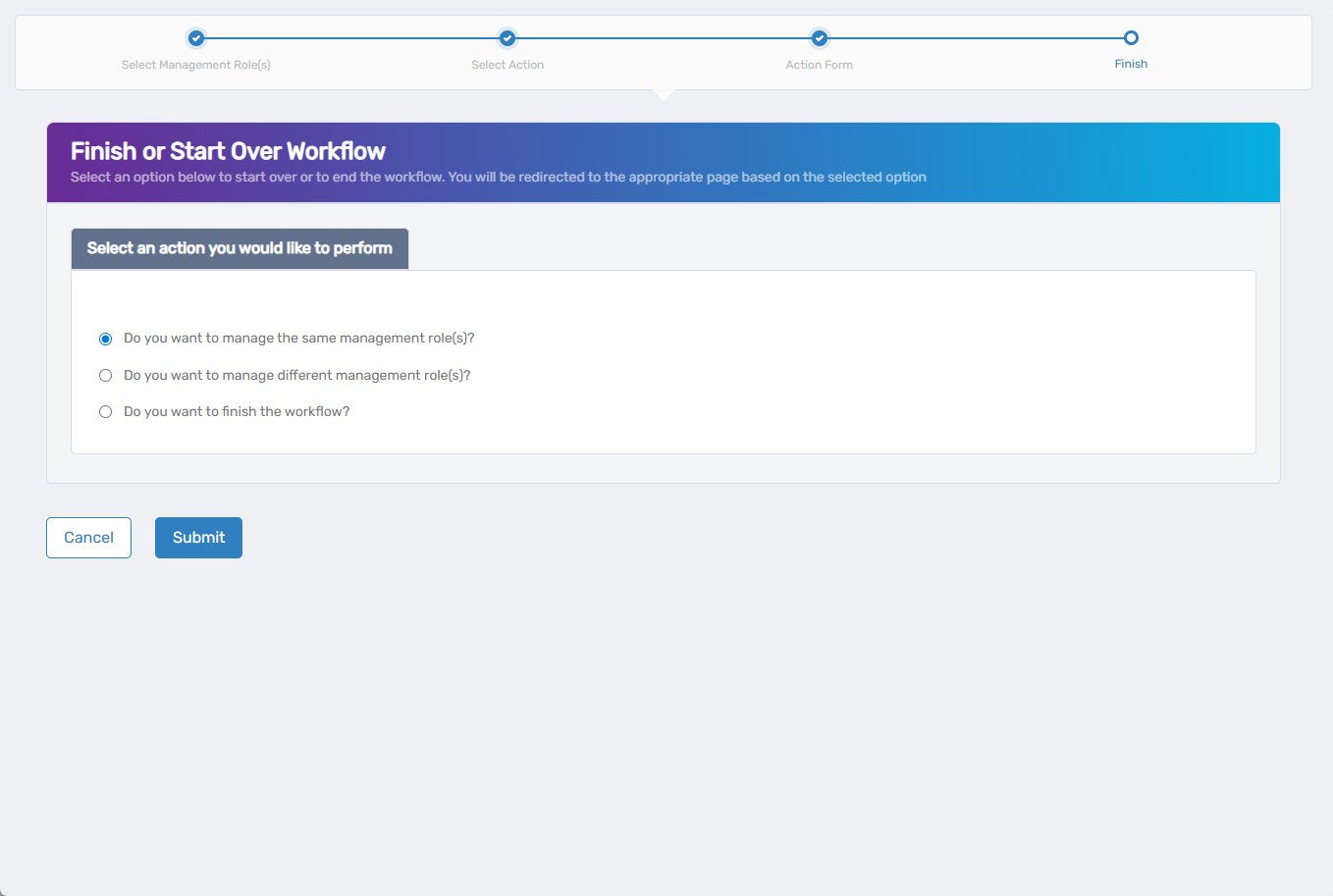
- Do you want to manage the same Management Role? - Select this to perform additional actions on the same role.
- Do you want to manage different Management Role(s)? - Select this to work with other Management Roles.
- Do you want to finish the workflow? - Select this to complete the process and exit the wizard.
- Click Submit to proceed with your selected option.
What Happens Next
- Local function assignment changes may generate business requests that require approval before taking effect.
- Once changes are applied, users with this Management Role will gain or lose access to the assigned system functions.
- New function assignments expand the capabilities available to role holders.
- Removed function assignments restrict access to those specific system operations.
If You Run Into Problems
Can't find the local function to assign: Verify the function exists in the system and you have permission to assign it to Management Roles.
Changes don't appear to take effect: Local function assignments may require approval before taking effect. Check for pending business requests.
Function assignment creates conflicts: Some local functions may have prerequisites or conflicts with other assigned functions.
Related Actions
- To create new Management Roles, see Onboard Management Roles.
- To modify role ownership, see Edit Management Role Owners & Deputies.
- To manage role bundles, see Edit Management Role Assignments.