Removing App Right Assignments
Removing app right assignments ensures users do not retain permissions beyond what their roles require. This supports least privilege enforcement, strengthens security, and maintains clean audit trails.
This article demonstrates how to remove app right assignments from users or groups in EmpowerID.
Prerequisites
Before removing app right assignments, ensure you have:
- Access to Resource Admin with the Application RBAC Owner Management Role (or higher)
- An existing PBAC application with app right assignments to remove
Procedure
-
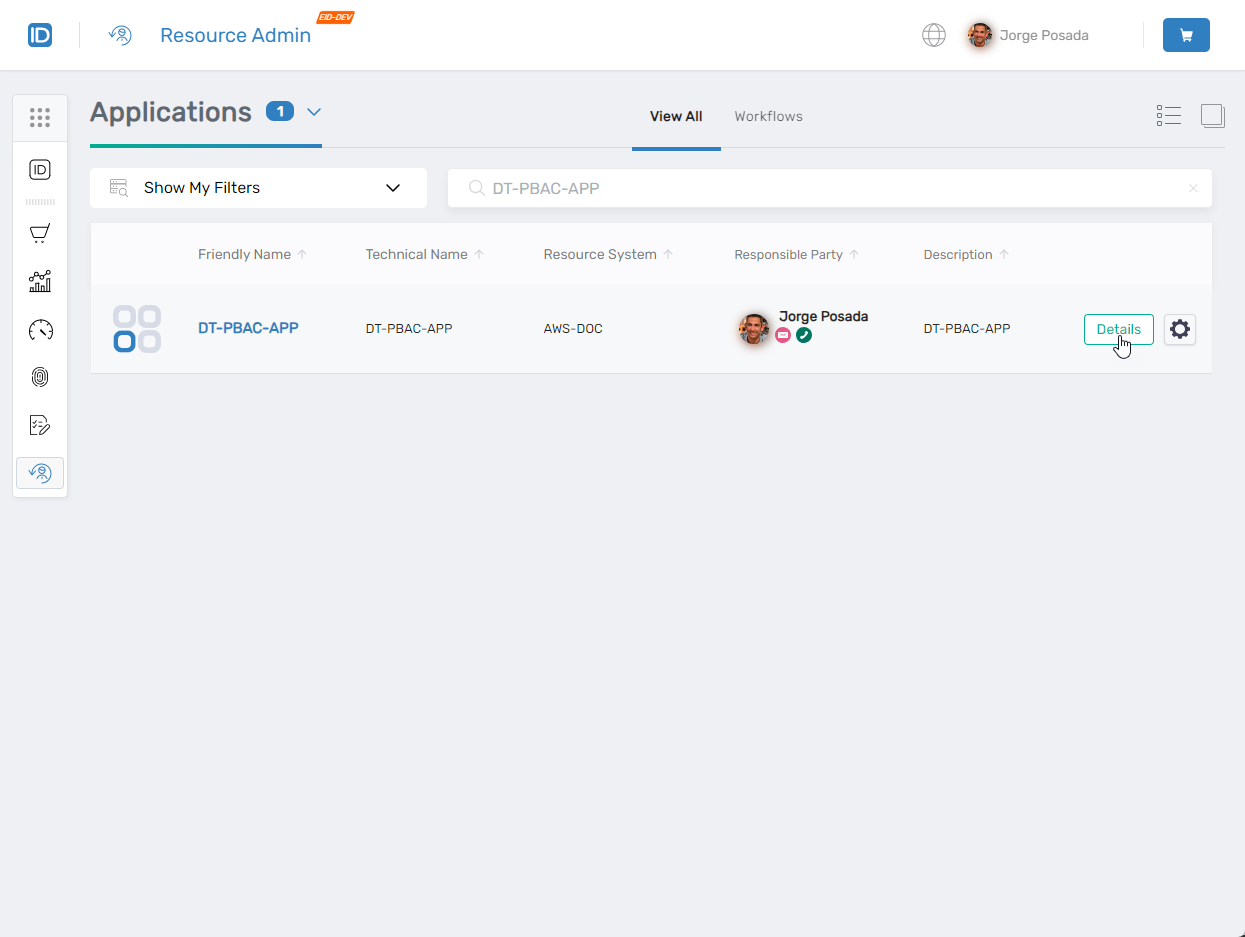
In Resource Admin, search for the PBAC application containing the assignment you want to remove.
-
Click the Details button for the application record.
-
Applications list with Details button:
-
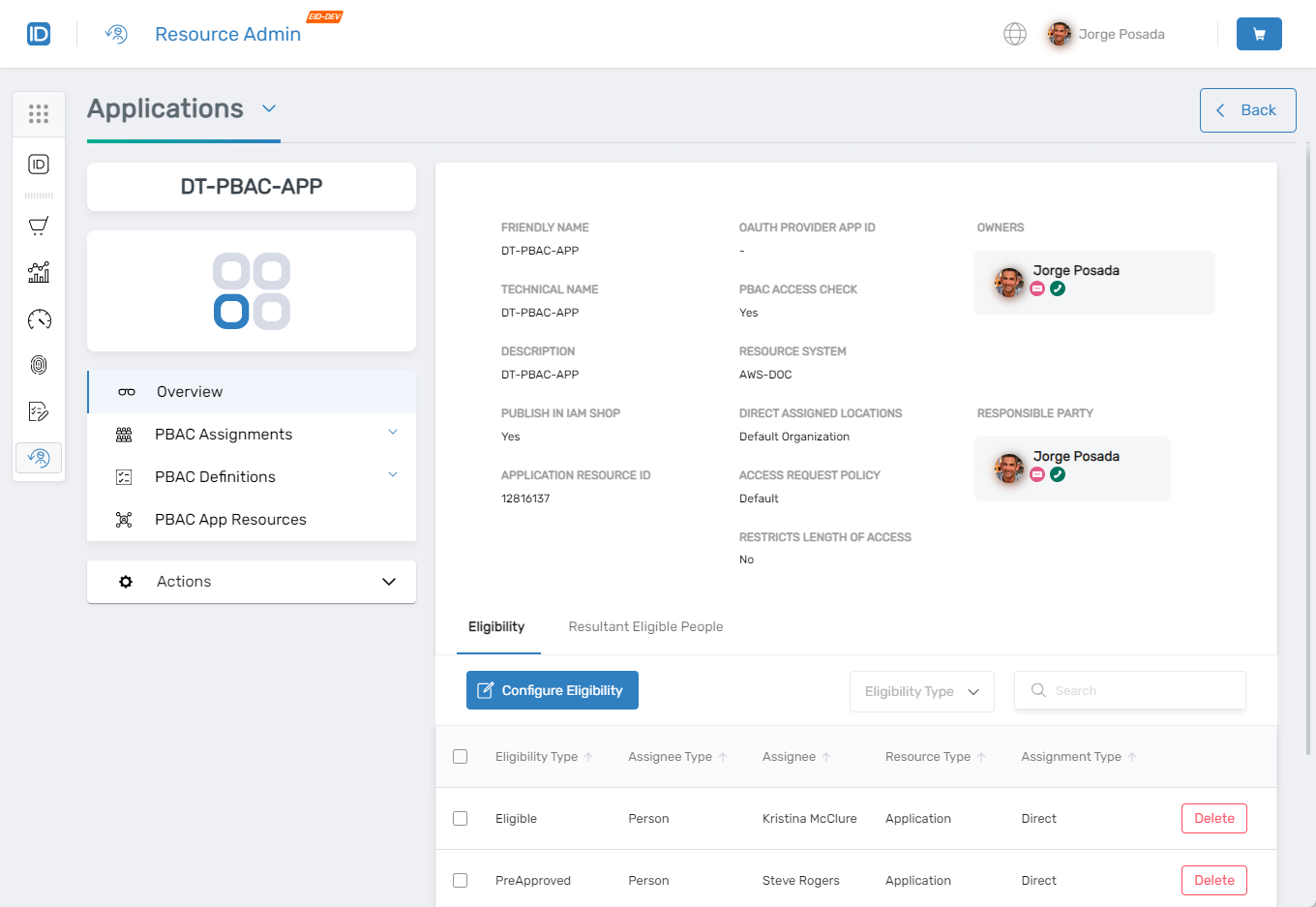
Application Overview page:
-
-
Expand PBAC Assignments from the left navigation pane and select App Rights Assignments.
-
Search for the assignment you want to remove.
-
Click the Delete button on the assignment record.
- Assignment deletion action:
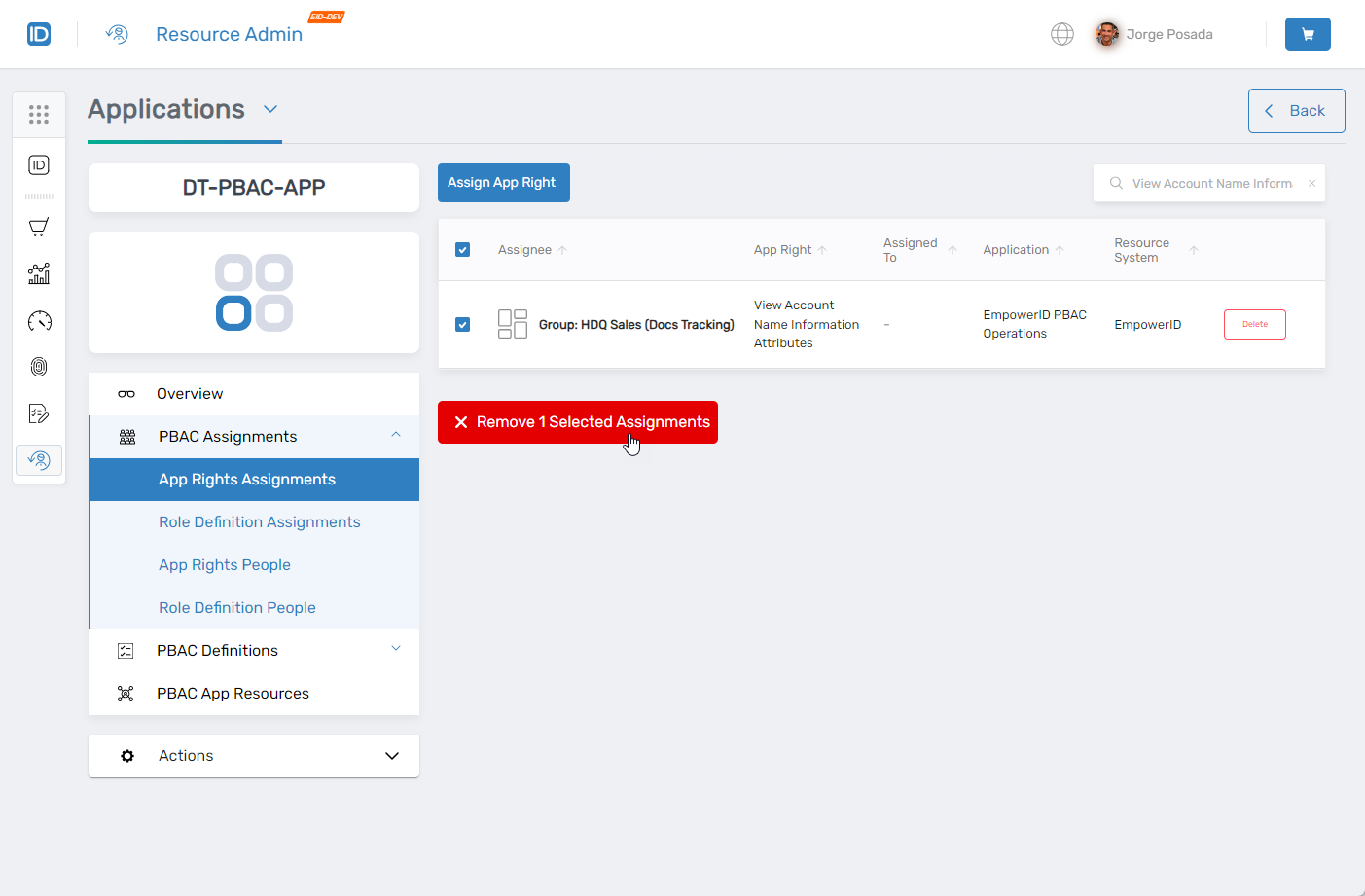
- Assignment deletion action:
-
Confirm the deletion in the confirmation prompt.
- Confirmation dialog:

- Confirmation dialog:
Verify the Results
After removing the assignment:
- Re-run the search in the App Rights Assignments grid to confirm the assignment no longer appears.
- (Optional) Verify the removal in audit logs:
-
Open the EmpowerID Web App.
-
Navigate to System Logs > Audit Logs.
-
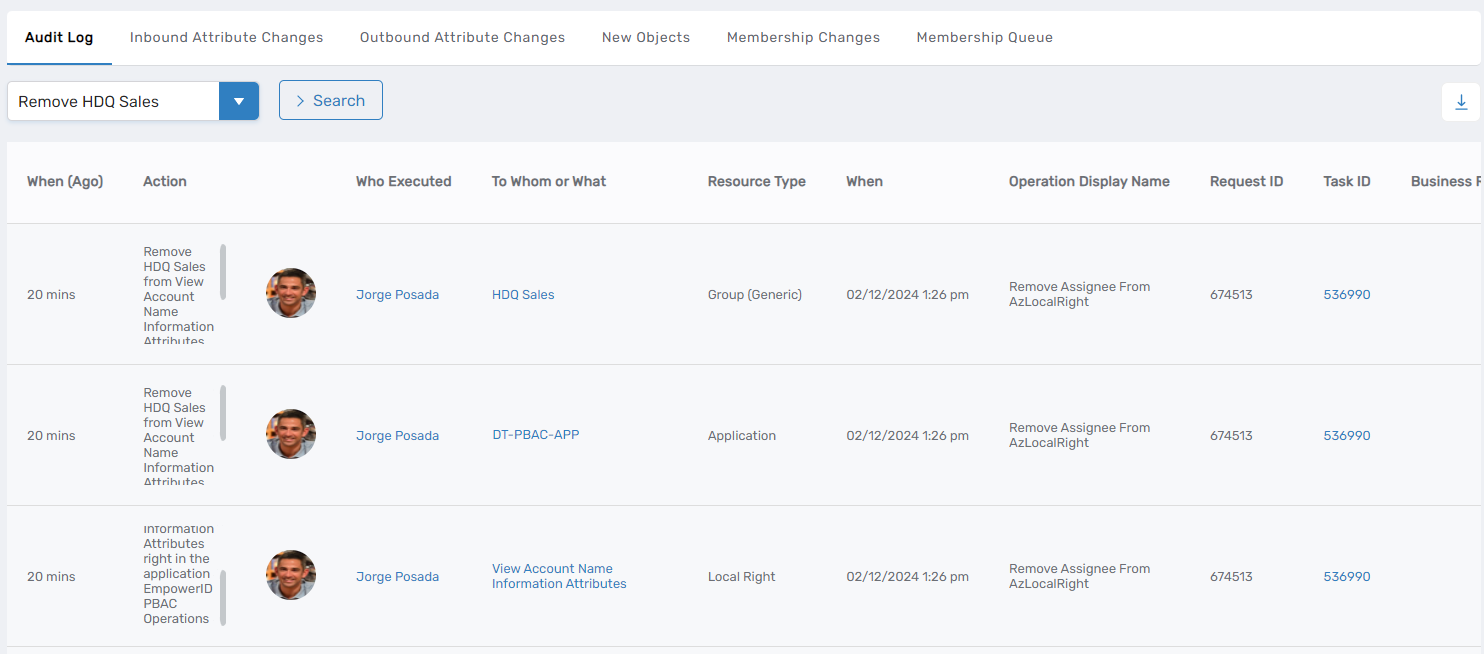
In the search field, enter
Remove [Assignee Name](replace with the actual assignee name). -
Review audit log entries confirming:
- The object from which the right was removed
- The app right name
- The associated application
-
Audit log entries confirming removal:
-
Only users with the Application RBAC Owner Management Role can remove app right assignments. All removals are logged for audit purposes. Deleting an assignment immediately revokes user access—ensure proper authorization before removal.
Next Steps
After removing app right assignments, verify that users no longer have access to the application resources associated with the removed right.