Deployment Overview
As each developer goes about their tasks, running Workflow Studio locally, publishing workflows, creating connectors, and modifying existing items, their work accumulates in several WFS folders on their workstation. New items are saved on the local machine in the Source Control folder to which they were added when created. When an item, such as a form is published, an assembly is generated for it and added to the _assemblies folder and a .pub file is added to the _PublishedItems folder on the developer's machine.
Workflow Studio Folder Structure
When you install Workflow Studio on your workstation, the installer creates a root TheDotNetFactory folder with two sub folders named EmpowerID and WFS. The EmpowerID folder contains required assemblies and executable for running Workflow Studio, while the WFS folder contains stock EmpowerID assemblies and product packages. These folders are linked to a Git repository or other form of source control. The content of these folders should not be modified. New development work occurs in the folders designated for such.
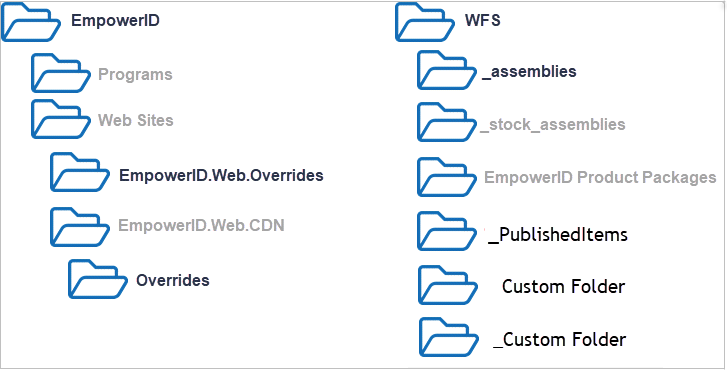
The below image shows how the folders are structured in an organization's source control. The folders with black text are the folders that can be updated with custom content.
Folders prefixed with an underscore, such as the _PublishedItems folder do not show in the source control tree on a developer's machine. This allows developers to create their own prefixed folders for the content they want to keep local to their personal development environment.
Key Folders:
- EmpowerID — This is the root installation folder. (Note that this folder should not be the root of the source control).
- EmpowerID.Web.Overrides and EmpowerID.Web.CDN/Overrides — These folders are where Web customizations, such as .CSHTML pages and CSS files, are saved.
- WFS/_assemblies — This folder contains assemblies for published custom Workflow Studio items.
- WFS/_PublishedItems — This folder stores .pub files for any published custom Workflow Studio items.
- Custom Folder — This folder represents any custom folders you add to the Source Control tree in Solution Explorer.
- _Custom Folder — This folder represents any custom folders you add to the WFS folder that you do not want to appear in the Source Control tree.
Workflow Studio Deployment Service
The Workflow Studio Deployment Service is a new feature in Workflow Studio that replaces the legacy patching and batch build options that developers needed to perform previously when patching environments or compiling multiple objects. These options have been streamlined into a single deployment feature, making it easier and quicker to perform these types of operations.
Deploy to a Local Folder
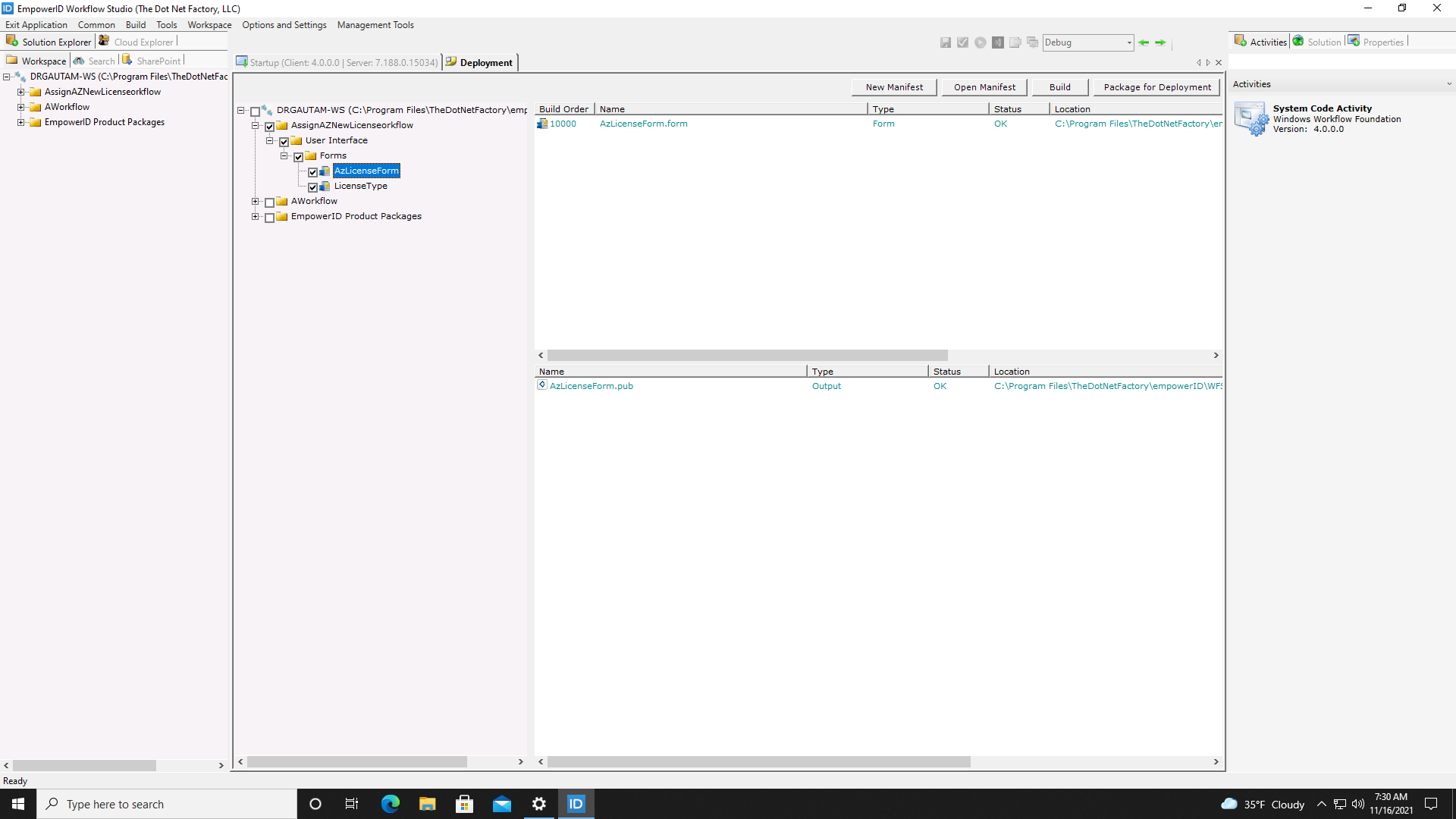
Deploying to a local folder is the default build action in Workflow Studio. This action copies your workflows, activities, class libraries, and other development objects to the _PublishedItems folder on your own machine but makes no changes to the EmpowerID SQL database. From here you can share the folder with other developers as well as test your work locally. When ready to deploy to a folder on your workstation, click the Build > Deployment menu item button on the Menu to open the Deployment tool and then select the items you want to build. Next, select Build. For more information, see Batch Deploy to a local folder.
Deployment window can also be accessed from Common > Deployment in the main menu.
Publish to an EmpowerID Environment
When you are ready to deploy your development work to a testing or production environment, you log in to the EmpowerID Web interface for that environment as a user with the appropriate access to run the PublishWorkflowStudioItem workflow and upload the .pub file for the workflows or other objects you want to publish. Once the workflow completes the publishing process, your work is available to users in the environment. For more information, see Deploy to EmpowerID Environment.
Create and Update Manifest Files
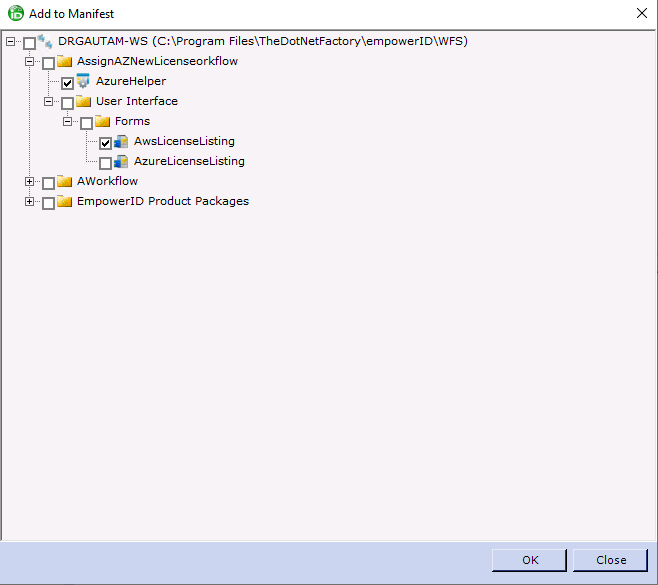
Manifest files contain metadata that describes all development objects required for a specific application. Manifest files are stored in the project folder containing the application. To create a manifest, click the Deployment Services button on the Common ribbon to open the Deployment tool and then click New Manifest. Next, select all the objects needed for the application and save them to the file. After you create a manifest, you can update it as needed, adding and removing items from the manifest and rearranging the build order of items to match application dependencies. For more information on creating and updating manifest files, see Create manifests.
Package for Deployment
If you have created custom items or updated objects in EmpowerID that need to be deployed, you can create a simple deployment file from your manifests that can then be handed off. To do so, you open the appropriate manifest file in Workflow Studio and then click Package for Deployment. Workflow Studio creates a .deploy file, which is basically a ZIP file that contains all the objects in your manifest. For more information, see the Package manifest for deployment.