Enable or Disable Notification Policies
Notification policies can be enabled or disabled to control whether specific Business Request events trigger notifications. Disabling a policy prevents it from generating notifications without deleting the policy configuration.
Enable or Disable a Notification Policy
-
On the navbar, expand Low Code/No Code Workflow and click Notification Policies.
-
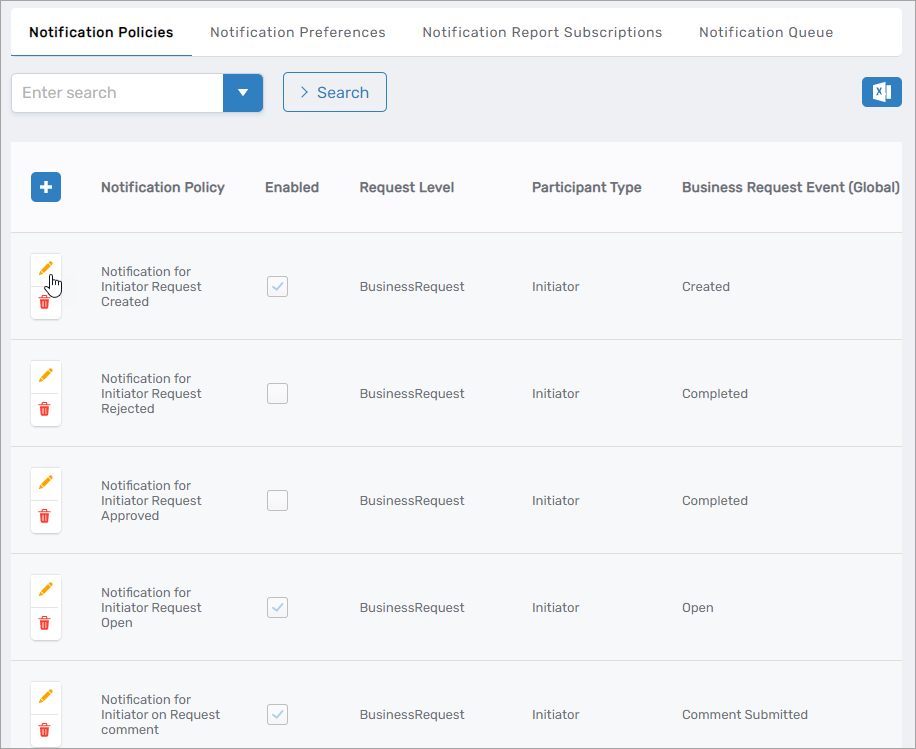
On the Notification Policies page, select the Notification Policies tab and then click the Edit button beside the notification policy you want to enable or disable.
-
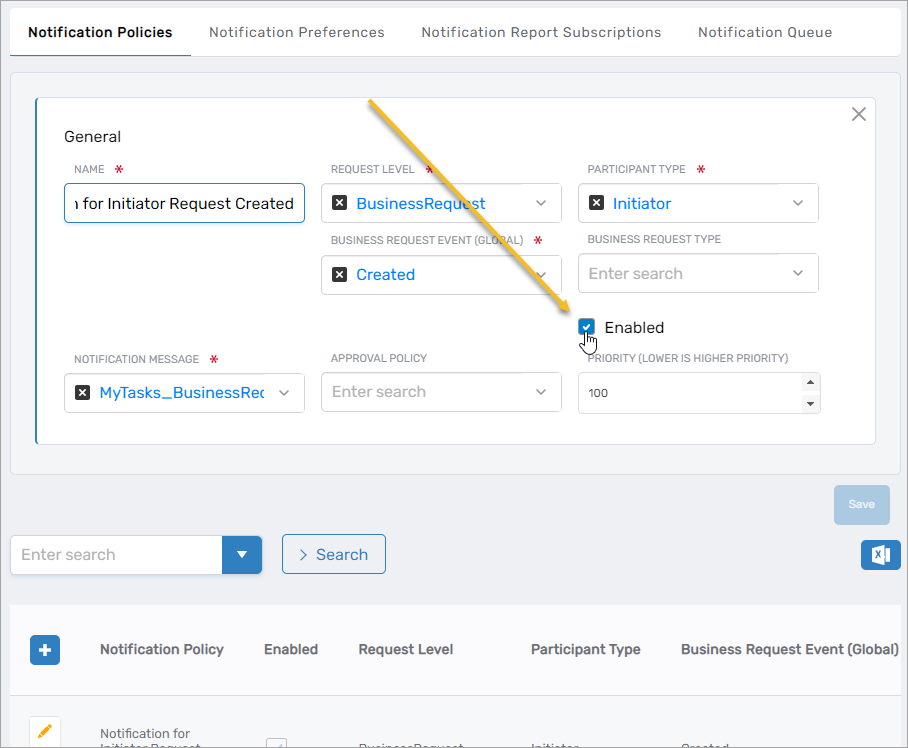
Set Enabled to On to enable the policy, or Off to disable it.
-
Click Save.
When a notification policy is disabled, it is not evaluated for matching events. If multiple enabled policies exist for the same event and participant type, the policy with the highest priority (lowest number) generates the notification.