Map EmpowerID Locations to External Locations
Map EmpowerID Locations to external directory locations to enable directory-based resource management and provisioning. When an EmpowerID Location is mapped to an external directory location such as an Active Directory OU, changes to resources in the EmpowerID Location are reflected in the external directory.
Prerequisites
Before mapping EmpowerID Locations to external locations, ensure you have:
- Permissions to manage Locations in EmpowerID
- The external directory (such as Active Directory) is configured and accessible in EmpowerID
- The target external location (such as an OU) exists in the external directory
Procedure
- Navigate to Role Management > Business Roles and Locations.
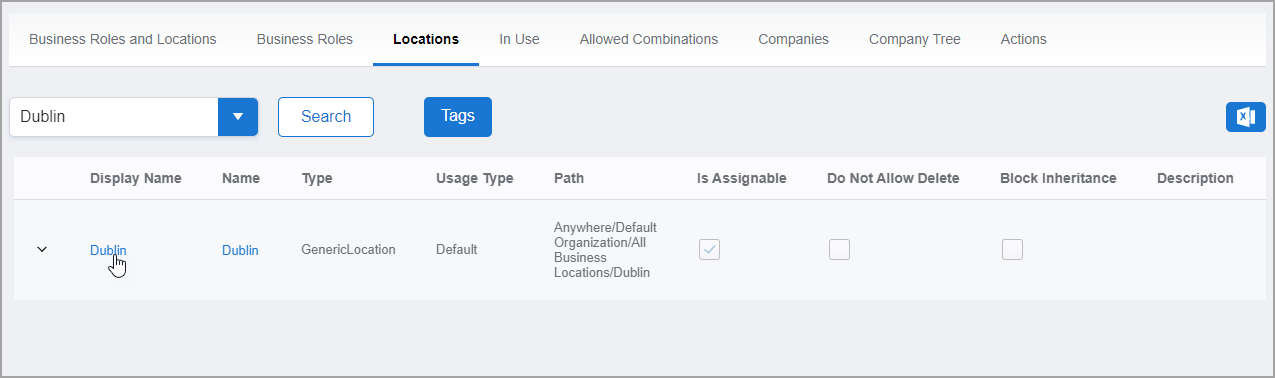
- Select the Locations tab.
- Search for and locate the EmpowerID Location you want to map.
- Click the Display Name link to open the Location's View One page.
The View One page displays all configuration and mapping information for the Location.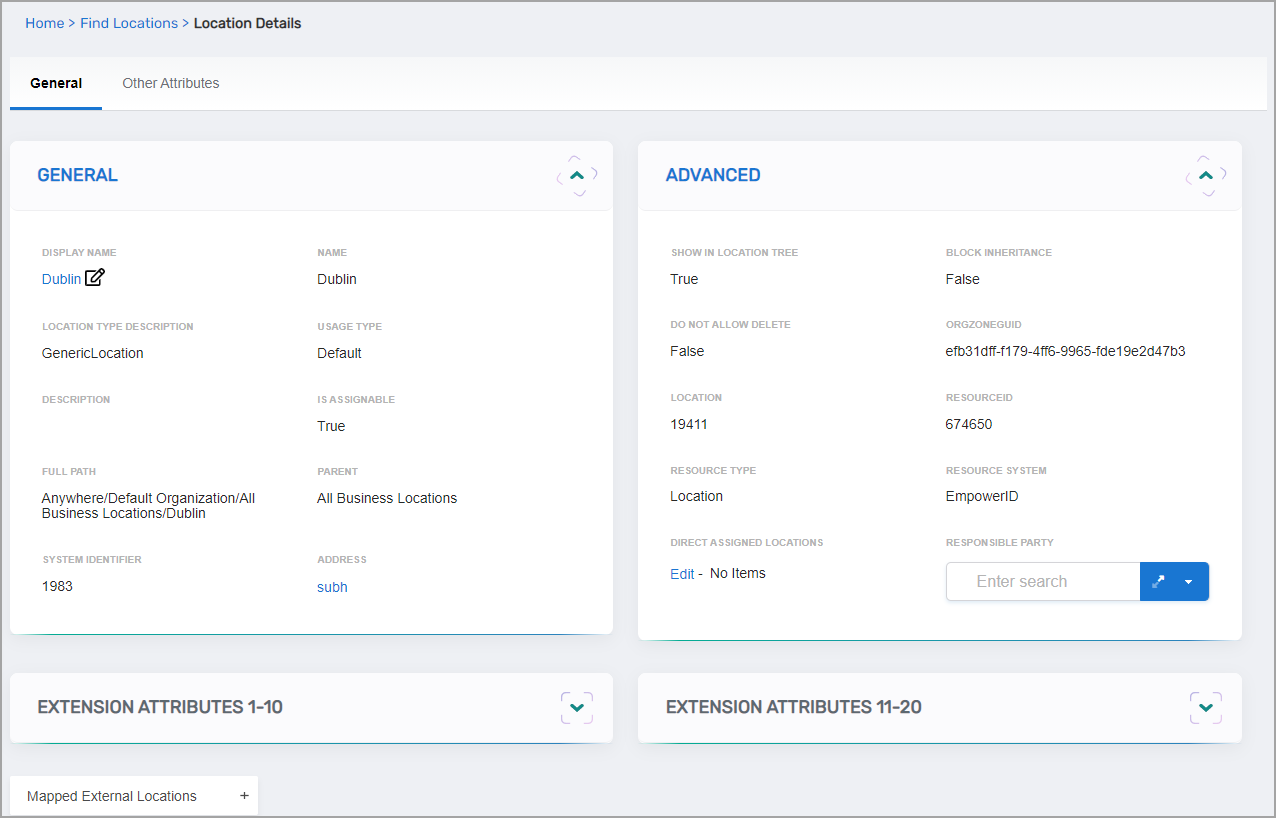
- Expand the Mapped External Locations accordion.
- Click Add.
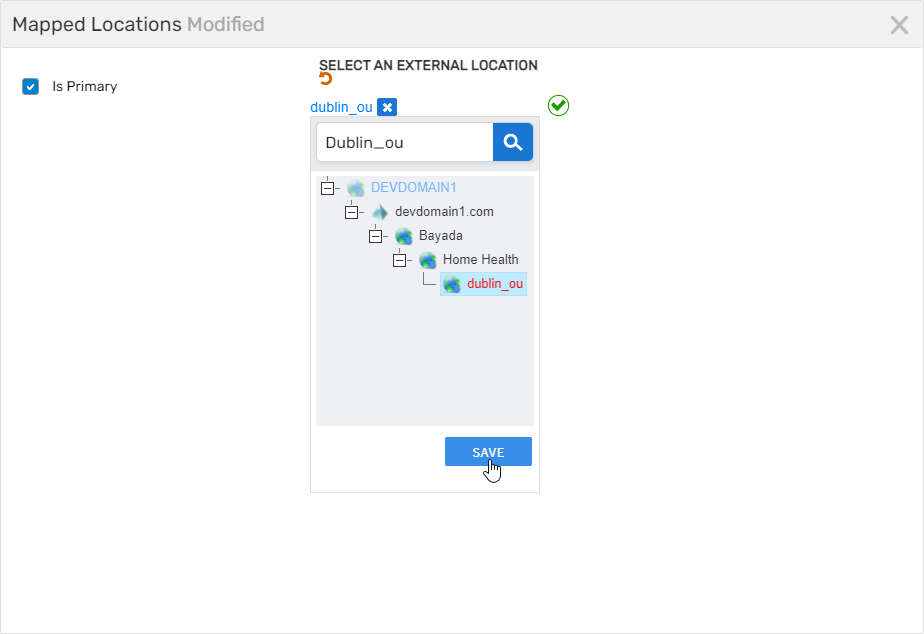
- In the Mapped Locations window, configure the mapping:
- Is Primary: Select this option to designate this as the primary mapping for the Location. The primary mapping determines where resources are provisioned by default when multiple mappings exist
- Click Select an External Location
- In the location tree, search for and select the appropriate external directory location (such as an OU)
- Click Save to save the selection and close the tree
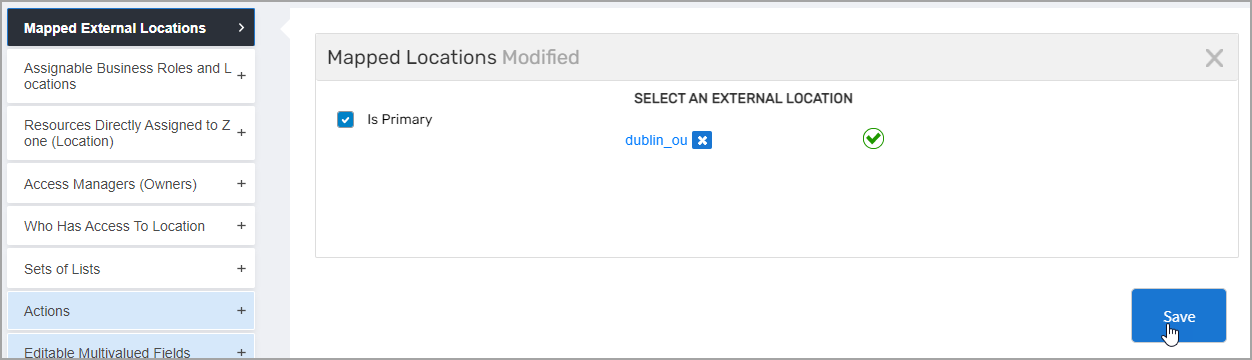
- Click Submit to commit the mapping.
Verify the Results
After mapping the Location:
- The View One page refreshes and displays the updated Location.
- In the Mapped External Locations accordion, verify the external location appears in the mappings list.
- Confirm the mapping shows the correct external directory path and primary designation if applicable.
- (Optional) Test the mapping by creating or moving a resource to the EmpowerID Location and verifying it appears in the corresponding external directory location.
Related Topics
- Create Locations — Create EmpowerID Locations before mapping
- Create Organizational Units — Create directory OUs to map to
- Create Business Role and Location Combinations — Use mapped locations in BRL combinations
- About Business Roles and Locations — Understand Location concepts and usage