What are Access Levels?
Access Levels are bundles of operations and native system rights specific to a resource type, such as Exchange mailboxes or user accounts. When assigned to users, Access Levels grant them the ability to access IT resources in the manner specified by the definition.
Each resource type has its own set of Access Levels defined with different combinations of EmpowerID operations and rights. This ensures that the level of access to resources remains consistent for the type and the assignment. These actions can range from viewing a resource in an EmpowerID user interface to provisioning and deprovisioning resources in native systems. The extent of the access is determined by the configuration of the Access Levels and the scope of the assignment.
For example, the Contribute Access Level for Microsoft SharePoint in EmpowerID is defined with the same rights as Contribute permissions in the native application. This allows users to add, edit, and delete items in existing SharePoint lists and document libraries. EmpowerID allows Access Levels like these to be defined for every type of resource it manages so that those levels of access are codified and enforced for each assignment of an Access Level to a user.
EmpowerID provides a large library of Access Levels already configured for most common resource types and delegation scenarios. You can use these out of the box or create custom definitions tailored to your organization's needs.
Understanding Access Level Definitions
This centralization of resource-specific role definitions ensures consistency and auditability of permissions. It enables organizations to migrate existing user permissions in resources to Access Levels, which can then be mapped to their corresponding EmpowerID Person identities.
Although many Access Levels can exist per Access Level Definition (for example, 50 assignments of the Reader In Outlook Access Level to 50 different users), role bloat is avoided since each Access Level is managed by one Access Level Definition per resource type. This one-to-many relationship means you define the permissions once and apply them consistently across all assignments.
How Access Levels Are Created
Granting the abilities of an Access Level Definition is achieved through assigning an Access Level based on that definition. For instance, let's take the Reader In Outlook Access Level Definition as an example. This Access Level Definition has one right assigned to it: Read Permission.
Any Access Levels created based on this definition and assigned to users grant those users native Read permissions for each mailbox against which the assignment is made. These assignments can be as broad as to include every mailbox within an organization or as limited as to include only a single mailbox.
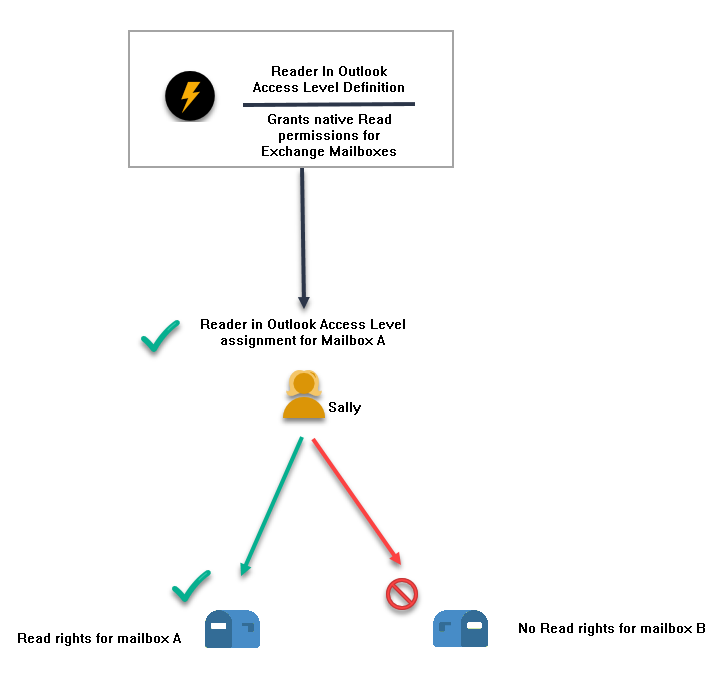
In the following scenario, the Reader In Outlook Access Level Definition is defined with the Read Permission right for Exchange Mailboxes. This one Access Level Definition can be used as the basis for assigning the corresponding Reader In Outlook Access Level to any number of users for any number of mailboxes.
Each assignment of the Reader In Outlook Access Level will always provide the same functional access to mailboxes unless the rights and operations of the Access Level Definition are changed. Users can only access the mailboxes for which the assignment of the Access Level occurs.
In our example, we have assigned the Reader In Outlook Access Level to one user, Sally, for one mailbox, Mailbox A. Since Sally does not have a Reader In Outlook Access Level assignment for Mailbox B, she cannot read that mailbox in EmpowerID unless she has another Access Level that grants that right.
EmpowerID comes with a large number of pre-configured Access Level Definitions for each resource type it protects, including all objects within the EmpowerID system itself. These Access Level Definitions are ready-to-use, featuring unique combinations of EmpowerID Operations and native system rights that can be immediately employed for managing and delegating resources via Access Level assignments. You can use these Access Level Definitions or create your own with custom rights and operations.
Operations vs. Rights
Access Level Definitions can include two types of permissions: Operations and Rights. Understanding the difference is critical for proper configuration.
Operations
Operations are EmpowerID-specific actions that users can perform within workflows or custom applications. Examples include viewing a resource in the EmpowerID interface, initiating a provisioning workflow, or managing assignments. Operations grant capabilities within the EmpowerID platform itself.
Rights
Rights are native permissions used by external applications or operating systems to manage security for the resource type in question. Granting these rights enables capabilities for users in those systems, apart from EmpowerID.
Being granted rights does not grant the user any abilities within EmpowerID itself, nor does it make the user a potential approver for any operations. EmpowerID provides the ability to inventory these rights and their assignments to users, as well as the capability to assign or push these rights into and remove them from native systems through the enforcement process.
Rights are native permissions for external systems only. Granting rights enables capabilities in applications or operating systems but does not grant EmpowerID-specific abilities or make users potential approvers in EmpowerID workflows.
Access Level Definition Qualifiers
Access Level Definitions qualify assignments of operations in four distinct ways. Understanding these qualifiers is essential for designing effective access control policies.
Allowed
Adding an operation to an Access Level Definition as Allowed grants Access Level assignees the ability to perform the task for which the operation pertains. This is the standard way to grant permissions.
Denied
Adding an operation to an Access Level Definition as Denied explicitly denies Access Level assignees the ability to perform the task for which the operation pertains.
This option should be chosen carefully, as selecting it overrides any similar operations that the assignee may be allowed in another Access Level Definition. For instance, if an assignee has an "Administrator" Access Level that allows an operation, but is also assigned an "Editor" Access Level that denies the same operation, the operation will be denied, even though the Administrator Access Level authorizes it.
A "Deny" always overrides an "Allow." Use this qualifier with extreme caution as it can prevent users from performing operations even when they have other Access Levels that grant those permissions.
Unassigned
The operation is neither allowed nor explicitly denied. This option should be selected to avoid canceling out any similar operations that have been granted to the user in other Access Level assignments.
By choosing "Unassigned," you ensure that the Access Level Definition neither grants nor denies the operation, allowing other assigned Access Levels to dictate the user's permissions for that specific operation. This is particularly useful when you want to grant some permissions without interfering with other Access Level assignments the user may have.
Disabled
Adding an operation to an Access Level Definition as "Disabled" denies Access Level assignees the ability to perform the task for which the operation pertains. However unlike the "Denied" option, it does NOT override any similar operations that the assignee may be allowed in another Access Level Definition. For instance, if an assignee has an "Administrator" Access Level that allows an operation, but is also assigned an "Editor" Access Level that has the same operation set as Disabled, the operation will be allowed, as long as the Administrator Access Level authorizes it and it is granted to the same resource.
Delegating Resources with Access Levels
In EmpowerID, RBAC delegations are achieved through the assignment of Access Levels. Access Levels can be assigned directly to one of the Actor types (people, accounts, groups, Business Roles and Locations, or SetGroups) or to Management Role Definitions and their child Management Roles, to which Actors are then assigned.
When designing a delegation model, it is crucial to consider the projection and enforcement process that EmpowerID employs to manage the security of your resources. Delegations can be done by selecting people, accounts, groups, Business Roles and Locations, or SetGroups, and granting them access directly, by location, or via a Management Role.
Alternative: Location Delegations
Location delegations are also a good choice, resulting in a single group per domain. However, you may potentially have more groups than you would be using Management Roles alone. Location-based delegations work well when access requirements align with organizational structure.
Use Sparingly: Direct Assignments
Direct assignments are the least recommended method for delegating access to resources and should only be used to cover the delegation "exceptions" that cannot be met by one of the other methods mentioned above.
This approach should be used sparingly because it can become cumbersome when managing a large number of Access Levels, as each direct assignment results in the creation of a separate domain local group for enforcement in the external system.
Prioritize Management Roles for most delegations, use Location delegations for organizational alignment, and reserve direct assignments only for exceptional cases that cannot be addressed through other methods.
Access Levels and RBAC Operations
Access Levels and RBAC Operations in EmpowerID allow you to take advantage of RBAC to manage the access of various users to different resources. Assignees of Access Levels with RBAC Operations can manage the Access Level assignments of other EmpowerID Actors for specific resource objects.
Examples of these RBAC Operations include AddPersonToViewer and RemovePersonFromViewer, which enable users to grant or remove the "Viewer" Access Level for specific resources.
Example: Granular Delegation Control
For instance, in the given example, Bethany needs to manage access to an Absence Report for Jacques. She is assigned two Access Levels:
- One with the AddPersonToViewer operation allowed for the Absence Report
- Another with the same operation allowed for Jacques
This enables her to grant Jacques the Viewer Access Level for the Absence Report. Both Access Levels are needed for Bethany to complete the assignment, and if one is missing, the delegation will route to another person with the ability to approve the assignment.
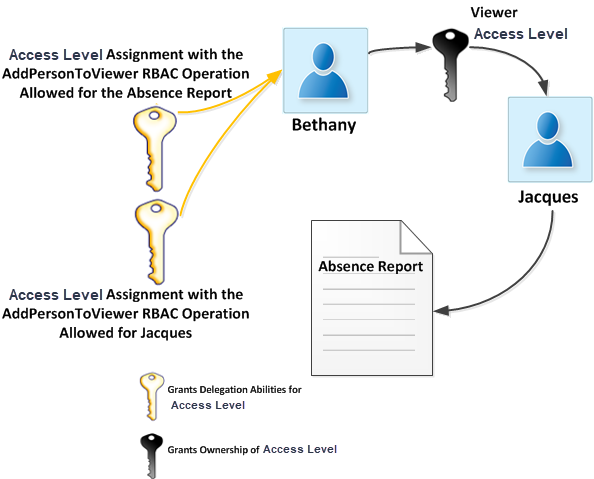
Assigning Access Levels in a granular manner allows for precise control over user capabilities in managing Access Level assignments. Bethany's example demonstrates that she has limited capabilities due to her Access Levels, each with a single RBAC Operation allowed, scoped to one report and one person.
This restricts her actions, such as granting the Viewer Access Level for the Absence Report to other users or granting Jacques additional abilities beyond viewing the report.
Broader Delegation Scenarios
In most organizations, a high level of granularity may not be necessary. Instead, they often have a select group of users responsible for managing Access Level assignments for a set of resources. EmpowerID offers ready-made Access Level Definitions to address this need.
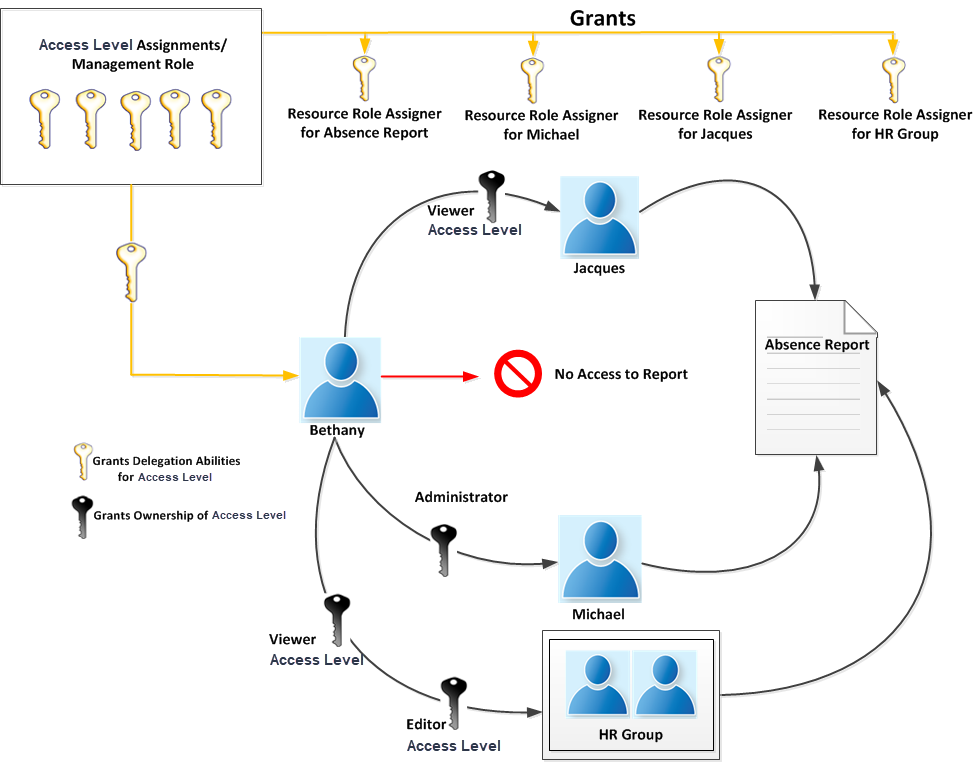
Returning to our example above, if we decided that we wanted to broaden Bethany's delegation responsibilities for the Absence Report so that not only could she grant Jacques the ability to view the report, but she could also grant members of the HR Group the ability to both view and edit the report as well as grant another user named "Michael" the ability to delete the report, we could simply grant her a direct assignment to the Access Level Assigner Access Level for each of the objects.
Because the Access Level Assigner Access Level Definition contains all the operations needed for delegations, granting Bethany one Access Level for all three objects will enable her to make these assignments without requiring any approval.
Notice that although Bethany has the ability to manage Access Level assignments for the Absence Report, she cannot access the report itself. Assignees of any Access Levels that grant them the ability to delegate access to resources cannot delegate to themselves that access. For Bethany to access the report, another user with the appropriate Access Levels must grant that ability to her.