Create Access Level Definitions
Access Level Definitions are templates that bundle EmpowerID Operations and native system rights for specific resource types. When assigned to users as Access Levels, they grant access to IT resources according to the definition's configuration.
💡Pre-configured Access Level Definitions
EmpowerID provides a large library of Access Level Definitions already configured for most common resource types and delegation scenarios. You can use these out of the box or create your own.
Procedure
- In the EmpowerID web application, navigate to Admin > RBAC Definitions > RBAC Access Levels.
- On the Access Level page, click the Add button.
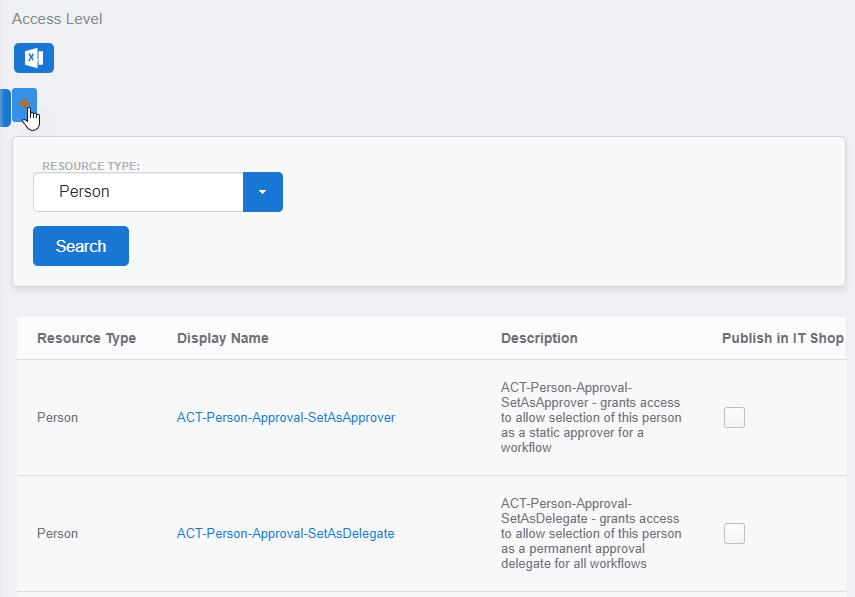 The Access Level Details form opens.
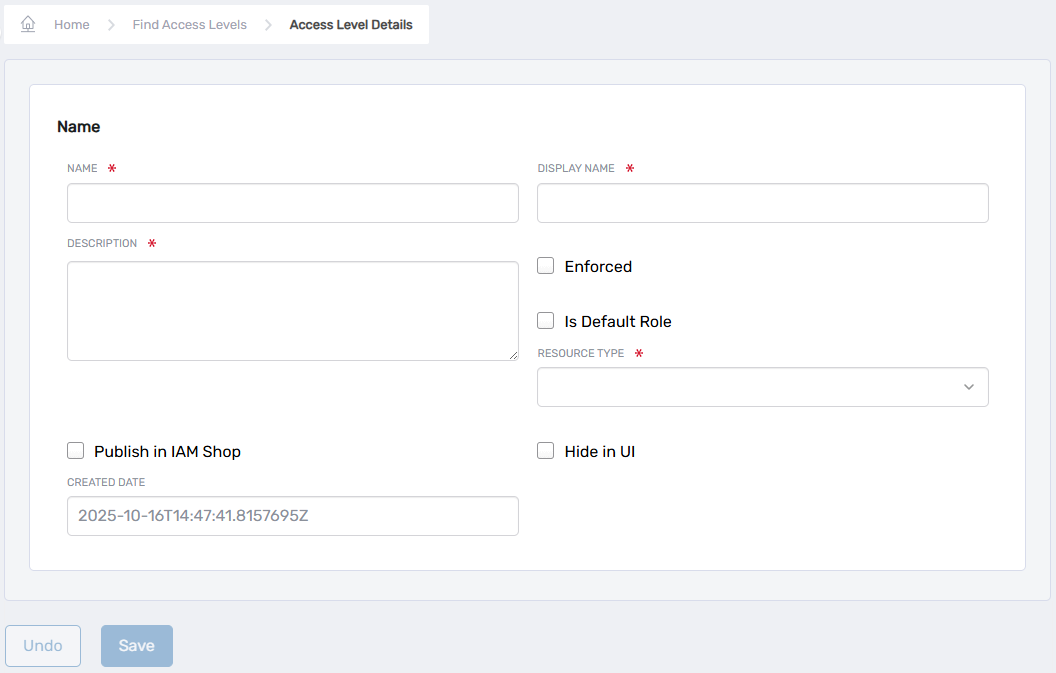
- Enter the following information on the form:
- Name — Name of the Access Level Definition
- Display Name — Display name of the Access Level Definition; the Display name is what appears in the UI
- Description — Description of the Access Level Definition
- Enforced — Select this option if you want EmpowerID to enforce native rights granted by the Access Level (for inventoried systems only)
- Is Default Role — Select this option if the Access Level is the default for the resource type
- Resource Type — Select the resource type for which you are creating the Access Level Definition, such as Business Role Location or Exchange Mailbox
- Publish in IAM Shop — Select this option to make the Access Level requestable in the IAM Shop
- Hide in UI — Select this option to prevent users from seeing the Access Level in EmpowerID
- Created Date — Read-only field that automatically populates with the date the Access Level Definition was created
- Click Save.
ℹ️Next Steps
Once an Access Level Definition is created, it needs EmpowerID Operations and native system rights before it can be used to delegate resources to users. See Add Operations to Access Level Definitions and Add Rights to Access Level Definitions for details.