Clone Access Level Definitions
Cloning an Access Level Definition allows you to use the operations and native system rights associated with the cloned Access Level as a starting point for building a new Access Level Definition. When you clone an Access Level Definition, you create an exact copy of that definition, with all the operations and rights being passed to the clone. Once you have created the clone, you can tailor it to meet your specific needs by adding or removing operations and rights as needed. Note that when cloning an Access Level, you can edit the Friendly Name of the clone but not the Name.
Procedure
-
In the EmpowerID web application, navigate to Admin > RBAC Definitions > RBAC Access Levels.
-
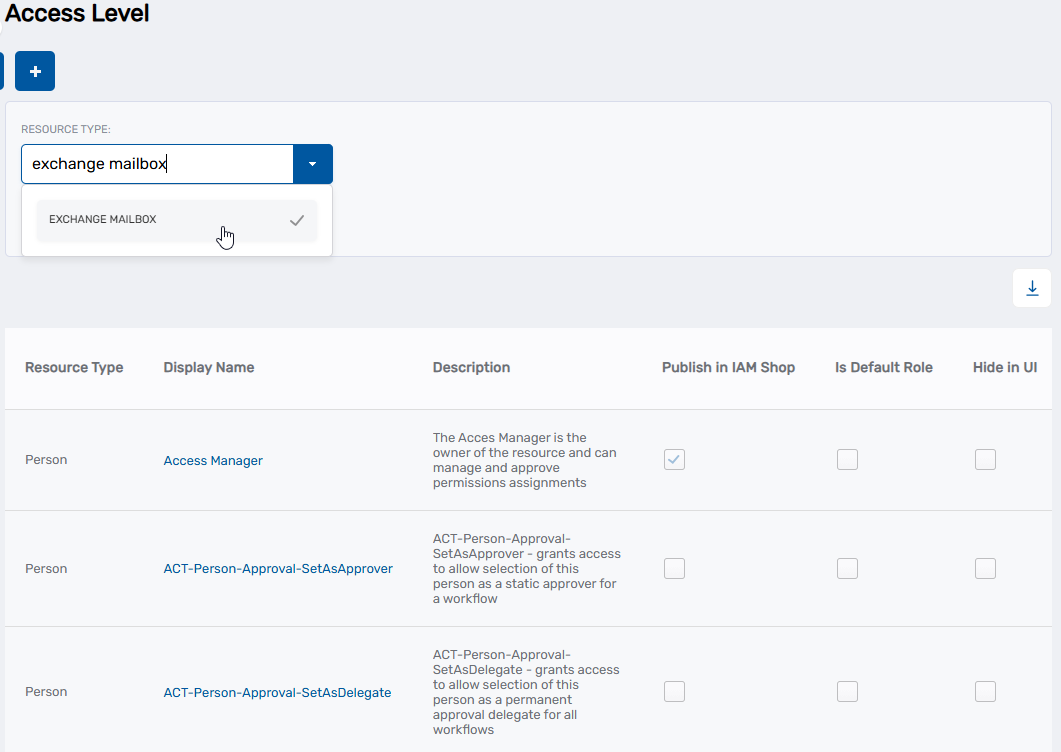
From the Search tab of the Access Level page, click the Resource Type drop-down and select a specific resource type, such as Exchange Mailbox.
-
Click Search.
-
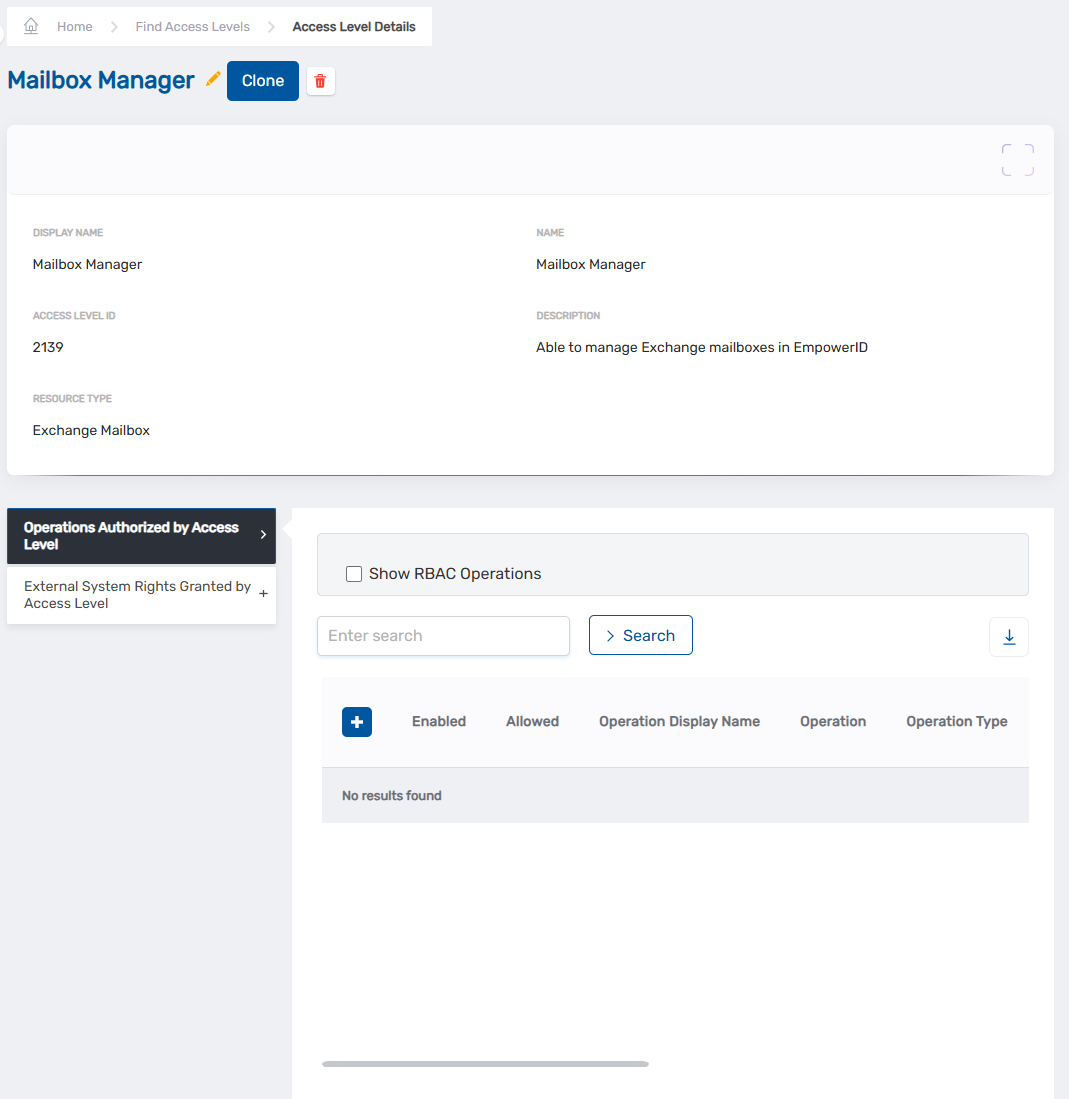
Locate the Access Level Definition to which you want to add Operations and click the Display Name link for it in the grid.
The View page for the Access Level Definition opens. View pages allow you to view and manage the resources to which they pertain.
-
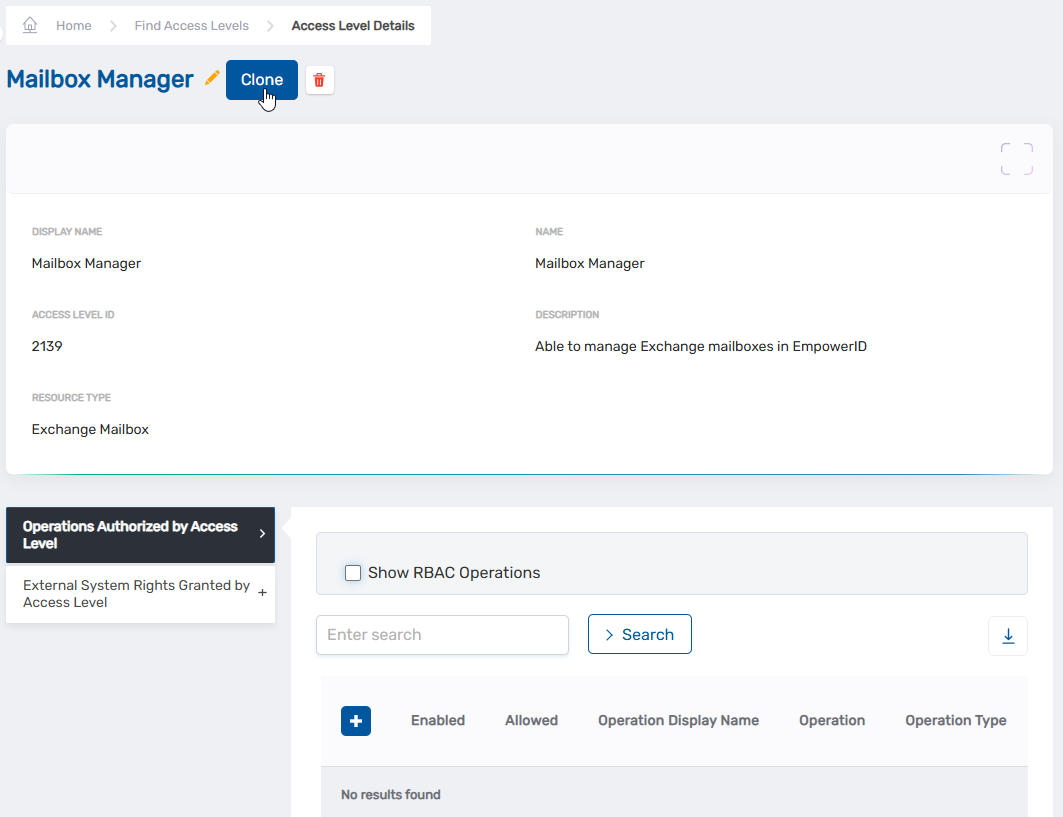
On the View page, click the Clone button.
-
Click Yes to confirm you want to clone the Access Level Definition.
Verification
The cloned Access Level Definition appears in the Access Level grid. You can now customize the clone by adding or removing operations and rights to meet your specific requirements.