Add Operations to Access Level Definitions
Adding operations to Access Level Definitions grants users assigned the Access Level the ability to perform those operations against a target resource within an EmpowerID workflow or custom application.
Procedure
-
In the EmpowerID web application, navigate to Admin > RBAC Definitions > RBAC Access Levels.
-
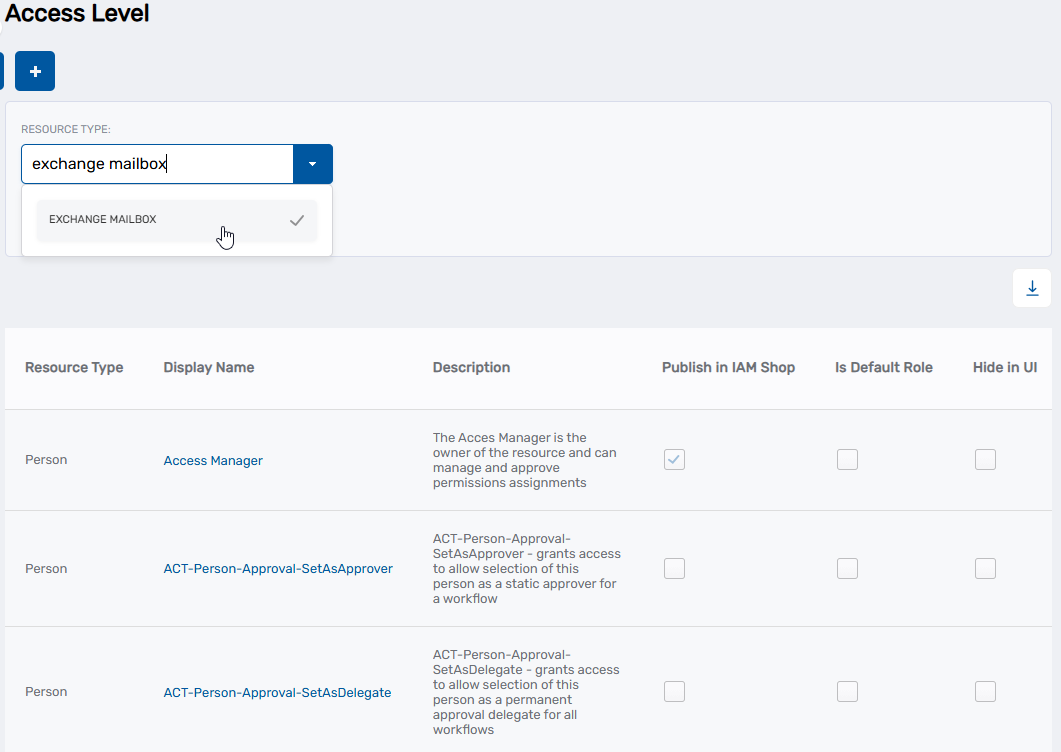
From the Search tab of the Access Level page, click the Resource Type drop-down and select a specific resource type, such as Exchange Mailbox.
-
Click Search.
-
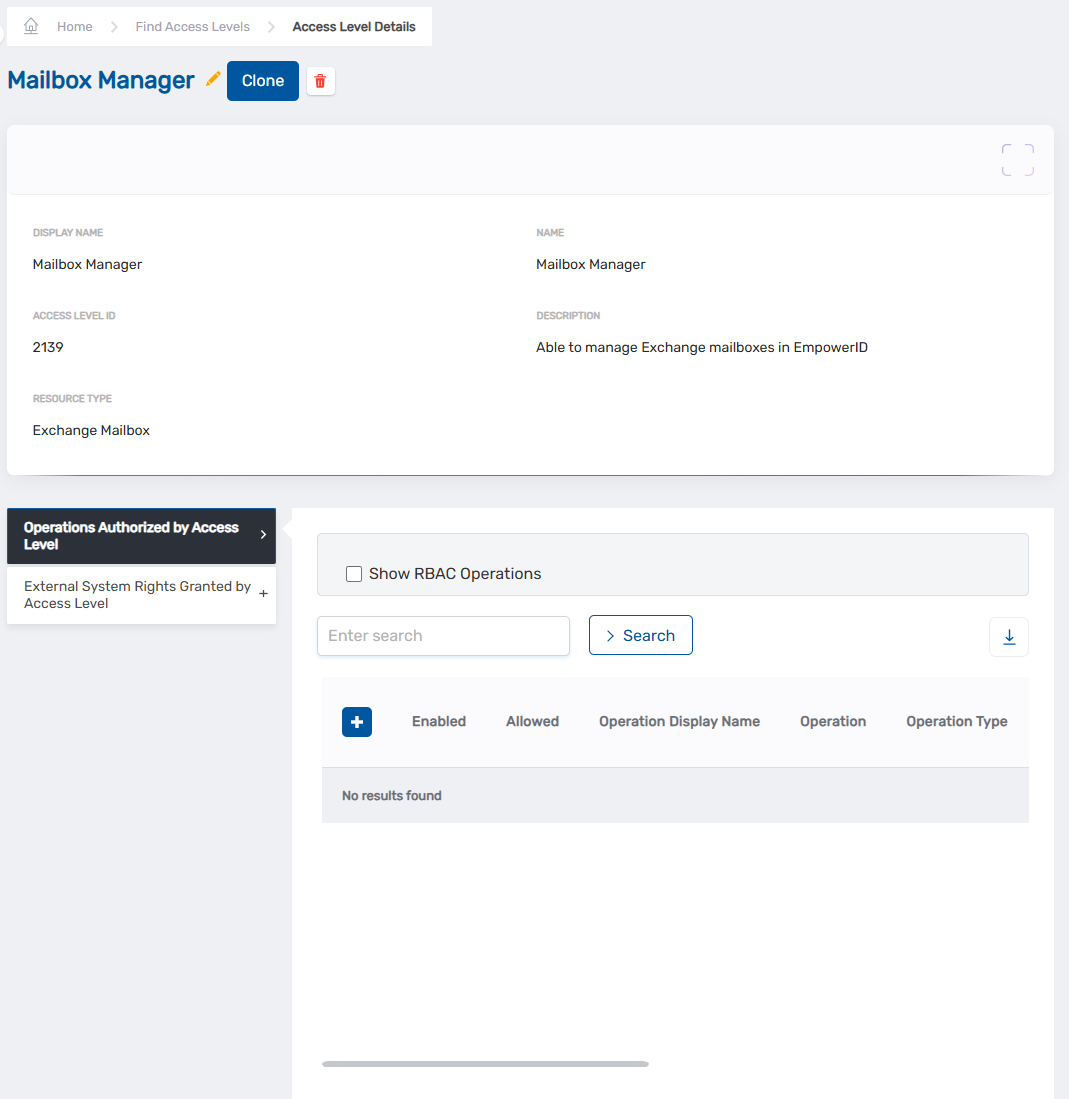
Locate the Access Level Definition to which you want to add Operations and click the Display Name link for it in the grid.
The View page for the Access Level Definition opens. View pages allow you to view and manage the resources to which they pertain.
-
From the View page, click the Operations Authorized by Access Level accordion to expand it.
-
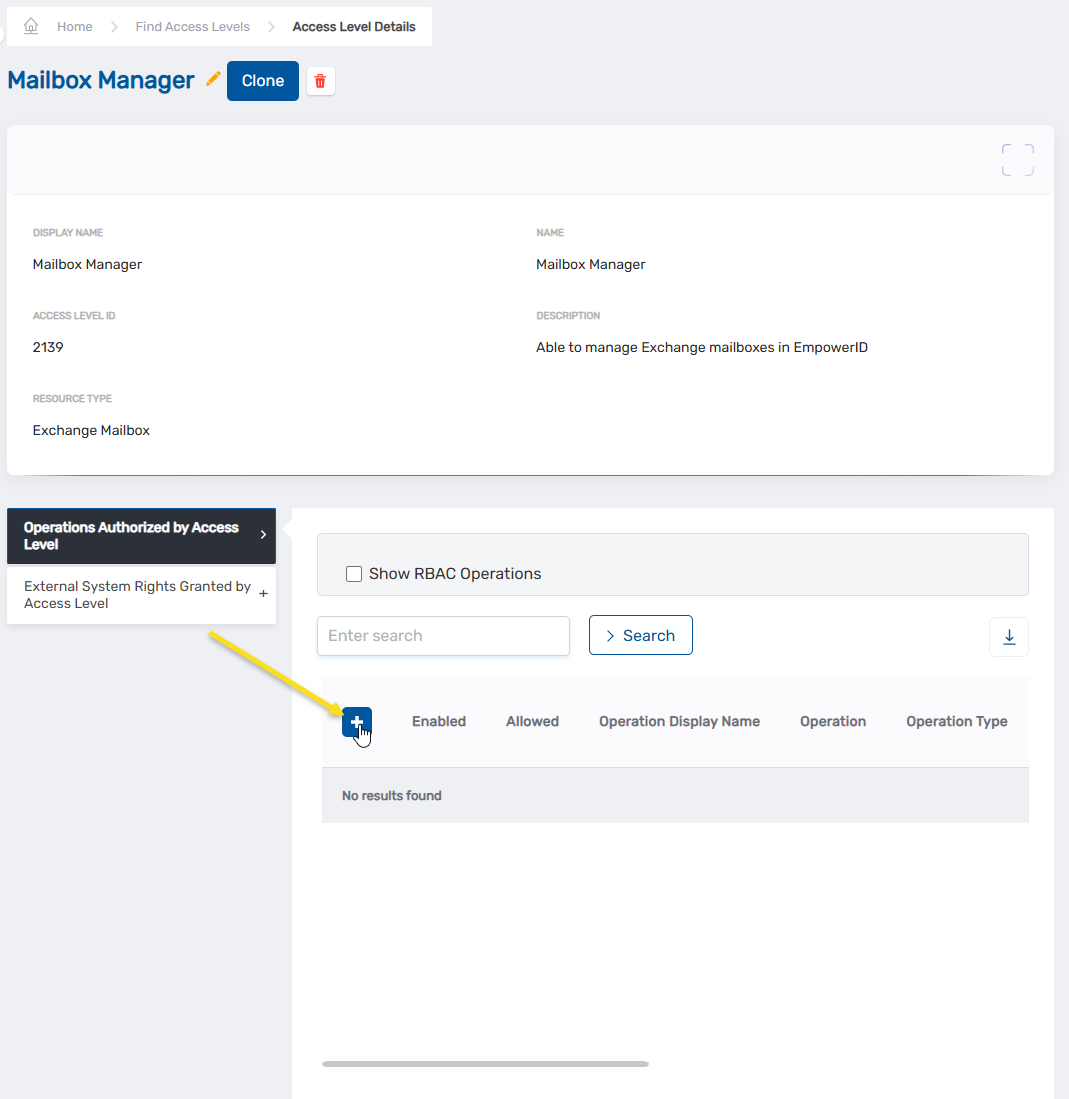
In the Operations Authorized by Access Level accordion, click the Add New button above the grid.
-
Enter the name of the EmpowerID Operation you want to add to the Access Level Definition in the Enter Operation field and then click the tile for that operation. Note that if an operation is already added to the Access Level, it will not appear on the list.
-
Repeat step 6, adding as many operations to the Access Level Definition as you need.
-
When you have finished adding operations, click Save.
Verification
The added operations appear in the Operations Authorized by Access Level grid. Users assigned this Access Level can now perform these operations against resources where the Access Level is granted.