Add Additional Assignee Types to Announcements
After creating an announcement, assign it to additional Business Roles, Management Roles, groups, or Query-Based Collections to ensure users within those structures receive the notification.
Add Assignees to an Existing Announcement
- Log in to the EmpowerID portal as an administrator.
- In the sidebar, navigate to Admin > Miscellaneous > Announcements.
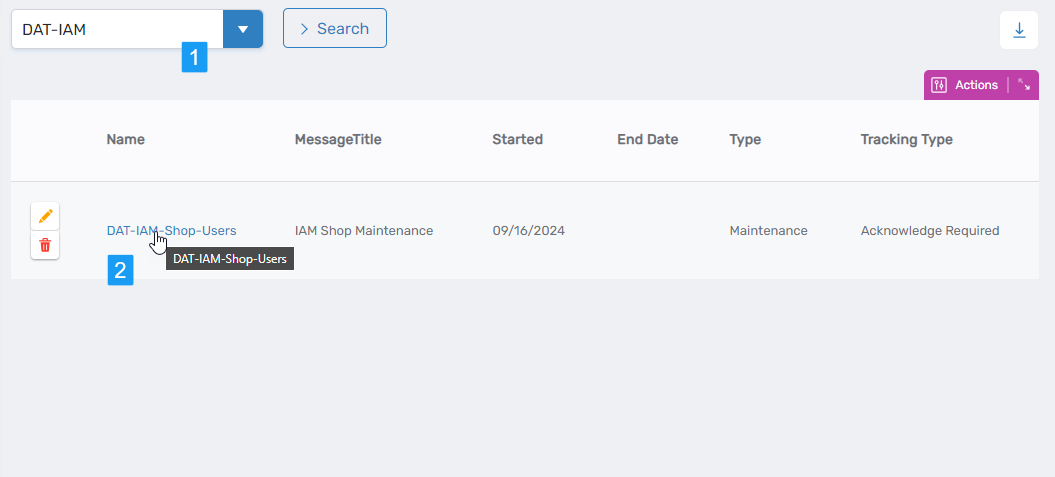
- Search for the announcement you want to update.
- Click the Name link for the announcement.
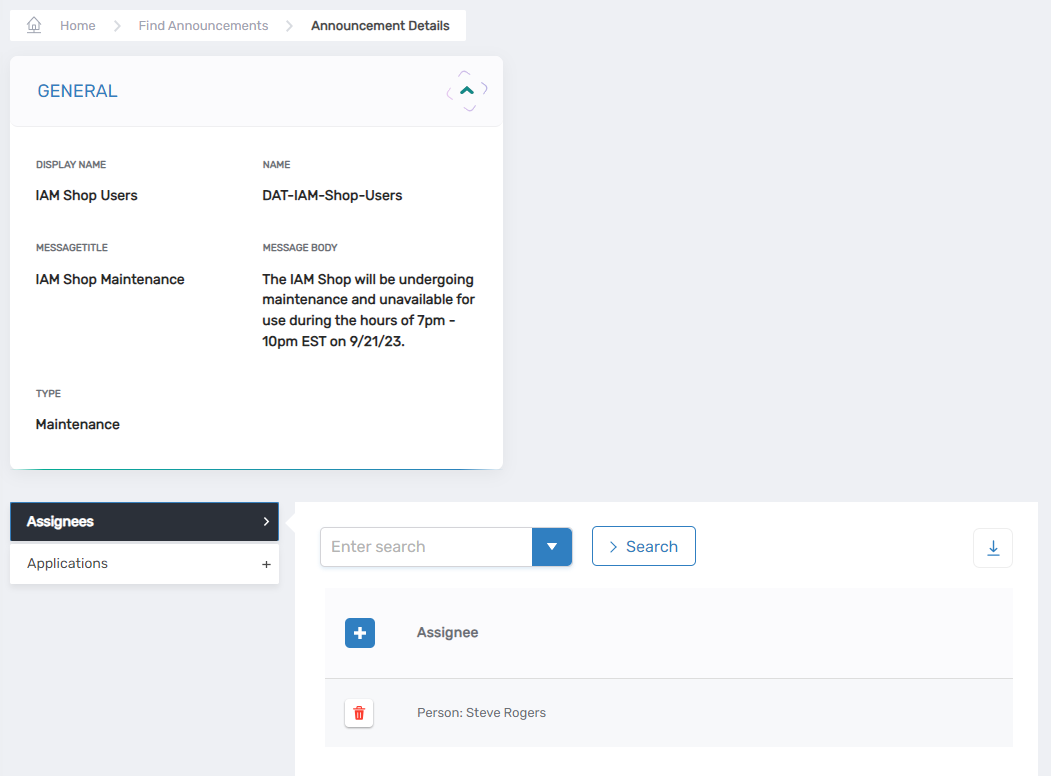
This opens the View One page for the selected announcement.
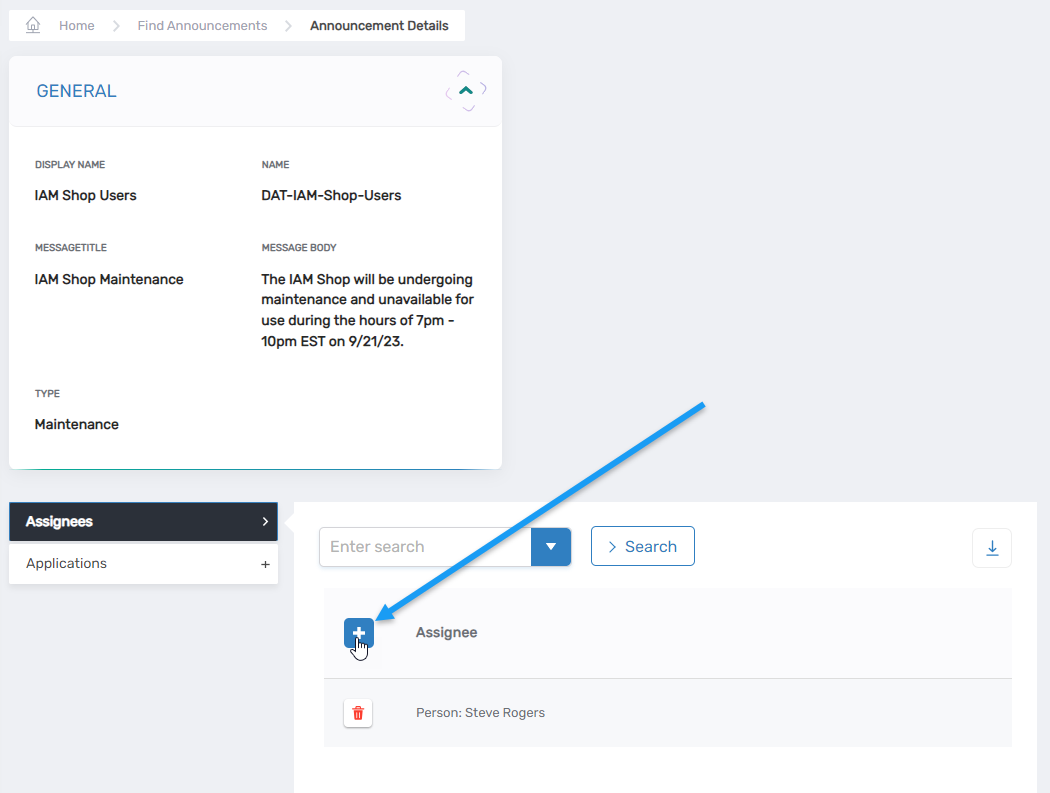
- In the Assignees grid, click Add New Assignee.
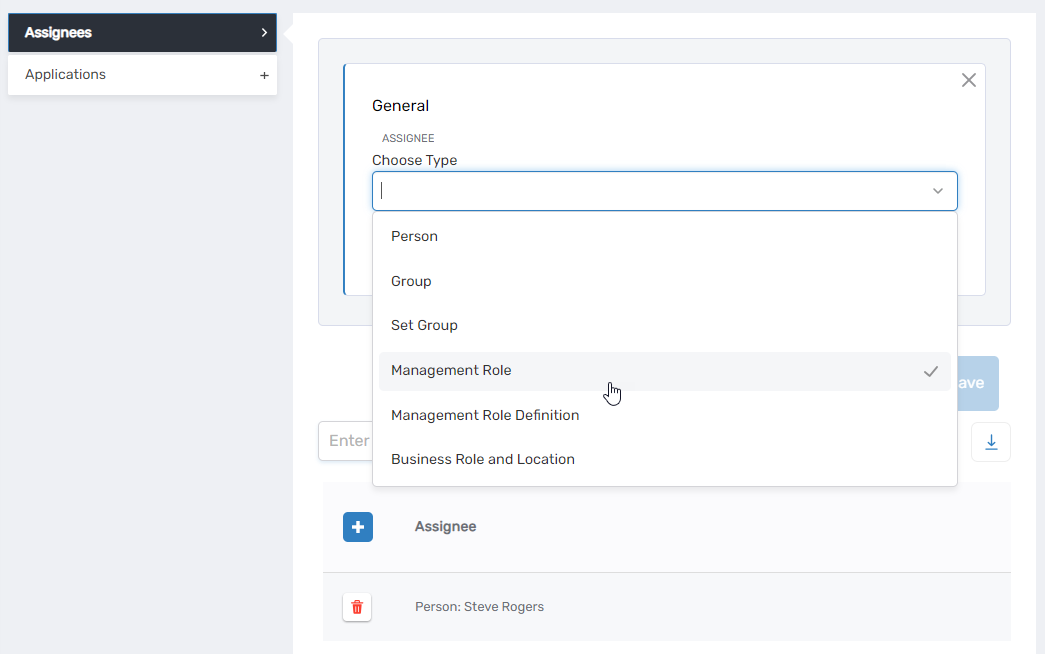
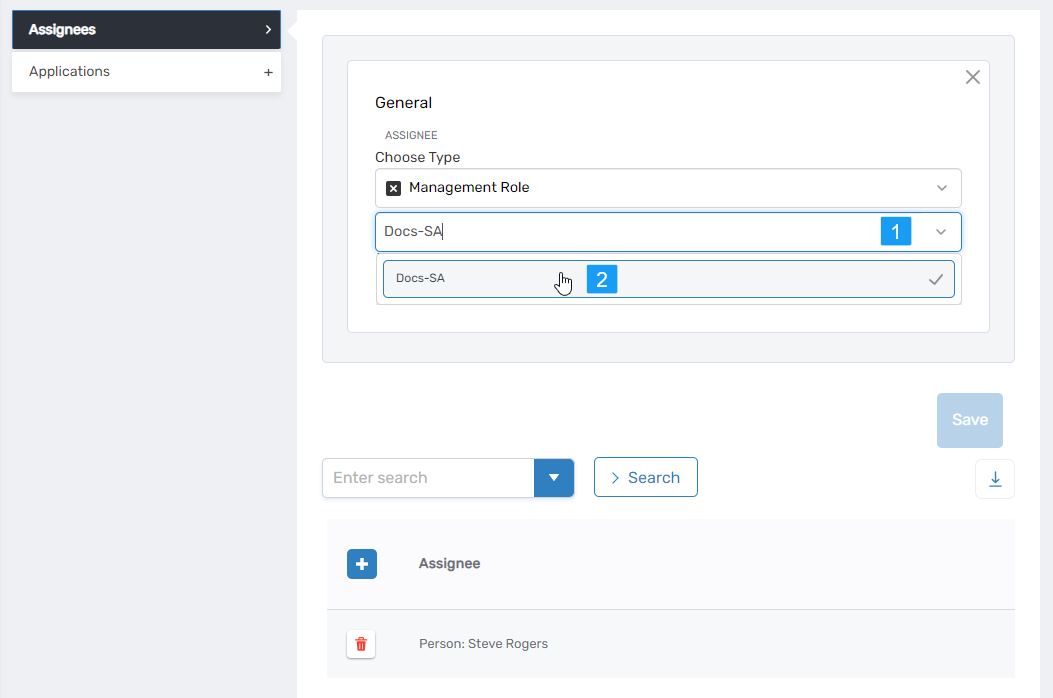
- In the modal, select the desired assignee type:
- Business Role and Location
- Management Role
- Group
- Query-Based Collection
- Search for the specific assignee that matches the selected type.
- Click the assignee name in the results.
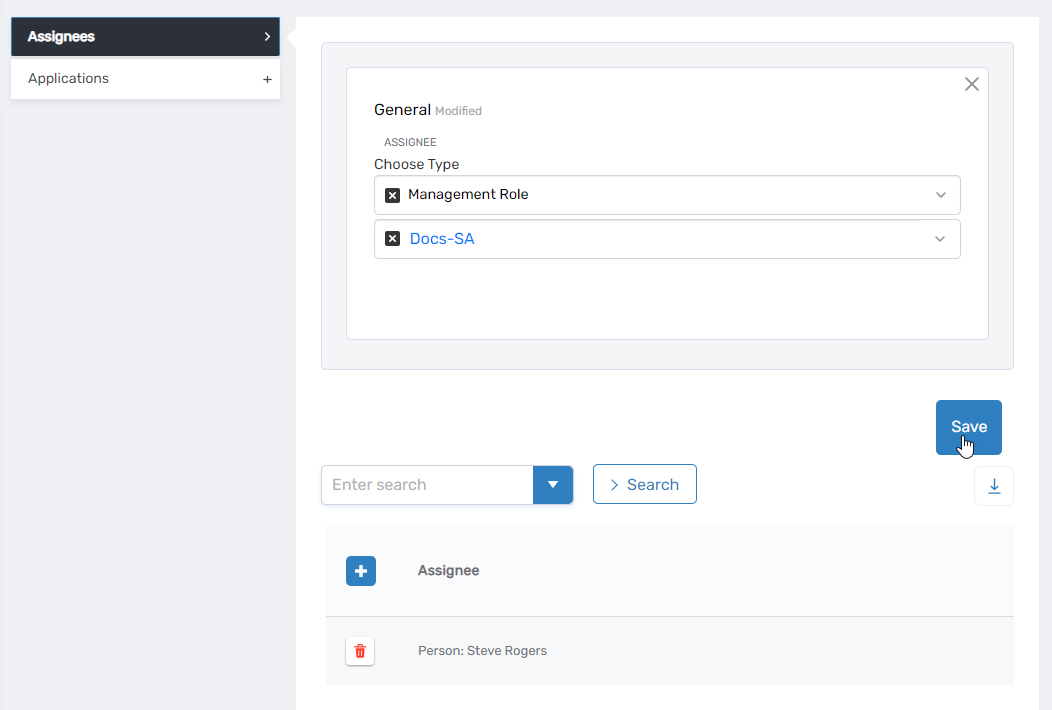
- Click Save.
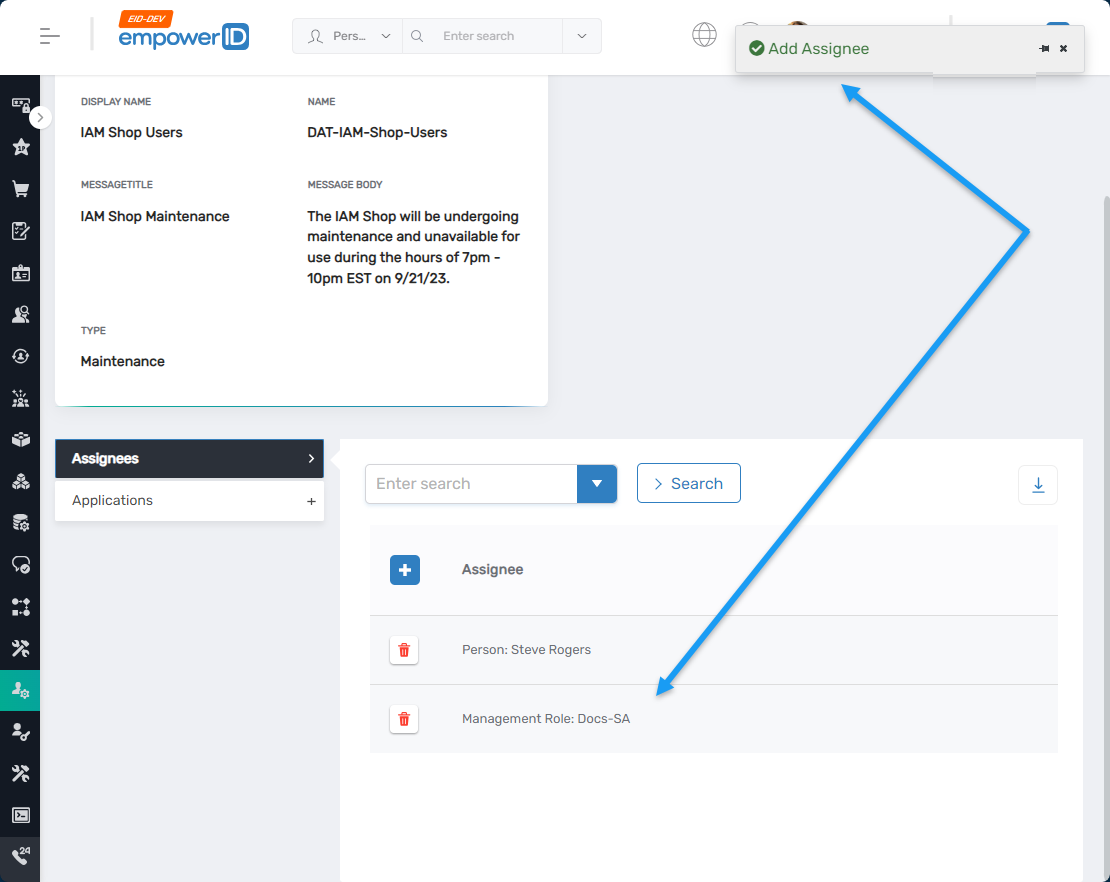
A confirmation message appears, and the assignee is listed in the grid.
- Repeat steps 5-9 to add additional assignees as needed.
Expected Results
Users who are part of the selected Business Role, Management Role, group, or collection will receive the announcement when they access the assigned application.
To verify:
- Navigate to the application's URL.
- Log in as a member of the newly added group or role.
- The announcement should appear before the application's landing page.
Announcements are only displayed if the user is both an assignee and accessing an application to which the announcement has been assigned.