Edit Owners and Deputies for a Client Secret
As an application owner or delegated administrator, you can assign or update the owners, deputies, and responsible party for a Microsoft Entra client secret. These assignments control who is accountable for the credential and who can manage it in Resource Admin.
Steps to Edit Owners and Deputies
- Log in to Resource Admin.
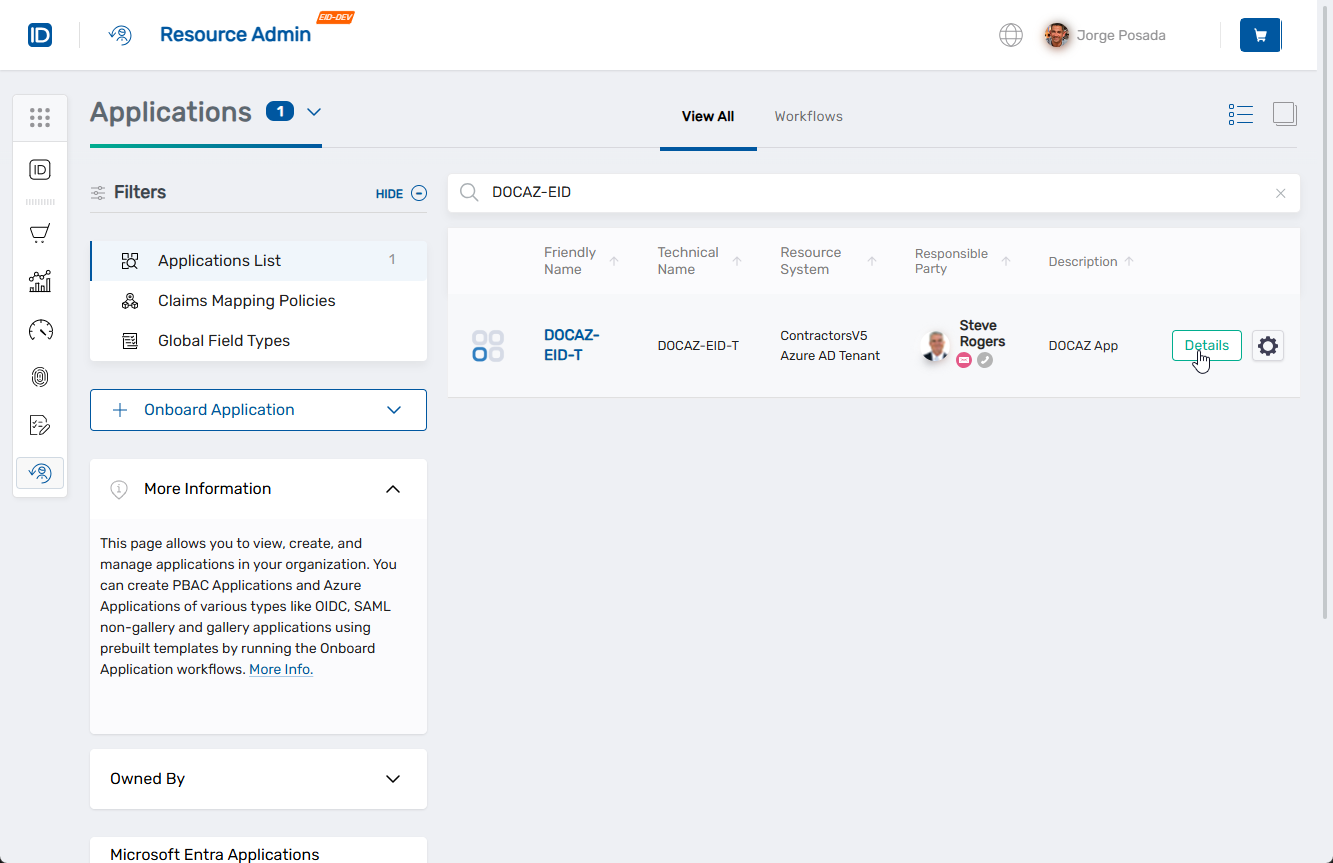
- Select Applications from the Resource Type menu and search for the Azure application with the client secret you want to manage.
- Click the Details button for the application.
 This opens the Overview page for the selected Azure application.
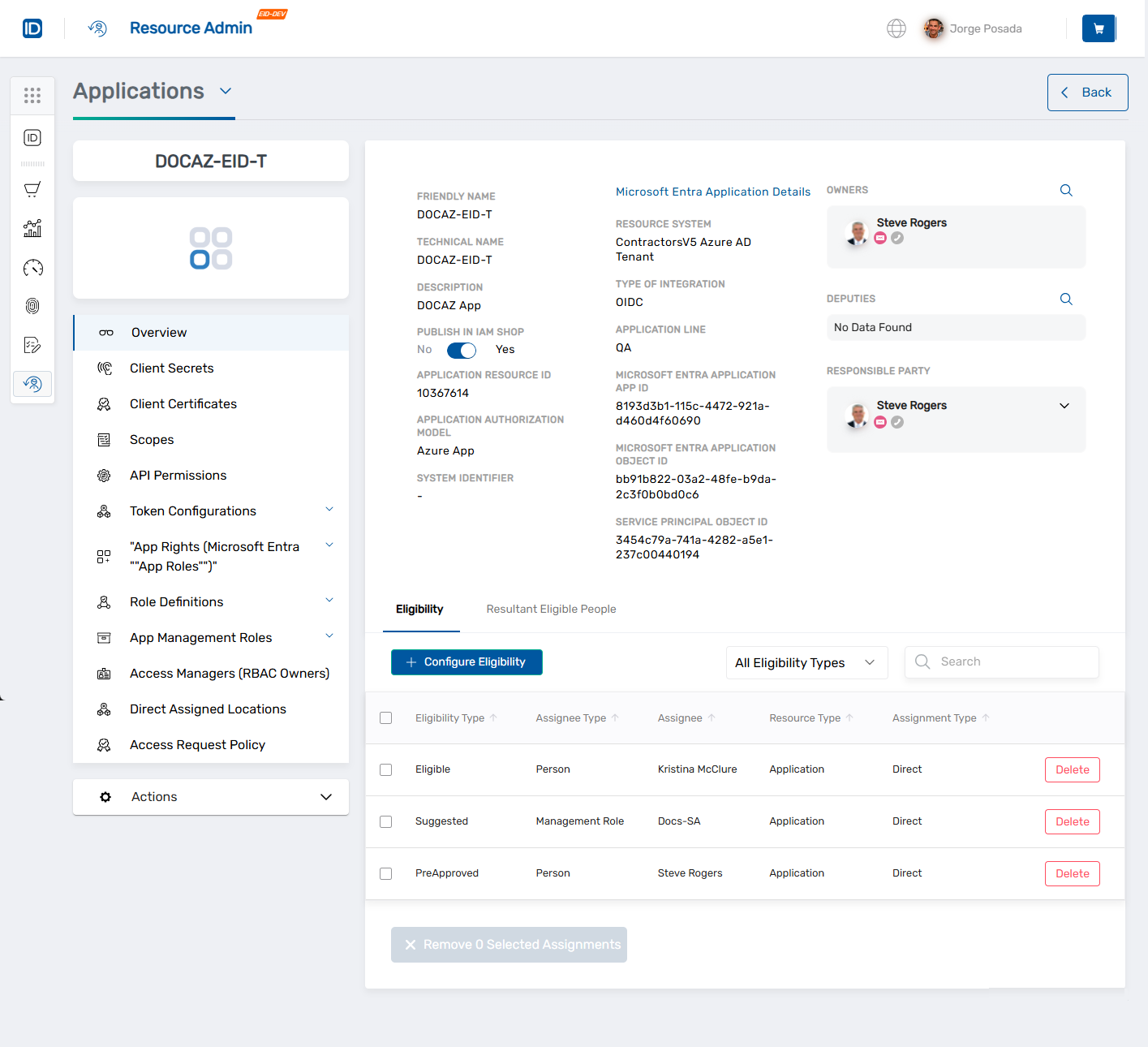
- In the left application menu, click Client Secrets.
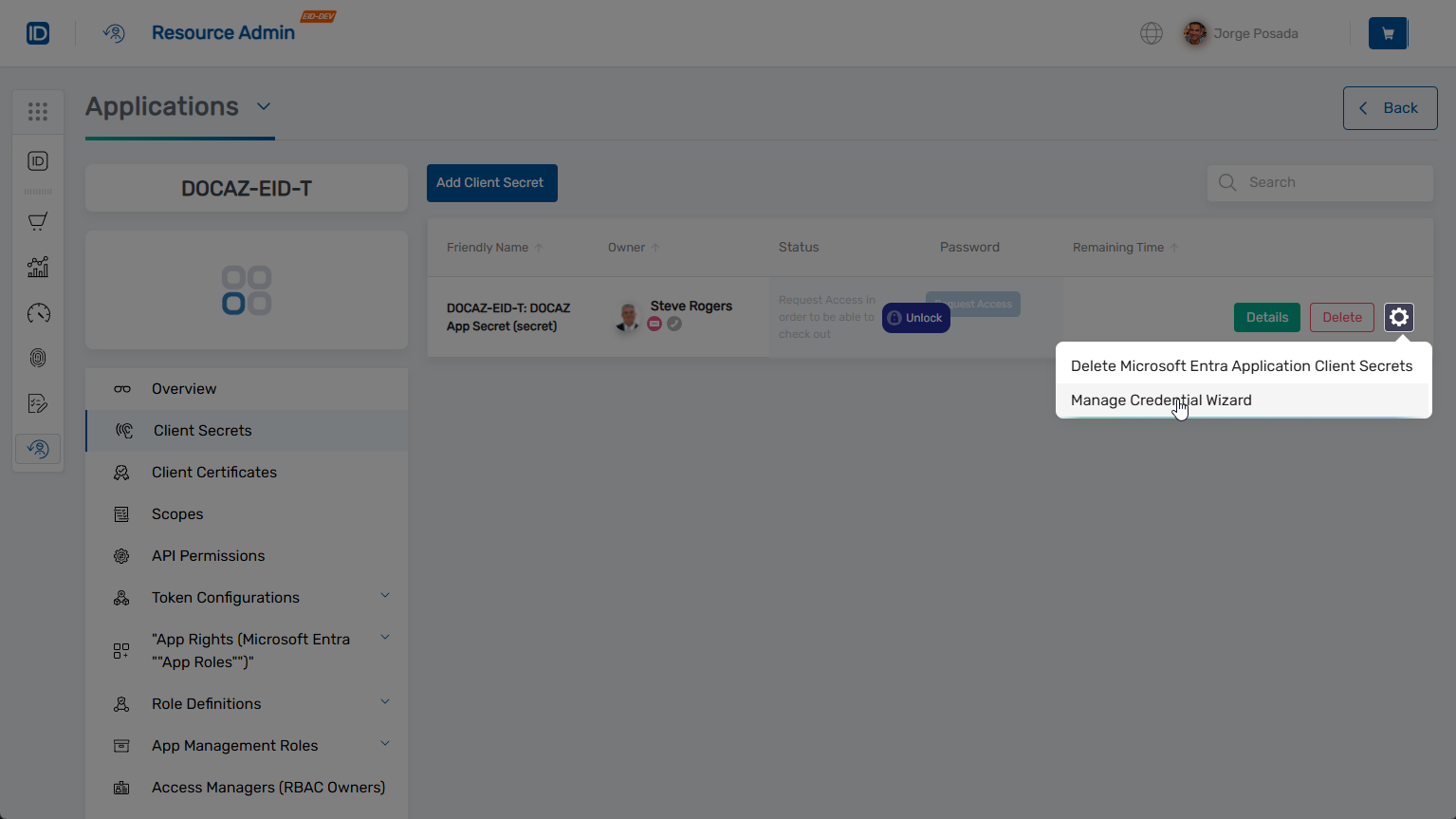
- Locate the client secret you want to manage.
- Click the gear icon on the client secret record and select Manage Credential Wizard.
- Under Select Options, select Edit Owners and Deputies.
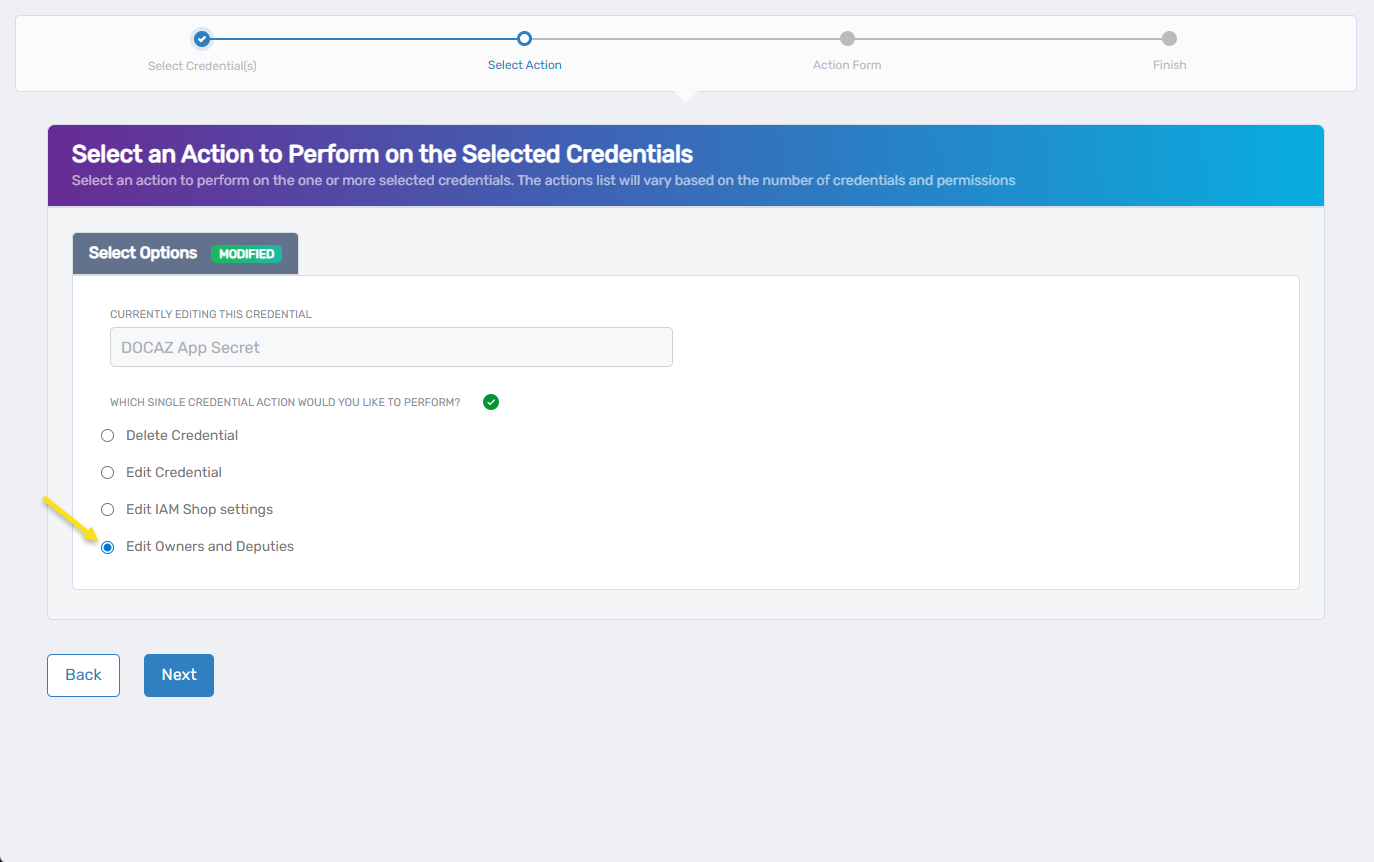
- Click Next.
The Edit Who Can Manage this Credential form opens.
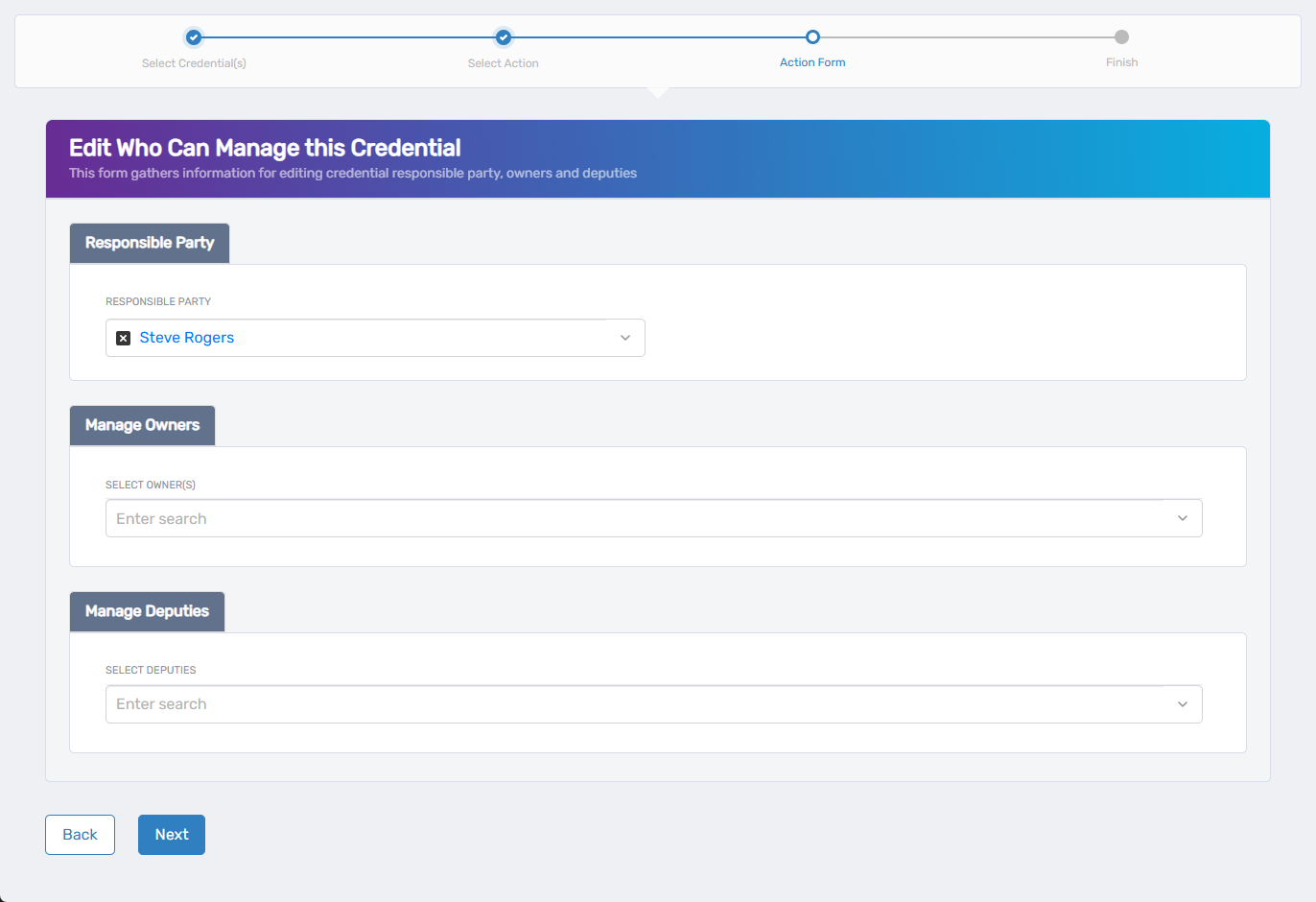
- In the Responsible Party section, select the person ultimately accountable for the credential.
- To remove the current responsible party, click the X next to their name.
- Under Manage Owners, search for and select the user(s) you want to assign as owners.
- To remove an owner, click the X next to their name.
- Under Manage Deputies, search for and select the user(s) to act as deputies.
- To remove a deputy, click the X next to their name.
- Click Next to continue.
tip
Owners and deputies inherit access permissions to manage the credential, including vault and checkout actions if those options are enabled.
- Review the Operation Execution Summary confirming the update completed successfully.
- Click Submit to continue.
- On the Finish or Start Over Workflow screen, choose one of the following:
- Manage the same credential(s)
- Manage different credential(s)
- Finish the workflow
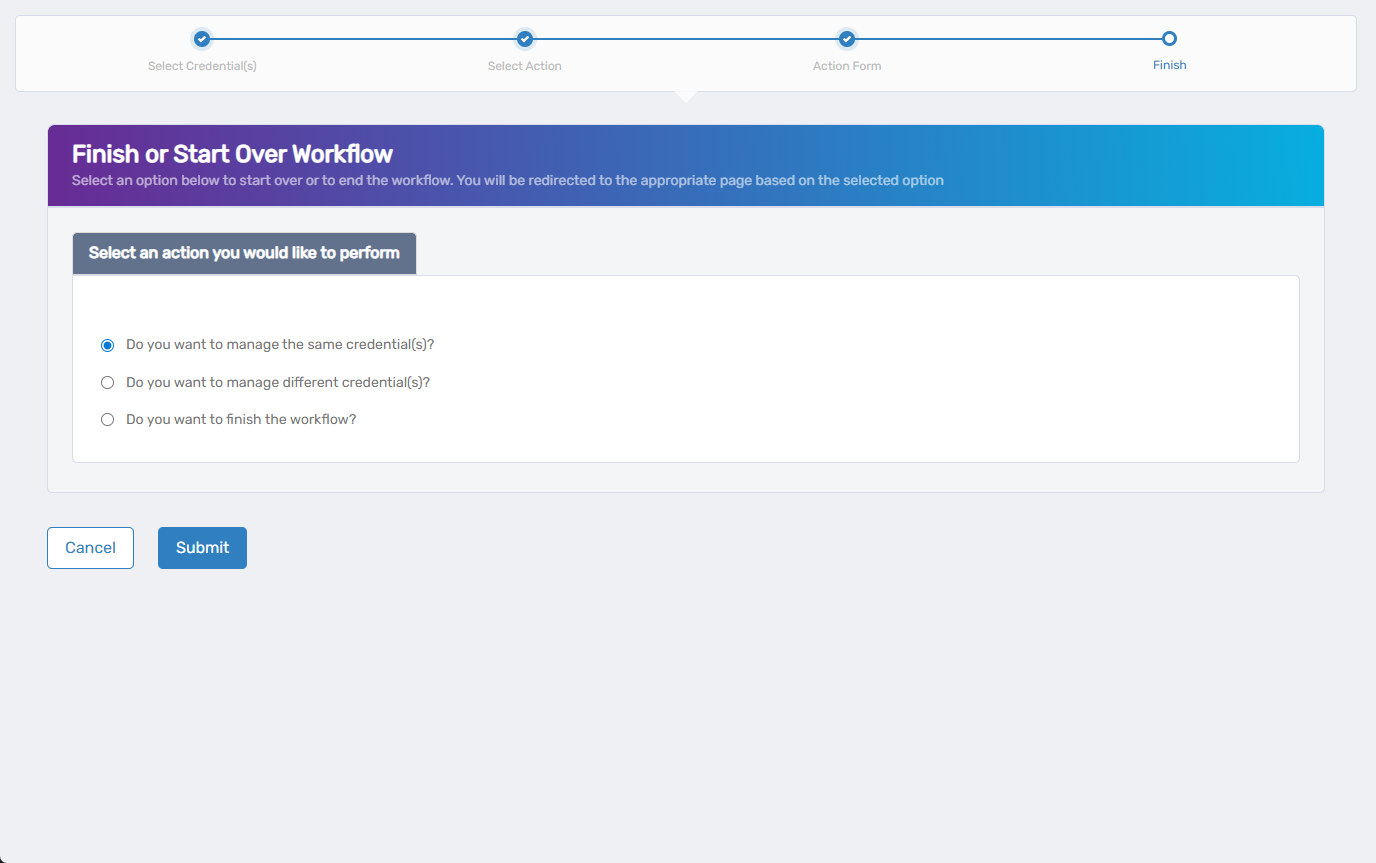
- Click Submit to confirm your choice.
You'll be redirected based on your selection—either back into the wizard or out to the Workflows page.
What Happens Next
- The credential's updated responsible party, owners, and deputies are applied immediately.
- Users assigned as owners or deputies can now manage the credential based on their access rights.
- You can return to the Client Secrets tab in the application overview to review or take further actions on the secret.