Configuring EmpowerID for Custom Security Attributes
Before using Microsoft Entra Custom Security Attributes in EmpowerID, verify the following configuration requirements.
Microsoft Entra Account Store Configuration
A properly configured Microsoft Entra account store must be set up in EmpowerID. The account store should have the necessary permissions to manage Custom Security Attributes. Verify that the connection to Microsoft Entra ID is active and functioning.
Enabling the Custom Security Attributes Inventory Job
The Microsoft Entra Resource System in EmpowerID requires the Custom Security Attributes Inventory job to be enabled.
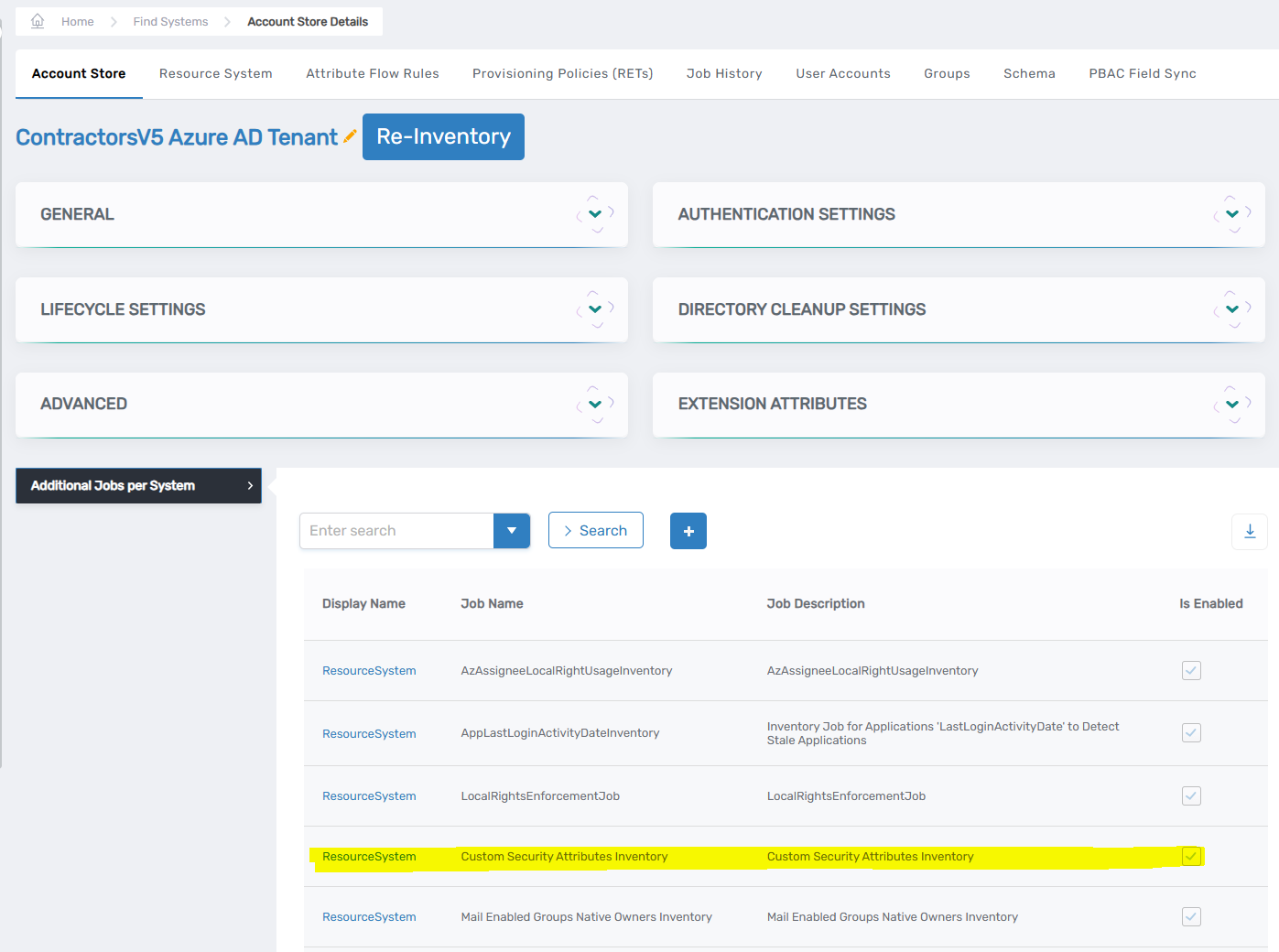 Enabling the Custom Security Attributes Inventory job in Resource System settings
To enable the job:
- Navigate to the Microsoft Entra Resource System settings
- Access the "Additional Jobs per System" section
- Locate "Custom Security Attributes Inventory" in the job list
- Ensure the job is enabled (toggle switch is turned on)
The inventory job:
- Synchronizes Custom Security Attributes between Microsoft Entra ID and EmpowerID
- Maintains an up-to-date inventory of all attribute sets and their configurations
- Ensures proper attribute assignment tracking and management
Configuring the Assignment Inventory Parameter
The Microsoft Entra Resource System requires the assignment inventory parameter to be enabled.
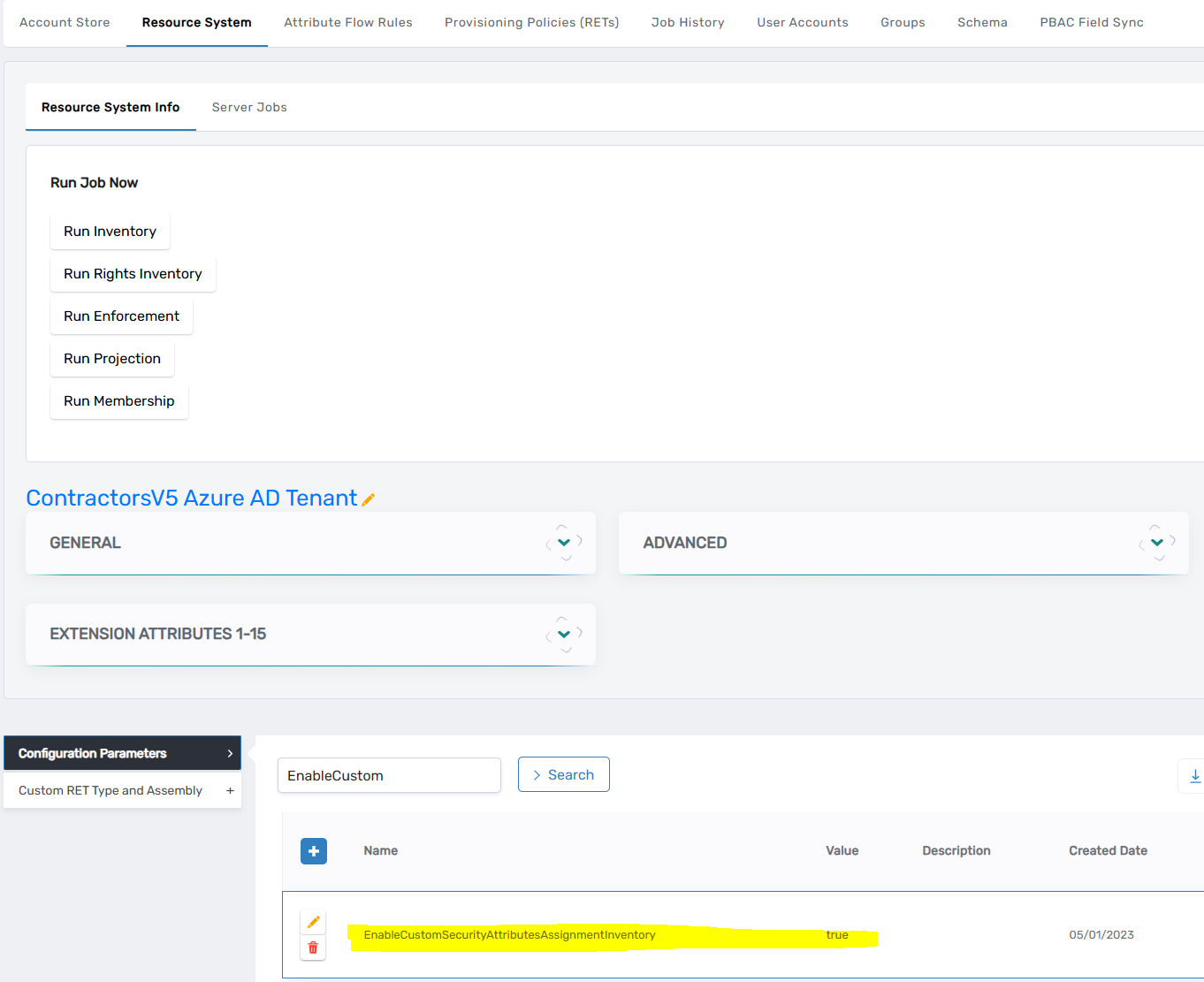 Enabling the EnableCustomSecurityAttributesAssignmentInventory parameter
To enable the parameter:
- Navigate to the Microsoft Entra Resource System settings
- Access the "Configuration Parameters" section
- Locate "EnableCustomSecurityAttributesAssignmentInventory"
- Verify the parameter value is set to "true"
The configuration parameter:
- Enables assignment inventory tracking for Custom Security Attributes
- Maintains synchronization of attribute assignments between Microsoft Entra ID and EmpowerID
- Ensures proper management of attribute assignments across the system
Important Configuration Notes
- The Custom Security Attributes Inventory job must remain enabled for continuous synchronization
- The EnableCustomSecurityAttributesAssignmentInventory parameter must be set to true
- Disabling either of these settings will:
- Prevent proper synchronization between Microsoft Entra ID and EmpowerID
- Stop the tracking of new attribute assignments and changes
- Affect the management and visibility of Custom Security Attributes in EmpowerID
Next Steps
After verifying these configuration requirements:
- Create an Attribute Set - Organize related attributes into logical containers
- Create Attributes - Define specific metadata fields
- Review the overview documentation for conceptual information