Configure Custom Decisions for Business Requests
By default, EmpowerID provides standard decisions for recertification business requests such as Certify, Delete, and Disable. Organizations may need additional decision options to meet specific governance requirements or business processes.
note
Custom decisions allow you to create organization-specific approval options that execute tailored workflows when selected by reviewers during the recertification process.
Understanding Custom Decisions
Custom decisions extend the standard approval options available to reviewers when they evaluate recertification business requests. Each custom decision can be configured to trigger specific fulfillment workflows that implement the organization's unique business logic for handling approved or rejected access.
Configure Custom Decisions
- Log in to the EmpowerID web application.
- Navigate to Low Code / No Code Workflow > No Code Flows.
- Select the Item Type Actions tab.
- Search for the specific Item Type Action you want to modify and click the Localized Friendly Name link.
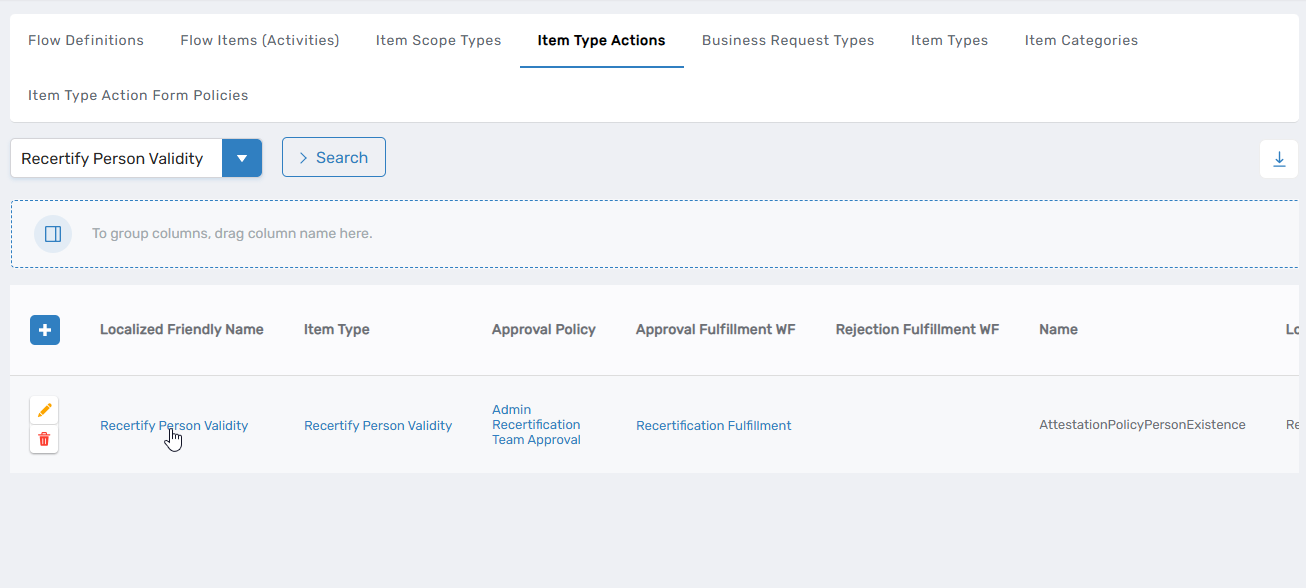 This directs you to the View One page for the selected Item Type Action.
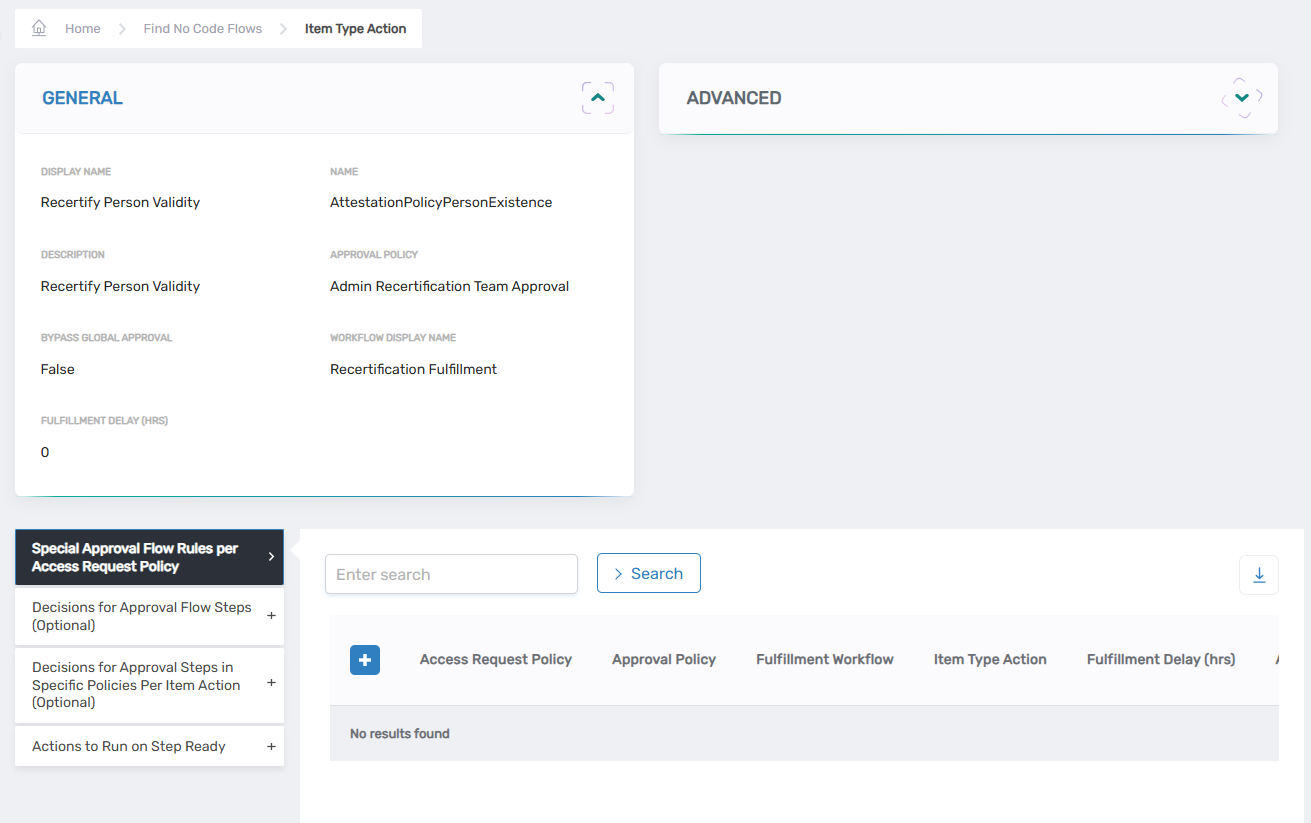
- Expand the Decisions for Approval Flow Steps (Optional) accordion and click the Add New button.
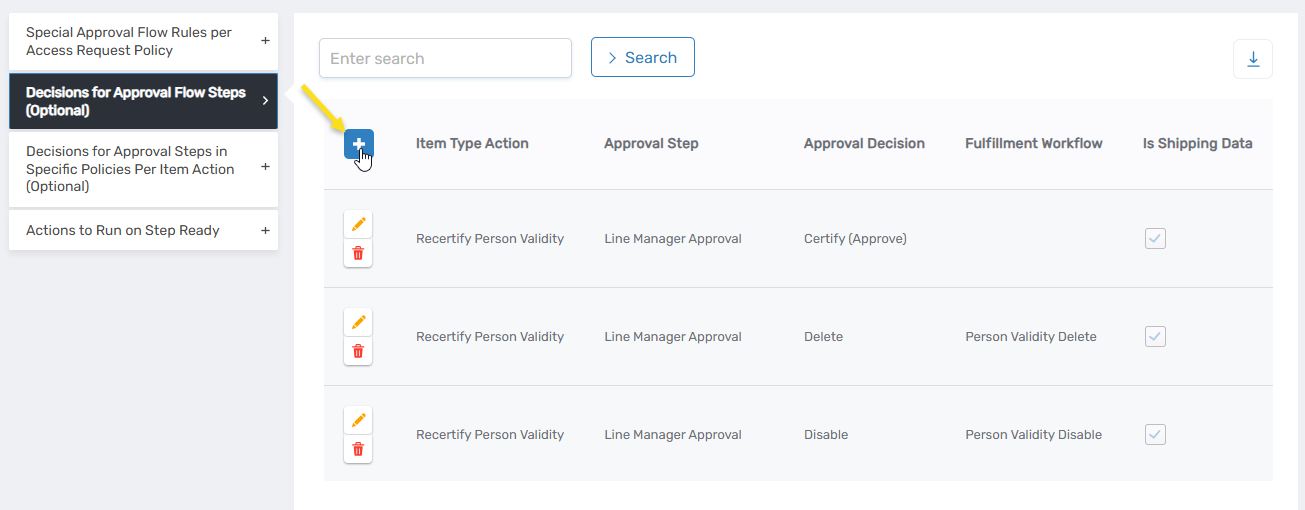 This opens the Decision dialog.
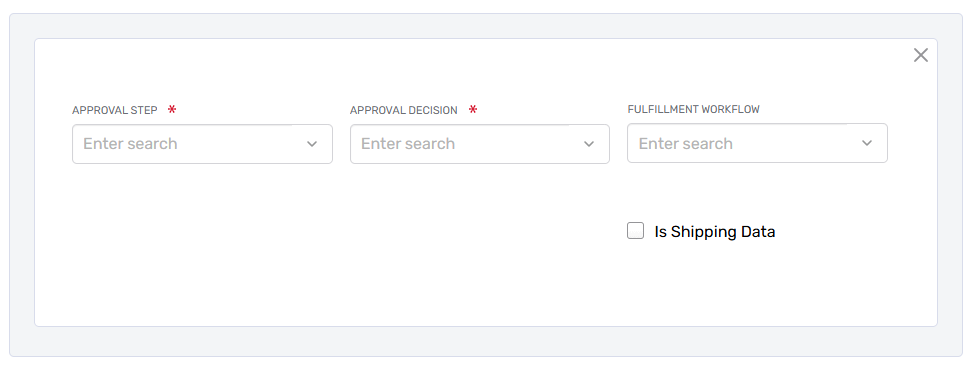
- Configure the new decision:
- Approval Step: Select which approval flow step this decision applies to (determines the sequential stage in the approval process where this option appears).
- Approval Decision: Select the decision option that will be displayed to approvers (the actual choice/button text approvers will see).
- Fulfillment Workflow: Select the workflow that executes when this decision is chosen (determines what action occurs after the approver makes this decision).
- Is Shipping Data: Leave empty; for internal use only.
- Click Save.