View a Person's Responsibilities
A person may be assigned responsibility for numerous EmpowerID objects. To avoid overburdening any one person or to assess current responsibility distribution, you can review all objects a person is responsible for.
Prerequisites
To view a person's responsibilities, you need appropriate permissions to access Person details in EmpowerID.
View Responsibilities
- On the navbar, expand Identity Administration and select People.
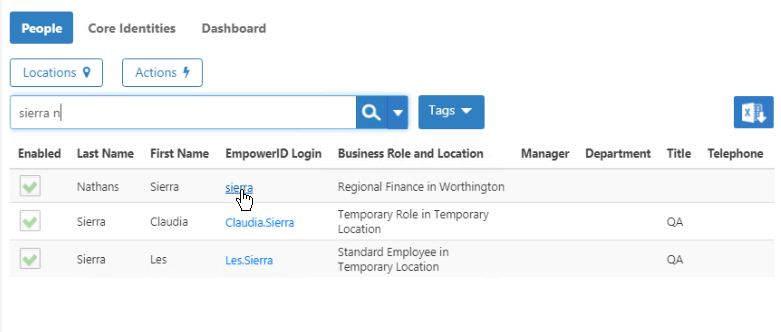
- Search for the person whose responsibilities you want to view.
- Click the EmpowerID Login link for the person.
- On the Person Details page, select the Report tab.
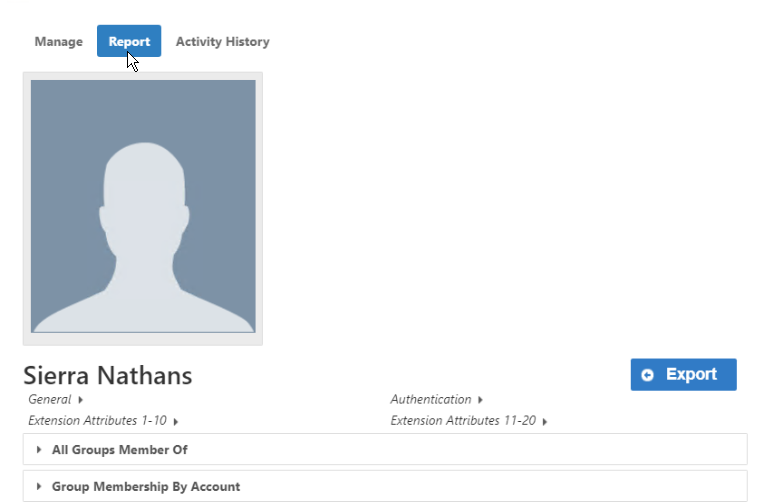
- Scroll down and expand the Resources Person Is Responsible For accordion.
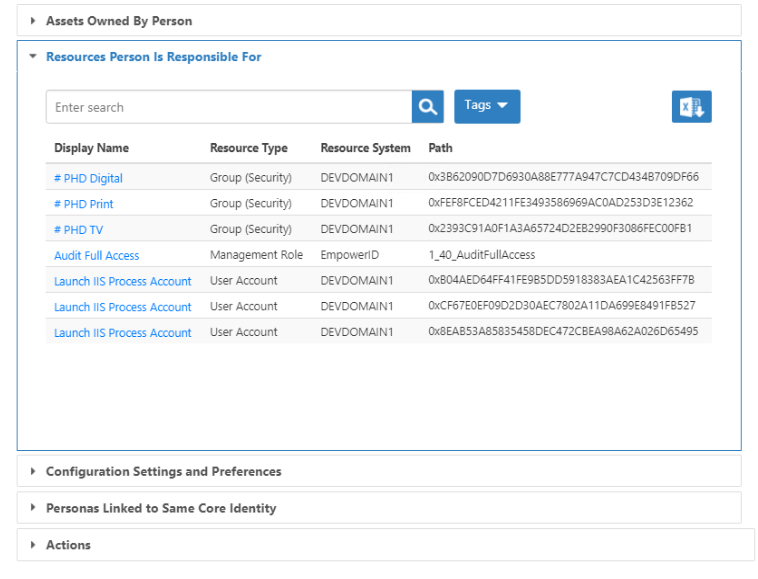 The accordion displays all resources for which the person is responsible, organized by object type:
- User Accounts
- Groups
- Computers
- Management Roles
- Locations
- Shared Credentials
- Review the list of objects and their details.
- To view or modify an object, click its Display Name link to navigate to that object's Details page.
Results
The Resources Person Is Responsible For report shows:
- All object types the person is responsible for
- The count of objects per type
- Specific details for each object (name, type, location, etc.)
- Quick access to manage each object if needed
This information helps you:
- Assess whether a person has too many responsibilities
- Identify what will need to be transferred if the person leaves
- Verify that responsibilities are properly distributed across the team
- Make informed decisions about assigning additional responsibilities
Related Topics
- About Responsible Parties – Understanding responsible party concepts
- Assign and Manage Responsible Parties – Assign responsible parties to objects
- Transfer Responsibilities – Transfer responsibilities between people
- Automate Responsibility Transfer – Configure automatic transfer on departure