Change the Responsible Party Type
By default, only a Person can be assigned as the responsible party for an object. You can change this setting to allow other actor types or to enable a dropdown list of actor types when assigning responsible parties.
Prerequisites
To change the responsible party type, you need appropriate permissions to access and modify EmpowerID System Settings.
Actor Type Values
The OwnerRequiredAssigneeTypeID system setting controls which actor types can be assigned as responsible parties:
| Value | Responsible Party Type |
|---|---|
| 1 | Person (default) |
| 2 | Account |
| 3 | Group |
| 4 | Business Role and Location |
| 5 | Management Role |
| 7 | Query-Based Collection |
| (blank) | All types available in dropdown |
Change the Responsible Party Type
- On the navbar, expand Infrastructure Admin > EmpowerID Servers and Settings.
- Select EmpowerID System Settings.
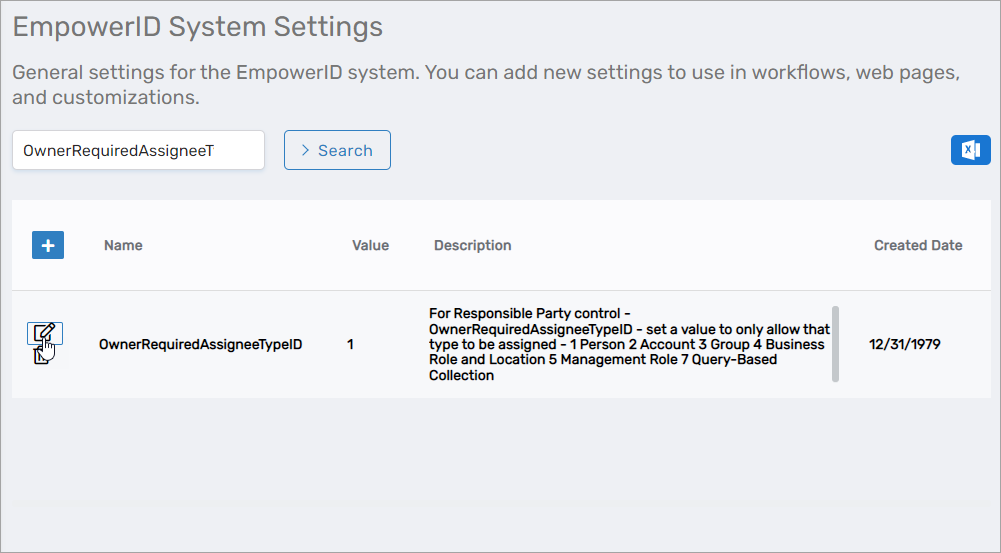
- Search for OwnerRequiredAssigneeTypeID.
- Click the Edit button for the setting.
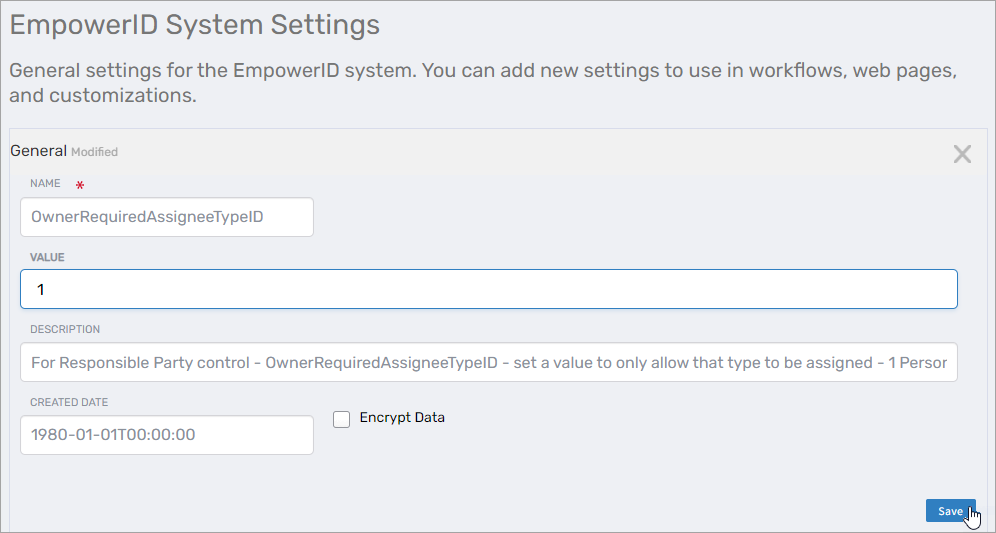
- Change the Value to the desired actor type:
- Enter a specific number (1-7) to restrict to that actor type only
- Leave blank to allow all actor types with a dropdown selector
- Click Save.
Results
After changing the responsible party type setting:
- The Responsible Party field on object Details pages reflects the new configuration
- If set to a specific actor type, only that type can be selected
- If left blank, a dropdown allows choosing from all available actor types
- The change applies to all object types (accounts, groups, computers, management roles, locations, shared credentials)
- Existing responsible party assignments are not affected—only new assignments follow the new rule
Related Topics
- About Responsible Parties – Understanding responsible party concepts
- Assign and Manage Responsible Parties – Assign responsible parties to objects
- Transfer Responsibilities – Transfer responsibilities between people