Delete Secrets
Delete any personal secret you’ve created when it’s no longer needed or must be removed for compliance or security reasons.
Overview
Only the secret's creator can delete it. Deleted secrets are permanently removed and cannot be recovered. Deletion applies only to secrets you created, not those shared with you.
🗑️Deletion is Permanent
Deleting a secret is irreversible. Make sure you no longer need the stored information before confirming the deletion.
What You’ll Need
- Ownership of the secret you want to delete
Delete a Secret
- Access Your Profile
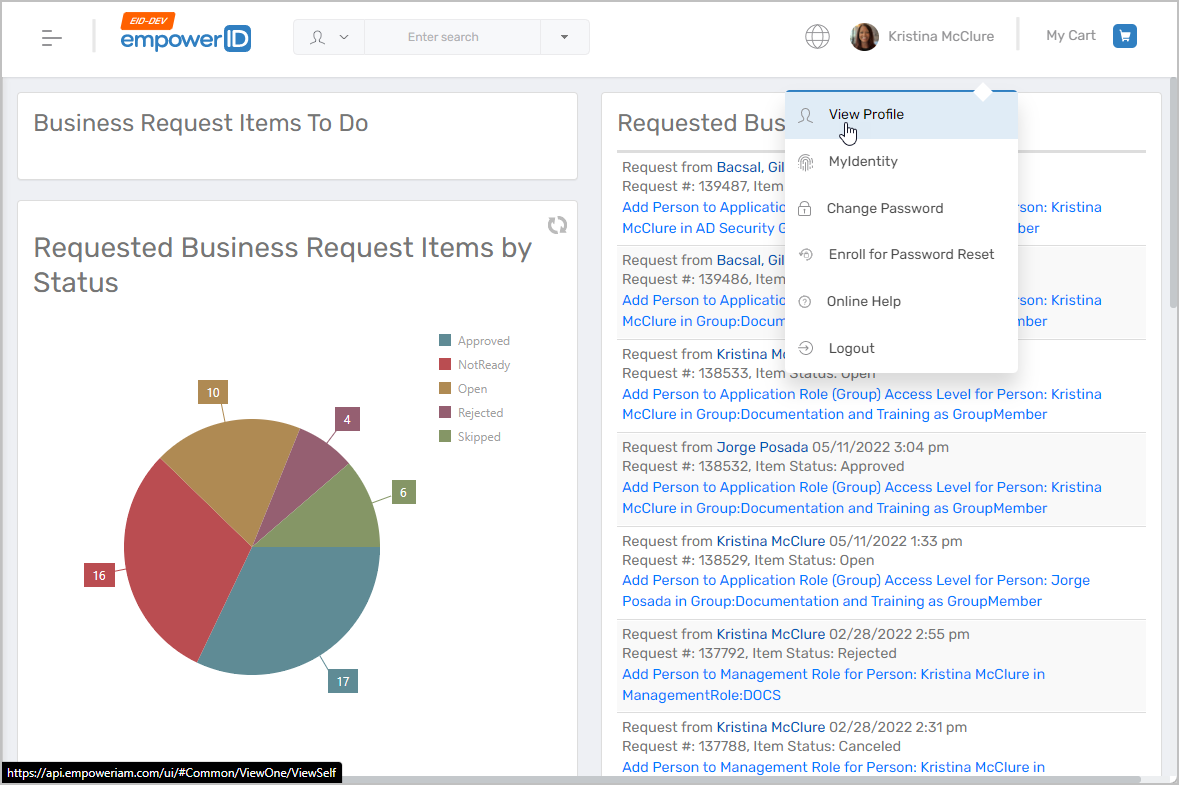
- In the EmpowerID Web application, click your username.
- Select View Profile from the dropdown.
- Navigate to Secrets
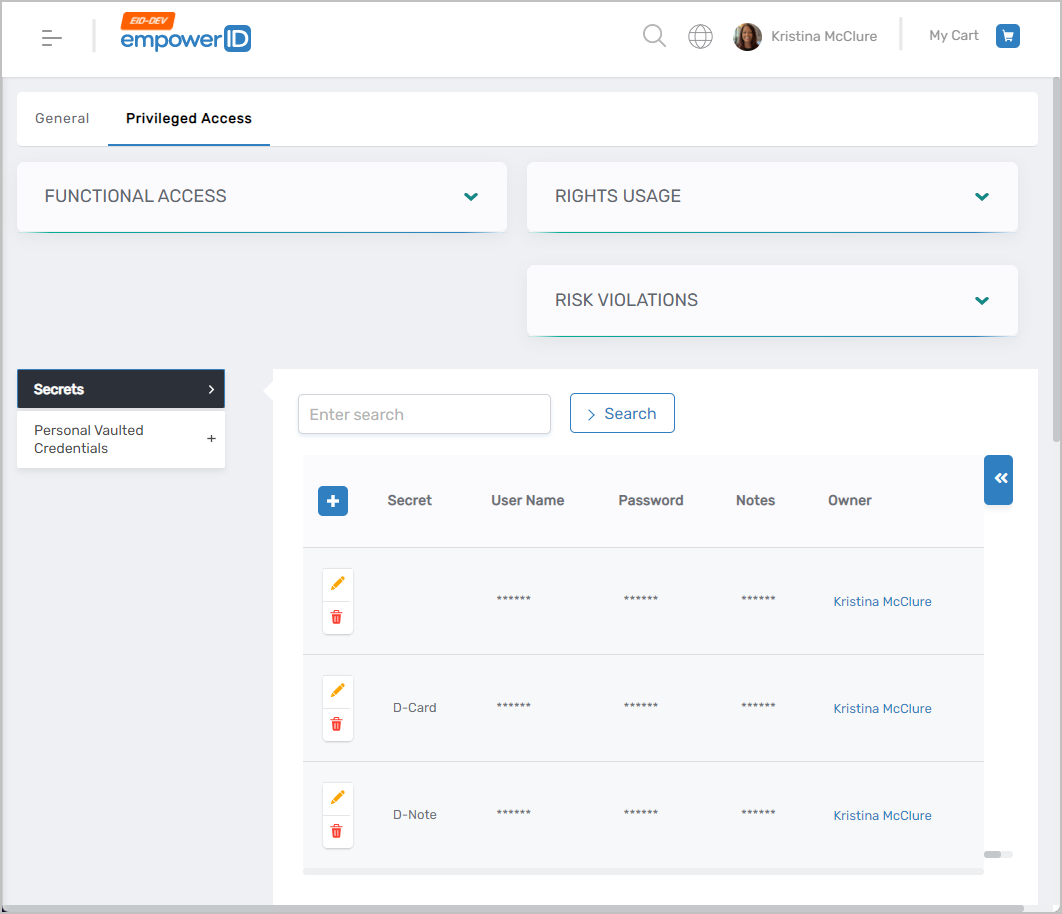
- Click the Privileged Access tab.
- Expand the Secrets section.
- You’ll see all secrets you created and any shared with you.
- Delete the Secret
- Click the Delete button beside the secret you want to remove.
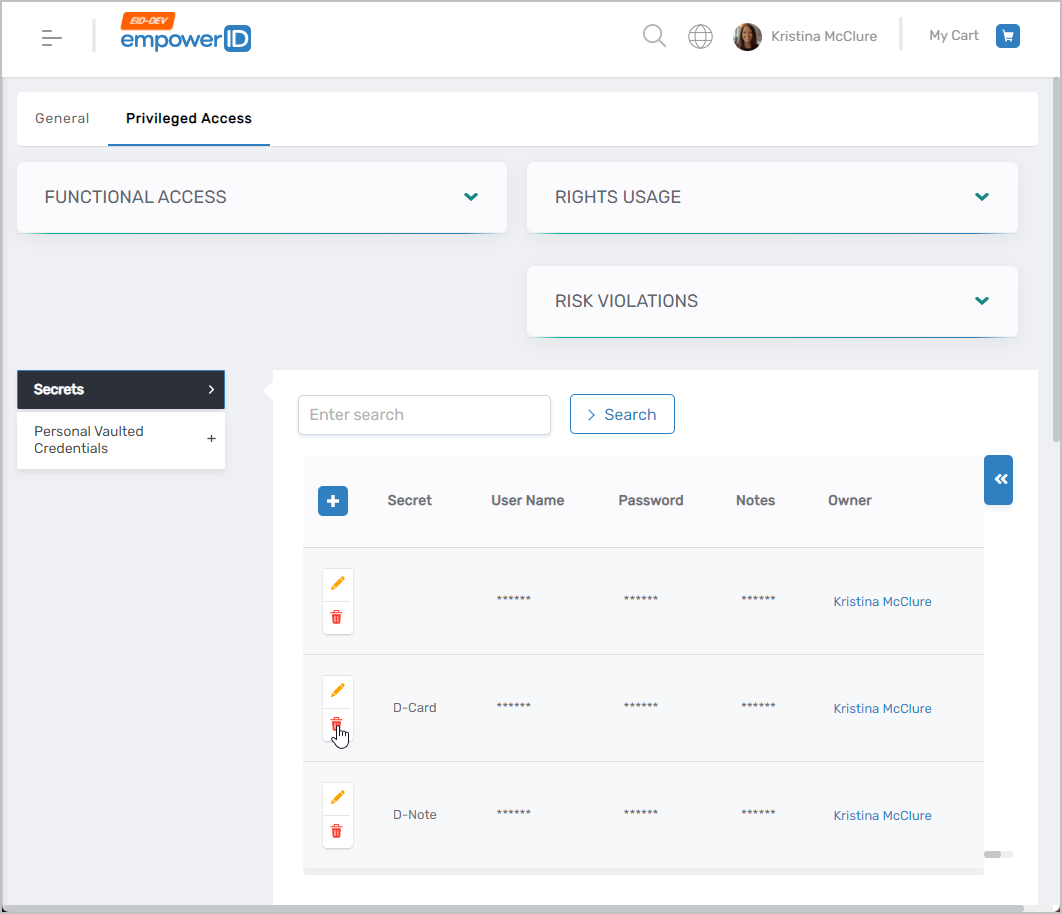
- Click the Delete button beside the secret you want to remove.
- Confirm the Deletion
- In the dialog, click YES to permanently delete the secret.
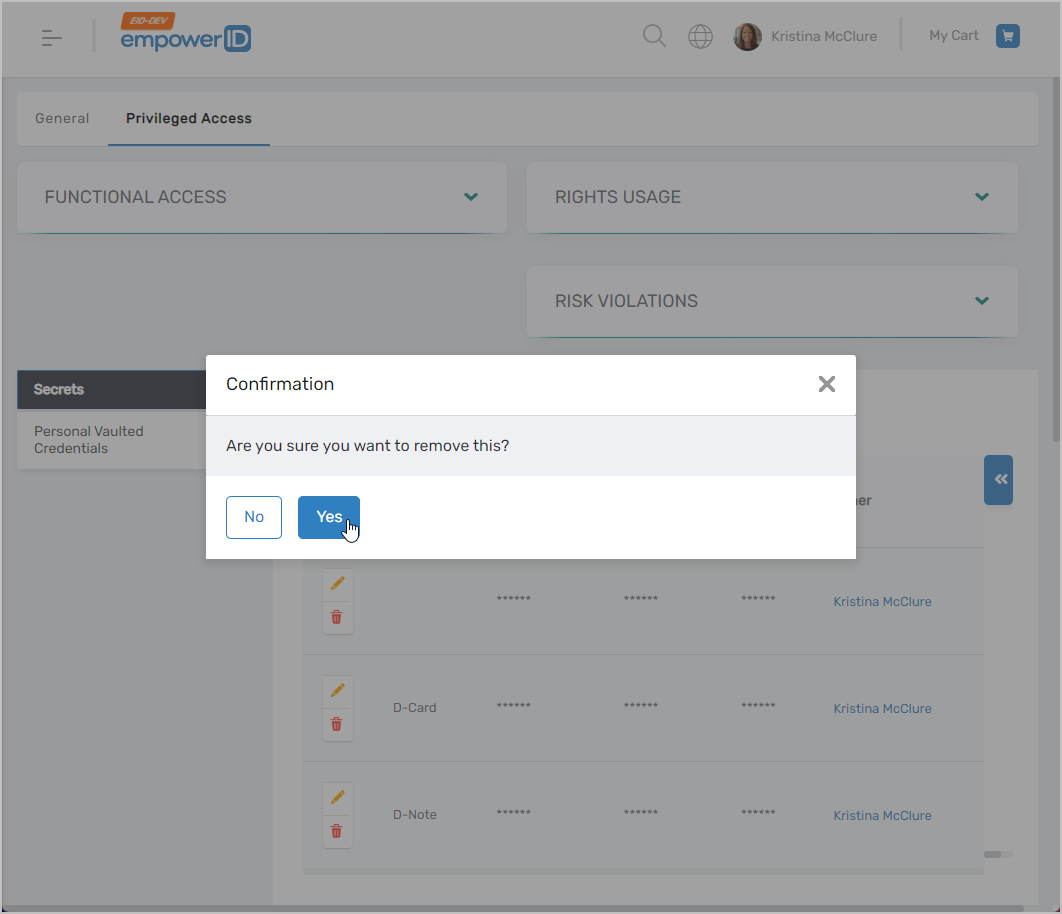
- In the dialog, click YES to permanently delete the secret.