About EmpowerID
EmpowerID is the platform your organization uses to manage identities, control access, and protect sensitive resources — all in one place.
Overview
EmpowerID helps you do everything from logging in with single sign-on (SSO), to requesting access to applications, to managing privileged credentials. Whether you're an employee, a contractor, a system owner, or a security approver, EmpowerID supports your role in keeping identity and access secure and efficient.
EmpowerID is available as a cloud-based service (SaaS) or installed on-premise. Both offer the same experience — the only difference is where the system runs and who manages it.
EmpowerID SaaS runs in Azure regions chosen by your organization. If your team uses EmpowerID on-premise, the same features are delivered from local infrastructure.
What EmpowerID Helps You Do
EmpowerID brings together three major identity and access capabilities:
Identity Governance and Administration (IGA)
IGA handles the lifecycle of digital identities — like onboarding, role assignment, access reviews, and certifications.
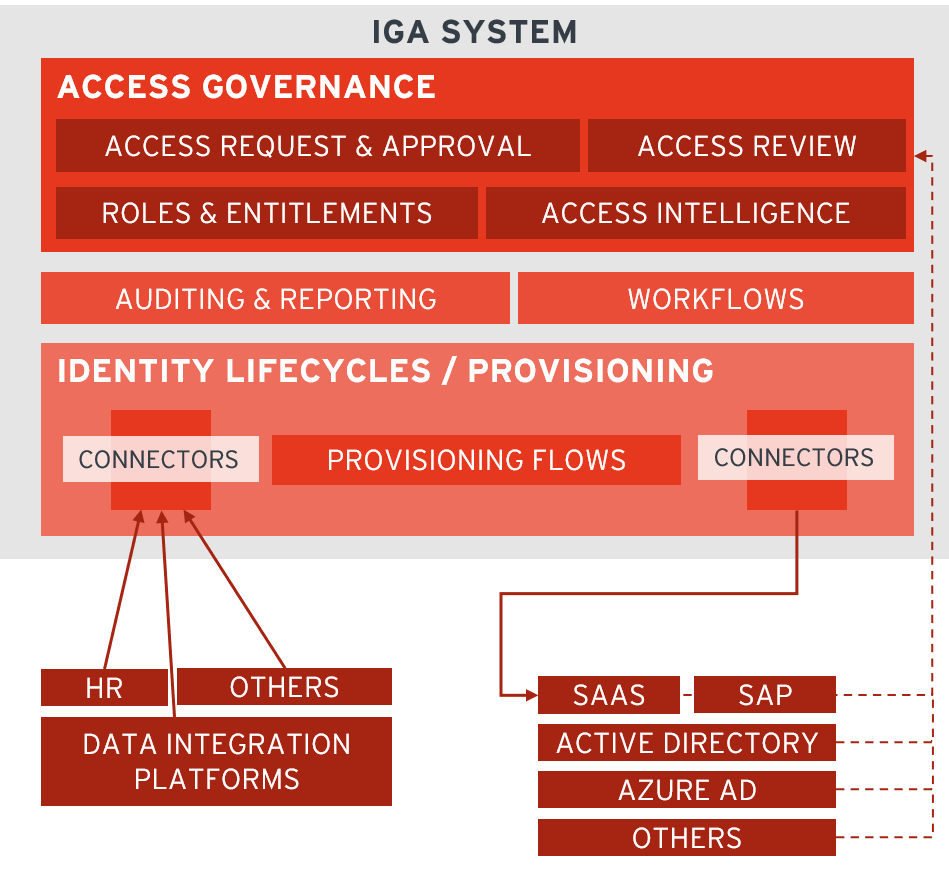
Source: KuppingerCole
Privileged Access Management (PAM)
PAM secures elevated access to sensitive systems. With EmpowerID, you can:
- Check out credentials temporarily
- Access systems through browser-based session launchers
- Ensure that all privileged actions are audited
Source: Bago (Editor) E. & Glazer I., (2021) "Introduction to Identity - Part 1: Admin-time (v2)", IDPro Body of Knowledge 1(5)
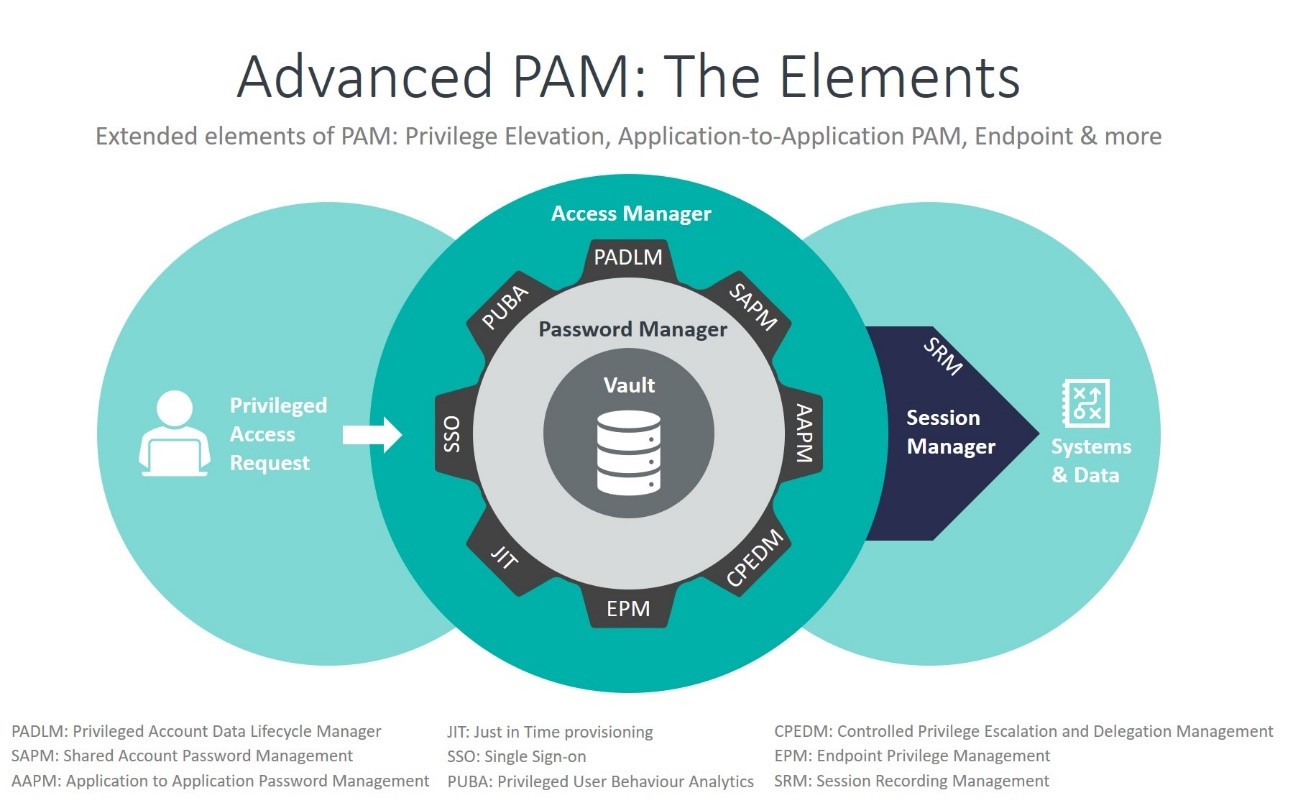
Source: KuppingerCole
Access Management and Single Sign-On (SSO)
Access Management lets you log in once and access everything you’re authorized for. EmpowerID supports:
- Passwordless login
- Multifactor authentication (MFA)
- Federation with other identity providers (like Microsoft Entra ID, Okta, or Ping)
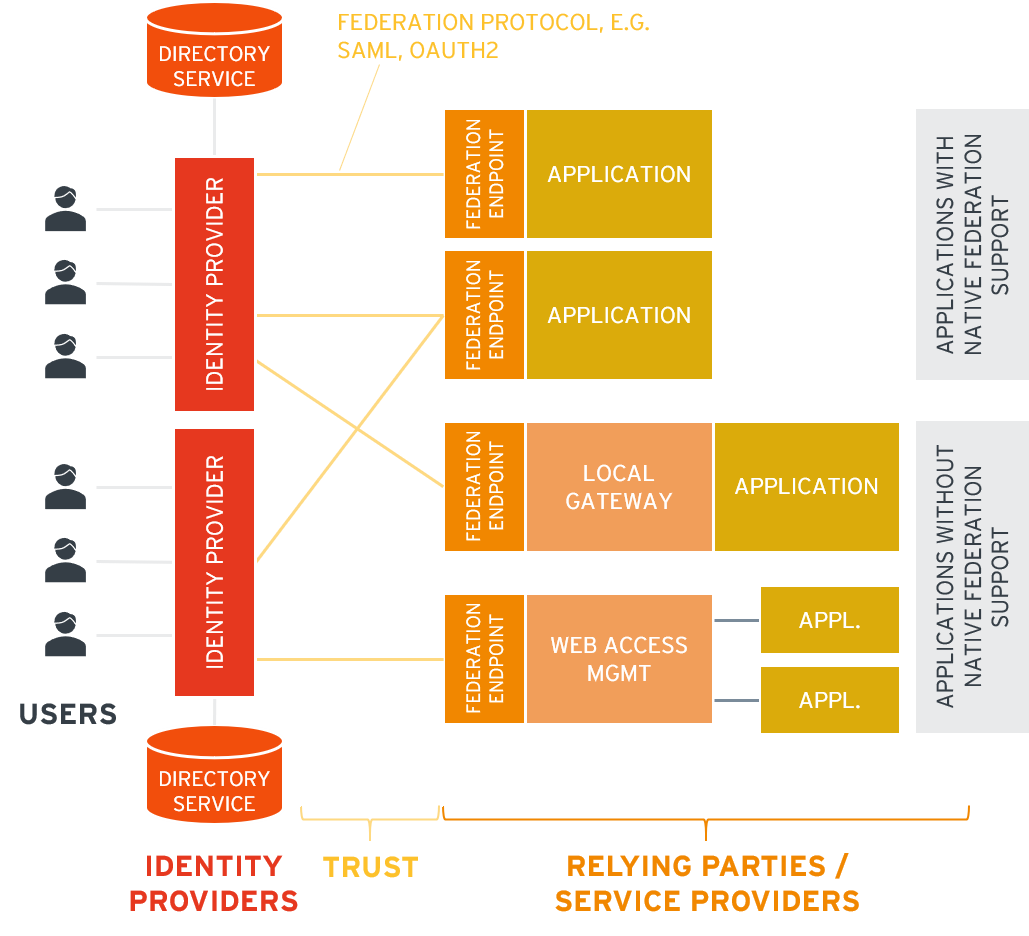
Source: KuppingerCole
Key Takeaways
- EmpowerID helps you manage access, identities, and credentials securely
- It supports cloud and on-prem deployments with the same features
- It protects all identity types — users, service accounts, devices, and more
- You’ll use it for login, access requests, password management, and more