Understanding IAM Shop Permission Levels
IAM Shop Permission Levels define the permissions users can request for computers when connecting through Privileged Session Management (PSM). These permission levels map to native system groups, granting specific access rights during PSM sessions and automatically revoking them when sessions end.
How IAM Shop Permission Levels Work
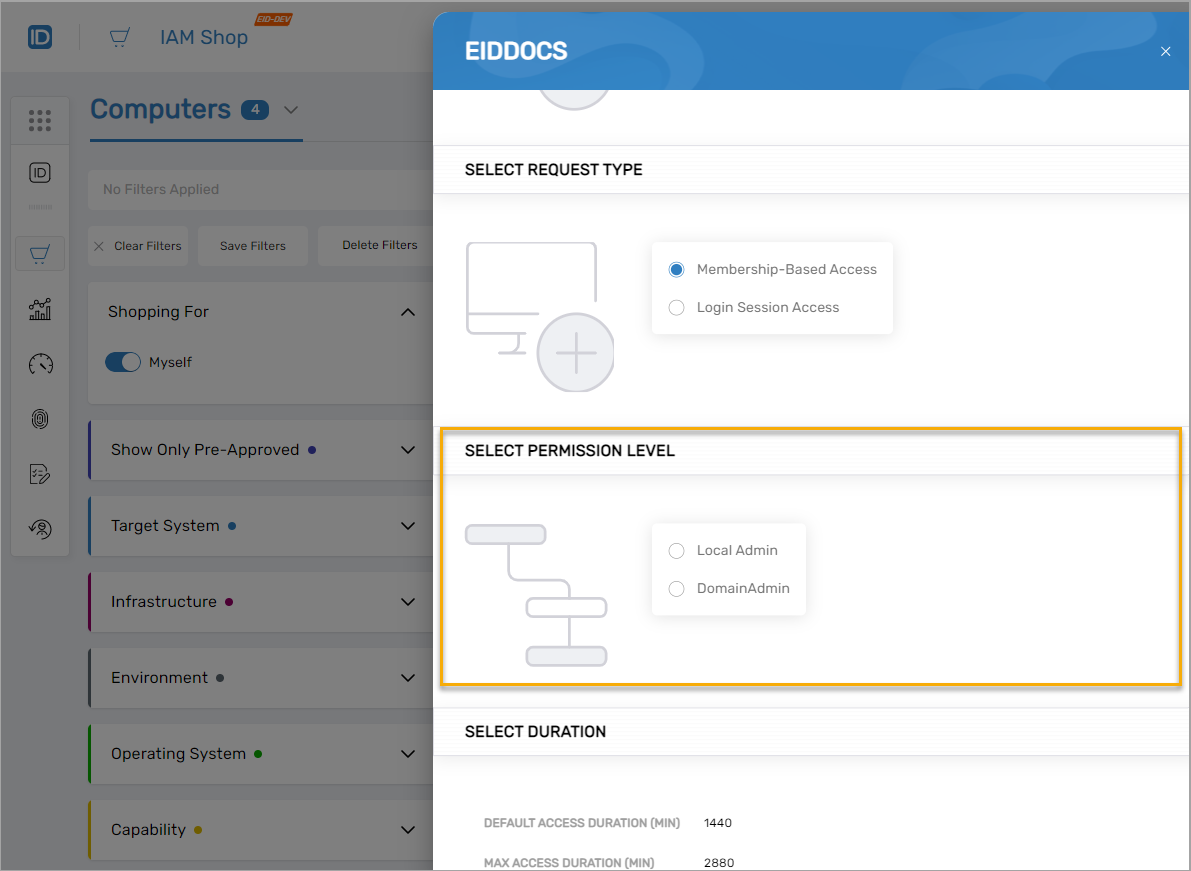
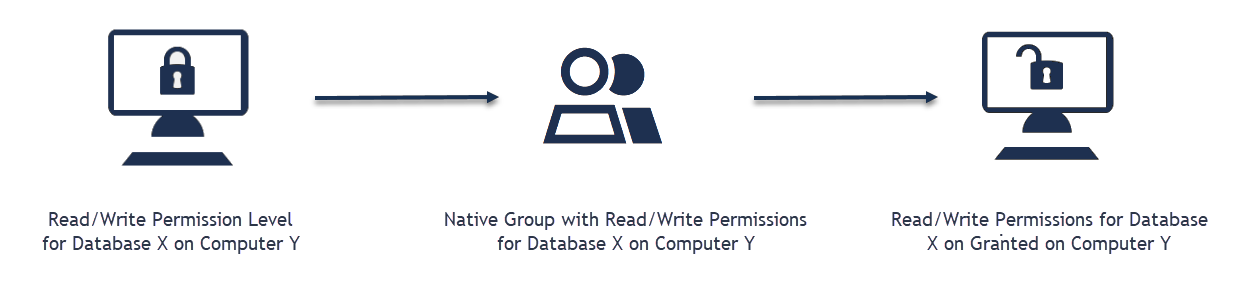
When users request access to a computer through the IAM Shop, they can select from available permission levels. Each permission level corresponds to membership in a native system group (such as local administrators or domain administrators). During the PSM session, users receive the permissions associated with that group. When the session ends, the permissions are automatically revoked.
Default Permission Levels
EmpowerID includes default IAM Shop Permission Levels for computers:
- Local Admin – Local administrator permissions on the target computer
- Domain Admin – Domain administrator permissions
Organizations can create custom permission levels to meet specific security and operational requirements.
Permission Levels and Privileged Session Management
IAM Shop Permission Levels integrate with PSM to:
- Grant temporary elevated access – Users receive specific permissions only during their PSM session
- Enforce least privilege – Permissions are automatically revoked when the session ends
- Support compliance requirements – All permission grants are logged and auditable
Eligibility and Access Control
EmpowerID enforces eligibility requirements for permission levels. Users can only see and request permission levels they are eligible for based on organizational policies. For example:
- A database administrator might be eligible for elevated database permissions
- A customer service representative would not see database administrator permission levels
- Users without eligibility for any permission level can still initiate non-privileged sessions (if allowed by policy)
Just-In-Time Account Provisioning
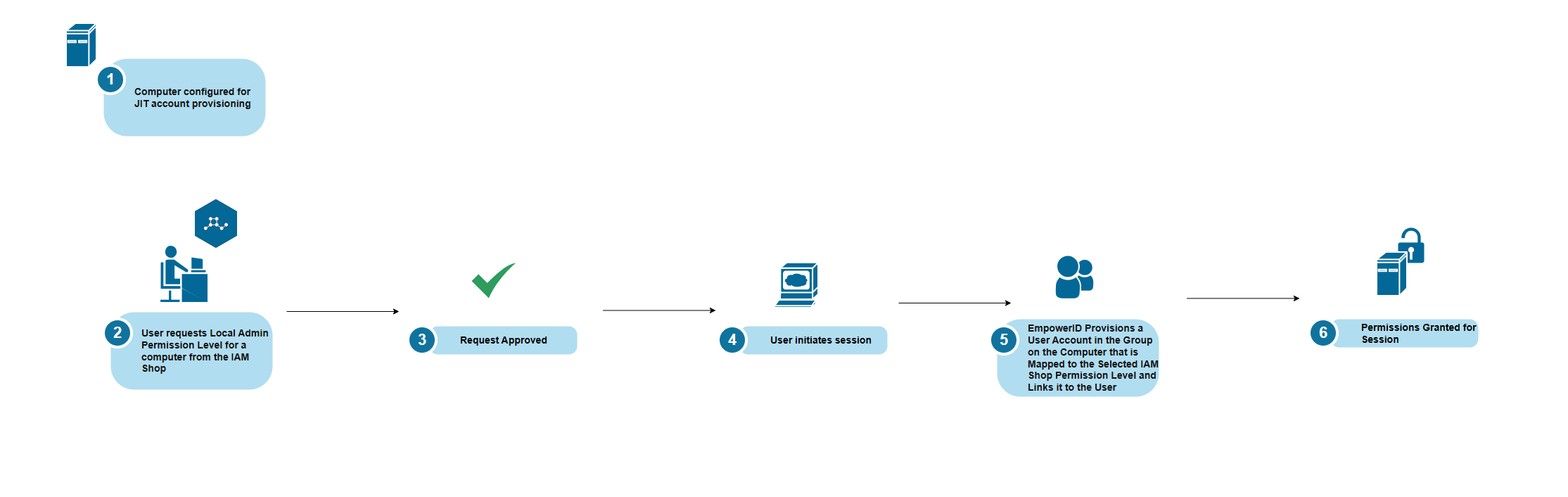
For enhanced security, IAM Shop Permission Levels can be configured with Just-In-Time (JIT) account provisioning. When JIT is enabled:
- A unique user account is created at the start of the PSM session (e.g.,
jposada_566054625600) - The account is added to the appropriate permission group
- The user receives permissions through this temporary account
- When the session ends, the account is removed from the group or deleted entirely (based on configuration)
This approach ensures that no standing privileged accounts exist outside of active sessions.
Configuration Requirements
To use IAM Shop Permission Levels with computers:
- Connect the computer as a Local Windows Server Account Store – This enables EmpowerID to inventory the computer's users and groups
- Assign IAM Shop Permission Levels to the computer – Configure which permission levels are available for the computer
- Map permission levels to native groups – Link each permission level to the corresponding group on the computer
- (Optional) Configure JIT provisioning – Enable automatic account creation and cleanup for enhanced security
Related Topics
- Assign IAM Shop Permission Levels to Computers – Configure permission levels for specific computers
- Configure Computers for Just-In-Time Access – Enable automatic account provisioning
- Add IAM Shop Assignees for Requesting Access – Control who can request specific permission levels
- Connecting to Local Windows Servers as Account Stores – Set up the prerequisite connection